 Aleksei Sviridkin
2abc7c2ab0
token-proxy panicked at startup whenever the very first JWKS fetch
against kubernetes.default.svc failed, which is routine on a fresh
install: CoreDNS, the CNI, or the API-server endpoint may not be ready
in the seconds between the pod scheduling and the cache initialization
running. The pod then entered CrashLoopBackOff with exit code 2 and no
logs, the dashboard HelmRelease never installed, and every release
that depended on it stalled behind it.

Two paths into init() touched the network synchronously: jwk.Cache.Register
with the default WaitReady(true), and an explicit follow-up Refresh.
WaitReady has no built-in timeout, so a permanently-unreachable JWKS
would turn the panic into a different failure mode (an unbounded
startup wait) rather than fixing it. The explicit Refresh on top of
Register was redundant.

Drop the redundant Refresh and pass WithWaitReady(false) on Register
so the cache setup returns immediately. The background worker keeps
retrying: a pure network failure (DNS, dial, TLS) skips Sync's SetNext
and falls back to httprc's 1-second tick, while an HTTP error response
(apiserver 5xx, RBAC 403) honors MinInterval — lower it from 5 minutes
to 5 seconds so a single bad response can no longer hold the pod
NotReady for several minutes. Move the cache construction out of
init() into a testable function; init() now only registers flags.

Background fetch failures are wired into the container log via
httprc.WithErrorSink so a persistent JWKS misconfig produces a
recognisable stdout signature instead of being invisible behind the
readiness probe.

To prevent the new failure mode (silently broken sign-in when JWKS is
permanently misconfigured) from regressing observability, expose
/healthz/live and /healthz/ready: liveness is process-up; readiness
calls jwkCache.Lookup so a permanent misconfig surfaces as 0/1 Ready
and keeps the pod out of service endpoints. A startupProbe pointed at
/healthz/ready with a generous failure budget (~5 minutes) serves as
a backstop: a genuinely stuck pod eventually restarts so the operator
sees RestartCount/CrashLoopBackOff instead of a silently NotReady pod
that nothing escalates. The oauth2-proxy branch keeps its own /ping
probes unchanged.

The sign-in handler distinguishes errJWKSNotReady from a real invalid
token: during the cold-start window users see "Service is starting,
please retry in a moment" instead of the misleading "Invalid token".

Tests cover: WaitReady(false) contract (Register returns in <1s
against unreachable JWKS), background-worker recovery from transient
HTTP 5xx without an explicit Refresh (the production cold-start path),
lazy population, catastrophic-misconfig surface (missing/malformed CA
still returns hard error), errJWKSNotReady disambiguation, SA token
injection, and /healthz/ready 503-then-200 transition. The package
Makefile gains a test-go target wired into the existing 'test' target
so hack/helm-unit-tests.sh picks up the new Go tests automatically.

Assisted-By: Claude <noreply@anthropic.com>
Signed-off-by: Aleksei Sviridkin <f@lex.la>


Cozystack
Cozystack is a free platform and framework for building clouds.
Cozystack is a CNCF Sandbox Level Project that was originally built and sponsored by Ænix.
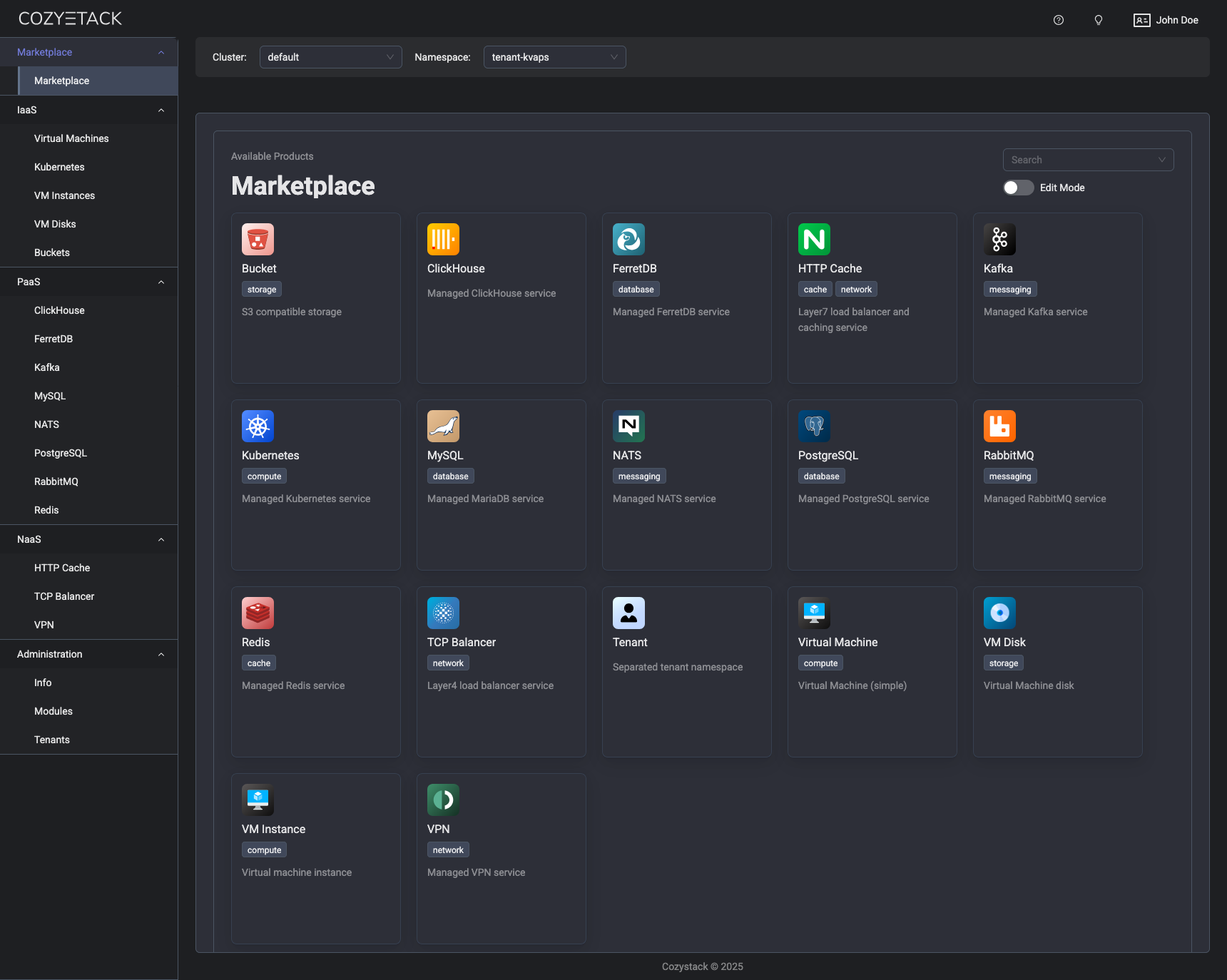
With Cozystack, you can transform a bunch of servers into an intelligent system with a simple REST API for spawning Kubernetes clusters, Database-as-a-Service, virtual machines, load balancers, HTTP caching services, and other services with ease.
Use Cozystack to build your own cloud or provide a cost-effective development environment.
Use-Cases
-
Using Cozystack to build a public cloud
You can use Cozystack as a backend for a public cloud -
Using Cozystack to build a private cloud
You can use Cozystack as a platform to build a private cloud powered by Infrastructure-as-Code approach -
Using Cozystack as a Kubernetes distribution
You can use Cozystack as a Kubernetes distribution for Bare Metal
Documentation
The documentation is located on the cozystack.io website.
Read the Getting Started section for a quick start.
If you encounter any difficulties, start with the troubleshooting guide and work your way through the process that we've outlined.
Versioning
Versioning adheres to the Semantic Versioning principles.
A full list of the available releases is available in the GitHub repository's Release section.
Contributions
Contributions are highly appreciated and very welcomed!
In case of bugs, please check if the issue has already been opened by checking the GitHub Issues section. If it isn't, you can open a new one. A detailed report will help us replicate it, assess it, and work on a fix.
You can express your intention to on the fix on your own. Commits are used to generate the changelog, and their author will be referenced in it.
If you have Feature Requests please use the Discussion's Feature Request section.
Community
You are welcome to join our Telegram group and come to our weekly community meetings. Add them to your Google Calendar or iCal for convenience.
License
Cozystack is licensed under Apache 2.0.
The code is provided as-is with no warranties.
Commercial Support
A list of companies providing commercial support for this project can be found on official site.