 Ivan Okhotnikov
d5098d9430
The linstor-Satellite pod stdout log references its error reports
only by ID:

    [DeviceManager] ERROR LINSTOR/Satellite/... SYSTEM - Failed to
    create zfsvolume [Report number 6A4A394E-E4EA0-000000]

The body of that report (which carries the actual `zfs create -V …`
stderr, the DRBD adjust output, the storage-driver stack trace, and
the exit code) lives at `/var/log/linstor-satellite/ErrorReport-*.log`
on the satellite pod. crust-gather only captures pod stdout, so the
report body stays on the pod's ephemeral filesystem and is lost when
the e2e sandbox is torn down at end-of-job.

Consequence for post-mortem: a run that failed on a
`ResourceExhausted` / `Not enough available nodes` CreateVolume retry
loop shows only the driver-level symptom in cozyreport. Root cause
attribution (out-of-space, dataset name conflict, ZFS module error,
kernel signal) is not distinguishable without the report body, and
without the sandbox is unrecoverable.

Extend the linstor module in `hack/cozyreport.sh` to tar the
`ErrorReport-*.log` set off every `linstor-satellite` pod into
`linstor/error-reports/<node>.tgz`. Guarded so a satellite with zero
reports (the healthy case) leaves nothing in the tree, and a
transient exec / tar failure never fails the surrounding cozyreport
run.

Verified against a live dev cluster: label selector
`app.kubernetes.io/component=linstor-satellite` matches all three
satellite pods, and the tar bundle for one active satellite comes
out at ~60 KiB. No product-side change.

Signed-off-by: Ivan Okhotnikov <xorokhotnikov@gmail.com>


Cozystack
Cozystack is a free platform and framework for building clouds.
Cozystack is a CNCF Sandbox Level Project that was originally built and sponsored by Ænix.
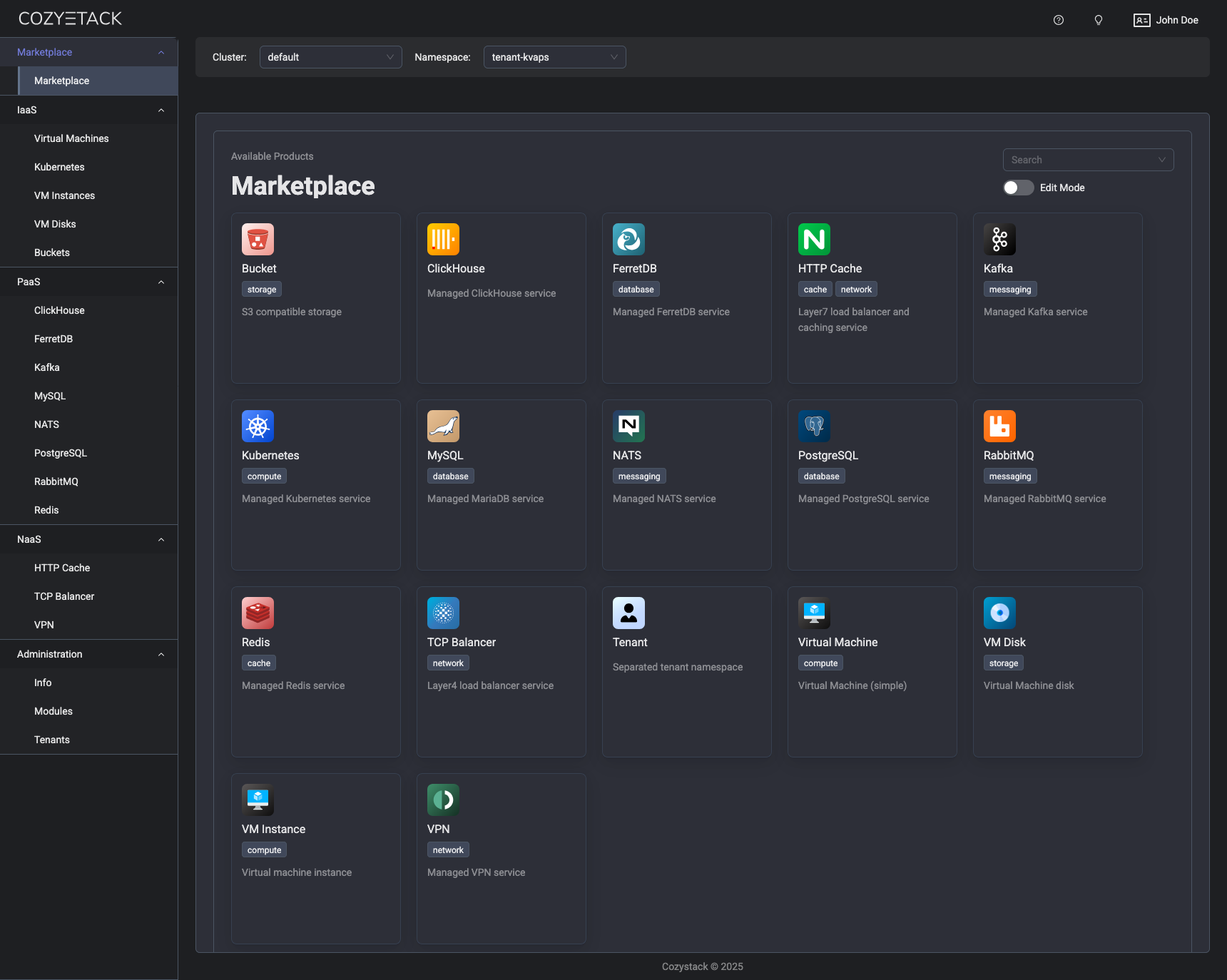
With Cozystack, you can transform a bunch of servers into an intelligent system with a simple REST API for spawning Kubernetes clusters, Database-as-a-Service, virtual machines, load balancers, HTTP caching services, and other services with ease.
Use Cozystack to build your own cloud or provide a cost-effective development environment.
Use-Cases
-
Using Cozystack to build a public cloud
You can use Cozystack as a backend for a public cloud -
Using Cozystack to build a private cloud
You can use Cozystack as a platform to build a private cloud powered by Infrastructure-as-Code approach -
Using Cozystack as a Kubernetes distribution
You can use Cozystack as a Kubernetes distribution for Bare Metal
Documentation
The documentation is located on the cozystack.io website.
Read the Getting Started section for a quick start.
If you encounter any difficulties, start with the troubleshooting guide and work your way through the process that we've outlined.
Versioning
Versioning adheres to the Semantic Versioning principles.
A full list of the available releases is available in the GitHub repository's Release section.
Contributions
Contributions are highly appreciated and very welcomed!
In case of bugs, please check if the issue has already been opened by checking the GitHub Issues section. If it isn't, you can open a new one. A detailed report will help us replicate it, assess it, and work on a fix.
You can express your intention to on the fix on your own. Commits are used to generate the changelog, and their author will be referenced in it.
If you have a concrete feature request, open an issue. For a cross-cutting or architectural change, open a design proposal in the community repo. For questions or early ideas, use GitHub Discussions. See CONTRIBUTING.md for the full routing.
Community
You are welcome to join our Telegram group and come to our weekly community meetings. Add them to your Google Calendar or iCal for convenience.
License
Cozystack is licensed under Apache 2.0.
The code is provided as-is with no warranties.
Commercial Support
A list of companies providing commercial support for this project can be found on official site.