Compare commits
15
Commits
| Author | SHA1 | Date | |
|---|---|---|---|
 qwqcode qwqcode
|
da03b1ec7e | ||
|
duli
|
bca1626c9f | ||
|
duli
|
d54bab916c | ||
|
duli
|
c2f8bfa6b6 | ||
|
duli
|
bbfd6c3cd7 | ||
|
duli
|
25c7ccdfd7 | ||
|
duli
|
75abf2d0dc | ||
|
duli
|
1b0edc8d58 | ||
|
duli
|
ac466b0fef | ||
|
duli
|
ea62f0ba53 | ||
|
duli
|
3b4274af4c | ||
|
duli
|
225ed11fa1 | ||
|
duli
|
90061d5f37 | ||
|
duli
|
48a6824bbb | ||
|
duli
|
484a4559b0 |
No files matched your search
@@ -0,0 +1,3 @@
|
||||
srpm:
|
||||
dnf -y install git golang jq rpmdevtools rpmautospec rpkg
|
||||
.copr/copr_script.sh "$(outdir)"
|
||||
Executable
+43
@@ -0,0 +1,43 @@
|
||||
#!/usr/bin/env bash
|
||||
|
||||
set -euo pipefail
|
||||
|
||||
# Copr needs the SRPM in the requested output directory.
|
||||
outdir="${1:?missing output directory}"
|
||||
mkdir -p -- "$outdir"
|
||||
outdir="$(realpath -- "$outdir")"
|
||||
echo "Outdir: $outdir"
|
||||
|
||||
# Prefer the exact release supplied by the custom webhook. Fall back to the
|
||||
# latest release tag so manual COPR rebuilds remain supported.
|
||||
tag=""
|
||||
if [[ -f hook_payload ]]; then
|
||||
tag="$(jq -r '.version // empty' hook_payload)"
|
||||
fi
|
||||
if [[ -z "$tag" ]]; then
|
||||
tag="$(git tag --list 'v*' --sort=-version:refname | sed -n '1p')"
|
||||
fi
|
||||
if [[ ! "$tag" =~ ^v[0-9]+\.[0-9]+\.[0-9]+$ ]]; then
|
||||
echo "Invalid release tag: $tag" >&2
|
||||
exit 1
|
||||
fi
|
||||
git rev-parse --quiet --verify "refs/tags/$tag^{commit}" > /dev/null
|
||||
echo "Using tag: $tag"
|
||||
|
||||
version="${tag#v}"
|
||||
sed -i -E "s/^Version:[[:space:]]+.*/Version: $version/" artalk.spec
|
||||
grep --fixed-strings "Version: $version" artalk.spec
|
||||
|
||||
# Create the vendored source and download the release UI archive.
|
||||
rm -f -- "artalk-$version-vendored.tar.gz"
|
||||
./vendor-tarball.sh "$tag"
|
||||
spectool -g artalk.spec
|
||||
|
||||
# Parse %autorelease and %autochangelog.
|
||||
rpmautospec process-distgit ./artalk.spec ./artalk.spec
|
||||
|
||||
# Generate the SRPM.
|
||||
rm -rf -- result_srpm
|
||||
mkdir -p -- result_srpm "$outdir"
|
||||
rpkg srpm --spec artalk.spec --outdir=result_srpm
|
||||
cp -v -- ./result_srpm/artalk*.src.rpm "$outdir/"
|
||||
@@ -1 +0,0 @@
|
||||
node_modules
|
||||
@@ -1,31 +0,0 @@
|
||||
root = true
|
||||
|
||||
[*]
|
||||
charset = utf-8
|
||||
end_of_line = lf
|
||||
insert_final_newline = true
|
||||
indent_style = space
|
||||
indent_size = 2
|
||||
trim_trailing_whitespace = true
|
||||
|
||||
[*.js]
|
||||
indent_style = space
|
||||
indent_size = 2
|
||||
|
||||
[*.md]
|
||||
indent_size = 2
|
||||
trim_trailing_whitespace = false
|
||||
|
||||
[*.yml]
|
||||
indent_style = space
|
||||
indent_size = 2
|
||||
|
||||
[{Makefile,go.mod,go.sum,*.go,.gitmodules}]
|
||||
indent_style = tab
|
||||
indent_size = 4
|
||||
|
||||
[*.sh]
|
||||
indent_size = 4
|
||||
|
||||
[Dockerfile]
|
||||
indent_size = 4
|
||||
@@ -1,15 +0,0 @@
|
||||
# These are supported funding model platforms
|
||||
|
||||
github: # Replace with up to 4 GitHub Sponsors-enabled usernames e.g., [user1, user2]
|
||||
patreon: # Replace with a single Patreon username
|
||||
open_collective: # Replace with a single Open Collective username
|
||||
buy_me_a_coffee: artalk
|
||||
ko_fi: # Replace with a single Ko-fi username
|
||||
tidelift: # Replace with a single Tidelift platform-name/package-name e.g., npm/babel
|
||||
community_bridge: # Replace with a single Community Bridge project-name e.g., cloud-foundry
|
||||
liberapay: # Replace with a single Liberapay username
|
||||
issuehunt: # Replace with a single IssueHunt username
|
||||
otechie: # Replace with a single Otechie username
|
||||
lfx_crowdfunding: # Replace with a single LFX Crowdfunding project-name e.g., cloud-foundry
|
||||
custom: # Replace with up to 4 custom sponsorship URLs e.g., ['link1', 'link2']
|
||||
- https://afdian.com/a/artalk
|
||||
@@ -1,25 +0,0 @@
|
||||
name: Comment issue
|
||||
description: Create comment on a issue
|
||||
|
||||
inputs:
|
||||
issue_number:
|
||||
required: true
|
||||
description: The issue number you want to comment
|
||||
content:
|
||||
required: true
|
||||
description: The content of comment
|
||||
|
||||
runs:
|
||||
using: "composite"
|
||||
steps:
|
||||
- uses: actions/github-script@v7
|
||||
env:
|
||||
STDOUT: ${{ inputs.content }}
|
||||
with:
|
||||
script: |
|
||||
github.rest.issues.createComment({
|
||||
issue_number: ${{ inputs.issue_number }},
|
||||
owner: context.repo.owner,
|
||||
repo: context.repo.repo,
|
||||
body: process.env.STDOUT
|
||||
})
|
||||
@@ -1,21 +0,0 @@
|
||||
{{ range .Versions }}
|
||||
## {{ if .Tag.Previous }}[{{ .Tag.Name }}]({{ $.Info.RepositoryURL }}/compare/{{ .Tag.Previous.Name }}...{{ .Tag.Name }}){{ else }}{{ .Tag.Name }}{{ end }} ({{ datetime "2006-01-02" .Tag.Date }})
|
||||
|
||||
{{ range .CommitGroups -}}
|
||||
### {{ .Title }}
|
||||
|
||||
{{ range .Commits -}}
|
||||
* {{ if .Scope }}**{{ .Scope }}:** {{ end }}{{ .Subject }}
|
||||
{{ end }}
|
||||
{{ end -}}
|
||||
|
||||
{{- if .NoteGroups -}}
|
||||
{{ range .NoteGroups -}}
|
||||
### {{ .Title }}
|
||||
|
||||
{{ range .Notes }}
|
||||
{{ .Body }}
|
||||
{{ end }}
|
||||
{{ end -}}
|
||||
{{ end -}}
|
||||
{{ end -}}
|
||||
@@ -1,42 +0,0 @@
|
||||
style: github
|
||||
template: CHANGELOG.tpl.md
|
||||
info:
|
||||
title: CHANGELOG
|
||||
repository_url: https://github.com/ArtalkJS/Artalk
|
||||
options:
|
||||
tag_filter_pattern: "^v"
|
||||
sort: date
|
||||
commits:
|
||||
filters:
|
||||
Type:
|
||||
- feat
|
||||
- fix
|
||||
- perf
|
||||
- refactor
|
||||
- test
|
||||
- docs
|
||||
commit_groups:
|
||||
sort_by: Custom
|
||||
title_order:
|
||||
- feat
|
||||
- fix
|
||||
- perf
|
||||
- refactor
|
||||
- test
|
||||
- docs
|
||||
title_maps:
|
||||
feat: Features
|
||||
fix: Bug Fixes
|
||||
perf: Performance Improvements
|
||||
refactor: Code Refactoring
|
||||
test: Testing
|
||||
docs: Documentation
|
||||
header:
|
||||
pattern: "^(\\w*)(?:\\(([\\w\\$\\.\\-\\*\\s\\/]*)\\))?\\:\\s(.*)$"
|
||||
pattern_maps:
|
||||
- Type
|
||||
- Scope
|
||||
- Subject
|
||||
notes:
|
||||
keywords:
|
||||
- BREAKING CHANGE
|
||||
@@ -1,58 +0,0 @@
|
||||
# To get started with Dependabot version updates, you'll need to specify which
|
||||
# package ecosystems to update and where the package manifests are located.
|
||||
# Please see the documentation for all configuration options:
|
||||
# https://docs.github.com/github/administering-a-repository/configuration-options-for-dependency-updates
|
||||
|
||||
version: 2
|
||||
updates:
|
||||
- package-ecosystem: gomod
|
||||
directory: /
|
||||
schedule:
|
||||
interval: monthly
|
||||
commit-message:
|
||||
prefix: "chore(deps/go): "
|
||||
groups:
|
||||
deps:
|
||||
patterns:
|
||||
- "*"
|
||||
open-pull-requests-limit: 15
|
||||
|
||||
- package-ecosystem: npm
|
||||
# setup only for whole workspace to fix issues with package.lock,
|
||||
# SEE https://github.com/dependabot/dependabot-core/issues/4993#issuecomment-1739296001
|
||||
directory: /
|
||||
schedule:
|
||||
interval: monthly
|
||||
commit-message:
|
||||
prefix: "chore(deps/ui): "
|
||||
groups:
|
||||
prod-deps:
|
||||
dependency-type: production
|
||||
dev-deps:
|
||||
dependency-type: development
|
||||
open-pull-requests-limit: 15
|
||||
versioning-strategy: increase
|
||||
|
||||
- package-ecosystem: docker
|
||||
directory: /
|
||||
schedule:
|
||||
interval: monthly
|
||||
commit-message:
|
||||
prefix: "chore(deps/docker): "
|
||||
groups:
|
||||
deps:
|
||||
patterns:
|
||||
- "*"
|
||||
open-pull-requests-limit: 15
|
||||
|
||||
- package-ecosystem: github-actions
|
||||
directory: /.github/workflows
|
||||
schedule:
|
||||
interval: monthly
|
||||
commit-message:
|
||||
prefix: "chore(deps/ci): "
|
||||
groups:
|
||||
deps:
|
||||
patterns:
|
||||
- "*"
|
||||
open-pull-requests-limit: 15
|
||||
@@ -1,84 +0,0 @@
|
||||
name: Build App
|
||||
|
||||
on:
|
||||
workflow_call:
|
||||
inputs:
|
||||
version:
|
||||
required: true
|
||||
type: string
|
||||
dry_run:
|
||||
required: true
|
||||
type: boolean
|
||||
|
||||
env:
|
||||
GO_VERSION: 1.22.7
|
||||
DOCKER_IMG: ghcr.io/goreleaser/goreleaser-cross
|
||||
CACHE_DIR: /tmp/cache/docker-image
|
||||
|
||||
jobs:
|
||||
build_publish:
|
||||
runs-on: ubuntu-latest
|
||||
|
||||
steps:
|
||||
- name: Checkout Code
|
||||
uses: actions/checkout@v4
|
||||
with:
|
||||
ref: ${{ inputs.version }}
|
||||
# `go-releaser` will read the semver version from git tag name
|
||||
# `git-chglog` will diff the tag and generate changelog
|
||||
fetch-depth: 0
|
||||
|
||||
# disable cache because the err `no space left on device`
|
||||
# - name: Docker Image Cache
|
||||
# id: docker-cache
|
||||
# uses: actions/cache@v3
|
||||
# with:
|
||||
# path: ${{ env.CACHE_DIR }}
|
||||
# key: docker-image-go-cross-${{ env.GO_VERSION }}
|
||||
|
||||
- name: Pull Docker Image
|
||||
# if: steps.docker-cache.outputs.cache-hit != 'true'
|
||||
run: |
|
||||
docker pull "${DOCKER_IMG}:v${GO_VERSION}"
|
||||
|
||||
# mkdir -p "${CACHE_DIR}"
|
||||
# docker save -o "${CACHE_DIR}/go-cross.tar" "${DOCKER_IMG}:v${GO_VERSION}"
|
||||
|
||||
# - name: Restore Docker Image from Cache
|
||||
# if: steps.docker-cache.outputs.cache-hit == 'true'
|
||||
# run: docker load -i ${CACHE_DIR}/go-cross.tar
|
||||
|
||||
- name: Setup git-chglog
|
||||
run: |
|
||||
curl -sL $(curl -s https://api.github.com/repos/git-chglog/git-chglog/releases/latest \
|
||||
| grep -oP '"https://.+linux_amd64.tar.gz"' | tr -d \") | tar -C /usr/local/bin -xz git-chglog
|
||||
git-chglog --version
|
||||
|
||||
- name: Pre Build
|
||||
run: |-
|
||||
mkdir -p local
|
||||
|
||||
# github token
|
||||
echo "GITHUB_TOKEN=${{ secrets.GITHUB_TOKEN }}" > local/.release-env
|
||||
|
||||
# changelog
|
||||
git-chglog --config .github/chglog/config.yml ${{ inputs.version }} > local/release-notes.md
|
||||
|
||||
# copy config file
|
||||
cp conf/artalk.example.yml artalk.yml
|
||||
|
||||
- name: Print Relase Notes
|
||||
run: cat local/release-notes.md
|
||||
|
||||
- name: Build and Release
|
||||
run: |
|
||||
docker run \
|
||||
--rm \
|
||||
--privileged \
|
||||
-v /var/run/docker.sock:/var/run/docker.sock \
|
||||
-v $(pwd)/sysroot:/sysroot \
|
||||
-v $(pwd):/repo \
|
||||
-w /repo \
|
||||
--env-file local/.release-env \
|
||||
ghcr.io/goreleaser/goreleaser-cross:v${GO_VERSION} \
|
||||
release --release-notes local/release-notes.md ${{ inputs.dry_run && '--skip=publish' || '' }}
|
||||
@@ -1,82 +0,0 @@
|
||||
name: Build Docker
|
||||
|
||||
on:
|
||||
workflow_call:
|
||||
inputs:
|
||||
version:
|
||||
required: true
|
||||
type: string
|
||||
dry_run:
|
||||
required: true
|
||||
type: boolean
|
||||
target:
|
||||
required: true
|
||||
type: string
|
||||
|
||||
env:
|
||||
DOCKER_IMG: artalk/artalk-go
|
||||
|
||||
jobs:
|
||||
build_publish:
|
||||
runs-on: ubuntu-latest
|
||||
|
||||
steps:
|
||||
- name: Checkout Code
|
||||
uses: actions/checkout@v4
|
||||
with:
|
||||
ref: ${{ inputs.version }}
|
||||
|
||||
# https://github.com/docker/metadata-action
|
||||
- name: Gen docker meta
|
||||
id: meta
|
||||
uses: docker/metadata-action@v5
|
||||
with:
|
||||
context: git
|
||||
images: |
|
||||
${{ env.DOCKER_IMG }}
|
||||
tags: |
|
||||
type=ref,event=branch
|
||||
type=ref,event=pr
|
||||
type=semver,pattern={{version}}
|
||||
type=semver,pattern={{major}}.{{minor}}
|
||||
type=sha
|
||||
|
||||
# https://github.com/docker/login-action
|
||||
- name: Login to DockerHub
|
||||
uses: docker/login-action@v3
|
||||
with:
|
||||
username: ${{ secrets.DOCKERHUB_USERNAME }}
|
||||
password: ${{ secrets.DOCKERHUB_TOKEN }}
|
||||
|
||||
# https://github.com/docker/setup-qemu-action
|
||||
- name: Setup QEMU
|
||||
uses: docker/setup-qemu-action@v3
|
||||
with:
|
||||
platforms: ${{ inputs.target }}
|
||||
|
||||
# https://github.com/docker/setup-buildx-action
|
||||
- name: Setup Docker Buildx
|
||||
uses: docker/setup-buildx-action@v3
|
||||
|
||||
# Build UI outside of Docker to speed up cross-platform builds
|
||||
- name: Build UI
|
||||
run: |
|
||||
make build-frontend
|
||||
|
||||
# https://github.com/docker/build-push-action
|
||||
- name: Build and Push
|
||||
id: build
|
||||
uses: docker/build-push-action@v6
|
||||
with:
|
||||
push: ${{ !inputs.dry_run }}
|
||||
context: .
|
||||
file: ./Dockerfile
|
||||
build-args: |
|
||||
APP_VERSION=${{ inputs.version }}
|
||||
SKIP_UI_BUILD=true
|
||||
platforms: ${{ inputs.target }}
|
||||
tags: ${{ steps.meta.outputs.tags }}
|
||||
labels: ${{ steps.meta.outputs.labels }}
|
||||
|
||||
- name: Print image digest
|
||||
run: echo ${{ steps.build.outputs.digest }}
|
||||
@@ -1,31 +0,0 @@
|
||||
name: Build Done
|
||||
|
||||
on:
|
||||
workflow_call:
|
||||
inputs:
|
||||
version:
|
||||
required: true
|
||||
type: string
|
||||
dry_run:
|
||||
required: true
|
||||
type: boolean
|
||||
issue_number:
|
||||
required: true
|
||||
type: number
|
||||
|
||||
jobs:
|
||||
done:
|
||||
runs-on: ubuntu-latest
|
||||
steps:
|
||||
- name: Checkout Code
|
||||
uses: actions/checkout@v4
|
||||
with:
|
||||
ref: ${{ inputs.version }}
|
||||
|
||||
- name: Comment done info
|
||||
uses: ./.github/actions/comment
|
||||
if: ${{ inputs.issue_number != 0 }}
|
||||
with:
|
||||
issue_number: ${{ inputs.issue_number }}
|
||||
content: |-
|
||||
🎉 Finished build and publish ${{ inputs.version }} ([NPM Package](https://www.npmjs.com/package/artalk?activeTab=versions) / [Docker Image](https://hub.docker.com/r/artalk/artalk-go/tags) / [Github Release](https://github.com/ArtalkJS/Artalk/releases/tag/${{ inputs.version }})).
|
||||
@@ -1,353 +0,0 @@
|
||||
name: Build Nightly
|
||||
run-name: Build Nightly
|
||||
|
||||
on:
|
||||
schedule:
|
||||
- cron: "0 10 * * *"
|
||||
workflow_dispatch:
|
||||
inputs:
|
||||
dry_run:
|
||||
description: "Dry run"
|
||||
type: boolean
|
||||
default: true
|
||||
|
||||
env:
|
||||
DIST_DIR: /tmp/builds
|
||||
DIGEST_DIR: /tmp/digests
|
||||
DOCKER_IMG: artalk/artalk-go
|
||||
DOCKER_BUILD_ARGS: |-
|
||||
SKIP_UI_BUILD=true
|
||||
|
||||
jobs:
|
||||
# Prepare check should run
|
||||
prepare:
|
||||
runs-on: ubuntu-latest
|
||||
outputs:
|
||||
skip: ${{ steps.check.outputs.skip }}
|
||||
steps:
|
||||
- name: Checkout Code
|
||||
uses: actions/checkout@v4
|
||||
|
||||
- name: Check should run
|
||||
id: check
|
||||
if: github.event_name == 'schedule'
|
||||
run: |
|
||||
if [[ "$(git log --since='24 hours ago' | wc -l)" -eq 0 ]] || \
|
||||
[[ "$GITHUB_REPOSITORY" != "ArtalkJS/Artalk" ]]; then
|
||||
echo "skip=true" >> $GITHUB_OUTPUT
|
||||
fi
|
||||
|
||||
# Bulid UI first
|
||||
# (build ui outside of docker to speed up cross-platform builds)
|
||||
ui:
|
||||
if: ${{ needs.prepare.outputs.skip != 'true' }}
|
||||
needs: prepare
|
||||
runs-on: macos-14
|
||||
steps:
|
||||
- name: Checkout Code
|
||||
uses: actions/checkout@v4
|
||||
with:
|
||||
fetch-depth: 0
|
||||
|
||||
- name: Setup pnpm
|
||||
uses: pnpm/action-setup@v4
|
||||
with:
|
||||
version: 9.10.0
|
||||
|
||||
- name: Setup node
|
||||
uses: actions/setup-node@v4
|
||||
with:
|
||||
node-version: 20.x
|
||||
registry-url: https://registry.npmjs.org/
|
||||
cache: "pnpm"
|
||||
|
||||
- name: Get pnpm store directory
|
||||
shell: bash
|
||||
run: |
|
||||
echo "PNPM_STORE_PATH=$(pnpm store path --silent)" >> $GITHUB_ENV
|
||||
|
||||
- uses: actions/cache@v4
|
||||
name: Setup pnpm cache
|
||||
with:
|
||||
path: ${{ env.PNPM_STORE_PATH }}
|
||||
key: ${{ runner.os }}-pnpm-store-${{ hashFiles('**/pnpm-lock.yaml') }}
|
||||
restore-keys: |
|
||||
${{ runner.os }}-pnpm-store-
|
||||
|
||||
- name: Install dependencies
|
||||
run: pnpm install --frozen-lockfile
|
||||
|
||||
- name: Build UI
|
||||
id: build_ui
|
||||
run: |
|
||||
make build-frontend
|
||||
echo "ui_tarball=$(make -s pack-frontend)" >> $GITHUB_OUTPUT
|
||||
|
||||
- name: Upload UI dist
|
||||
uses: actions/upload-artifact@v4
|
||||
with:
|
||||
name: ui-src
|
||||
path: |
|
||||
public
|
||||
ui/artalk/dist
|
||||
if-no-files-found: error
|
||||
retention-days: 1
|
||||
|
||||
- name: Upload UI tarball (included in release)
|
||||
uses: actions/upload-artifact@v4
|
||||
with:
|
||||
name: build-ui-tarball
|
||||
path: ${{ steps.build_ui.outputs.ui_tarball }}
|
||||
if-no-files-found: error
|
||||
retention-days: 1
|
||||
|
||||
#
|
||||
# Build app on different platforms
|
||||
#
|
||||
build:
|
||||
needs: ui
|
||||
runs-on: ${{ matrix.os }}
|
||||
strategy:
|
||||
fail-fast: false
|
||||
matrix:
|
||||
os:
|
||||
- ubuntu-latest
|
||||
# - macos-14
|
||||
# :(
|
||||
# native Apple m1 arm64 is not supported nested virtualization yet, so docker qemu is not working.
|
||||
# https://github.com/actions/runner-images/issues/9460
|
||||
# https://docs.veertu.com/anka/anka-virtualization-cli/nested-virtualization/
|
||||
#
|
||||
# wait for arm64 linux runner support on github actions.
|
||||
platform:
|
||||
- linux/amd64
|
||||
- linux/arm64
|
||||
# exclude:
|
||||
# # exclude build x86 on arm, and vice versa.
|
||||
# - { os: macos-14, platform: linux/amd64 }
|
||||
# - { os: ubuntu-latest, platform: linux/arm64 }
|
||||
|
||||
steps:
|
||||
- name: Prepare
|
||||
run: |
|
||||
PF="${{ matrix.platform }}"
|
||||
echo "PLATFORM_PAIR=${PF//\//_}" >> $GITHUB_ENV
|
||||
|
||||
- name: Checkout Code
|
||||
uses: actions/checkout@v4
|
||||
with:
|
||||
fetch-depth: 0
|
||||
|
||||
- name: Setup docker on macos
|
||||
if: startsWith(matrix.os, 'macos')
|
||||
uses: crazy-max/ghaction-setup-docker@v3
|
||||
|
||||
- name: Gen docker meta
|
||||
id: meta
|
||||
uses: docker/metadata-action@v5
|
||||
with:
|
||||
images: ${{ env.DOCKER_IMG }}
|
||||
tags: type=raw,value=nightly
|
||||
|
||||
- name: Set up QEMU
|
||||
uses: docker/setup-qemu-action@v3
|
||||
|
||||
- name: Set up Docker Buildx
|
||||
uses: docker/setup-buildx-action@v3
|
||||
|
||||
- name: Login to DockerHub
|
||||
uses: docker/login-action@v3
|
||||
with:
|
||||
username: ${{ secrets.DOCKERHUB_USERNAME }}
|
||||
password: ${{ secrets.DOCKERHUB_TOKEN }}
|
||||
|
||||
- name: Download UI before build
|
||||
uses: actions/download-artifact@v4
|
||||
with:
|
||||
name: ui-src
|
||||
|
||||
- name: Build and push by digest
|
||||
uses: docker/build-push-action@v6
|
||||
id: build
|
||||
with:
|
||||
context: .
|
||||
platforms: ${{ matrix.platform }}
|
||||
labels: ${{ steps.meta.outputs.labels }}
|
||||
build-args: ${{ env.DOCKER_BUILD_ARGS }}
|
||||
# The `type=image,push=true` must the last one,
|
||||
# because the `build.outputs.digest` will output the last image's digest.
|
||||
# The digests will be used in the merge step.
|
||||
outputs: |
|
||||
type=docker,name=${{ env.DOCKER_IMG }}
|
||||
type=image,push=true,name=${{ env.DOCKER_IMG }},push-by-digest=true,name-canonical=true
|
||||
|
||||
- name: Export digest
|
||||
run: |
|
||||
mkdir -p $DIGEST_DIR
|
||||
digest="${{ steps.build.outputs.digest }}"
|
||||
touch "$DIGEST_DIR/${digest#sha256:}"
|
||||
|
||||
- name: Upload digest
|
||||
uses: actions/upload-artifact@v4
|
||||
with:
|
||||
name: digests-${{ env.PLATFORM_PAIR }}
|
||||
path: ${{ env.DIGEST_DIR }}/*
|
||||
if-no-files-found: error
|
||||
retention-days: 1
|
||||
|
||||
# Export docker image
|
||||
- name: Export Docker Image
|
||||
id: docker
|
||||
run: |
|
||||
IMG_FILE="artalk_docker_nigthly_$(date +'%Y%m%d')_${PLATFORM_PAIR}.tar.gz"
|
||||
docker save ${{ env.DOCKER_IMG }} | gzip > $IMG_FILE
|
||||
echo "img_file=$IMG_FILE" >> $GITHUB_OUTPUT
|
||||
|
||||
# App
|
||||
- name: Pack app
|
||||
id: app
|
||||
run: |
|
||||
BASE_DIR="/tmp/app_pkg"
|
||||
NAME="artalk_nigthly_$(date +'%Y%m%d')_${PLATFORM_PAIR}"
|
||||
SUB_DIR="$BASE_DIR/$NAME"
|
||||
PKG_FILE="$BASE_DIR/$NAME.tar.gz"
|
||||
|
||||
# bin file
|
||||
mkdir -p $SUB_DIR
|
||||
docker run --rm --entrypoint cat ${{ env.DOCKER_IMG }} /artalk > "$SUB_DIR/artalk"
|
||||
chmod +x "$SUB_DIR/artalk"
|
||||
|
||||
# doc file
|
||||
cp conf/artalk.example.yml "$SUB_DIR/artalk.yml"
|
||||
cp README.md LICENSE CHANGELOG.md "$SUB_DIR"
|
||||
|
||||
# create package file
|
||||
tar -czf $PKG_FILE -C $BASE_DIR $NAME
|
||||
echo "app_pkg_file=$PKG_FILE" >> $GITHUB_OUTPUT
|
||||
|
||||
# Move build artifacts
|
||||
- name: Move build artifacts
|
||||
run: |
|
||||
mkdir -p $DIST_DIR
|
||||
mv ${{ steps.app.outputs.app_pkg_file }} $DIST_DIR
|
||||
mv ${{ steps.docker.outputs.img_file }} $DIST_DIR
|
||||
|
||||
# Upload build artifacts
|
||||
- name: Upload build artifacts
|
||||
uses: actions/upload-artifact@v4
|
||||
with:
|
||||
name: build-${{ env.PLATFORM_PAIR }}
|
||||
path: ${{ env.DIST_DIR }}/*
|
||||
if-no-files-found: error
|
||||
retention-days: 1
|
||||
|
||||
# Merge docker digests from different platforms
|
||||
# Reference: https://docs.docker.com/build/ci/github-actions/multi-platform/#distribute-build-across-multiple-runners
|
||||
docker_merge:
|
||||
runs-on: ubuntu-latest
|
||||
needs: build
|
||||
steps:
|
||||
- name: Download digests
|
||||
uses: actions/download-artifact@v4
|
||||
with:
|
||||
path: ${{ env.DIGEST_DIR }}
|
||||
pattern: digests-*
|
||||
merge-multiple: true
|
||||
|
||||
- name: Set up Docker Buildx
|
||||
uses: docker/setup-buildx-action@v3
|
||||
|
||||
- name: Docker meta
|
||||
id: meta
|
||||
uses: docker/metadata-action@v5
|
||||
with:
|
||||
images: ${{ env.DOCKER_IMG }}
|
||||
tags: type=raw,value=nightly
|
||||
|
||||
- name: Login to Docker Hub
|
||||
uses: docker/login-action@v3
|
||||
with:
|
||||
username: ${{ secrets.DOCKERHUB_USERNAME }}
|
||||
password: ${{ secrets.DOCKERHUB_TOKEN }}
|
||||
|
||||
- name: Create manifest list and push
|
||||
working-directory: ${{ env.DIGEST_DIR }}
|
||||
run: |
|
||||
TAGS_ARG=$(jq -cr '.tags | map("-t " + .) | join(" ")' <<< "$DOCKER_METADATA_OUTPUT_JSON")
|
||||
MINIFEST_SRCS=$(printf '${{ env.DOCKER_IMG }}@sha256:%s ' *)
|
||||
|
||||
docker buildx imagetools create ${TAGS_ARG} ${MINIFEST_SRCS}
|
||||
|
||||
- name: Inspect image
|
||||
run: |
|
||||
docker buildx imagetools inspect ${{ env.DOCKER_IMG }}:${{ steps.meta.outputs.version }}
|
||||
|
||||
# Release
|
||||
release:
|
||||
runs-on: ubuntu-latest
|
||||
needs: build
|
||||
steps:
|
||||
- name: Checkout Code
|
||||
uses: actions/checkout@v4
|
||||
with:
|
||||
fetch-depth: 0
|
||||
|
||||
- name: Download builds
|
||||
uses: actions/download-artifact@v4
|
||||
with:
|
||||
path: ${{ env.DIST_DIR }}
|
||||
pattern: build-*
|
||||
merge-multiple: true
|
||||
|
||||
# Generate CHANGELOG
|
||||
- name: Generate Changelog
|
||||
run: |
|
||||
# install git-chglog
|
||||
curl -sL $(curl -s https://api.github.com/repos/git-chglog/git-chglog/releases/latest \
|
||||
| grep -oP '"https://.+linux_amd64.tar.gz"' | tr -d \") | tar -C /usr/local/bin -xz git-chglog
|
||||
|
||||
CHANGELOG=$(git-chglog --config .github/chglog/config.yml --next-tag nightly nightly)
|
||||
MD_FILE="/tmp/changelog.md"
|
||||
echo -e "$CHANGELOG" > $MD_FILE
|
||||
echo -e "\n> [!NOTE]\n" \
|
||||
"> The Nightly version, automatically built based on the latest code, " \
|
||||
"is not yet released and may be unstable. Please use it with caution. " \
|
||||
"Docker user can run \`docker pull artalk/artalk-go:nightly\` to get " \
|
||||
"the nightly build." >> $MD_FILE
|
||||
|
||||
# checksums.txt
|
||||
- name: Calculate checksums.txt
|
||||
run: |
|
||||
cd $DIST_DIR
|
||||
sha256sum * > checksums.txt
|
||||
|
||||
# print checksums.txt
|
||||
cat checksums.txt
|
||||
|
||||
FILES=$(find ${DIST_DIR} -type f -exec readlink -f {} \;)
|
||||
echo -e "RELEASE_FILES<<EOF" >> $GITHUB_ENV
|
||||
echo -e "$FILES" >> $GITHUB_ENV
|
||||
echo -e "EOF" >> $GITHUB_ENV
|
||||
|
||||
- name: Create tag and push
|
||||
env:
|
||||
GH_TOKEN: ${{ github.token }}
|
||||
run: |
|
||||
git config user.name github-actions[bot]
|
||||
git config user.email 41898282+github-actions[bot]@users.noreply.github.com
|
||||
|
||||
gh release delete nightly --yes || true
|
||||
git push origin :refs/tags/nightly || true
|
||||
|
||||
git tag -f nightly
|
||||
git push -f origin nightly
|
||||
|
||||
- name: Release
|
||||
uses: softprops/action-gh-release@v2
|
||||
with:
|
||||
prerelease: true
|
||||
tag_name: nightly
|
||||
name: 🧪 Nightly Version
|
||||
body_path: /tmp/changelog.md
|
||||
files: ${{ env.RELEASE_FILES }}
|
||||
draft: false
|
||||
@@ -1,61 +0,0 @@
|
||||
name: Build Pre Tagging
|
||||
|
||||
on:
|
||||
workflow_call:
|
||||
inputs:
|
||||
dry_run:
|
||||
required: true
|
||||
type: boolean
|
||||
issue_number:
|
||||
required: true
|
||||
type: number
|
||||
outputs:
|
||||
version:
|
||||
description: "Version"
|
||||
value: ${{ jobs.tagging.outputs.version }}
|
||||
|
||||
jobs:
|
||||
tagging:
|
||||
runs-on: ubuntu-latest
|
||||
steps:
|
||||
- name: Get release version
|
||||
run: |
|
||||
# `github.head_ref` only exists for pull_request events
|
||||
REF="${{ github.head_ref || github.ref }}"
|
||||
VERSION="${REF#refs/tags/}"
|
||||
VERSION="${VERSION#refs/heads/}"
|
||||
VERSION="${VERSION#release/}"
|
||||
|
||||
echo "Version: $VERSION"
|
||||
echo "VERSION=$VERSION" >> $GITHUB_ENV
|
||||
|
||||
if [[ ! "$VERSION" =~ ^v[0-9]+\.[0-9]+\.[0-9]+$ ]]; then
|
||||
echo "Invalid version format: $VERSION, please check git ref or tag."
|
||||
exit 1
|
||||
fi
|
||||
|
||||
- name: Checkout Code
|
||||
uses: actions/checkout@v4
|
||||
with:
|
||||
fetch-depth: 0
|
||||
|
||||
- name: Create Tag
|
||||
run: |
|
||||
if [ ! $(git tag -l "${VERSION}") ]; then
|
||||
git config user.name github-actions[bot]
|
||||
git config user.email 41898282+github-actions[bot]@users.noreply.github.com
|
||||
git tag -a $VERSION -m "Release $VERSION"
|
||||
git push origin $VERSION
|
||||
else
|
||||
echo "Skip creating tag $VERSION, already exists."
|
||||
fi
|
||||
|
||||
- name: Comment tag info to PR
|
||||
uses: ./.github/actions/comment
|
||||
if: ${{ inputs.issue_number != 0 }}
|
||||
with:
|
||||
issue_number: ${{ inputs.issue_number }}
|
||||
content: |-
|
||||
🔖 Tagged version [${{ env.VERSION }}](https://github.com/ArtalkJS/Artalk/tree/${{ env.VERSION }}) and updated the [CHANGELOG.md](https://github.com/ArtalkJS/Artalk/blob/master/CHANGELOG.md).
|
||||
outputs:
|
||||
version: ${{ env.VERSION }}
|
||||
@@ -1,55 +0,0 @@
|
||||
name: Build UI
|
||||
|
||||
on:
|
||||
workflow_call:
|
||||
inputs:
|
||||
version:
|
||||
required: true
|
||||
type: string
|
||||
dry_run:
|
||||
required: true
|
||||
type: boolean
|
||||
|
||||
jobs:
|
||||
build_publish:
|
||||
runs-on: ubuntu-latest
|
||||
|
||||
steps:
|
||||
- name: Checkout Code
|
||||
uses: actions/checkout@v4
|
||||
with:
|
||||
ref: ${{ inputs.version }}
|
||||
|
||||
- name: Use pnpm
|
||||
uses: pnpm/action-setup@v4
|
||||
with:
|
||||
version: 9.10.0
|
||||
|
||||
- name: Setup node
|
||||
uses: actions/setup-node@v4
|
||||
with:
|
||||
node-version: 20.x
|
||||
registry-url: https://registry.npmjs.org/
|
||||
cache: "pnpm"
|
||||
|
||||
- name: Install dependencies
|
||||
run: pnpm install --frozen-lockfile
|
||||
|
||||
- name: Build
|
||||
run: pnpm build
|
||||
|
||||
- name: Publish
|
||||
run: pnpm publish -F artalk --no-git-checks ${{ inputs.dry_run && '--dry-run' || '' }}
|
||||
env:
|
||||
NODE_AUTH_TOKEN: ${{ secrets.NPM_TOKEN }}
|
||||
|
||||
# GitHub Packages
|
||||
#
|
||||
# Setup .npmrc file to publish to GitHub Packages
|
||||
# - uses: actions/setup-node@v4
|
||||
# with:
|
||||
# registry-url: 'https://npm.pkg.github.com'
|
||||
# # Publish to GitHub Packages
|
||||
# - run: npm publish
|
||||
# env:
|
||||
# NODE_AUTH_TOKEN: ${{ secrets.GITHUB_TOKEN }}
|
||||
@@ -1,82 +0,0 @@
|
||||
name: Build and Publish
|
||||
run-name: Build and Publish (${{ github.head_ref || github.ref }}) ${{ inputs.dry_run && '(🧪 Dry-Run)' || '' }}
|
||||
|
||||
on:
|
||||
pull_request:
|
||||
branches: [master]
|
||||
types: [closed]
|
||||
|
||||
workflow_dispatch:
|
||||
inputs:
|
||||
dry_run:
|
||||
description: "Dry run"
|
||||
type: boolean
|
||||
default: true
|
||||
build_items:
|
||||
description: "Build items"
|
||||
type: string
|
||||
default: "ui,app,docker"
|
||||
|
||||
jobs:
|
||||
# Tag the release version code before building
|
||||
# Getting the version code from the branch name or git ref.
|
||||
tagging:
|
||||
# Only run on manual trigger
|
||||
# or when a PR is merged into master.
|
||||
# (which the branch name start with `relase/`)
|
||||
if: |
|
||||
github.event_name == 'workflow_dispatch' ||
|
||||
(github.event.pull_request.merged == true && startsWith(github.head_ref, 'release/'))
|
||||
uses: ./.github/workflows/build-tagging.yml
|
||||
with:
|
||||
issue_number: ${{ github.event.pull_request.number || 0 }}
|
||||
dry_run: ${{ inputs.dry_run || false }}
|
||||
secrets: inherit
|
||||
|
||||
# Build the UI
|
||||
ui:
|
||||
if: inputs.build_items == '' || contains(inputs.build_items, 'ui')
|
||||
needs: tagging
|
||||
uses: ./.github/workflows/build-ui.yml
|
||||
with:
|
||||
version: ${{ needs.tagging.outputs.version }}
|
||||
dry_run: ${{ inputs.dry_run || false }}
|
||||
secrets: inherit
|
||||
|
||||
# Build the Docker image
|
||||
docker:
|
||||
if: inputs.build_items == '' || contains(inputs.build_items, 'docker')
|
||||
needs: tagging
|
||||
uses: ./.github/workflows/build-docker.yml
|
||||
# Parallel build the multi-arch docker image
|
||||
strategy:
|
||||
matrix:
|
||||
# since docker push actions will override the previous images,
|
||||
# so need to build `linux/amd64` and push first,
|
||||
# then build `linux/amd64` twice with other archs (build very slow so keep it last).
|
||||
target: ["linux/amd64", "linux/amd64,linux/arm64"]
|
||||
with:
|
||||
version: ${{ needs.tagging.outputs.version }}
|
||||
dry_run: ${{ inputs.dry_run || false }}
|
||||
target: ${{ matrix.target }}
|
||||
secrets: inherit
|
||||
|
||||
# Build the binary app
|
||||
app:
|
||||
if: inputs.build_items == '' || contains(inputs.build_items, 'app')
|
||||
needs: tagging
|
||||
uses: ./.github/workflows/build-app.yml
|
||||
with:
|
||||
version: ${{ needs.tagging.outputs.version }}
|
||||
dry_run: ${{ inputs.dry_run || false }}
|
||||
secrets: inherit
|
||||
|
||||
# All builds are complete
|
||||
done:
|
||||
needs: [tagging, ui, docker, app]
|
||||
uses: ./.github/workflows/build-done.yml
|
||||
with:
|
||||
version: ${{ needs.tagging.outputs.version }}
|
||||
issue_number: ${{ github.event.pull_request.number || 0 }}
|
||||
dry_run: ${{ inputs.dry_run || false }}
|
||||
secrets: inherit
|
||||
@@ -1,77 +0,0 @@
|
||||
# For most projects, this workflow file will not need changing; you simply need
|
||||
# to commit it to your repository.
|
||||
#
|
||||
# You may wish to alter this file to override the set of languages analyzed,
|
||||
# or to provide custom queries or build logic.
|
||||
#
|
||||
# ******** NOTE ********
|
||||
# We have attempted to detect the languages in your repository. Please check
|
||||
# the `language` matrix defined below to confirm you have the correct set of
|
||||
# supported CodeQL languages.
|
||||
#
|
||||
name: CodeQL
|
||||
|
||||
on:
|
||||
push:
|
||||
branches:
|
||||
- master
|
||||
pull_request:
|
||||
# The branches below must be a subset of the branches above
|
||||
branches:
|
||||
- master
|
||||
schedule:
|
||||
- cron: "40 17 * * 4"
|
||||
|
||||
jobs:
|
||||
analyze:
|
||||
name: Analyze
|
||||
runs-on: ubuntu-latest
|
||||
permissions:
|
||||
actions: read
|
||||
contents: read
|
||||
security-events: write
|
||||
|
||||
strategy:
|
||||
fail-fast: false
|
||||
matrix:
|
||||
language:
|
||||
- go
|
||||
- javascript
|
||||
# CodeQL supports [ 'cpp', 'csharp', 'go', 'java', 'javascript', 'python', 'ruby' ]
|
||||
# Learn more about CodeQL language support at https://aka.ms/codeql-docs/language-support
|
||||
|
||||
steps:
|
||||
- name: Checkout repository
|
||||
uses: actions/checkout@v4
|
||||
|
||||
# Initializes the CodeQL tools for scanning.
|
||||
- name: Initialize CodeQL
|
||||
uses: github/codeql-action/init@v3
|
||||
with:
|
||||
languages: ${{ matrix.language }}
|
||||
# If you wish to specify custom queries, you can do so here or in a config file.
|
||||
# By default, queries listed here will override any specified in a config file.
|
||||
# Prefix the list here with "+" to use these queries and those in the config file.
|
||||
|
||||
# Details on CodeQL's query packs refer to : https://docs.github.com/en/code-security/code-scanning/automatically-scanning-your-code-for-vulnerabilities-and-errors/configuring-code-scanning#using-queries-in-ql-packs
|
||||
# queries: security-extended,security-and-quality
|
||||
|
||||
# Autobuild attempts to build any compiled languages (C/C++, C#, or Java).
|
||||
# If this step fails, then you should remove it and run the build manually (see below)
|
||||
- name: Autobuild
|
||||
uses: github/codeql-action/autobuild@v3
|
||||
|
||||
# ℹ️ Command-line programs to run using the OS shell.
|
||||
# 📚 See https://docs.github.com/en/actions/using-workflows/workflow-syntax-for-github-actions#jobsjob_idstepsrun
|
||||
|
||||
# If the Autobuild fails above, remove it and uncomment the following three lines.
|
||||
# modify them (or add more) to build your code if your project, please refer to the EXAMPLE below for guidance.
|
||||
|
||||
# - run: |
|
||||
# echo "Run, Build Application using script"
|
||||
# ./location_of_script_within_repo/buildscript.sh
|
||||
|
||||
- name: Perform CodeQL Analysis
|
||||
uses: github/codeql-action/analyze@v3
|
||||
with:
|
||||
category: "/language:${{matrix.language}}"
|
||||
@@ -1,42 +0,0 @@
|
||||
name: Docs CN Mirror Deploy
|
||||
|
||||
on:
|
||||
push:
|
||||
branches: ["master"]
|
||||
paths: ["docs/**"]
|
||||
|
||||
jobs:
|
||||
deploy:
|
||||
runs-on: ubuntu-latest
|
||||
|
||||
steps:
|
||||
- name: Checkout
|
||||
uses: actions/checkout@v4
|
||||
|
||||
- name: Use pnpm
|
||||
uses: pnpm/action-setup@v4
|
||||
with:
|
||||
version: 9.10.0
|
||||
|
||||
- name: Setup node
|
||||
uses: actions/setup-node@v4
|
||||
with:
|
||||
node-version: 20
|
||||
cache: pnpm
|
||||
|
||||
- name: Install dependencies
|
||||
run: pnpm install
|
||||
|
||||
- name: Build Docs
|
||||
run: pnpm build:docs
|
||||
|
||||
- name: Deploy
|
||||
uses: TencentCloud/cos-action@v1
|
||||
with:
|
||||
secret_id: ${{ secrets.TENCENT_CLOUD_SECRET_ID }}
|
||||
secret_key: ${{ secrets.TENCENT_CLOUD_SECRET_KEY }}
|
||||
cos_bucket: ${{ secrets.DOCS_CN_COS_BUCKET }}
|
||||
cos_region: ${{ secrets.DOCS_CN_COS_REGION }}
|
||||
local_path: docs/docs/.vitepress/dist/
|
||||
remote_path: /
|
||||
clean: true
|
||||
@@ -1,99 +0,0 @@
|
||||
name: 0x📦 Release New Version
|
||||
run-name: 📦 Release ${{ inputs.semver }} by @${{ github.actor }} ${{ inputs.dry_run && '(🧪 Dry-Run)' || '' }}
|
||||
|
||||
on:
|
||||
workflow_dispatch:
|
||||
inputs:
|
||||
semver:
|
||||
type: choice
|
||||
description: Which version you want to increment?
|
||||
options:
|
||||
- patch
|
||||
- minor
|
||||
- major
|
||||
required: true
|
||||
custom_version:
|
||||
description: Manual Custom Version (Special Purpose, v*)
|
||||
type: string
|
||||
required: false
|
||||
dry_run:
|
||||
description: "Dry run?"
|
||||
type: boolean
|
||||
default: false
|
||||
|
||||
jobs:
|
||||
release:
|
||||
runs-on: ubuntu-latest
|
||||
steps:
|
||||
- name: Checkout Code
|
||||
uses: actions/checkout@v4
|
||||
with:
|
||||
ref: master
|
||||
fetch-depth: 0
|
||||
|
||||
- name: Setup Node
|
||||
uses: actions/setup-node@v4
|
||||
with:
|
||||
node-version: 20.x
|
||||
registry-url: https://registry.npmjs.org/
|
||||
|
||||
- name: Setup semver
|
||||
run: npm install -g semver
|
||||
|
||||
- name: Handle Version Number
|
||||
run: |
|
||||
PREV_VERSION="$(git describe --tags --abbrev=0 --match 'v*')"
|
||||
|
||||
if [ -n "${{ inputs.custom_version }}" ]; then
|
||||
NEXT_VERSION="${{ inputs.custom_version }}"
|
||||
else
|
||||
NEXT_VERSION="v$(semver --increment ${{ inputs.semver }} ${PREV_VERSION})"
|
||||
fi
|
||||
|
||||
echo "PREV_VERSION=${PREV_VERSION}" >> $GITHUB_ENV
|
||||
echo "VERSION=${NEXT_VERSION}" >> $GITHUB_ENV
|
||||
|
||||
- name: Print Next Version
|
||||
run: echo "${VERSION}"
|
||||
|
||||
- name: Setup git-chglog
|
||||
run: |
|
||||
curl -sL $(curl -s https://api.github.com/repos/git-chglog/git-chglog/releases/latest \
|
||||
| grep -oP '"https://.+linux_amd64.tar.gz"' | tr -d \") | tar -C /usr/local/bin -xz git-chglog
|
||||
git-chglog --version
|
||||
|
||||
- name: Version Changelog
|
||||
run: |
|
||||
# prepend changelog
|
||||
changelog=$(git-chglog --config .github/chglog/config.yml --next-tag "${VERSION}" "${VERSION}")
|
||||
echo -e "${changelog}\n" | cat - CHANGELOG.md > temp && mv temp CHANGELOG.md
|
||||
|
||||
# modify the version for `internal/config/version.go`
|
||||
perl -i -pe 's/const Version = ".*?"/const Version = "'${VERSION}'"/g' internal/config/version.go
|
||||
|
||||
# modify the version for `package.json`
|
||||
perl -i -pe 's/"version": ".*?"/"version": "'${VERSION#v}'"/g' ui/artalk/package.json
|
||||
|
||||
# modify the version in docs
|
||||
perl -pi -e 's#"latest"(\W+)?:(\W+)?".*?"#"latest": "'${VERSION#v}'"#g' docs/docs/code/ArtalkVersion.json
|
||||
|
||||
- name: Print Git Diff
|
||||
run: git diff
|
||||
|
||||
- name: Create Pull Request
|
||||
uses: peter-evans/create-pull-request@v6
|
||||
if: ${{ !inputs.dry_run }}
|
||||
with:
|
||||
branch: "release/${{ env.VERSION }}"
|
||||
commit-message: "chore: release ${{ env.VERSION }}"
|
||||
title: "chore: release ${{ env.VERSION }}"
|
||||
labels: release
|
||||
body: |
|
||||
## Release ${{ env.VERSION }} 📦🚀
|
||||
|
||||
This PR is auto-generated, please check the changelog and confirm the release. 😀
|
||||
|
||||
The build workflow will be triggered after the PR is merged.
|
||||
committer: github-actions[bot] <41898282+github-actions[bot]@users.noreply.github.com>
|
||||
author: github-actions[bot] <41898282+github-actions[bot]@users.noreply.github.com>
|
||||
assignees: ${{ github.actor }}
|
||||
@@ -1,20 +0,0 @@
|
||||
name: Repo Dispatch
|
||||
run-name: Dispatch event `${{ inputs.event_type }}` manually by @${{ github.actor }}
|
||||
|
||||
on:
|
||||
workflow_dispatch:
|
||||
inputs:
|
||||
event_type:
|
||||
type: string
|
||||
description: Event Type
|
||||
required: true
|
||||
default: ""
|
||||
|
||||
jobs:
|
||||
release:
|
||||
runs-on: ubuntu-latest
|
||||
steps:
|
||||
- name: Repository Dispatch
|
||||
uses: peter-evans/repository-dispatch@v3
|
||||
with:
|
||||
event-type: ${{ inputs.event_type }}
|
||||
@@ -1,72 +0,0 @@
|
||||
name: Test App
|
||||
|
||||
on:
|
||||
push:
|
||||
paths: ["cmd/**", "internal/**", "server/**", "test/**", "main.go", "go.mod", "go.sum"]
|
||||
branches-ignore: ["release/*", "nightly"]
|
||||
tags-ignore: ["v*"]
|
||||
pull_request:
|
||||
paths: ["cmd/**", "internal/**", "server/**", "test/**", "main.go", "go.mod", "go.sum"]
|
||||
branches-ignore: ["release/*", "nightly"]
|
||||
|
||||
env:
|
||||
REPORT_DIR: "/tmp/test-reports"
|
||||
|
||||
jobs:
|
||||
test_app:
|
||||
name: Test Go on ${{ matrix.os }}
|
||||
runs-on: ${{ matrix.os }}
|
||||
strategy:
|
||||
fail-fast: false
|
||||
matrix:
|
||||
os: [ubuntu-latest, macos-latest]
|
||||
|
||||
steps:
|
||||
- uses: actions/checkout@v4
|
||||
|
||||
- name: Setup Go
|
||||
uses: actions/setup-go@v5
|
||||
with:
|
||||
go-version-file: go.mod
|
||||
cache: false # https://github.com/actions/setup-go/issues/483
|
||||
|
||||
- id: go-vars
|
||||
name: Get Go variables for cache
|
||||
run: |
|
||||
echo "GOCACHE=$(go env GOCACHE)" >> "$GITHUB_OUTPUT"
|
||||
echo "GOMODCACHE=$(go env GOMODCACHE)" >> "$GITHUB_OUTPUT"
|
||||
|
||||
- name: Cache go modules
|
||||
uses: actions/cache@v4
|
||||
with:
|
||||
path: |
|
||||
${{ steps.go-vars.outputs.GOCACHE }}
|
||||
${{ steps.go-vars.outputs.GOMODCACHE }}
|
||||
key: go-test-${{ runner.os }}-${{ hashFiles('**/go.mod') }}
|
||||
restore-keys: |
|
||||
go-test-${{ runner.os }}
|
||||
|
||||
- name: Install tools
|
||||
run: go install gotest.tools/gotestsum@latest
|
||||
|
||||
- name: Download Go modules
|
||||
run: go mod download
|
||||
|
||||
- name: Run tests
|
||||
run: |
|
||||
mkdir -p $REPORT_DIR
|
||||
gotestsum --junitfile $REPORT_DIR/unit-tests.xml --jsonfile $REPORT_DIR/unit-tests.json -- -coverprofile=$REPORT_DIR/coverage.out ./...
|
||||
|
||||
- name: Upload test results
|
||||
uses: actions/upload-artifact@v4
|
||||
with:
|
||||
name: Go-Test-Results-${{ runner.os }}
|
||||
path: ${{ env.REPORT_DIR }}
|
||||
|
||||
- if: matrix.os == 'ubuntu-latest'
|
||||
name: Upload coverage to Codecov
|
||||
uses: codecov/codecov-action@v4
|
||||
with:
|
||||
flags: go
|
||||
file: ${{ env.REPORT_DIR }}/coverage.out
|
||||
token: ${{ secrets.CODECOV_TOKEN }}
|
||||
@@ -1,38 +0,0 @@
|
||||
name: Test Docs
|
||||
|
||||
on:
|
||||
push:
|
||||
paths: ["docs/**"]
|
||||
branches-ignore: ["release/*", "nightly"]
|
||||
tags-ignore: ["v*"]
|
||||
pull_request:
|
||||
paths: ["docs/**"]
|
||||
branches-ignore: ["release/*", "nightly"]
|
||||
|
||||
jobs:
|
||||
test_docs:
|
||||
runs-on: ubuntu-latest
|
||||
|
||||
steps:
|
||||
- name: Checkout
|
||||
uses: actions/checkout@v4
|
||||
|
||||
- name: Use pnpm
|
||||
uses: pnpm/action-setup@v4
|
||||
with:
|
||||
version: 9.10.0
|
||||
|
||||
- name: Use Node.js
|
||||
uses: actions/setup-node@v4
|
||||
with:
|
||||
node-version: 20.x
|
||||
cache: pnpm
|
||||
|
||||
- name: Install dependencies
|
||||
run: pnpm install
|
||||
|
||||
- name: Build Docs
|
||||
run: pnpm build:docs
|
||||
|
||||
- name: Lint Docs
|
||||
run: pnpm eslint docs && pnpm prettier --check docs
|
||||
@@ -1,60 +0,0 @@
|
||||
name: Test Frontend
|
||||
|
||||
on:
|
||||
push:
|
||||
paths: ["ui/**"]
|
||||
branches-ignore: ["release/*", "nightly"]
|
||||
tags-ignore: ["v*"]
|
||||
pull_request:
|
||||
paths: ["ui/**"]
|
||||
branches-ignore: ["release/*", "nightly"]
|
||||
|
||||
jobs:
|
||||
test_ui:
|
||||
strategy:
|
||||
fail-fast: false
|
||||
matrix:
|
||||
node: [18, 20]
|
||||
os: [ubuntu-latest, windows-latest]
|
||||
|
||||
runs-on: ${{ matrix.os }}
|
||||
|
||||
steps:
|
||||
- if: matrix.os == 'windows-latest'
|
||||
name: Set git to use LF (for Windows environment)
|
||||
run: |
|
||||
git config --global core.autocrlf false
|
||||
git config --global core.eol lf
|
||||
|
||||
- name: Checkout Code
|
||||
uses: actions/checkout@v4
|
||||
|
||||
- uses: pnpm/action-setup@v4
|
||||
with:
|
||||
version: 9.10.0
|
||||
|
||||
- name: Use Node.js ${{ matrix.node }}
|
||||
uses: actions/setup-node@v4
|
||||
with:
|
||||
node-version: ${{ matrix.node }}
|
||||
cache: pnpm
|
||||
|
||||
- name: Install Dependencies
|
||||
run: pnpm install --frozen-lockfile
|
||||
|
||||
- name: Package Build Test
|
||||
run: pnpm build:all
|
||||
|
||||
- name: Unit Test
|
||||
run: pnpm test
|
||||
|
||||
- name: Plugins Build Test
|
||||
run: pnpm build:plugins
|
||||
|
||||
- name: Lint
|
||||
run: pnpm eslint ui && pnpm prettier --check ui
|
||||
|
||||
# https://github.com/arethetypeswrong/arethetypeswrong.github.io
|
||||
- name: "arethetypeswrong test"
|
||||
if: runner.os == 'ubuntu-latest'
|
||||
run: pnpm -F artalk test:attw || true
|
||||
+5
-70
@@ -1,71 +1,6 @@
|
||||
# Binaries for programs and plugins
|
||||
*.exe
|
||||
*.exe~
|
||||
*.dll
|
||||
*.so
|
||||
*.dylib
|
||||
# result dir
|
||||
/result_artalk/
|
||||
/result_srpm/
|
||||
|
||||
# Test binary, built with `go test -c`
|
||||
*.test
|
||||
|
||||
# Output of the go coverage tool, specifically when used with LiteIDE
|
||||
*.out
|
||||
|
||||
# Dependency directories (remove the comment below to include it)
|
||||
# vendor/
|
||||
|
||||
# Generated files
|
||||
.DS_Store
|
||||
.DS_Store?
|
||||
._*
|
||||
.Spotlight-V100
|
||||
.Trashes
|
||||
ehthumbs.db
|
||||
Thumbs.db
|
||||
.heartbeat
|
||||
.idea
|
||||
*~
|
||||
.goutputstream*
|
||||
.c9revisions
|
||||
.settings
|
||||
.swp
|
||||
.tmp
|
||||
.env
|
||||
.vscode/*.log
|
||||
.release-env
|
||||
*.suo
|
||||
*.ntvs*
|
||||
*.njsproj
|
||||
*.sln
|
||||
.pnpm-store
|
||||
/sysroot
|
||||
.history
|
||||
|
||||
# Logs
|
||||
logs
|
||||
*.log
|
||||
npm-debug.log*
|
||||
yarn-debug.log*
|
||||
yarn-error.log*
|
||||
.pnpm-debug.log*
|
||||
__debug*
|
||||
vite.config.ts.timestamp-*
|
||||
|
||||
# frontend
|
||||
node_modules
|
||||
/ui/**/dist
|
||||
|
||||
# backend
|
||||
/artalk.yml
|
||||
/config.yml
|
||||
|
||||
/bin
|
||||
/data
|
||||
/local
|
||||
|
||||
# always compile latest version
|
||||
/public/sidebar
|
||||
/public/dist
|
||||
|
||||
playwright-report
|
||||
test-results
|
||||
# source
|
||||
/*.gz
|
||||
-178
@@ -1,178 +0,0 @@
|
||||
# Goreleaser Config
|
||||
#
|
||||
# https://goreleaser.com/quick-start/
|
||||
# https://goreleaser.com/customization/
|
||||
# https://goreleaser.com/customization/templates/
|
||||
# https://goreleaser.com/customization/fury/
|
||||
# https://goreleaser.com/customization/announce/telegram/
|
||||
|
||||
project_name: artalk
|
||||
|
||||
env:
|
||||
- GO111MODULE=on
|
||||
- CGO_ENABLED=1
|
||||
|
||||
before:
|
||||
hooks:
|
||||
# install dependencies
|
||||
- make install
|
||||
- make build-frontend
|
||||
- make pack-frontend
|
||||
|
||||
# build multi-platform
|
||||
builds:
|
||||
## ----------------------
|
||||
## Linux
|
||||
## ----------------------
|
||||
|
||||
# Linux (amd_64)
|
||||
- id: linux-amd64
|
||||
goos:
|
||||
- linux
|
||||
goarch:
|
||||
- amd64
|
||||
env:
|
||||
- CC=x86_64-linux-gnu-gcc
|
||||
- CXX=x86_64-linux-gnu-g++
|
||||
binary: "{{.ProjectName}}"
|
||||
main: ./main.go
|
||||
ldflags: &common_ldflags |
|
||||
-s -w
|
||||
|
||||
# Linux (arm_64)
|
||||
- id: linux-arm64
|
||||
goos:
|
||||
- linux
|
||||
goarch:
|
||||
- arm64
|
||||
env:
|
||||
- CC=aarch64-linux-gnu-gcc
|
||||
- CXX=aarch64-linux-gnu-g++
|
||||
binary: "{{.ProjectName}}"
|
||||
main: ./main.go
|
||||
ldflags: *common_ldflags
|
||||
|
||||
# Linux (arm_v7)
|
||||
- id: linux-arm7
|
||||
goos:
|
||||
- linux
|
||||
goarch:
|
||||
- arm
|
||||
goarm:
|
||||
- "7"
|
||||
env:
|
||||
- CC=arm-linux-gnueabihf-gcc
|
||||
- CXX=arm-linux-gnueabihf-g++
|
||||
binary: "{{.ProjectName}}"
|
||||
main: ./main.go
|
||||
ldflags: *common_ldflags
|
||||
|
||||
## ----------------------
|
||||
## macOS
|
||||
## ----------------------
|
||||
|
||||
# Darwin (amd_64)
|
||||
- id: darwin-amd64
|
||||
goos:
|
||||
- darwin
|
||||
goarch:
|
||||
- amd64
|
||||
env:
|
||||
- CC=o64-clang
|
||||
- CXX=o64-clang++
|
||||
binary: "{{.ProjectName}}"
|
||||
main: ./main.go
|
||||
ldflags: *common_ldflags
|
||||
|
||||
# Darwin (arm_64)
|
||||
- id: darwin-arm64
|
||||
goos:
|
||||
- darwin
|
||||
goarch:
|
||||
- arm64
|
||||
env:
|
||||
- CC=oa64-clang
|
||||
- CXX=oa64-clang++
|
||||
binary: "{{.ProjectName}}"
|
||||
main: ./main.go
|
||||
ldflags: *common_ldflags
|
||||
|
||||
## ----------------------
|
||||
## Win
|
||||
## ----------------------
|
||||
|
||||
# Win (amd_64)
|
||||
- id: windows-amd64
|
||||
goos:
|
||||
- windows
|
||||
goarch:
|
||||
- amd64
|
||||
env:
|
||||
- CC=x86_64-w64-mingw32-gcc
|
||||
- CXX=x86_64-w64-mingw32-g++
|
||||
binary: "{{.ProjectName}}"
|
||||
main: ./main.go
|
||||
ldflags: *common_ldflags
|
||||
flags:
|
||||
# https://go-review.googlesource.com/c/go/+/224588/
|
||||
# https://github.com/ArtalkJS/Artalk/issues/35
|
||||
&win_common_flags |
|
||||
-tags=timetzdata
|
||||
|
||||
# Win (arm_64)
|
||||
- id: windows-arm64
|
||||
goos:
|
||||
- windows
|
||||
goarch:
|
||||
- arm64
|
||||
env:
|
||||
- CC=/llvm-mingw/bin/aarch64-w64-mingw32-gcc
|
||||
- CXX=/llvm-mingw/bin/aarch64-w64-mingw32-g++
|
||||
binary: "{{.ProjectName}}"
|
||||
main: ./main.go
|
||||
ldflags: *common_ldflags
|
||||
flags: *win_common_flags
|
||||
|
||||
archives:
|
||||
- id: artalk
|
||||
builds:
|
||||
- linux-amd64
|
||||
- darwin-amd64
|
||||
- windows-amd64
|
||||
- windows-arm64
|
||||
- linux-arm7
|
||||
- linux-arm64
|
||||
- darwin-arm64
|
||||
name_template: "{{.ProjectName}}_v{{.Version}}_{{.Os}}_{{.Arch}}{{.Arm}}"
|
||||
format: tar.gz
|
||||
format_overrides:
|
||||
- goos: windows
|
||||
format: zip
|
||||
wrap_in_directory: true
|
||||
files:
|
||||
- README*
|
||||
- LICENSE*
|
||||
- artalk.yml
|
||||
|
||||
checksum:
|
||||
name_template: "checksums.txt"
|
||||
|
||||
snapshot:
|
||||
name_template: "{{.Version}}-SNAPSHOT-{{.ShortCommit}}"
|
||||
|
||||
# changelog:
|
||||
# sort: asc
|
||||
# filters:
|
||||
# exclude:
|
||||
# - '^docs:'
|
||||
# - '^test:'
|
||||
# - '^chore:'
|
||||
|
||||
release:
|
||||
github:
|
||||
owner: ArtalkJS
|
||||
name: Artalk
|
||||
prerelease: auto
|
||||
draft: false
|
||||
extra_files:
|
||||
- glob: ./local/release_includes/*
|
||||
-57
@@ -1,57 +0,0 @@
|
||||
.DS_Store
|
||||
node_modules/
|
||||
|
||||
logs
|
||||
*.log
|
||||
npm-debug.log*
|
||||
yarn-debug.log*
|
||||
yarn-error.log*
|
||||
.pnpm-debug.log*
|
||||
|
||||
.idea
|
||||
.vscode
|
||||
*.suo
|
||||
*.ntvs*
|
||||
*.njsproj
|
||||
*.sln
|
||||
.history
|
||||
.editorconfig
|
||||
|
||||
# git
|
||||
.gitignore
|
||||
.gitattributes
|
||||
|
||||
# tests
|
||||
test
|
||||
coverage
|
||||
|
||||
# build tools
|
||||
.travis.yml
|
||||
.jenkins.yml
|
||||
.codeclimate.yml
|
||||
|
||||
# linters
|
||||
.jscsrc
|
||||
.jshintrc
|
||||
.eslintrc*
|
||||
|
||||
# vite configs
|
||||
vite*.config*
|
||||
|
||||
# develop tool configs
|
||||
.prettierrc
|
||||
.eslintrc.js
|
||||
.eslintignore
|
||||
postcss.config.js
|
||||
|
||||
yarn.lock
|
||||
package-lock.json
|
||||
|
||||
# local files
|
||||
deploy
|
||||
local
|
||||
CNAME
|
||||
index.html
|
||||
#dist
|
||||
|
||||
.github
|
||||
@@ -1,21 +0,0 @@
|
||||
CHANGELOG.md
|
||||
CHANGELOG.tpl.md
|
||||
CDN.html
|
||||
internal/template/notify_tpl/default.html
|
||||
|
||||
# generated files
|
||||
# @link https://github.com/prettier/prettier/issues/3634
|
||||
pnpm-lock.yaml
|
||||
**/auto-imports.d.ts
|
||||
**/components.d.ts
|
||||
**/typed-router.d.ts
|
||||
**/vite.config.ts.timestamp-*
|
||||
ui/artalk/src/api/v2.ts
|
||||
docs/swagger/swagger.json
|
||||
docs/swagger/swagger.yaml
|
||||
docs/docs/**/*.md
|
||||
docs/docs/.vitepress/dist/**
|
||||
docs/docs/.vitepress/cache/**
|
||||
ui/artalk-sidebar/src/lib/md5.js
|
||||
ui/artalk/src/lib/detect.ts
|
||||
**/dist/**
|
||||
-26
@@ -1,26 +0,0 @@
|
||||
{
|
||||
"arrowParens": "always",
|
||||
"bracketSpacing": true,
|
||||
"htmlWhitespaceSensitivity": "css",
|
||||
"insertPragma": false,
|
||||
"bracketSameLine": false,
|
||||
"jsxSingleQuote": false,
|
||||
"printWidth": 100,
|
||||
"proseWrap": "preserve",
|
||||
"quoteProps": "as-needed",
|
||||
"requirePragma": false,
|
||||
"semi": false,
|
||||
"singleQuote": true,
|
||||
"tabWidth": 2,
|
||||
"trailingComma": "all",
|
||||
"useTabs": false,
|
||||
"vueIndentScriptAndStyle": false,
|
||||
"overrides": [
|
||||
{
|
||||
"files": ["*.yaml", "*.yml"],
|
||||
"options": {
|
||||
"singleQuote": false
|
||||
}
|
||||
}
|
||||
]
|
||||
}
|
||||
Vendored
-18
@@ -1,18 +0,0 @@
|
||||
{
|
||||
"version": "0.2.0",
|
||||
"configurations": [
|
||||
{
|
||||
"name": "Launch Artalk for Debugging",
|
||||
"type": "go",
|
||||
"request": "launch",
|
||||
"mode": "exec",
|
||||
"program": "${workspaceFolder}/bin/artalk",
|
||||
"preLaunchTask": "Build for debugging",
|
||||
"env": {
|
||||
"ATK_SITE_DEFAULT": "ArtalkDocs",
|
||||
"ATK_TRUSTED_DOMAINS": "http://localhost:5173 http://localhost:23367"
|
||||
},
|
||||
"args": ["server", "-c", "${workspaceFolder}/artalk.yml"]
|
||||
}
|
||||
]
|
||||
}
|
||||
Vendored
-63
@@ -1,63 +0,0 @@
|
||||
{
|
||||
// Enable the ESlint flat config support
|
||||
"eslint.experimental.useFlatConfig": true,
|
||||
|
||||
// Disable the default formatter, use eslint instead
|
||||
// "prettier.enable": false,
|
||||
"editor.formatOnSave": false,
|
||||
|
||||
// Auto fix
|
||||
"editor.codeActionsOnSave": {
|
||||
"source.fixAll.eslint": "explicit",
|
||||
"source.organizeImports": "never"
|
||||
},
|
||||
|
||||
"eslint.runtime": "node",
|
||||
|
||||
// Silent the stylistic rules in you IDE, but still auto fix them
|
||||
"eslint.rules.customizations": [
|
||||
{ "rule": "style/*", "severity": "off" },
|
||||
{ "rule": "*-indent", "severity": "off" },
|
||||
{ "rule": "*-spacing", "severity": "off" },
|
||||
{ "rule": "*-spaces", "severity": "off" },
|
||||
{ "rule": "*-order", "severity": "off" },
|
||||
{ "rule": "*-dangle", "severity": "off" },
|
||||
{ "rule": "*-newline", "severity": "off" },
|
||||
{ "rule": "*quotes", "severity": "off" },
|
||||
{ "rule": "*semi", "severity": "off" }
|
||||
],
|
||||
|
||||
// Enable eslint for all supported languages
|
||||
"eslint.validate": [
|
||||
"javascript",
|
||||
"javascriptreact",
|
||||
"typescript",
|
||||
"typescriptreact",
|
||||
"vue",
|
||||
"html",
|
||||
"markdown",
|
||||
"json",
|
||||
"jsonc",
|
||||
"yaml",
|
||||
"toml",
|
||||
"xml"
|
||||
],
|
||||
|
||||
"cSpell.words": [
|
||||
"akismet",
|
||||
"artalk",
|
||||
"artran",
|
||||
"artrans",
|
||||
"artransfer",
|
||||
"gomail",
|
||||
"Goreleaser",
|
||||
"gorm",
|
||||
"ldflags",
|
||||
"lfshook",
|
||||
"Metas",
|
||||
"pgsql",
|
||||
"sendmail",
|
||||
"sqlite",
|
||||
"pkged"
|
||||
]
|
||||
}
|
||||
Vendored
-14
@@ -1,14 +0,0 @@
|
||||
{
|
||||
"version": "2.0.0",
|
||||
"tasks": [
|
||||
{
|
||||
"label": "Build for debugging",
|
||||
"type": "shell",
|
||||
"command": "make build-debug",
|
||||
"group": {
|
||||
"kind": "build",
|
||||
"isDefault": true
|
||||
}
|
||||
}
|
||||
]
|
||||
}
|
||||
@@ -0,0 +1,27 @@
|
||||
From e5ad75e3ee17331ddba32c9133eae6bbdac3fbb6 Mon Sep 17 00:00:00 2001
|
||||
From: duli <duli4868@gmail.com>
|
||||
Date: Wed, 2 Oct 2024 18:26:56 +0800
|
||||
Subject: [PATCH] fix: go test ld undefined error by remove clickhouse-go
|
||||
|
||||
github.com/segmentio/asm build must need go module feature, disable it
|
||||
will cause ld error, due to clickhouse-go is not in use. we delete it to
|
||||
fix that.
|
||||
---
|
||||
vendor/github.com/go-testfixtures/testfixtures/v3/clickhouse.go | 1 -
|
||||
1 file changed, 1 deletion(-)
|
||||
|
||||
diff --git a/vendor/github.com/go-testfixtures/testfixtures/v3/clickhouse.go b/vendor/github.com/go-testfixtures/testfixtures/v3/clickhouse.go
|
||||
index c01c9ee6..7f6c76a8 100644
|
||||
--- a/vendor/github.com/go-testfixtures/testfixtures/v3/clickhouse.go
|
||||
+++ b/vendor/github.com/go-testfixtures/testfixtures/v3/clickhouse.go
|
||||
@@ -4,7 +4,6 @@ import (
|
||||
"database/sql"
|
||||
"fmt"
|
||||
|
||||
- _ "github.com/ClickHouse/clickhouse-go/v2"
|
||||
)
|
||||
|
||||
type clickhouse struct {
|
||||
--
|
||||
2.46.2
|
||||
|
||||
@@ -0,0 +1,24 @@
|
||||
From 79a66c91db582db6c740e343c707d4967117f762 Mon Sep 17 00:00:00 2001
|
||||
From: duli <duli4868@gmail.com>
|
||||
Date: Wed, 2 Oct 2024 18:46:32 +0800
|
||||
Subject: [PATCH] remove upgrade command
|
||||
|
||||
---
|
||||
cmd/base.go | 1 -
|
||||
1 file changed, 1 deletion(-)
|
||||
|
||||
diff --git a/cmd/base.go b/cmd/base.go
|
||||
index a3a3a34f..44a2e468 100644
|
||||
--- a/cmd/base.go
|
||||
+++ b/cmd/base.go
|
||||
@@ -121,7 +121,6 @@ func (atk *ArtalkCmd) mountCommands() {
|
||||
atk.addCommand(NewImportCommand(atk))
|
||||
atk.addCommand(NewConfigCommand())
|
||||
atk.addCommand(NewGenCommand())
|
||||
- atk.addCommand(NewUpgradeCommand())
|
||||
atk.addCommand(NewVersionCommand())
|
||||
}
|
||||
|
||||
--
|
||||
2.46.2
|
||||
|
||||
-775
@@ -1,775 +0,0 @@
|
||||
|
||||
## [v2.9.1](https://github.com/ArtalkJS/Artalk/compare/v2.9.0...v2.9.1) (2024-09-18)
|
||||
|
||||
### Features
|
||||
|
||||
* **go:** upgrade golang to v1.22.7 and some deps
|
||||
|
||||
### Bug Fixes
|
||||
|
||||
* **db:** sql error with custom table prefix ([#970](https://github.com/ArtalkJS/Artalk/issues/970))
|
||||
* **test:** separate test db to isolate concurrent test instances ([#975](https://github.com/ArtalkJS/Artalk/issues/975))
|
||||
* **transfer:** ensure consistent time format in artrans export
|
||||
* **ui/plugin:** prevent exceptions from blocking other plugins loading
|
||||
|
||||
### Performance Improvements
|
||||
|
||||
* **plugin_katex:** add error message for missing katex deps
|
||||
|
||||
### Code Refactoring
|
||||
|
||||
* **dao:** improve concurrent testing for `FindCreateAction` function
|
||||
* **go:** hardcode version and get commit_hash via runtime/debug
|
||||
* **go:** bump the module version and support go install ([#979](https://github.com/ArtalkJS/Artalk/issues/979))
|
||||
|
||||
### Testing
|
||||
|
||||
* **mutex:** add tests for keyed mutex
|
||||
|
||||
### Documentation
|
||||
|
||||
* refine deployment documentation
|
||||
* **i18n:** add English translations for docs ([#978](https://github.com/ArtalkJS/Artalk/issues/978))
|
||||
* **landing:** add multi-language and dark-mode for landing
|
||||
* **landing:** add demo video in landing page
|
||||
|
||||
### BREAKING CHANGE
|
||||
|
||||
|
||||
The original Go module name was `github.com/ArtalkJS/Artalk`, which has now been modified to `github.com/artalkjs/artalk/v2` (all lowercase). This change may affect the CI pipeline or other areas if you are compiling the Artalk server and have specified the fixed Go module name. Regarding the original `-ldflags -X github.com/ArtalkJS/Artalk/internal/config.Version` and `CommitHash` definitions, please remove them, as they are now obsolete. The `Version` has been hardcoded into the Go code, and the `CommitHash` is now read from the Go build info via runtime/debug’s vcs.revision value. This change only affects the server developers and does not impact the frontend UI client.
|
||||
|
||||
|
||||
## [v2.9.0](https://github.com/ArtalkJS/Artalk/compare/v2.8.7...v2.9.0) (2024-09-03)
|
||||
|
||||
### Features
|
||||
|
||||
* **auth:** add user profile and password changing ([#966](https://github.com/ArtalkJS/Artalk/issues/966))
|
||||
* **config:** add `site_url` config option ([#967](https://github.com/ArtalkJS/Artalk/issues/967))
|
||||
* **go:** upgrade golang to v1.22.6 and some deps
|
||||
* **ui/dashboard:** new dashboard ui refresh for desktop devices ([#957](https://github.com/ArtalkJS/Artalk/issues/957))
|
||||
* **ui/date:** add `dateFormatter` config option ([#940](https://github.com/ArtalkJS/Artalk/issues/940))
|
||||
* **ui/plugin:** make ui plugin configurable
|
||||
* **ui/sidebar:** add dark mode toggle for dashboard ([#790](https://github.com/ArtalkJS/Artalk/issues/790))
|
||||
* **ui/sidebar:** add page search by keywords in sidebar ([#603](https://github.com/ArtalkJS/Artalk/issues/603))
|
||||
* **ui/sidebar:** add user search by keywords in sidebar ([#710](https://github.com/ArtalkJS/Artalk/issues/710))
|
||||
|
||||
### Bug Fixes
|
||||
|
||||
* **anti_spam:** handle empty `referer` variable in anti-spam check ([#853](https://github.com/ArtalkJS/Artalk/issues/853))
|
||||
* **api/auth:** fix missing Microsoft oauth provider configuration ([#929](https://github.com/ArtalkJS/Artalk/issues/929))
|
||||
* **api/auth:** migrate auth_identities when account merging ([#920](https://github.com/ArtalkJS/Artalk/issues/920))
|
||||
* **api/auth:** register issue due to unremoved auth records after user deletion ([#919](https://github.com/ArtalkJS/Artalk/issues/919))
|
||||
* **api/comment_add:** improve the security of comment add api ([#964](https://github.com/ArtalkJS/Artalk/issues/964))
|
||||
* **auth:** correct email verification code send button
|
||||
* **plugin/lightbox:** fix import for non-browser env ([#931](https://github.com/ArtalkJS/Artalk/issues/931))
|
||||
* **plugin_kit:** fix typescript lib path retrieval on win
|
||||
* **plugin_kit:** import source path case error on linux
|
||||
* **sidebar:** correct total item count for pagination in sidebar
|
||||
* **ui/dark_mode:** apply dark mode config option before mounting ui ([#890](https://github.com/ArtalkJS/Artalk/issues/890))
|
||||
* **ui/plugin-kit:** fix typescript lib folder for api-extractor in monorepo
|
||||
* **ui/sidebar:** disable admin password check dialog in sidebar
|
||||
* **ui/sidebar:** show env variables in sidebar settings ui ([#946](https://github.com/ArtalkJS/Artalk/issues/946)) ([#956](https://github.com/ArtalkJS/Artalk/issues/956))
|
||||
* **ui/stat:** fix invalid backward compatible strategy ([#880](https://github.com/ArtalkJS/Artalk/issues/880))
|
||||
* **validator:** restrict to allow only HTTP protocol
|
||||
|
||||
### Performance Improvements
|
||||
|
||||
* **api/auth:** add more specific error messages for login failures
|
||||
* **app/init:** generate translated config file by env variable `ATK_LOCALE`
|
||||
* **auth:** add loading skeleton for login methods list
|
||||
* **auth:** enhance visibility of skip button ([#863](https://github.com/ArtalkJS/Artalk/issues/863))
|
||||
* **auth:** perform optical adjustment for consistent icon sizing
|
||||
* **auth:** correct verify button position in register form
|
||||
* **i18n:** auto-load frontend i18n locale js sources
|
||||
* **notify:** improve error messages for notify ([#943](https://github.com/ArtalkJS/Artalk/issues/943))
|
||||
* **plugin_kit:** improve typescript diagnostics output
|
||||
* **style/sidebar:** modify font-family for sidebar
|
||||
* **ui/sidebar:** enhance i18n translations for sidebar
|
||||
* **ui/sidebar:** mask sensitive input values in sidebar settings ([#494](https://github.com/ArtalkJS/Artalk/issues/494))
|
||||
* **ui/sidebar:** optimize setup process and i18n lazy load ([#962](https://github.com/ArtalkJS/Artalk/issues/962))
|
||||
|
||||
### Code Refactoring
|
||||
|
||||
* **plugin_katex:** use tokenizer extension of marked ([#955](https://github.com/ArtalkJS/Artalk/issues/955))
|
||||
* **ui/deps:** remove `abortcontroller-polyfill` ([#923](https://github.com/ArtalkJS/Artalk/issues/923))
|
||||
* **ui/marked:** replace pkg-level marked with new class instance ([#954](https://github.com/ArtalkJS/Artalk/issues/954))
|
||||
* **ui/types:** add `Layer` interface
|
||||
* **ui/user:** rename `nick` to `name` in `LocalUser` data structure ([#961](https://github.com/ArtalkJS/Artalk/issues/961))
|
||||
|
||||
### Documentation
|
||||
|
||||
* **auth:** set `auth.anonymous` to false as default
|
||||
* **ui/i18n:** add more locale support for sidebar
|
||||
* **ui/i18n:** add translations for French, Korean, and Russian
|
||||
|
||||
|
||||
## [v2.8.7](https://github.com/ArtalkJS/Artalk/compare/v2.8.6...v2.8.7) (2024-06-09)
|
||||
|
||||
### Features
|
||||
|
||||
* **go:** upgrade golang to v1.22.3 and some deps
|
||||
* **plugin_kit:** add vite plugin for developing artalk plugins ([#904](https://github.com/ArtalkJS/Artalk/issues/904))
|
||||
* **sync:** add keyed rw-mutex
|
||||
|
||||
### Bug Fixes
|
||||
|
||||
* **api/auth:** include render mustache params for verification email subject ([#910](https://github.com/ArtalkJS/Artalk/issues/910))
|
||||
* **api/stats:** fix `site_pv` response body and add unit tests ([#896](https://github.com/ArtalkJS/Artalk/issues/896))
|
||||
* **api/transfer_upload:** close temp file in transfer upload endpoint ([#877](https://github.com/ArtalkJS/Artalk/issues/877))
|
||||
* **auth:** failed to register by social account on mysql database ([#902](https://github.com/ArtalkJS/Artalk/issues/902))
|
||||
* **conf_env:** enhance environment variable loading for config ([#892](https://github.com/ArtalkJS/Artalk/issues/892))
|
||||
* **plugin_katex:** fix event issue causing katex integration failure ([#897](https://github.com/ArtalkJS/Artalk/issues/897))
|
||||
* **ui/height_limit:** height limit issue for collapsed comments ([#865](https://github.com/ArtalkJS/Artalk/issues/865))
|
||||
* **ui/sidebar:** unable to logout if user is not admin in control center
|
||||
* **ui/types:** remove marked dependency in dts ([#868](https://github.com/ArtalkJS/Artalk/issues/868))
|
||||
|
||||
### Performance Improvements
|
||||
|
||||
* **conf:** add cache for config metadata to boost startup speed ([#892](https://github.com/ArtalkJS/Artalk/issues/892))
|
||||
* **dao:** add singleflight for no-cache db find func
|
||||
* **gravatar:** support both sha256 and md5 hash for gravatar ([#912](https://github.com/ArtalkJS/Artalk/issues/912))
|
||||
* **gravatar:** convert email to lowercase before hashing for gravatar
|
||||
* **gravatar:** use sha256 hashing algorithm for gravatar ([#874](https://github.com/ArtalkJS/Artalk/issues/874))
|
||||
* **ui/conf:** exclude conf `pvEl`, `countEl` and `statPageKeyAttr` from remove server ([#905](https://github.com/ArtalkJS/Artalk/issues/905))
|
||||
* **ui/dev:** bump eslint to v9 ([#915](https://github.com/ArtalkJS/Artalk/issues/915))
|
||||
|
||||
### Code Refactoring
|
||||
|
||||
* **dao:** add `date` field to the page json entity
|
||||
* **dao:** improve `QueryDBWithCache` func and concurrent unit tests ([#884](https://github.com/ArtalkJS/Artalk/issues/884))
|
||||
* **transfer:** improve the reliability of the transfer ([#883](https://github.com/ArtalkJS/Artalk/issues/883))
|
||||
* **transfer:** strip domain from page key by default ([#873](https://github.com/ArtalkJS/Artalk/issues/873))
|
||||
* **ui:** fix linter issues for ui and docs ([#917](https://github.com/ArtalkJS/Artalk/issues/917))
|
||||
* **ui/stat:** use class selector for pageview elements by default ([#880](https://github.com/ArtalkJS/Artalk/issues/880))
|
||||
|
||||
### Documentation
|
||||
|
||||
* refine documentation
|
||||
* **dev:** refine contributing.md and translate to chinese
|
||||
* **i18n:** revise French translation ([#913](https://github.com/ArtalkJS/Artalk/issues/913))
|
||||
* **ip_region:** add instructions for obtaining accurate IP under proxy
|
||||
|
||||
|
||||
## [v2.8.6](https://github.com/ArtalkJS/Artalk/compare/v2.8.5...v2.8.6) (2024-05-09)
|
||||
|
||||
### Features
|
||||
|
||||
* **auth:** user accounts merge tool ([#854](https://github.com/ArtalkJS/Artalk/issues/854))
|
||||
* **auth:** social login api endpoints ([#854](https://github.com/ArtalkJS/Artalk/issues/854))
|
||||
* **ci:** include frontend dist files in release ([#860](https://github.com/ArtalkJS/Artalk/issues/860))
|
||||
* **i18n:** add incremental updates feature for i18n code scan tool
|
||||
* **multi_push/lark:** add card mode for lark push ([#839](https://github.com/ArtalkJS/Artalk/issues/839))
|
||||
* **sync:** add keyed mutex
|
||||
* **ui/auth:** plugin-auth for integrating social login ([#854](https://github.com/ArtalkJS/Artalk/issues/854))
|
||||
* **ui/img_lazyload:** add support for lazy loading images ([#850](https://github.com/ArtalkJS/Artalk/issues/850))
|
||||
|
||||
### Bug Fixes
|
||||
|
||||
* **api/pv:** add mutex for page pv record endpoint
|
||||
* **cache/user:** user id cache from email lookup not cleared
|
||||
* **comments_get:** include `site_name` for isolation in associated query for comment's page
|
||||
* **dao:** ensure find and create functions thread safe ([#845](https://github.com/ArtalkJS/Artalk/issues/845))
|
||||
* **db/migrate:** fix root_id migrate for database lacking recursive CTE support ([#848](https://github.com/ArtalkJS/Artalk/issues/848)) ([#846](https://github.com/ArtalkJS/Artalk/issues/846))
|
||||
* **db_migrate:** drop `fk_comments_user` foreign key constraint of the users table
|
||||
* **sidebar/site:** unable to edit the new site urls
|
||||
* **ui/dark_mode:** add support for configuring dark mode in backend ([#790](https://github.com/ArtalkJS/Artalk/issues/790))
|
||||
* **ui/dark_mode:** unable to toggle dark mode for sidebar in auto mode
|
||||
* **ui/height_limit:** height limit not working while loading images ([#849](https://github.com/ArtalkJS/Artalk/issues/849))
|
||||
* **ui/marked:** optimize same origin link judgment logic
|
||||
|
||||
### Documentation
|
||||
|
||||
* update introduction document
|
||||
* **auth:** add social login feature ([#854](https://github.com/ArtalkJS/Artalk/issues/854))
|
||||
* **i18n:** add translation for Korean and Russian
|
||||
|
||||
|
||||
## [v2.8.5](https://github.com/ArtalkJS/Artalk/compare/v2.8.3...v2.8.5) (2024-04-21)
|
||||
|
||||
### Features
|
||||
|
||||
* **ci/build:** add nightly build workflow
|
||||
* **conf/http:** add `http.proxy_header` config option
|
||||
* **go:** upgrade golang to v1.22.2 and some deps
|
||||
|
||||
### Bug Fixes
|
||||
|
||||
* **cmd/gen:** ensure directory before saving in `gen` cmd ([#612](https://github.com/ArtalkJS/Artalk/issues/612))
|
||||
* **dao:** prevent potential infinite loop in `FindCommentRootID`
|
||||
* **db/migrate:** issue with root id generation
|
||||
* **db/migrator:** remove foreign key constraints and better `root_id` generation ([#835](https://github.com/ArtalkJS/Artalk/issues/835))
|
||||
* **log:** improve log system and fix memory leaks ([#843](https://github.com/ArtalkJS/Artalk/issues/843))
|
||||
* **transfer:** retrieve root_id for imported comment data
|
||||
* **ui/comment:** missing reply comment data when inserting ([#838](https://github.com/ArtalkJS/Artalk/issues/838))
|
||||
* **ui/comment:** incorrect reply comment data in nested mode ([#771](https://github.com/ArtalkJS/Artalk/issues/771)) ([#837](https://github.com/ArtalkJS/Artalk/issues/837))
|
||||
* **ui/lifecycle:** keep root element during destroy ([#810](https://github.com/ArtalkJS/Artalk/issues/810))
|
||||
* **ui/sidebar:** user list not refresh when data is modified
|
||||
* **ui/upload:** unable to upload image when file extension is uppercase
|
||||
* **upload:** add config option to solve request entity too large issue ([#834](https://github.com/ArtalkJS/Artalk/issues/834))
|
||||
|
||||
### Performance Improvements
|
||||
|
||||
* **conf/upgit:** disallow custom executable path of `upgit` for security ([#817](https://github.com/ArtalkJS/Artalk/issues/817))
|
||||
* **db:** optimize N+1 query in comment list ([#799](https://github.com/ArtalkJS/Artalk/issues/799))
|
||||
* **i18n:** add translation for 'parameter is required'
|
||||
* **ui/pkg:** add shorter export names ([#821](https://github.com/ArtalkJS/Artalk/issues/821))
|
||||
* **ui/version_check:** beautify version upgrade notice
|
||||
|
||||
### Code Refactoring
|
||||
|
||||
* **comments_get:** reduce api complexity by introducing `LiteDB` ([#800](https://github.com/ArtalkJS/Artalk/issues/800))
|
||||
* **ui/prettier:** add prettier code formatter
|
||||
|
||||
### Documentation
|
||||
|
||||
* **extras:** add deploy guide for Valaxy ([#836](https://github.com/ArtalkJS/Artalk/issues/836))
|
||||
* **i18n:** add French translation ([#797](https://github.com/ArtalkJS/Artalk/issues/797))
|
||||
|
||||
### BREAKING CHANGE
|
||||
|
||||
|
||||
For UpGit users: Due to security reasons, Artalk no longer allows configuring the executable file path (img_upload.upgit.exec) for upgit. Please add it to system environment variables instead.
|
||||
|
||||
|
||||
## [v2.8.3](https://github.com/ArtalkJS/Artalk/compare/v2.8.2...v2.8.3) (2024-03-04)
|
||||
|
||||
### Features
|
||||
|
||||
* **api/auth:** invalidate old auth tokens after changing password
|
||||
* **api/domain:** add GET `/conf/domain` endpoint
|
||||
* **app:** add `onConfUpdated` hook
|
||||
* **comment:** add `is_verified` field for comment entity
|
||||
* **ui/api:** add `ctx.getApiHandlers()` to handle error responses and expose hooks
|
||||
* **ui/editor:** add `beforeSubmit` hook for editor submitting
|
||||
* **ui/plugins:** support dynamic loading of ui plug-in scripts ([#774](https://github.com/ArtalkJS/Artalk/issues/774))
|
||||
|
||||
### Bug Fixes
|
||||
|
||||
* **captcha/image:** unable to display image captcha on initial load
|
||||
* **conf:** skip patching IP region conf if disabled
|
||||
* **exception:** missing `message` field after refactoring exception data structure
|
||||
* **sidebar/login:** cannot select a name with the same email upon login ([#781](https://github.com/ArtalkJS/Artalk/issues/781))
|
||||
* **ui/layer:** ensure immediate operation when calling `show()` after `hide()`
|
||||
|
||||
### Performance Improvements
|
||||
|
||||
* **ui/editor:** improve the icon details for editor
|
||||
|
||||
### Code Refactoring
|
||||
|
||||
* **dao:** validate the args of the `FindCreateUser` function
|
||||
* **entity/user:** extract `CheckPassword` function
|
||||
* **origin:** extract `CheckURLTrusted` function
|
||||
|
||||
|
||||
## [v2.8.2](https://github.com/ArtalkJS/Artalk/compare/v2.8.1...v2.8.2) (2024-02-05)
|
||||
|
||||
### Bug Fixes
|
||||
|
||||
* **api/comments:** `ua` field is optional and not required ([#767](https://github.com/ArtalkJS/Artalk/issues/767))
|
||||
* **style:** replace style `break-all` with `break-word` in content el ([#644](https://github.com/ArtalkJS/Artalk/issues/644))
|
||||
|
||||
### Performance Improvements
|
||||
|
||||
* **ui/editor:** optimize editor styles for narrow-width screens
|
||||
* **ui/editor:** modify editor plug-in text buttons to icons for brevity
|
||||
* **ui/editor:** place `Cancel Reply` at the bottom of editor area ([#644](https://github.com/ArtalkJS/Artalk/issues/644))
|
||||
* **ui/lite:** disable ArtalkLite `preview` config option by default
|
||||
|
||||
|
||||
## [v2.8.1](https://github.com/ArtalkJS/Artalk/compare/v2.8.0...v2.8.1) (2024-02-04)
|
||||
|
||||
### Features
|
||||
|
||||
* **api:** add GET `/comments/:id` endpoint ([#764](https://github.com/ArtalkJS/Artalk/issues/764))
|
||||
* **config:** add `db.prepare_stmt` config option ([#760](https://github.com/ArtalkJS/Artalk/issues/760)) ([#762](https://github.com/ArtalkJS/Artalk/issues/762))
|
||||
* **ui/goto:** improved solution of navigating to comment via link hash ([#693](https://github.com/ArtalkJS/Artalk/issues/693)) ([#765](https://github.com/ArtalkJS/Artalk/issues/765))
|
||||
|
||||
### Bug Fixes
|
||||
|
||||
* **api/comments:** counting comments issue in PostgreSQL db ([#760](https://github.com/ArtalkJS/Artalk/issues/760)) ([#761](https://github.com/ArtalkJS/Artalk/issues/761))
|
||||
* **cmd/admin:** update user role to admin if already exists
|
||||
* **ip_region:** unable to output the IP region correctly ([#760](https://github.com/ArtalkJS/Artalk/issues/760))
|
||||
* **ui/list:** unable to reply or delete comments after switching pagination
|
||||
* **ui/no_comment:** always appears when creating comment
|
||||
* **ui/pv:** missing `pageTitle` field in the PV request
|
||||
* **ui/scroll:** scroll into view issue when `relativeTo` parameter is provided
|
||||
|
||||
### Performance Improvements
|
||||
|
||||
* **style/sidebar:** improve some detail in sidebar
|
||||
|
||||
### Code Refactoring
|
||||
|
||||
* **ui/comment:** loose coupling between `Comment` and `Context`
|
||||
* **ui/list:** refactor the list layout manager
|
||||
|
||||
### Documentation
|
||||
|
||||
* supplement and refine `fe-api.md`
|
||||
|
||||
|
||||
## [v2.8.0](https://github.com/ArtalkJS/Artalk/compare/v2.7.3...v2.8.0) (2024-01-31)
|
||||
|
||||
### Features
|
||||
|
||||
* **go:** upgrade golang to v1.21.5 and some deps
|
||||
* **notify:** add `notify_pending` config option ([#728](https://github.com/ArtalkJS/Artalk/issues/728)) ([#754](https://github.com/ArtalkJS/Artalk/issues/754))
|
||||
* **ui/admin:** add logout button in admin panel ([#488](https://github.com/ArtalkJS/Artalk/issues/488)) ([#753](https://github.com/ArtalkJS/Artalk/issues/753))
|
||||
|
||||
### Bug Fixes
|
||||
|
||||
* **cache:** unable to change admin list after caching ([#748](https://github.com/ArtalkJS/Artalk/issues/748)) ([#750](https://github.com/ArtalkJS/Artalk/issues/750))
|
||||
* **i18n:** sidebar language cannot be changed
|
||||
* **ui/editor:** prevent propagation of click event in editor ([#734](https://github.com/ArtalkJS/Artalk/issues/734))
|
||||
* **ui/layer:** unexpected behavior with multiple items when closing
|
||||
* **ui/lite:** correct the instance name for compiling ArtalkLite ([#740](https://github.com/ArtalkJS/Artalk/issues/740))
|
||||
* **ui/no_comment:** flickering when clearing list before fetch
|
||||
* **ui/pagination:** auto load list when scroll reaches bottom
|
||||
* **ui/sidebar:** incorrectly increasing pv count in sidebar ([#724](https://github.com/ArtalkJS/Artalk/issues/724))
|
||||
* **ui/sidebar_layer:** sidebar still displays when login is required
|
||||
|
||||
### Performance Improvements
|
||||
|
||||
* **ui/conf:** support for watching partial changes in config with `watchConf()` ([#755](https://github.com/ArtalkJS/Artalk/issues/755))
|
||||
* **ui/i18n:** refine some translation ([#743](https://github.com/ArtalkJS/Artalk/issues/743))
|
||||
* **ui/pagination:** replace the prev/next text on pagination buttons with icons ([#743](https://github.com/ArtalkJS/Artalk/issues/743))
|
||||
* **ui/sidebar:** prevent potential token leakage by clearing query in iframe url
|
||||
|
||||
### Code Refactoring
|
||||
|
||||
* **api:** update swagger file of API v2
|
||||
* **api:** refactor HTTP API to version 2 ([#735](https://github.com/ArtalkJS/Artalk/issues/735))
|
||||
* **transfer:** normalize transfer payload parameter name
|
||||
* **ui:** optimize init and update lifecycle events
|
||||
* **ui/comment:** rename class `Comment` to `CommentNode`
|
||||
* **ui/ctx:** add `getComments` and `getCommentNodes` in context ([#752](https://github.com/ArtalkJS/Artalk/issues/752))
|
||||
|
||||
### Documentation
|
||||
|
||||
* update multi-sites manual ([#747](https://github.com/ArtalkJS/Artalk/issues/747))
|
||||
|
||||
### BREAKING CHANGE
|
||||
|
||||
|
||||
For Developers: The HTTP API has now been updated to version v2, with a lot of adjustments made, such as changing to Restful API style, request type, request body, response body, etc. data structure, adding error response codes. You can refer to [#735](https://github.com/ArtalkJS/Artalk/issues/735) or https://artalk.js.org/http-api Please update all your existing clients to adapt to the new v2 server. The new base path is `/api/v2/`. The UI package's HTTP client has been implemented to auto-generate based on `Swagger.json`, and there have been a lot of adjustments to the `artalk.ctx.getApi()` related code. In addition, the HTTP API no longer enforces checks on the header's `Origin` and `Referer` (to implement strict isolation of different sites) but still maintains the original CORS origin check.
|
||||
|
||||
For General Users: Now all administrators have the same level of authority (there is no longer super admin authority), the function of assigning sub-administrators with independent scope authority to individual sites has been removed, which can simplify the HTTP server maintenance and implementation. Upgrading only requires updating the client and server application at the same time, and there are no additional operations.
|
||||
|
||||
|
||||
## [v2.7.3](https://github.com/ArtalkJS/Artalk/compare/v2.7.2...v2.7.3) (2023-12-28)
|
||||
|
||||
### Features
|
||||
|
||||
* **ci:** add dry-run mode for build workflow
|
||||
* **cmd:** support cli flag for creating admin account
|
||||
|
||||
### Bug Fixes
|
||||
|
||||
* **ui/init:** stack overflow when merging with config defaults ([#717](https://github.com/ArtalkJS/Artalk/issues/717))
|
||||
|
||||
### Performance Improvements
|
||||
|
||||
* **ui/build:** better dts generation ([#689](https://github.com/ArtalkJS/Artalk/issues/689))
|
||||
|
||||
### Code Refactoring
|
||||
|
||||
* **ci:** better release workflow
|
||||
* **docker:** add `--build-arg` argument to skip ui build
|
||||
* **test/ui:** add more ui api tests
|
||||
* **ui:** refactor directory structure ([#712](https://github.com/ArtalkJS/Artalk/issues/712))
|
||||
* **ui/conf:** better handling of mutable config ([#722](https://github.com/ArtalkJS/Artalk/issues/722))
|
||||
* **ui/test:** add vitest for unit testing
|
||||
|
||||
### Documentation
|
||||
|
||||
* update ui api documentation
|
||||
|
||||
### BREAKING CHANGE
|
||||
|
||||
|
||||
Directly referencing `artalk.conf` and `artalk.$root` is deprecated. Please use functions instead: `artalk.getConf()` and `artalk.getEl()`.
|
||||
|
||||
|
||||
## [v2.7.2](https://github.com/ArtalkJS/Artalk/compare/v2.7.1...v2.7.2) (2023-12-20)
|
||||
|
||||
### Features
|
||||
|
||||
* patch `locale` config from `zh-cn` to `zh-CN` ([#678](https://github.com/ArtalkJS/Artalk/issues/678))
|
||||
|
||||
### Bug Fixes
|
||||
|
||||
* **sidebar:** sidebar language switch and config save issue ([#708](https://github.com/ArtalkJS/Artalk/issues/708))
|
||||
* **ui:** add `referrerpolicy` attribute for iframe ([#687](https://github.com/ArtalkJS/Artalk/issues/687)) ([#707](https://github.com/ArtalkJS/Artalk/issues/707))
|
||||
* **ui/dark-mode:** potential memory leak issue in auto mode ([#688](https://github.com/ArtalkJS/Artalk/issues/688))
|
||||
* **ui/pagination:** auto switch page by url hashtag issue ([#693](https://github.com/ArtalkJS/Artalk/issues/693))
|
||||
* **ui/sidebar:** refactor settings and fix save issue ([#677](https://github.com/ArtalkJS/Artalk/issues/677)) ([#706](https://github.com/ArtalkJS/Artalk/issues/706))
|
||||
|
||||
### Code Refactoring
|
||||
|
||||
* **ui:** move window references into function scope ([#675](https://github.com/ArtalkJS/Artalk/issues/675))
|
||||
* **ui/api:** losing coupling between `Api` and `User`
|
||||
* **ui/user:** user class no longer globally singleton
|
||||
|
||||
### Documentation
|
||||
|
||||
* **i18n:** add translation for `open` button
|
||||
* **refactor:** organize the pkgs and fix some issues ([#702](https://github.com/ArtalkJS/Artalk/issues/702))
|
||||
|
||||
|
||||
## [v2.7.1](https://github.com/ArtalkJS/Artalk/compare/v2.7.0...v2.7.1) (2023-12-17)
|
||||
|
||||
### Bug Fixes
|
||||
|
||||
* **build:** generate source maps to ease debugging
|
||||
* **cout-widget:** `loadCountWidget` issue
|
||||
* **ui:** static method export issue in JS module ([#669](https://github.com/ArtalkJS/Artalk/issues/669))
|
||||
|
||||
### Documentation
|
||||
|
||||
* **i18n:** add translation of update notice
|
||||
|
||||
|
||||
## [v2.7.0](https://github.com/ArtalkJS/Artalk/compare/v2.6.4...v2.7.0) (2023-12-17)
|
||||
|
||||
### Features
|
||||
|
||||
* **ui:** support `scrollRelativeTo` config option
|
||||
* **ui/test:** add end-to-end (e2e) testing using Playwright
|
||||
|
||||
### Bug Fixes
|
||||
|
||||
* **api/img-upload:** `public_path` config enables the use of full url ([#659](https://github.com/ArtalkJS/Artalk/issues/659)) ([#664](https://github.com/ArtalkJS/Artalk/issues/664))
|
||||
* **lifecycle:** create multi-instances at the same time ([#660](https://github.com/ArtalkJS/Artalk/issues/660)) ([#663](https://github.com/ArtalkJS/Artalk/issues/663))
|
||||
* **notify_pusher:** panic when admin ids array is empty ([#634](https://github.com/ArtalkJS/Artalk/issues/634))
|
||||
* **style/list:** replace `float` to `text-align` in footer part ([#619](https://github.com/ArtalkJS/Artalk/issues/619))
|
||||
* **ui:** scroll to the center of the viewport issue
|
||||
* **ui/conf:** sanitize `noComment` conf option for security ([#624](https://github.com/ArtalkJS/Artalk/issues/624))
|
||||
* **ui/dark-mode:** `setDarkMode` cannot save to instance config ([#661](https://github.com/ArtalkJS/Artalk/issues/661))
|
||||
* **ui/editor:** fix position of the comment box when replying ([#643](https://github.com/ArtalkJS/Artalk/issues/643)) ([#648](https://github.com/ArtalkJS/Artalk/issues/648))
|
||||
|
||||
### Performance Improvements
|
||||
|
||||
* **cache:** implement GC feature for simple_cache pkg ([#656](https://github.com/ArtalkJS/Artalk/issues/656))
|
||||
|
||||
### Code Refactoring
|
||||
|
||||
* **editor:** refactor editor plugin manager ([#609](https://github.com/ArtalkJS/Artalk/issues/609))
|
||||
* **editor:** refactor plug kit and events ([#613](https://github.com/ArtalkJS/Artalk/issues/613))
|
||||
* **ui:** reduce coupling with `ContextApi`
|
||||
* **ui:** separate standalone admin-only-elem checker
|
||||
* **ui/api:** loose coupling between `Api` and `Context`
|
||||
* **ui/conf:** loose coupling between config and list fetch
|
||||
* **ui/event:** refactor core event manager ([#611](https://github.com/ArtalkJS/Artalk/issues/611))
|
||||
* **ui/layer:** better layer implements and independence ([#662](https://github.com/ArtalkJS/Artalk/issues/662))
|
||||
* **ui/list:** separate list into standalone components ([#618](https://github.com/ArtalkJS/Artalk/issues/618))
|
||||
* **ui/marked:** separate markdown related codes
|
||||
* **ui/marked:** loose coupling with `marked` func
|
||||
* **ui/plugin:** further divide functionality into plugins ([#615](https://github.com/ArtalkJS/Artalk/issues/615))
|
||||
* **ui/stat:** losing coupling of `CountWidget`
|
||||
* **ui/types:** better `ArtalkType` import and export ([#620](https://github.com/ArtalkJS/Artalk/issues/620))
|
||||
|
||||
### Documentation
|
||||
|
||||
* revise and add more examples
|
||||
* provide clearer and more detailed instructions in CONTRIBUTING.md
|
||||
* **conf:** disable `frontend.uaBadge` config option by default
|
||||
* **deploy:** add deployment guide for render.com ([#649](https://github.com/ArtalkJS/Artalk/issues/649))
|
||||
* **import:** update the examples in import-framework.md ([#665](https://github.com/ArtalkJS/Artalk/issues/665))
|
||||
|
||||
### BREAKING CHANGE
|
||||
|
||||
|
||||
The following top-level functions exported by the 'artalk' npm package have been deprecated: `Artalk.update`, `Artalk.reload`, and `Artalk.destroy`. These methods now require invocation on an instance created by either `Artalk.init` or `new Artalk`. Please utilize instance-level methods instead, such as `artalkInstance.update`. For more information, refer to [the documentation](https://artalk.js.org/guide/frontend/import-framework.html). The update was implemented to enable the concurrent creation of multiple instances, adapting to situations where Vue components are simultaneously referenced across various pages. Initially, only a singular instance was permitted to mitigate memory leak concerns. However, this proved limiting for scenarios involving the caching of multiple component instances through 'keep-alive.' To better suit intricate SPA application needs, the choice was made to permit the creation of multiple independent instances. It's crucial to remember to manually invoke the `artalk.destroy` method when releasing components to avoid memory leaks (Issue [#660](https://github.com/ArtalkJS/Artalk/issues/660)).
|
||||
|
||||
|
||||
## [v2.6.4](https://github.com/ArtalkJS/Artalk/compare/v2.6.3...v2.6.4) (2023-10-12)
|
||||
|
||||
### Features
|
||||
|
||||
* **go:** upgrade golang to v1.21.3 and some deps
|
||||
|
||||
### Bug Fixes
|
||||
|
||||
* **editor:** fix duplicate event binding when update conf ([#605](https://github.com/ArtalkJS/Artalk/issues/605))
|
||||
* **email:** sender not initialized correctly
|
||||
* **style:** fix copyright text overlay on send button ([#607](https://github.com/ArtalkJS/Artalk/issues/607))
|
||||
|
||||
### Code Refactoring
|
||||
|
||||
* **anti_spam:** refactor anti_spam pkg and add unit test ([#589](https://github.com/ArtalkJS/Artalk/issues/589))
|
||||
|
||||
|
||||
## [v2.6.3](https://github.com/ArtalkJS/Artalk/compare/v2.6.2...v2.6.3) (2023-09-20)
|
||||
|
||||
### Features
|
||||
|
||||
* **config:** add `db.ssl` to enable db ssl mode ([#587](https://github.com/ArtalkJS/Artalk/issues/587))
|
||||
|
||||
### Bug Fixes
|
||||
|
||||
* **notify_tpl:** fix template render result in notify case
|
||||
|
||||
### Performance Improvements
|
||||
|
||||
* **config:** add error message for timezone setting ([#586](https://github.com/ArtalkJS/Artalk/issues/586))
|
||||
|
||||
### Code Refactoring
|
||||
|
||||
* **renderer:** abstract func of template renderer for multi-cases ([#585](https://github.com/ArtalkJS/Artalk/issues/585))
|
||||
|
||||
### Documentation
|
||||
|
||||
* new landing page
|
||||
|
||||
|
||||
## [v2.6.2](https://github.com/ArtalkJS/Artalk/compare/v2.6.1...v2.6.2) (2023-09-12)
|
||||
|
||||
### Bug Fixes
|
||||
|
||||
* **cmd:** remove app instance creation when mini boot ([#577](https://github.com/ArtalkJS/Artalk/issues/577))
|
||||
|
||||
### Performance Improvements
|
||||
|
||||
* **style:** modify `z-index` less than 5 ([#578](https://github.com/ArtalkJS/Artalk/issues/578))
|
||||
|
||||
|
||||
## [v2.6.1](https://github.com/ArtalkJS/Artalk/compare/v2.6.0...v2.6.1) (2023-09-11)
|
||||
|
||||
### Bug Fixes
|
||||
|
||||
* **captcha:** image captcha base64 response issue ([#575](https://github.com/ArtalkJS/Artalk/issues/575))
|
||||
|
||||
### Documentation
|
||||
|
||||
* **config:** add info about env variables ([#566](https://github.com/ArtalkJS/Artalk/issues/566))
|
||||
* **extras:** add deploy guide for railway.app ([#567](https://github.com/ArtalkJS/Artalk/issues/567))
|
||||
|
||||
|
||||
## [v2.6.0](https://github.com/ArtalkJS/Artalk/compare/v2.5.5...v2.6.0) (2023-09-01)
|
||||
|
||||
### Features
|
||||
|
||||
* **config:** support load env variables as config ([#564](https://github.com/ArtalkJS/Artalk/issues/564))
|
||||
* **go:** upgrade golang to v1.21.0 and some deps ([#543](https://github.com/ArtalkJS/Artalk/issues/543))
|
||||
* **hook:** add hook pkg
|
||||
* **simple_cache:** a simple thread-safe cache with sync.Map
|
||||
* **utils:** add common random utils
|
||||
|
||||
### Bug Fixes
|
||||
|
||||
* **cache:** child comment ids store after comment updated
|
||||
* **cmd:** fix parse root cmd global flags
|
||||
* **config:** fix ip region patch
|
||||
* **db:** fix dsn strings for mysql connections ([#541](https://github.com/ArtalkJS/Artalk/issues/541))
|
||||
* **limiter:** limiter log ignore options method req
|
||||
* **limiter:** fix limiter always mode
|
||||
* **log:** add missing log for web server listen func ([#556](https://github.com/ArtalkJS/Artalk/issues/556))
|
||||
* **ui:** fix plug cannot disable issue ([#563](https://github.com/ArtalkJS/Artalk/issues/563))
|
||||
|
||||
### Performance Improvements
|
||||
|
||||
* **cmd:** support command mini boot mode
|
||||
|
||||
### Code Refactoring
|
||||
|
||||
* **CI:** replace using `docker/metadata-action` for the docker push ([#545](https://github.com/ArtalkJS/Artalk/issues/545))
|
||||
* **CI:** replace renovate with github dependabot ([#546](https://github.com/ArtalkJS/Artalk/issues/546))
|
||||
* **anti_spam:** refactor anti_spam pkg
|
||||
* **artransfer:** refactor artransfer pkg
|
||||
* **cache:** remove cached fields in struct to save memory ([#555](https://github.com/ArtalkJS/Artalk/issues/555))
|
||||
* **cache:** cache code tidy-up
|
||||
* **cache:** refactor cache pkg
|
||||
* **cache:** refactor cache pkg
|
||||
* **cache:** refactor cache pkg
|
||||
* **captcha:** refactor captcha pkg
|
||||
* **cloud:** refactor cloud pkg
|
||||
* **cmd:** refactor cmd pkg
|
||||
* **conf:** better config.NewFromFile with error handle
|
||||
* **config:** refactor config pkg
|
||||
* **core:** refactor core pkg
|
||||
* **core:** better AppService func with error handle
|
||||
* **cors:** refactor cors middleware
|
||||
* **dao:** refactor dao pkg
|
||||
* **dao_cache:** add dao_cache pkg
|
||||
* **db:** refactor db pkg
|
||||
* **email:** refactor email pkg
|
||||
* **i18n:** refactor i18n pkg
|
||||
* **ip_region:** refactor ip_region pkg
|
||||
* **limiter:** add limiter pkg
|
||||
* **log:** create common log pkg
|
||||
* **main:** refactor main.go
|
||||
* **notify:** add notify_pusher pkg
|
||||
* **server/common:** refactor server/common pkg
|
||||
* **server/handler:** refactor server/handler pkg
|
||||
* **server/middleware:** refactor server/middleware pkg
|
||||
* **test:** create common test pkg
|
||||
|
||||
### Documentation
|
||||
|
||||
* **extras:** add deploy guide for fly.io ([#520](https://github.com/ArtalkJS/Artalk/issues/520))
|
||||
|
||||
|
||||
## [v2.5.5](https://github.com/ArtalkJS/Artalk/compare/v2.5.4...v2.5.5) (2023-05-10)
|
||||
|
||||
### Features
|
||||
|
||||
* **build:** add embedded fe lite and i18n scripts ([#493](https://github.com/ArtalkJS/Artalk/issues/493)) ([#505](https://github.com/ArtalkJS/Artalk/issues/505))
|
||||
* **go:** upgrade golang to v1.20.4 and some deps ([#506](https://github.com/ArtalkJS/Artalk/issues/506))
|
||||
* **gravatar:** add `gravatar.params` config option ([#508](https://github.com/ArtalkJS/Artalk/issues/508))
|
||||
|
||||
### Bug Fixes
|
||||
|
||||
* **api:** comment IP data loss after editing ([#504](https://github.com/ArtalkJS/Artalk/issues/504))
|
||||
* **editor:** prevent editor reset on comment failure ([#507](https://github.com/ArtalkJS/Artalk/issues/507))
|
||||
|
||||
### BREAKING CHANGE
|
||||
|
||||
|
||||
The `gravatar.default` config option has been removed. Please use `gravatar.params` instead. The default value for `gravatar.params` is now `"d=mp&s=240"`.
|
||||
|
||||
|
||||
## [v2.5.4](https://github.com/ArtalkJS/Artalk/compare/v2.5.3...v2.5.4) (2023-04-09)
|
||||
|
||||
### Features
|
||||
|
||||
* **go:** upgrade golang to v1.20.3 and some deps ([#485](https://github.com/ArtalkJS/Artalk/issues/485))
|
||||
|
||||
### Bug Fixes
|
||||
|
||||
* **CI:** upgrade and pin node.js and pnpm version ([#484](https://github.com/ArtalkJS/Artalk/issues/484))
|
||||
|
||||
### Documentation
|
||||
|
||||
* update swagger docs and some deps
|
||||
|
||||
|
||||
## [v2.5.3](https://github.com/ArtalkJS/Artalk/compare/v2.5.2...v2.5.3) (2023-04-06)
|
||||
|
||||
### Bug Fixes
|
||||
|
||||
* **api/comment_add:** SIGSEGV crash in comment_add ([#478](https://github.com/ArtalkJS/Artalk/issues/478)) ([#481](https://github.com/ArtalkJS/Artalk/issues/481))
|
||||
|
||||
### Performance Improvements
|
||||
|
||||
* **ip_region:** add db file existence check and error message ([#482](https://github.com/ArtalkJS/Artalk/issues/482))
|
||||
|
||||
|
||||
## [v2.5.2](https://github.com/ArtalkJS/Artalk/compare/v2.5.1...v2.5.2) (2023-03-19)
|
||||
|
||||
### Bug Fixes
|
||||
|
||||
* **ui:** destroy instance when calling init func twice
|
||||
|
||||
### Performance Improvements
|
||||
|
||||
* **notify:** shorten the length of notify key ([#466](https://github.com/ArtalkJS/Artalk/issues/466))
|
||||
* **style:** add `!important` for white-space css in code block ([#467](https://github.com/ArtalkJS/Artalk/issues/467))
|
||||
|
||||
|
||||
## [v2.5.1](https://github.com/ArtalkJS/Artalk/compare/v2.5.0...v2.5.1) (2023-03-16)
|
||||
|
||||
### Features
|
||||
|
||||
* **go:** upgrade golang to v1.20.2
|
||||
|
||||
### Bug Fixes
|
||||
|
||||
* **ui/count-widget:** context api undefined issue ([#464](https://github.com/ArtalkJS/Artalk/issues/464))
|
||||
* **ui/i18n:** duplicate packaging built-in language in the external script
|
||||
* **ui/paginator:** showErr func call issue
|
||||
* **ui/sort-dropdown:** dropdown menu disappears after call reload func ([#461](https://github.com/ArtalkJS/Artalk/issues/461))
|
||||
|
||||
### Code Refactoring
|
||||
|
||||
* **anti_spam/aliyun:** accessing aliyun green text api without sdk ([#459](https://github.com/ArtalkJS/Artalk/issues/459))
|
||||
* **ui/user:** modify user to standalone module ([#463](https://github.com/ArtalkJS/Artalk/issues/463))
|
||||
|
||||
|
||||
## [v2.5.0](https://github.com/ArtalkJS/Artalk/compare/v2.4.4...v2.5.0) (2023-03-10)
|
||||
|
||||
### Features
|
||||
|
||||
* migrate from `echo` to `go-fiber`
|
||||
* upgrade go to v1.20.1
|
||||
* display IP region of comment ([#418](https://github.com/ArtalkJS/Artalk/issues/418)) ([#447](https://github.com/ArtalkJS/Artalk/issues/447))
|
||||
* docker ci add support for building arm64 wheels
|
||||
* more functions to handle artalk lifecycle ([#426](https://github.com/ArtalkJS/Artalk/issues/426))
|
||||
* **ui:** add some static methods
|
||||
* **ui/height_limit:** support scrollable height limit area ([#451](https://github.com/ArtalkJS/Artalk/issues/451))
|
||||
* **ui/sidebar:** add dark mode support ([#450](https://github.com/ArtalkJS/Artalk/issues/450))
|
||||
* **captcha:** add support for reCAPTCHA and hCaptcha ([#456](https://github.com/ArtalkJS/Artalk/issues/456))
|
||||
* **captcha:** support turnstile captcha by cloudflare ([#453](https://github.com/ArtalkJS/Artalk/issues/453))
|
||||
* **i18n:** add i18n support for backend ([#343](https://github.com/ArtalkJS/Artalk/issues/343))
|
||||
* **i18n:** translations for backend ([#344](https://github.com/ArtalkJS/Artalk/issues/344))
|
||||
* **i18n:** add i18n support for sidebar ([#353](https://github.com/ArtalkJS/Artalk/issues/353))
|
||||
* **i18n:** add zh-TW i18n translation for sidebar and app
|
||||
|
||||
### Bug Fixes
|
||||
|
||||
* **ui:** hash goto function check condition issue
|
||||
* **ui/conf:** avoid some conf overrides frontend from the backend ([#449](https://github.com/ArtalkJS/Artalk/issues/449))
|
||||
* **ui/editor:** disable img upload cannot hide its btn
|
||||
* **ui/i18n:** subscribe event priority issue
|
||||
* **ui/sidebar:** array type of preference initial data issue
|
||||
* **ui/sidebar:** array type config option cannot be shown
|
||||
* **ui/sidebar:** boolean type setting option save issue ([#431](https://github.com/ArtalkJS/Artalk/issues/431)) ([#444](https://github.com/ArtalkJS/Artalk/issues/444))
|
||||
* **ui/sidebar:** setting item save follow type of template
|
||||
* **lint:** add tsc check before vite compile ([#440](https://github.com/ArtalkJS/Artalk/issues/440))
|
||||
* **email:** duplicate sending with multiple admins using same email addrs ([#375](https://github.com/ArtalkJS/Artalk/issues/375))
|
||||
* **email:** email queue initialization issue ([#374](https://github.com/ArtalkJS/Artalk/issues/374))
|
||||
* **email:** failback to `email.mail_tpl` if `admin_notify.email.mail_tpl` is empty
|
||||
* `timeAgo` function does not display the now
|
||||
* add `.npmignore` to fix NPM publish inclusion issue
|
||||
* sidebar navigation sorting ([#361](https://github.com/ArtalkJS/Artalk/issues/361))
|
||||
|
||||
### Performance Improvements
|
||||
|
||||
* improve some css styles
|
||||
* add graceful shutdown
|
||||
* **conf/i18n:** detect and change locale when config file contains chinese
|
||||
* **ui/list:** remove useless function call
|
||||
* **ui/sidebar:** improve sidebar i18n
|
||||
|
||||
### Code Refactoring
|
||||
|
||||
* bump to monorepo
|
||||
* renamed from artalk-go to artalk
|
||||
* http origin checker
|
||||
* abstract email service
|
||||
* project package structure
|
||||
* remove version two-way check ([#452](https://github.com/ArtalkJS/Artalk/issues/452))
|
||||
* build scripts and CI tests
|
||||
* replace pkger with go:embed
|
||||
* launch with vscode debugger
|
||||
* **CI:** one-key site creating with artalk integrated
|
||||
* **CI:** improve build and release workflows ([#358](https://github.com/ArtalkJS/Artalk/issues/358))
|
||||
* **captcha:** abstract captcha service ([#455](https://github.com/ArtalkJS/Artalk/issues/455))
|
||||
* **comment:** separate comment ui renders from single file ([#427](https://github.com/ArtalkJS/Artalk/issues/427))
|
||||
* **style:** convert to use Sass as a style interpreter ([#439](https://github.com/ArtalkJS/Artalk/issues/439))
|
||||
* **ui:** automatic dependency injection ([#429](https://github.com/ArtalkJS/Artalk/issues/429))
|
||||
* **ui/checker:** simplify checker lifecycle function param table ([#428](https://github.com/ArtalkJS/Artalk/issues/428))
|
||||
* **ui/dark-mode:** separate dark mode logic into its own module ([#430](https://github.com/ArtalkJS/Artalk/issues/430))
|
||||
* **ui/editor:** modify editor ui to standalone module ([#441](https://github.com/ArtalkJS/Artalk/issues/441))
|
||||
* **ui/editor:** change functions of editor to standalone modules ([#443](https://github.com/ArtalkJS/Artalk/issues/443))
|
||||
* **ui/height-limit:** modify height limit function to standalone module ([#435](https://github.com/ArtalkJS/Artalk/issues/435))
|
||||
* **ui/i18n:** improve i18n function to standalone module ([#434](https://github.com/ArtalkJS/Artalk/issues/434))
|
||||
* **ui/list:** modify list pagination to standalone module ([#437](https://github.com/ArtalkJS/Artalk/issues/437))
|
||||
* **page/fetch:** remove goquery dependency when extracting page data ([#442](https://github.com/ArtalkJS/Artalk/issues/442))
|
||||
* **anti_spam/qcloud-tms:** implement qcloud tms api without sdk ([#438](https://github.com/ArtalkJS/Artalk/issues/438))
|
||||
|
||||
### Documentation
|
||||
|
||||
* migrate ArtalkJS/Docs to monorepo docs
|
||||
* add `CODE_OF_CONDUCT.md`
|
||||
* add simplified README for artalk npm package
|
||||
* add translation section to `CONTRIBUTING.md`
|
||||
* fix wrong config value ([#371](https://github.com/ArtalkJS/Artalk/issues/371))
|
||||
* fix broken links ([#364](https://github.com/ArtalkJS/Artalk/issues/364))
|
||||
* add open api ([#360](https://github.com/ArtalkJS/Artalk/issues/360))
|
||||
* add `Project Structure` section to `CONTRIBUTING.md`
|
||||
* refine and add frontend api docs
|
||||
* update setup-example-site.sh script usage
|
||||
* init artalk with new frontend api
|
||||
* **deploy:** add `restart=always` for docker to auto restart ([#425](https://github.com/ArtalkJS/Artalk/issues/425))
|
||||
* **extras:** add deploy guide for vuepress ([#436](https://github.com/ArtalkJS/Artalk/issues/436))
|
||||
@@ -1,131 +0,0 @@
|
||||
# Contributor Covenant Code of Conduct
|
||||
|
||||
## Our Pledge
|
||||
|
||||
We as members, contributors, and leaders pledge to make participation in our
|
||||
community a harassment-free experience for everyone, regardless of age, body
|
||||
size, visible or invisible disability, ethnicity, sex characteristics, gender
|
||||
identity and expression, level of experience, education, socio-economic status,
|
||||
nationality, personal appearance, race, caste, color, religion, or sexual
|
||||
identity and orientation.
|
||||
|
||||
We pledge to act and interact in ways that contribute to an open, welcoming,
|
||||
diverse, inclusive, and healthy community.
|
||||
|
||||
## Our Standards
|
||||
|
||||
Examples of behavior that contributes to a positive environment for our
|
||||
community include:
|
||||
|
||||
- Demonstrating empathy and kindness toward other people
|
||||
- Being respectful of differing opinions, viewpoints, and experiences
|
||||
- Giving and gracefully accepting constructive feedback
|
||||
- Accepting responsibility and apologizing to those affected by our mistakes,
|
||||
and learning from the experience
|
||||
- Focusing on what is best not just for us as individuals, but for the overall
|
||||
community
|
||||
|
||||
Examples of unacceptable behavior include:
|
||||
|
||||
- The use of sexualized language or imagery, and sexual attention or advances of
|
||||
any kind
|
||||
- Trolling, insulting or derogatory comments, and personal or political attacks
|
||||
- Public or private harassment
|
||||
- Publishing others' private information, such as a physical or email address,
|
||||
without their explicit permission
|
||||
- Other conduct which could reasonably be considered inappropriate in a
|
||||
professional setting
|
||||
|
||||
## Enforcement Responsibilities
|
||||
|
||||
Community leaders are responsible for clarifying and enforcing our standards of
|
||||
acceptable behavior and will take appropriate and fair corrective action in
|
||||
response to any behavior that they deem inappropriate, threatening, offensive,
|
||||
or harmful.
|
||||
|
||||
Community leaders have the right and responsibility to remove, edit, or reject
|
||||
comments, commits, code, wiki edits, issues, and other contributions that are
|
||||
not aligned to this Code of Conduct, and will communicate reasons for moderation
|
||||
decisions when appropriate.
|
||||
|
||||
## Scope
|
||||
|
||||
This Code of Conduct applies within all community spaces, and also applies when
|
||||
an individual is officially representing the community in public spaces.
|
||||
Examples of representing our community include using an official e-mail address,
|
||||
posting via an official social media account, or acting as an appointed
|
||||
representative at an online or offline event.
|
||||
|
||||
## Enforcement
|
||||
|
||||
Instances of abusive, harassing, or otherwise unacceptable behavior may be
|
||||
reported to the community leaders responsible for enforcement at <artalkjs@gmail.com>.
|
||||
All complaints will be reviewed and investigated promptly and fairly.
|
||||
|
||||
All community leaders are obligated to respect the privacy and security of the
|
||||
reporter of any incident.
|
||||
|
||||
## Enforcement Guidelines
|
||||
|
||||
Community leaders will follow these Community Impact Guidelines in determining
|
||||
the consequences for any action they deem in violation of this Code of Conduct:
|
||||
|
||||
### 1. Correction
|
||||
|
||||
**Community Impact**: Use of inappropriate language or other behavior deemed
|
||||
unprofessional or unwelcome in the community.
|
||||
|
||||
**Consequence**: A private, written warning from community leaders, providing
|
||||
clarity around the nature of the violation and an explanation of why the
|
||||
behavior was inappropriate. A public apology may be requested.
|
||||
|
||||
### 2. Warning
|
||||
|
||||
**Community Impact**: A violation through a single incident or series of
|
||||
actions.
|
||||
|
||||
**Consequence**: A warning with consequences for continued behavior. No
|
||||
interaction with the people involved, including unsolicited interaction with
|
||||
those enforcing the Code of Conduct, for a specified period of time. This
|
||||
includes avoiding interactions in community spaces as well as external channels
|
||||
like social media. Violating these terms may lead to a temporary or permanent
|
||||
ban.
|
||||
|
||||
### 3. Temporary Ban
|
||||
|
||||
**Community Impact**: A serious violation of community standards, including
|
||||
sustained inappropriate behavior.
|
||||
|
||||
**Consequence**: A temporary ban from any sort of interaction or public
|
||||
communication with the community for a specified period of time. No public or
|
||||
private interaction with the people involved, including unsolicited interaction
|
||||
with those enforcing the Code of Conduct, is allowed during this period.
|
||||
Violating these terms may lead to a permanent ban.
|
||||
|
||||
### 4. Permanent Ban
|
||||
|
||||
**Community Impact**: Demonstrating a pattern of violation of community
|
||||
standards, including sustained inappropriate behavior, harassment of an
|
||||
individual, or aggression toward or disparagement of classes of individuals.
|
||||
|
||||
**Consequence**: A permanent ban from any sort of public interaction within the
|
||||
community.
|
||||
|
||||
## Attribution
|
||||
|
||||
This Code of Conduct is adapted from the [Contributor Covenant][homepage],
|
||||
version 2.1, available at
|
||||
[https://www.contributor-covenant.org/version/2/1/code_of_conduct.html][v2.1].
|
||||
|
||||
Community Impact Guidelines were inspired by
|
||||
[Mozilla's code of conduct enforcement ladder][Mozilla CoC].
|
||||
|
||||
For answers to common questions about this code of conduct, see the FAQ at
|
||||
[https://www.contributor-covenant.org/faq][FAQ]. Translations are available at
|
||||
[https://www.contributor-covenant.org/translations][translations].
|
||||
|
||||
[homepage]: https://www.contributor-covenant.org
|
||||
[v2.1]: https://www.contributor-covenant.org/version/2/1/code_of_conduct.html
|
||||
[Mozilla CoC]: https://github.com/mozilla/diversity
|
||||
[FAQ]: https://www.contributor-covenant.org/faq
|
||||
[translations]: https://www.contributor-covenant.org/translations
|
||||
-344
@@ -1,344 +0,0 @@
|
||||
# Developer Contributing Guide
|
||||
|
||||
This guide helps developers understand how to contribute code, documentation, tests, and feedback to the Artalk project. We welcome all forms of contributions, whether it's large feature development, small fixes, documentation improvements, or testing. We believe that every contribution is an important part of moving the project forward.
|
||||
|
||||
This guide is available in multiple languages: [English](https://github.com/ArtalkJS/Artalk/blob/master/CONTRIBUTING.md) • [简体中文](https://artalk.js.org/develop/contributing.html)
|
||||
|
||||
## Setup
|
||||
|
||||
Clone the repository:
|
||||
|
||||
```sh
|
||||
git clone https://github.com/ArtalkJS/Artalk.git
|
||||
```
|
||||
|
||||
It's recommended to fork the repository first, and then clone the forked repository.
|
||||
|
||||
Navigate to the directory:
|
||||
|
||||
```sh
|
||||
cd Artalk
|
||||
```
|
||||
|
||||
## Development Environment
|
||||
|
||||
To develop Artalk, both frontend and backend, install the following tools:
|
||||
|
||||
- [Node.js](https://nodejs.org/en/) (>= 20.17.0)
|
||||
- [PNPM](https://pnpm.io/) (>= 9.10.0)
|
||||
- [Go](https://golang.org/) (>= 1.22)
|
||||
- [Docker](https://www.docker.com/) (>= 20.10.0) (optional)
|
||||
- [Docker Compose](https://docs.docker.com/compose/) (>= 1.29.0) (optional)
|
||||
|
||||
## Development Workflow Overview
|
||||
|
||||
The development workflow consists of the following steps:
|
||||
|
||||
1. **Set Up Complete Development Instance**:
|
||||
|
||||
- Navigate to the Artalk Repo directory.
|
||||
- Execute `make dev` to run the backend on port `23366`.
|
||||
- Execute `pnpm dev` to run the frontend on port `5173`.
|
||||
- Optionally, execute `pnpm dev:sidebar` to run the sidebar frontend on port `23367`.
|
||||
|
||||
2. **Access Frontend for Development**:
|
||||
|
||||
- Open your browser and go to `http://localhost:5173` to perform your development and testing.
|
||||
|
||||
3. **Testing**:
|
||||
|
||||
- Run the backend unit tests using `make test`.
|
||||
- Run the ui unit tests using `pnpm test`.
|
||||
- Run the ui E2E tests using `make test-frontend-e2e`.
|
||||
|
||||
4. **Building Frontend Code**:
|
||||
|
||||
- When you make changes to the frontend code, build the complete frontend program using `pnpm build:all`.
|
||||
- The JavaScript and CSS code will be found in `ui/artalk/dist`.
|
||||
- The frontend code is automatically deployed to NPM by GitHub Actions.
|
||||
|
||||
5. **Building Backend Code**:
|
||||
|
||||
- When you make changes to the backend code, note that the backend program embeds the frontend code.
|
||||
- Before building the backend, run `make build-frontend` (which runs `scripts/build-frontend.sh`). This will place the embedded frontend main program and sidebar frontend program in `/public`.
|
||||
- Then, build the backend program using `make build`.
|
||||
|
||||
More exploration:
|
||||
|
||||
- **Developing Artalk Plugins or Themes**:
|
||||
Refer to the [Artalk Plugin Development Guide](https://artalk.js.org/develop/plugin.html).
|
||||
|
||||
- **Makefile**:
|
||||
You can explore the process and commands in the `Makefile`.
|
||||
|
||||
- **Automated CI on GitHub**:
|
||||
The automated CI pipeline on GitHub, located in the `.github/workflows` directory, builds the frontend, backend, and Docker images. It publishes Docker images to Docker Hub, handles npm package publishing, and creates GitHub Releases. And also testing the frontend and backend.
|
||||
|
||||
The following sections provide more detailed information on the development workflow.
|
||||
|
||||
## Project Structure
|
||||
|
||||
Artalk is a monorepo project, meaning all the source code resides in a single repository. Despite this, the frontend and backend are kept separate. The frontend part is located in the `./ui` directory.
|
||||
|
||||
### Directory Overview
|
||||
|
||||
- `bin/`: The compiled binary files. (This directory is ignored by git).
|
||||
- `cmd/`: The source code for the command line tools.
|
||||
- `conf/`: The sample configuration files.
|
||||
- `data/`: The local data. (This directory is ignored by git).
|
||||
- `docs/`: The documentation site source code.
|
||||
- `i18n/`: The translation files.
|
||||
- `local/`: The local files. (This directory is ignored by git).
|
||||
- `internal/`: The Go source code for the internal packages.
|
||||
- `public/`: The static files. Built frontend files will be copied here.
|
||||
- `scripts/`: The scripts for development and building.
|
||||
- `server/`: The Go source code for the backend.
|
||||
- `ui/`: The UI source code for the frontend.
|
||||
- `.github/`: The GitHub Actions workflows.
|
||||
- `.vscode/`: The VSCode settings.
|
||||
|
||||
## Backend Development
|
||||
|
||||
### Run Backend
|
||||
|
||||
1. **Create Configuration File**:
|
||||
|
||||
- Copy `./conf/artalk.example.yml` to the root directory.
|
||||
- Rename it to `artalk.yml`.
|
||||
- Modify the file as needed.
|
||||
|
||||
2. **Start Backend Program**:
|
||||
|
||||
- Run `make dev` to start the backend on port `23366`.
|
||||
- Access it via `http://localhost:23366`.
|
||||
- It's recommended to keep the default port for testing.
|
||||
- (Alternative) Use `ARGS="version" make dev` to pass startup parameters (default is `ARGS="server"`).
|
||||
|
||||
The `make dev` builds the backend with debugging symbols, which is convenient for debugging with GDB.
|
||||
|
||||
If you are using the VSCode, you can use the `F5` key (or RUN button) to start debugging the backend program directly.
|
||||
|
||||
### Build Backend
|
||||
|
||||
1. **Fetch Latest Git Tag**:
|
||||
Execute `git fetch --tags` to get the latest git tag information. This tag will be used as the version number of the backend app. Alternatively, specify it using environment variables: `VERSION="v1.0.0"` and `COMMIT_HASH="66128e"`.
|
||||
|
||||
2. **Build Frontend**:
|
||||
Run `make build-fronted` to build the frontend, as the backend app embeds the frontend code.
|
||||
|
||||
3. **Build Backend**:
|
||||
Execute `make build` to build the backend program.
|
||||
|
||||
The built binary file will be located in the `./bin` directory.
|
||||
|
||||
## Frontend Development (UI)
|
||||
|
||||
### Run Frontend
|
||||
|
||||
1. **Install Dependencies**:
|
||||
Run `pnpm install` to install all necessary dependencies.
|
||||
|
||||
2. **Start Development Server**:
|
||||
Execute `pnpm dev --port 5173` to start the frontend development server.
|
||||
|
||||
3. **Access the Frontend**:
|
||||
The frontend application will run on port `5173` by default. Access it in your browser at `http://localhost:5173`.
|
||||
|
||||
4. **Sidebar Development**:
|
||||
To run the sidebar part of the frontend, use `pnpm dev:sidebar`.
|
||||
|
||||
The ports `5173` and `23367` are used for frontend development and testing. These ports are included in the `ATK_TRUSTED_DOMAINS` configuration of the backend program.
|
||||
|
||||
### Build Frontend
|
||||
|
||||
To build the frontend, run the following command:
|
||||
|
||||
```sh
|
||||
make build-frontend
|
||||
```
|
||||
|
||||
The compiled JavaScript and CSS files will be located in the `/public` directory, embedded into the backend program.
|
||||
|
||||
For more details, refer to the `scripts/build-frontend.sh` script.
|
||||
|
||||
### Publish Frontend
|
||||
|
||||
The core artalk client code is automatically deployed to NPM by GitHub Actions. The deployment process is defined in the `.github/workflows/build-ui.yml` file.
|
||||
|
||||
If you are writing a artalk plugin in monorepo, it would not be automatically deployed. You should publish it manually. To publish the plugin, first ensure your version number is updated in the `package.json` file. Then, run the following command:
|
||||
|
||||
```sh
|
||||
pnpm publish --access public
|
||||
```
|
||||
|
||||
#### Check Published Versions
|
||||
|
||||
The `pnpm check:publish` script is designed to verify that all packages in the project have the latest versions published on npm. It skips private packages automatically and allows filtering to check specific packages using the `-F` option.
|
||||
|
||||
Check all packages:
|
||||
|
||||
```sh
|
||||
pnpm check:publish
|
||||
```
|
||||
|
||||
This will initiate the process of checking all public packages in the repository to ensure they are up to date on npm.
|
||||
|
||||
### Develop and Debug `@artalk/plugin-kit` and `eslint-plugin-artalk`
|
||||
|
||||
The monorepo will default to installing the latest version of `@artalk/plugin-kit` and `eslint-plugin-artalk` from NPM published packages. To develop and debug these packages, run the following commands from the root of the repository:
|
||||
|
||||
```sh
|
||||
pnpm link --global --dir ui/eslint-plugin-artalk
|
||||
pnpm link --global --dir ui/plugin-kit
|
||||
|
||||
pnpm link eslint-plugin-artalk
|
||||
pnpm link @artalk/plugin-kit
|
||||
```
|
||||
|
||||
After executing these commands, the `eslint-plugin-artalk` and `@artalk/plugin-kit` packages will be linked to the local development environment within the monorepo workspace. You can modify the source code located in the `ui/eslint-plugin-artalk` and `ui/plugin-kit` directories, and the changes will be automatically reflected in the monorepo workspace. If you wish to unlink the packages, run the following commands:
|
||||
|
||||
```sh
|
||||
pnpm unlink eslint-plugin-artalk
|
||||
pnpm unlink @artalk/plugin-kit
|
||||
|
||||
pnpm uninstall --global eslint-plugin-artalk
|
||||
pnpm uninstall --global @artalk/plugin-kit
|
||||
```
|
||||
|
||||
For more details, refer to the [pnpm link documentation](https://pnpm.io/cli/link).
|
||||
|
||||
## Docker Development
|
||||
|
||||
### Build Docker Image
|
||||
|
||||
To build the Docker image, run the following command:
|
||||
|
||||
```sh
|
||||
docker build -t artalk:TAG .
|
||||
```
|
||||
|
||||
Replace `TAG` with the desired tag name (e.g., `latest`).
|
||||
|
||||
### Skip Frontend Build
|
||||
|
||||
If you have already built the frontend outside the Docker container, you can skip the frontend build process inside the container to speed up the build. Use the following command:
|
||||
|
||||
```sh
|
||||
docker build --build-arg SKIP_FRONTEND_BUILD=true -t artalk:latest .
|
||||
```
|
||||
|
||||
For more details, refer to the `Dockerfile`.
|
||||
|
||||
## Testing
|
||||
|
||||
### Testing the Backend
|
||||
|
||||
To test the backend Go program, you can use the following commands:
|
||||
|
||||
- **Unit Testing**:
|
||||
Run `make test` to execute unit tests. The results will be outputted in the terminal.
|
||||
|
||||
- **Test Coverage**:
|
||||
Run `make test-coverage` to check the code test coverage.
|
||||
|
||||
- **HTML Coverage Report**:
|
||||
Run `make test-coverage-html` to generate and browse the test coverage report in HTML format.
|
||||
|
||||
- **Run Specific Tests**:
|
||||
To run specific tests, use the command with an environment variable:
|
||||
```sh
|
||||
TEST_PATHS="./server/..." make test
|
||||
```
|
||||
|
||||
### Testing the Frontend
|
||||
|
||||
Frontend testing includes unit tests and end-to-end (E2E) tests.
|
||||
|
||||
- **Unit Testing**:
|
||||
The unit tests for the frontend are conducted using Vitest. Run `pnpm test` to start the unit testing.
|
||||
|
||||
- **End-to-End Testing**:
|
||||
E2E testing is conducted using Playwright. To start the E2E testing, run:
|
||||
```sh
|
||||
make test-frontend-e2e
|
||||
```
|
||||
|
||||
### Continuous Integration for Testing
|
||||
|
||||
Both frontend and backend testing are automated and will be performed during Git pull requests and as part of the build process using CircleCI or GitHub Actions.
|
||||
|
||||
## Configurations
|
||||
|
||||
The template configuration files are located in the `/conf` directory, with templates annotated in multiple languages named in the format `artalk.example.[lang].yml` (e.g., `artalk.example.zh-CN.yml`). Artalk will parse these template configuration files to generate the settings interface, environment variable names, and documentation. To improve performance, some data will be cached during the program's runtime to eliminate parsing time.
|
||||
|
||||
In the `internal/config/config.go` file, there is a definition of the `Config` struct, which is used to parse the yml files into Go structs. This struct contains more precise type definitions. If you need to add, modify, or delete a configuration item, you must make changes to both the configuration file templates in `/conf` and the `Config` struct.
|
||||
|
||||
When you modify the configuration files, please run the following command to update the configuration data cache:
|
||||
|
||||
```sh
|
||||
make update-conf
|
||||
```
|
||||
|
||||
To update the environment variable documentation, you can run the command:
|
||||
|
||||
```sh
|
||||
make update-conf-docs
|
||||
```
|
||||
|
||||
## Documentations
|
||||
|
||||
The documentation consists of three parts, each associated with a specific package: **Guide documentation**, **Landing page**, and **Swagger API documentation**. Below is an organized summary of the relevant commands and their outputs for each package.
|
||||
|
||||
### Guide Documentation (`docs`)
|
||||
|
||||
- **Directory**: `docs/docs/guide`
|
||||
- **Dev Command**: `pnpm -F docs dev:docs`
|
||||
- **Build Command**: `pnpm -F docs build:docs`
|
||||
- **Output Directory**: `docs/docs/.vitepress/dist`
|
||||
|
||||
### Landing Page (`docs-landing`)
|
||||
|
||||
- **Directory**: `docs/landing`
|
||||
- **Dev Command**: `pnpm -F docs-landing dev:landing`
|
||||
- **Build Command**: `pnpm -F docs-landing build:landing`
|
||||
- **Output Directory**: `docs/landing/dist`
|
||||
|
||||
### Swagger API Documentation (`docs-swagger`)
|
||||
|
||||
- **Directory**: `docs/swagger`
|
||||
- **Build Command**: `make update-swagger`
|
||||
- **Output Directory**: `docs/swagger`
|
||||
|
||||
Swagger definitions are located in the backend code at `/server`. After modifying the Swagger definitions, running the build command will update the Swagger docs and generate HTTP client code at `/ui/artalk/src/api/v2.ts`.
|
||||
|
||||
### Combined Build
|
||||
|
||||
- **Command to Build All Packages**: `pnpm build:docs`
|
||||
- **Combined Output Directory**: `docs/docs/.vitepress/dist`
|
||||
|
||||
This command builds and combines all three packages into a single directory, ready for publishing.
|
||||
|
||||
### Environment Variable Documentation
|
||||
|
||||
- **File**: `docs/docs/guide/env.md`
|
||||
- **Command to Update**: `make update-conf-docs`
|
||||
|
||||
This command reads the configuration template file located in `/conf` to update the environment variable documentation. Run this command after modifying the configuration template file.
|
||||
|
||||
## Translation (i18n)
|
||||
|
||||
If you write new features or make fixes/refactoring, use the following command to incrementally generate the translation files by parsing the source code for `i18n.T` function calls:
|
||||
|
||||
```sh
|
||||
make update-i18n
|
||||
```
|
||||
|
||||
If you're not a programmer and would like to help improve the translation, you can edit the translation files directly in the `/i18n` directory and then submit a pull request.
|
||||
|
||||
## The End
|
||||
|
||||
Thank you for your patience in reading this and for your interest and support in Artalk. We understand that the success of an open-source project relies on the contributions of every developer. Whether through code, documentation, testing, or feedback, your participation is the driving force behind the project's continuous progress. We sincerely invite you to join us in improving and enhancing Artalk.
|
||||
|
||||
By collaborating, we can create a more robust and versatile platform that benefits the entire community. Your unique insights and expertise are invaluable, and together, we can achieve remarkable advancements. Whether you are a seasoned developer or just starting, there is always a place for your contributions in our project.
|
||||
|
||||
If you have any questions or need assistance, please feel free to ask in the issue section on our GitHub page: https://github.com/ArtalkJS/Artalk/issues. Thank you once again for your support, and we look forward to working with you.
|
||||
-72
@@ -1,72 +0,0 @@
|
||||
### build Artalk
|
||||
FROM golang:1.22.7-alpine3.20 AS builder
|
||||
|
||||
WORKDIR /source
|
||||
|
||||
# install tools
|
||||
RUN set -ex \
|
||||
&& apk add --no-cache make git gcc musl-dev bash
|
||||
|
||||
# download go deps
|
||||
# (cache by separating the downloading of deps)
|
||||
COPY go.mod go.sum ./
|
||||
RUN go mod download
|
||||
|
||||
# copy source code
|
||||
COPY . .
|
||||
|
||||
## build UI
|
||||
ARG SKIP_UI_BUILD=false
|
||||
|
||||
# install ui build toolchain
|
||||
RUN set -ex \
|
||||
&& if [ "$SKIP_UI_BUILD" = "false" ]; then \
|
||||
apk add --no-cache nodejs npm \
|
||||
&& npm install -g pnpm@9.10.0 \
|
||||
;fi
|
||||
|
||||
RUN set -ex \
|
||||
&& if [ "$SKIP_UI_BUILD" = "false" ]; then \
|
||||
make build-frontend \
|
||||
;fi
|
||||
|
||||
## build App
|
||||
ARG APP_VERSION=""
|
||||
ARG APP_COMMIT_HASH=""
|
||||
|
||||
RUN set -ex \
|
||||
&& if [[ ! -z "$APP_VERSION" ]]; then export VERSION=$APP_VERSION ;fi \
|
||||
&& if [[ ! -z "$APP_COMMIT_HASH" ]]; then export COMMIT_HASH=$APP_COMMIT_HASH ;fi \
|
||||
&& make build
|
||||
|
||||
### build final image
|
||||
FROM alpine:3.20
|
||||
|
||||
# we set the timezone `Asia/Shanghai` by default, you can be modified
|
||||
# by `docker build --build-arg="TZ=Other_Timezone ..."`
|
||||
ARG TZ="Asia/Shanghai"
|
||||
|
||||
ENV TZ=${TZ}
|
||||
|
||||
COPY --from=builder /source/bin/artalk /artalk
|
||||
|
||||
RUN apk add --no-cache bash tzdata \
|
||||
&& ln -sf /usr/share/zoneinfo/${TZ} /etc/localtime \
|
||||
&& echo ${TZ} > /etc/timezone
|
||||
|
||||
# move runner script to `/usr/bin/` and create alias
|
||||
COPY scripts/docker-artalk-runner.sh /usr/bin/artalk
|
||||
RUN chmod +x /usr/bin/artalk \
|
||||
&& ln -s /usr/bin/artalk /usr/bin/artalk-go
|
||||
|
||||
VOLUME ["/data"]
|
||||
|
||||
COPY docker-entrypoint.sh /entrypoint.sh
|
||||
RUN chmod +x /entrypoint.sh
|
||||
|
||||
ENTRYPOINT ["/entrypoint.sh"]
|
||||
|
||||
# expose Artalk default port
|
||||
EXPOSE 23366
|
||||
|
||||
CMD ["server", "--host", "0.0.0.0", "--port", "23366"]
|
||||
@@ -1,21 +0,0 @@
|
||||
The MIT License (MIT)
|
||||
|
||||
Copyright (c) 2018-present, qwqcode and other contributors
|
||||
|
||||
Permission is hereby granted, free of charge, to any person obtaining a copy
|
||||
of this software and associated documentation files (the "Software"), to deal
|
||||
in the Software without restriction, including without limitation the rights
|
||||
to use, copy, modify, merge, publish, distribute, sublicense, and/or sell
|
||||
copies of the Software, and to permit persons to whom the Software is
|
||||
furnished to do so, subject to the following conditions:
|
||||
|
||||
The above copyright notice and this permission notice shall be included in
|
||||
all copies or substantial portions of the Software.
|
||||
|
||||
THE SOFTWARE IS PROVIDED "AS IS", WITHOUT WARRANTY OF ANY KIND, EXPRESS OR
|
||||
IMPLIED, INCLUDING BUT NOT LIMITED TO THE WARRANTIES OF MERCHANTABILITY,
|
||||
FITNESS FOR A PARTICULAR PURPOSE AND NONINFRINGEMENT. IN NO EVENT SHALL THE
|
||||
AUTHORS OR COPYRIGHT HOLDERS BE LIABLE FOR ANY CLAIM, DAMAGES OR OTHER
|
||||
LIABILITY, WHETHER IN AN ACTION OF CONTRACT, TORT OR OTHERWISE, ARISING FROM,
|
||||
OUT OF OR IN CONNECTION WITH THE SOFTWARE OR THE USE OR OTHER DEALINGS IN
|
||||
THE SOFTWARE.
|
||||
@@ -1,83 +0,0 @@
|
||||
PKG_NAME := github.com/artalkjs/artalk/v2
|
||||
BIN_NAME := ./bin/artalk
|
||||
|
||||
HAS_RICHGO := $(shell which richgo)
|
||||
GOTEST ?= $(if $(HAS_RICHGO), richgo test, go test)
|
||||
ARGS ?= server
|
||||
|
||||
export CGO_ENABLED := 1
|
||||
|
||||
all: install build
|
||||
|
||||
install:
|
||||
go mod tidy
|
||||
|
||||
run: all
|
||||
$(BIN_NAME) $(ARGS)
|
||||
|
||||
build:
|
||||
go build \
|
||||
-ldflags "-s -w" \
|
||||
-o $(BIN_NAME) \
|
||||
$(PKG_NAME)
|
||||
|
||||
build-frontend:
|
||||
@./scripts/build-frontend.sh
|
||||
|
||||
pack-frontend:
|
||||
@./scripts/pack-frontend.sh
|
||||
|
||||
build-debug:
|
||||
@echo "Building Artalk for debugging..."
|
||||
@go build \
|
||||
-gcflags "all=-N -l" \
|
||||
-o $(BIN_NAME) \
|
||||
$(PKG_NAME)
|
||||
|
||||
dev: build-debug
|
||||
ATK_SITE_DEFAULT="ArtalkDocs" \
|
||||
ATK_TRUSTED_DOMAINS="http://localhost:5173 http://localhost:23367" \
|
||||
$(BIN_NAME) $(ARGS)
|
||||
|
||||
test:
|
||||
$(GOTEST) -timeout 20m $(or $(TEST_PATHS), ./...)
|
||||
|
||||
test-coverage:
|
||||
$(GOTEST) -cover $(or $(TEST_PATHS), ./...)
|
||||
|
||||
test-coverage-html:
|
||||
$(GOTEST) -v -coverprofile=coverage.out $(or $(TEST_PATHS), ./...)
|
||||
go tool cover -html=coverage.out
|
||||
|
||||
test-frontend-e2e:
|
||||
./scripts/frontend-e2e-test.sh $(if $(REPORT), --show-report)
|
||||
|
||||
update-i18n:
|
||||
go generate ./internal/i18n
|
||||
|
||||
update-conf:
|
||||
go generate ./internal/config
|
||||
|
||||
update-conf-docs:
|
||||
go run ./internal/config/meta/gen --format markdown --locale en -o ./docs/docs/en/guide/env.md
|
||||
go run ./internal/config/meta/gen --format markdown --locale zh-CN -o ./docs/docs/zh/guide/env.md
|
||||
|
||||
update-docs-features:
|
||||
pnpm -F docs-landing update:readme
|
||||
|
||||
update-swagger:
|
||||
go install github.com/swaggo/swag/cmd/swag@latest
|
||||
swag init -g server/server.go --output ./docs/swagger --requiredByDefault
|
||||
pnpm -r swagger:build-http-client
|
||||
|
||||
docker-build:
|
||||
./scripts/docker-build.sh
|
||||
|
||||
docker-push:
|
||||
./scripts/docker-build.sh --push
|
||||
|
||||
.PHONY: all install run build build-frontend pack-frontend build-debug dev \
|
||||
test test-coverage test-coverage-html test-frontend-e2e \
|
||||
update-i18n update-conf update-conf-docs \
|
||||
update-docs-features update-swagger \
|
||||
docker-build docker-push;
|
||||
@@ -1,134 +0,0 @@
|
||||
<p align="center">
|
||||
<img src="https://user-images.githubusercontent.com/22412567/171680920-6e74b77c-c565-487b-bff1-4f94976ecbe7.png" alt="Artalk" width="100%">
|
||||
</p>
|
||||
|
||||
# Artalk
|
||||
|
||||
[](https://www.npmjs.com/package/artalk)
|
||||
[](https://www.npmjs.com/package/artalk)
|
||||
[](https://hub.docker.com/r/artalk/artalk-go)
|
||||
[](https://pkg.go.dev/github.com/artalkjs/artalk/v2)
|
||||
[](https://goreportcard.com/report/github.com/ArtalkJS/Artalk)
|
||||
[](https://circleci.com/gh/ArtalkJS/Artalk/tree/master)
|
||||
[](https://codecov.io/gh/ArtalkJS/Artalk)
|
||||
[](https://bundlephobia.com/package/artalk)
|
||||
|
||||
[Homepage](https://artalk.js.org) • [Documentation](https://artalk.js.org/en/guide/deploy.html) • [Latest Release](https://github.com/ArtalkJS/Artalk/releases) • [Changelog](https://github.com/ArtalkJS/Artalk/blob/master/CHANGELOG.md) • [简体中文](./README.zh.md)
|
||||
|
||||
Artalk is an intuitive yet feature-rich comment system, ready for immediate deployment into any blog, website, or web application.
|
||||
|
||||
- 🍃 Client ~40KB, crafted with pure Vanilla JS, framework-agnostic
|
||||
- 🍱 Server powered by Golang, offering efficient and lightweight cross-platform performance
|
||||
- 🐳 One-click deployment via Docker, ensuring ease and speed
|
||||
- 🌈 Open-source software, self-hosted with privacy as a priority
|
||||
|
||||
## Features
|
||||
|
||||
<!-- prettier-ignore-start -->
|
||||
|
||||
<!-- features -->
|
||||
* [Sidebar](https://artalk.js.org/guide/frontend/sidebar.html): Quick management, intuitive browsing
|
||||
* [Social Login](https://artalk.js.org/guide/frontend/auth.html): Fast login via social accounts
|
||||
* [Email Notification](https://artalk.js.org/guide/backend/email.html): Various sending methods, email templates
|
||||
* [Diverse Push](https://artalk.js.org/guide/backend/admin_notify.html): Multiple push methods, notification templates
|
||||
* [Site Notification](https://artalk.js.org/guide/frontend/sidebar.html): Red dot marks, mention list
|
||||
* [Captcha](https://artalk.js.org/guide/backend/captcha.html): Various verification types, frequency limits
|
||||
* [Comment Moderation](https://artalk.js.org/guide/backend/moderator.html): Content detection, spam interception
|
||||
* [Image Upload](https://artalk.js.org/guide/backend/img-upload.html): Custom upload, supports image hosting
|
||||
* [Markdown](https://artalk.js.org/guide/intro.html): Supports Markdown syntax
|
||||
* [Emoji Pack](https://artalk.js.org/guide/frontend/emoticons.html): Compatible with OwO, quick integration
|
||||
* [Multi-Site](https://artalk.js.org/guide/backend/multi-site.html): Site isolation, centralized management
|
||||
* [Admin](https://artalk.js.org/guide/backend/multi-site.html): Password verification, badge identification
|
||||
* [Page Management](https://artalk.js.org/guide/frontend/sidebar.html): Quick view, one-click title navigation
|
||||
* [Page View Statistics](https://artalk.js.org/guide/frontend/pv.html): Easily track page views
|
||||
* [Hierarchical Structure](https://artalk.js.org/guide/frontend/config.html#nestmax): Nested paginated list, infinite scroll
|
||||
* [Comment Voting](https://artalk.js.org/guide/frontend/config.html#vote): Upvote or downvote comments
|
||||
* [Comment Sorting](https://artalk.js.org/guide/frontend/config.html#listsort): Various sorting options, freely selectable
|
||||
* [Comment Search](https://artalk.js.org/guide/frontend/sidebar.html): Quick comment content search
|
||||
* [Comment Pinning](https://artalk.js.org/guide/frontend/sidebar.html): Pin important messages
|
||||
* [View Author Only](https://artalk.js.org/guide/frontend/config.html): Show only the author's comments
|
||||
* [Comment Jump](https://artalk.js.org/guide/intro.html): Quickly jump to quoted comment
|
||||
* [Auto Save](https://artalk.js.org/guide/frontend/config.html): Content loss prevention
|
||||
* [IP Region](https://artalk.js.org/guide/frontend/ip-region.html): Display user's IP region
|
||||
* [Data Migration](https://artalk.js.org/guide/transfer.html): Free migration, quick backup
|
||||
* [Image Lightbox](https://artalk.js.org/guide/frontend/lightbox.html): Quick integration of image lightbox
|
||||
* [Image Lazy Load](https://artalk.js.org/guide/frontend/img-lazy-load.html): Lazy load images, optimize experience
|
||||
* [Latex](https://artalk.js.org/guide/frontend/latex.html): Integrate Latex formula parsing
|
||||
* [Night Mode](https://artalk.js.org/guide/frontend/config.html#darkmode): Switch to night mode
|
||||
* [Extension Plugin](https://artalk.js.org/develop/plugin.html): Create more possibilities
|
||||
* [Multi-Language](https://artalk.js.org/guide/frontend/i18n.html): Switch between multiple languages
|
||||
* [Command Line](https://artalk.js.org/guide/backend/config.html): Command line operation management
|
||||
* [API Documentation](https://artalk.js.org/http-api.html): Provides OpenAPI format documentation
|
||||
* [Program Upgrade](https://artalk.js.org/guide/backend/update.html): Version check, one-click upgrade
|
||||
<!-- /features -->
|
||||
|
||||
<!-- prettier-ignore-end -->
|
||||
|
||||
## Installation
|
||||
|
||||
Deploy Artalk Server with Docker in one step:
|
||||
|
||||
```bash
|
||||
docker run -d \
|
||||
--name artalk \
|
||||
-p 8080:23366 \
|
||||
-v $(pwd)/data:/data \
|
||||
-e "TZ=America/New_York" \
|
||||
-e "ATK_LOCALE=en" \
|
||||
-e "ATK_SITE_DEFAULT=Artalk Blog" \
|
||||
-e "ATK_SITE_URL=https://example.com" \
|
||||
artalk/artalk-go
|
||||
```
|
||||
|
||||
Integrate Artalk Client into your webpage:
|
||||
|
||||
<!-- prettier-ignore-start -->
|
||||
|
||||
```ts
|
||||
Artalk.init({
|
||||
el: '#Comments',
|
||||
site: 'Artalk Blog',
|
||||
server: 'https://artalk.example.com',
|
||||
pageKey: '/2018/10/02/hello-world.html'
|
||||
})
|
||||
```
|
||||
|
||||
<!-- prettier-ignore-end -->
|
||||
|
||||
We offer various installation methods, including binary files, go install, and package managers for Linux distributions.
|
||||
|
||||
[**Learn More →**](https://artalk.js.org/en/guide/deploy.html)
|
||||
|
||||
## For Developers
|
||||
|
||||
Pull requests are welcome!
|
||||
|
||||
See [Development](https://artalk.js.org/en/develop/) and [Contributing](./CONTRIBUTING.md) for information on working with the codebase, getting a local development setup, and contributing changes.
|
||||
|
||||
## Contributors
|
||||
|
||||
Your contributions enrich the open-source community, fostering learning, inspiration, and innovation. We deeply value your involvement. Thank you for being a vital part of our community! 🥰
|
||||
|
||||
[](https://github.com/ArtalkJS/Artalk/graphs/contributors)
|
||||
|
||||
## Supporters
|
||||
|
||||
[](https://github.com/ArtalkJS/Artalk/stargazers)
|
||||
|
||||
## Repobeats Analytics
|
||||
|
||||

|
||||
|
||||
## Stargazers over time
|
||||
|
||||
<a href="https://trendshift.io/repositories/6290" target="_blank"><img src="https://trendshift.io/api/badge/repositories/6290" alt="ArtalkJS%2FArtalk | Trendshift" style="width: 250px; height: 55px;" width="250" height="55"/></a>
|
||||
|
||||
[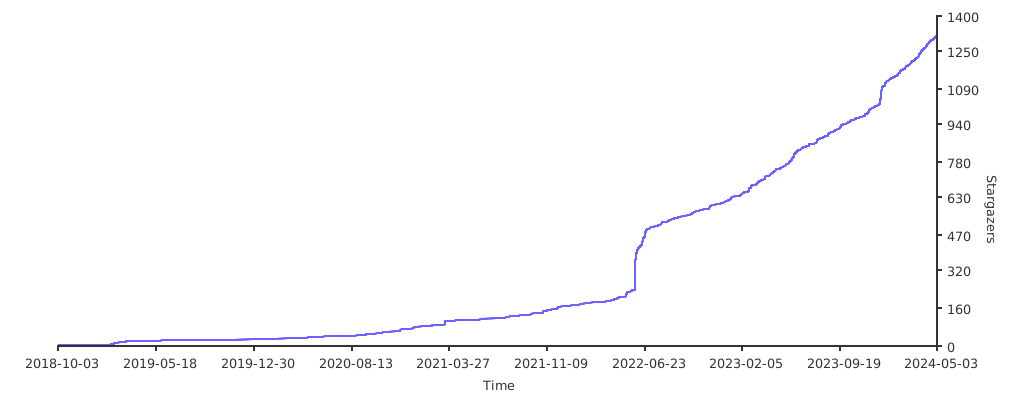](https://starchart.cc/ArtalkJS/Artalk)
|
||||
|
||||
## License
|
||||
|
||||
[MIT](./LICENSE)
|
||||
|
||||
[](https://app.fossa.com/projects/git%2Bgithub.com%2FArtalkJS%2FArtalk?ref=badge_shield)
|
||||
|
||||
[](https://app.fossa.com/projects/git%2Bgithub.com%2FArtalkJS%2FArtalk?ref=badge_large)
|
||||
-134
@@ -1,134 +0,0 @@
|
||||
<p align="center">
|
||||
<img src="https://user-images.githubusercontent.com/22412567/171680920-6e74b77c-c565-487b-bff1-4f94976ecbe7.png" alt="Artalk" width="100%">
|
||||
</p>
|
||||
|
||||
# Artalk
|
||||
|
||||
[](https://www.npmjs.com/package/artalk)
|
||||
[](https://www.npmjs.com/package/artalk)
|
||||
[](https://hub.docker.com/r/artalk/artalk-go)
|
||||
[](https://pkg.go.dev/github.com/artalkjs/artalk/v2)
|
||||
[](https://goreportcard.com/report/github.com/ArtalkJS/Artalk)
|
||||
[](https://circleci.com/gh/ArtalkJS/Artalk/tree/master)
|
||||
[](https://codecov.io/gh/ArtalkJS/Artalk)
|
||||
[](https://bundlephobia.com/package/artalk)
|
||||
|
||||
[官方网站](https://artalk.js.org) • [最新版本](https://github.com/ArtalkJS/Artalk/releases) • [更新日志](https://github.com/ArtalkJS/Artalk/blob/master/CHANGELOG.md) • [English](./README.md)
|
||||
|
||||
Artalk 是一款简单易用但功能丰富的评论系统,你可以开箱即用地部署并置入任何博客、网站、Web 应用。
|
||||
|
||||
- 🍃 前端 ~40KB,纯天然 Vanilla JS
|
||||
- 🍱 后端 Golang,高效轻量跨平台
|
||||
- 🐳 通过 Docker 一键部署,方便快捷
|
||||
- 🌈 开源程序,自托管,隐私至上
|
||||
|
||||
## 特性
|
||||
|
||||
<!-- prettier-ignore-start -->
|
||||
|
||||
<!-- features -->
|
||||
* [侧边栏](https://artalk.js.org/guide/frontend/sidebar.html): 快速管理、直观浏览
|
||||
* [社交登录](https://artalk.js.org/guide/frontend/auth.html): 通过社交账号快速登录
|
||||
* [邮件通知](https://artalk.js.org/guide/backend/email.html): 多种发送方式、邮件模板
|
||||
* [多元推送](https://artalk.js.org/guide/backend/admin_notify.html): 多种推送方式、通知模版
|
||||
* [站内通知](https://artalk.js.org/guide/frontend/sidebar.html): 红点标记、提及列表
|
||||
* [验证码](https://artalk.js.org/guide/backend/captcha.html): 多种验证类型、频率限制
|
||||
* [评论审核](https://artalk.js.org/guide/backend/moderator.html): 内容检测、垃圾拦截
|
||||
* [图片上传](https://artalk.js.org/guide/backend/img-upload.html): 自定义上传、支持图床
|
||||
* [Markdown](https://artalk.js.org/guide/intro.html): 支持 Markdown 语法
|
||||
* [表情包](https://artalk.js.org/guide/frontend/emoticons.html): 兼容 OwO,快速集成
|
||||
* [多站点](https://artalk.js.org/guide/backend/multi-site.html): 站点隔离、集中管理
|
||||
* [管理员](https://artalk.js.org/guide/backend/multi-site.html): 密码验证、徽章标识
|
||||
* [页面管理](https://artalk.js.org/guide/frontend/sidebar.html): 快速查看、标题一键跳转
|
||||
* [浏览量统计](https://artalk.js.org/guide/frontend/pv.html): 轻松统计网页浏览量
|
||||
* [层级结构](https://artalk.js.org/guide/frontend/config.html#nestmax): 嵌套分页列表、滚动加载
|
||||
* [评论投票](https://artalk.js.org/guide/frontend/config.html#vote): 赞同或反对评论
|
||||
* [评论排序](https://artalk.js.org/guide/frontend/config.html#listsort): 多种排序方式,自由选择
|
||||
* [评论搜索](https://artalk.js.org/guide/frontend/sidebar.html): 快速搜索评论内容
|
||||
* [评论置顶](https://artalk.js.org/guide/frontend/sidebar.html): 重要消息置顶显示
|
||||
* [仅看作者](https://artalk.js.org/guide/frontend/config.html): 仅显示作者的评论
|
||||
* [评论跳转](https://artalk.js.org/guide/intro.html): 快速跳转到引用的评论
|
||||
* [自动保存](https://artalk.js.org/guide/frontend/config.html): 输入内容防丢功能
|
||||
* [IP 属地](https://artalk.js.org/guide/frontend/ip-region.html): 用户 IP 属地展示
|
||||
* [数据迁移](https://artalk.js.org/guide/transfer.html): 自由迁移、快速备份
|
||||
* [图片灯箱](https://artalk.js.org/guide/frontend/lightbox.html): 图片灯箱快速集成
|
||||
* [图片懒加载](https://artalk.js.org/guide/frontend/img-lazy-load.html): 延迟加载图片,优化体验
|
||||
* [Latex](https://artalk.js.org/guide/frontend/latex.html): Latex 公式解析集成
|
||||
* [夜间模式](https://artalk.js.org/guide/frontend/config.html#darkmode): 夜间模式切换
|
||||
* [扩展插件](https://artalk.js.org/develop/plugin.html): 创造更多可能性
|
||||
* [多语言](https://artalk.js.org/guide/frontend/i18n.html): 多国语言切换
|
||||
* [命令行](https://artalk.js.org/guide/backend/config.html): 命令行操作管理能力
|
||||
* [API 文档](https://artalk.js.org/http-api.html): 提供 OpenAPI 格式文档
|
||||
* [程序升级](https://artalk.js.org/guide/backend/update.html): 版本检测,一键升级
|
||||
<!-- /features -->
|
||||
|
||||
<!-- prettier-ignore-end -->
|
||||
|
||||
## 安装
|
||||
|
||||
通过 Docker 一键部署 Artalk 服务器:
|
||||
|
||||
```bash
|
||||
docker run -d \
|
||||
--name artalk \
|
||||
-p 8080:23366 \
|
||||
-v $(pwd)/data:/data \
|
||||
-e "TZ=Asia/Shanghai" \
|
||||
-e "ATK_LOCALE=zh-CN" \
|
||||
-e "ATK_SITE_DEFAULT=Artalk 的博客" \
|
||||
-e "ATK_SITE_URL=https://example.com" \
|
||||
artalk/artalk-go
|
||||
```
|
||||
|
||||
在你的网页中引入 Artalk 客户端:
|
||||
|
||||
<!-- prettier-ignore-start -->
|
||||
|
||||
```ts
|
||||
Artalk.init({
|
||||
el: '#Comments',
|
||||
site: 'Artalk 的博客',
|
||||
server: 'https://artalk.example.com',
|
||||
pageKey: '/2018/10/02/hello-world.html'
|
||||
})
|
||||
```
|
||||
|
||||
<!-- prettier-ignore-end -->
|
||||
|
||||
我们提供多种安装方法,包括二进制文件、`go install` 和通过 Linux 发行版的包管理器安装。
|
||||
|
||||
[**了解更多 →**](https://artalk.js.org/zh/guide/deploy.html)
|
||||
|
||||
## 参与开发
|
||||
|
||||
我们欢迎你的 Pull Request!
|
||||
|
||||
有关如何使用代码库、设置本地开发环境和贡献更改的信息,请参阅 [开发文档](https://artalk.js.org/zh/develop/) 和 [贡献指南](./CONTRIBUTING.md)。
|
||||
|
||||
## 贡献者们
|
||||
|
||||
你的贡献丰富了开源社区,促进了学习、灵感和创新。我们非常重视你的参与。感谢你成为我们社区的重要一员!🥰
|
||||
|
||||
[](https://github.com/ArtalkJS/Artalk/graphs/contributors)
|
||||
|
||||
## 支持者们
|
||||
|
||||
[](https://github.com/ArtalkJS/Artalk/stargazers)
|
||||
|
||||
## Repobeats 分析
|
||||
|
||||

|
||||
|
||||
## Star 趋势
|
||||
|
||||
<a href="https://trendshift.io/repositories/6290" target="_blank"><img src="https://trendshift.io/api/badge/repositories/6290" alt="ArtalkJS%2FArtalk | Trendshift" style="width: 250px; height: 55px;" width="250" height="55"/></a>
|
||||
|
||||
[](https://starchart.cc/ArtalkJS/Artalk)
|
||||
|
||||
## 开源许可协议
|
||||
|
||||
[MIT](./LICENSE) (麻省理工学院许可证)
|
||||
|
||||
[](https://app.fossa.com/projects/git%2Bgithub.com%2FArtalkJS%2FArtalk?ref=badge_shield)
|
||||
|
||||
[](https://app.fossa.com/projects/git%2Bgithub.com%2FArtalkJS%2FArtalk?ref=badge_large)
|
||||
@@ -1,3 +0,0 @@
|
||||
# Reporting Security Issues
|
||||
|
||||
The features of Artalk are continuously being improved, and we are also striving to enhance security. However, potential issues may still exist. If you discover any security vulnerabilities in Artalk, please promptly contact us via [GitHub Issues](https://github.com/ArtalkJS/Artalk/issues) or email at artalkjs@gmail.com. We will make every effort to address the issue as quickly as possible. Thank you for your support!
|
||||
@@ -0,0 +1,22 @@
|
||||
[Unit]
|
||||
Description=Artalk, A Self-hosted Comment System.
|
||||
Documentation=https://artalk.js.org
|
||||
After=network.target network-online.target
|
||||
Requires=network-online.target
|
||||
|
||||
[Service]
|
||||
Type=simple
|
||||
User=artalk
|
||||
Group=artalk
|
||||
ExecStart=/usr/bin/artalk server -w /var/lib/artalk -c /etc/artalk/artalk.yml
|
||||
ExecReload=/bin/kill -s HUP $MAINPID
|
||||
ExecStop=/bin/kill -s QUIT $MAINPID
|
||||
TimeoutStopSec=5s
|
||||
LimitNOFILE=1048576
|
||||
LimitNPROC=512
|
||||
PrivateTmp=true
|
||||
ProtectSystem=full
|
||||
AmbientCapabilities=CAP_NET_ADMIN CAP_NET_BIND_SERVICE
|
||||
|
||||
[Install]
|
||||
WantedBy=multi-user.target
|
||||
+106
@@ -0,0 +1,106 @@
|
||||
%global goipath github.com/artalkjs/artalk/v2
|
||||
Version: 2.10.0
|
||||
%gometa -f
|
||||
Name: artalk
|
||||
Release: %autorelease
|
||||
Summary: A Self-hosted Comment System
|
||||
License: MIT
|
||||
URL: https://artalk.js.org/
|
||||
Source0: %{name}-%{version}-vendored.tar.gz
|
||||
# track this script
|
||||
Source1: vendor-tarball.sh
|
||||
Source2: https://github.com/ArtalkJS/Artalk/releases/download/v%{version}/artalk_ui.tar.gz
|
||||
Source3: artalk.sysusers
|
||||
Source4: artalk.service
|
||||
Patch1: 0001-fix-go-test-ld-undefined-error-by-remove-clickhouse.patch
|
||||
Patch2: 0002-remove-upgrade-command.patch
|
||||
BuildRequires: systemd-rpm-macros
|
||||
%{?systemd_requires}
|
||||
%{?sysusers_requires_compat}
|
||||
|
||||
|
||||
%description
|
||||
Artalk is an intuitive yet feature-rich comment system, ready for immediate deployment into any blog, website, or web application.
|
||||
|
||||
|
||||
%gopkg
|
||||
|
||||
|
||||
%prep
|
||||
%autosetup -p1
|
||||
tar --strip-components=1 -xzf %{SOURCE2} --directory=public
|
||||
%goprep -k -e
|
||||
chmod -Rf a+rX,u+w,g-w,o-w .
|
||||
|
||||
|
||||
%build
|
||||
%gobuild -o %{gobuilddir}/bin/artalk %{goipath}
|
||||
|
||||
|
||||
%install
|
||||
%gopkginstall
|
||||
|
||||
# command
|
||||
install -m 0755 -vd %{buildroot}%{_bindir}
|
||||
install -m 0755 -vp %{gobuilddir}/bin/* %{buildroot}%{_bindir}/
|
||||
|
||||
# sysusers
|
||||
install -p -D -m 0644 %{SOURCE3} %{buildroot}%{_sysusersdir}/%{name}.conf
|
||||
|
||||
# data directory (work dir)
|
||||
install -d -m 0750 %{buildroot}%{_sharedstatedir}/artalk
|
||||
|
||||
# config
|
||||
install -D -p -m 0644 ./conf/artalk.example.yml %{buildroot}%{_sysconfdir}/artalk/artalk.yml
|
||||
|
||||
# systemd units
|
||||
install -D -p -m 0644 %{SOURCE4} %{buildroot}%{_unitdir}/artalk.service
|
||||
|
||||
# shell completions
|
||||
install -d -m 0755 %{buildroot}%{bash_completions_dir}
|
||||
%{gobuilddir}/bin/artalk completion bash > %{buildroot}%{bash_completions_dir}/artalk
|
||||
install -d -m 0755 %{buildroot}%{zsh_completions_dir}
|
||||
%{gobuilddir}/bin/artalk completion zsh > %{buildroot}%{zsh_completions_dir}/_artalk
|
||||
install -d -m 0755 %{buildroot}%{fish_completions_dir}
|
||||
%{gobuilddir}/bin/artalk completion fish > %{buildroot}%{fish_completions_dir}/artalk.fish
|
||||
|
||||
|
||||
%check
|
||||
%gocheck
|
||||
|
||||
|
||||
%pre
|
||||
%sysusers_create_compat %{SOURCE3}
|
||||
|
||||
|
||||
%post
|
||||
%systemd_post artalk.service
|
||||
|
||||
|
||||
%preun
|
||||
%systemd_preun artalk.service
|
||||
|
||||
|
||||
%postun
|
||||
%systemd_postun_with_restart artalk.service
|
||||
|
||||
|
||||
%files
|
||||
%doc CONTRIBUTING.md README.md
|
||||
%license LICENSE
|
||||
%{_bindir}/artalk
|
||||
%{_unitdir}/artalk.service
|
||||
%{_sysusersdir}/%{name}.conf
|
||||
%dir %{_sysconfdir}/artalk
|
||||
%config(noreplace) %{_sysconfdir}/artalk/artalk.yml
|
||||
%attr(0750,artalk,artalk) %dir %{_sharedstatedir}/artalk
|
||||
%{bash_completions_dir}/artalk
|
||||
%{zsh_completions_dir}/_artalk
|
||||
%{fish_completions_dir}/artalk.fish
|
||||
|
||||
|
||||
%gopkgfiles
|
||||
|
||||
|
||||
%changelog
|
||||
%autochangelog
|
||||
@@ -0,0 +1,3 @@
|
||||
#Type Name ID GECOS Home directory Shell
|
||||
u artalk - "Artalk server" /var/lib/artalk /sbin/nologin
|
||||
g artalk - - - -
|
||||
-122
@@ -1,122 +0,0 @@
|
||||
package cmd
|
||||
|
||||
import (
|
||||
"bufio"
|
||||
"fmt"
|
||||
"os"
|
||||
"strings"
|
||||
"syscall"
|
||||
|
||||
"github.com/artalkjs/artalk/v2/internal/entity"
|
||||
"github.com/artalkjs/artalk/v2/internal/i18n"
|
||||
"github.com/artalkjs/artalk/v2/internal/log"
|
||||
"github.com/artalkjs/artalk/v2/internal/utils"
|
||||
"github.com/spf13/cobra"
|
||||
"golang.org/x/term"
|
||||
)
|
||||
|
||||
func NewAdminCommand(app *ArtalkCmd) *cobra.Command {
|
||||
adminCmd := &cobra.Command{
|
||||
Use: "admin",
|
||||
Short: "Create or edit an administrator account",
|
||||
Args: cobra.NoArgs,
|
||||
Run: func(cmd *cobra.Command, args []string) {
|
||||
fmt.Println("--------------------------------")
|
||||
fmt.Println(" " + i18n.T("Create admin account"))
|
||||
fmt.Println("--------------------------------")
|
||||
|
||||
// get from flags
|
||||
username, _ := cmd.Flags().GetString("name")
|
||||
email, _ := cmd.Flags().GetString("email")
|
||||
password, _ := cmd.Flags().GetString("password")
|
||||
|
||||
if username == "" || email == "" || password == "" {
|
||||
var err error
|
||||
username, email, password, err = credentials()
|
||||
if err != nil {
|
||||
log.Fatal(err)
|
||||
}
|
||||
}
|
||||
|
||||
findUser := app.Dao().FindUser(username, email)
|
||||
if !findUser.IsEmpty() {
|
||||
findUser.SetPasswordEncrypt(password)
|
||||
findUser.IsAdmin = true
|
||||
if err := app.Dao().UpdateUser(&findUser); err != nil {
|
||||
log.Fatal(err)
|
||||
}
|
||||
|
||||
log.Info(i18n.T("{{name}} already exists", map[string]interface{}{"name": i18n.T("Account")}) +
|
||||
", " + i18n.T("Password updated"))
|
||||
return
|
||||
}
|
||||
|
||||
user := entity.User{
|
||||
Name: username,
|
||||
Email: email,
|
||||
IsAdmin: true,
|
||||
BadgeName: i18n.T("Admin"),
|
||||
BadgeColor: "#0083FF",
|
||||
}
|
||||
user.SetPasswordEncrypt(password)
|
||||
|
||||
if err := app.Dao().CreateUser(&user); err != nil {
|
||||
log.Fatal(err)
|
||||
}
|
||||
|
||||
fmt.Println("--------------------------------")
|
||||
fmt.Println(" Name: " + username)
|
||||
fmt.Println(" Mail: " + email)
|
||||
fmt.Println("--------------------------------")
|
||||
},
|
||||
}
|
||||
|
||||
flag(adminCmd, "name", "", i18n.T("Username"))
|
||||
flag(adminCmd, "email", "", i18n.T("Email"))
|
||||
flag(adminCmd, "password", "", i18n.T("Password"))
|
||||
|
||||
return adminCmd
|
||||
}
|
||||
|
||||
func credentials() (string, string, string, error) {
|
||||
reader := bufio.NewReader(os.Stdin)
|
||||
|
||||
fmt.Print(i18n.T("Enter {{name}}", map[string]interface{}{"name": i18n.T("Username")}) + ": ")
|
||||
username, err := reader.ReadString('\n')
|
||||
if err != nil {
|
||||
return "", "", "", err
|
||||
}
|
||||
|
||||
fmt.Print(i18n.T("Enter {{name}}", map[string]interface{}{"name": i18n.T("Email")}) + ": ")
|
||||
email, err := reader.ReadString('\n')
|
||||
if err != nil {
|
||||
return "", "", "", err
|
||||
}
|
||||
if !utils.ValidateEmail(strings.TrimSpace(email)) {
|
||||
return "", "", "", fmt.Errorf("invalid email format")
|
||||
}
|
||||
|
||||
fmt.Print(i18n.T("Enter {{name}}", map[string]interface{}{"name": i18n.T("Password")}) + ": ")
|
||||
bytePassword, err := term.ReadPassword(int(syscall.Stdin))
|
||||
if err != nil {
|
||||
return "", "", "", err
|
||||
}
|
||||
|
||||
fmt.Println()
|
||||
fmt.Print(i18n.T("Retype {{name}}", map[string]interface{}{"name": i18n.T("Password")}) + ": ")
|
||||
byteRePassword, err := term.ReadPassword(int(syscall.Stdin))
|
||||
if err != nil {
|
||||
return "", "", "", err
|
||||
}
|
||||
|
||||
fmt.Println()
|
||||
|
||||
password := strings.TrimSpace(string(bytePassword))
|
||||
rePassword := strings.TrimSpace(string(byteRePassword))
|
||||
|
||||
if rePassword != password {
|
||||
return "", "", "", fmt.Errorf("inconsistent password input")
|
||||
}
|
||||
|
||||
return strings.TrimSpace(username), strings.TrimSpace(email), password, nil
|
||||
}
|
||||
-258
@@ -1,258 +0,0 @@
|
||||
package cmd
|
||||
|
||||
import (
|
||||
"fmt"
|
||||
"os"
|
||||
"os/signal"
|
||||
"path"
|
||||
"syscall"
|
||||
|
||||
"github.com/adrg/xdg"
|
||||
"github.com/artalkjs/artalk/v2/internal/config"
|
||||
"github.com/artalkjs/artalk/v2/internal/core"
|
||||
"github.com/artalkjs/artalk/v2/internal/log"
|
||||
"github.com/artalkjs/artalk/v2/internal/utils"
|
||||
"github.com/fatih/color"
|
||||
"github.com/spf13/cobra"
|
||||
)
|
||||
|
||||
var Banner = `
|
||||
________ ________ _________ ________ ___ ___ __
|
||||
|\ __ \|\ __ \|\___ ___\\ __ \|\ \ |\ \|\ \
|
||||
\ \ \|\ \ \ \|\ \|___ \ \_\ \ \|\ \ \ \ \ \ \/ /|_
|
||||
\ \ __ \ \ _ _\ \ \ \ \ \ __ \ \ \ \ \ ___ \
|
||||
\ \ \ \ \ \ \\ \| \ \ \ \ \ \ \ \ \ \____\ \ \\ \ \
|
||||
\ \__\ \__\ \__\\ _\ \ \__\ \ \__\ \__\ \_______\ \__\\ \__\
|
||||
\|__|\|__|\|__|\|__| \|__| \|__|\|__|\|_______|\|__| \|__|
|
||||
|
||||
Artalk (` + config.VersionString() + `)
|
||||
|
||||
-> A Self-hosted Comment System.
|
||||
-> https://artalk.js.org
|
||||
`
|
||||
|
||||
type ArtalkCmd struct {
|
||||
*core.App
|
||||
|
||||
cfgFile string
|
||||
workDir string
|
||||
|
||||
RootCmd *cobra.Command
|
||||
}
|
||||
|
||||
const BootModeKey = "BootMode"
|
||||
|
||||
const (
|
||||
MODE_FULL_BOOT = "FULL_BOOT"
|
||||
MODE_MINI_BOOT = "MINI_BOOT"
|
||||
)
|
||||
|
||||
func New() *ArtalkCmd {
|
||||
cmd := &ArtalkCmd{
|
||||
RootCmd: &cobra.Command{
|
||||
Use: "artalk",
|
||||
Short: "Artalk: A self-hosted comment system",
|
||||
Long: Banner,
|
||||
Version: config.VersionString(),
|
||||
Run: func(cmd *cobra.Command, args []string) {
|
||||
fmt.Println(Banner)
|
||||
fmt.Print("-------------------------------\n\n")
|
||||
fmt.Println("NOTE: add `-h` flag to show help about any command.")
|
||||
},
|
||||
},
|
||||
}
|
||||
|
||||
cmd.RootCmd.SetVersionTemplate("Artalk ({{printf \"%s\" .Version}})\n")
|
||||
|
||||
// Parse base flags
|
||||
cmd.eagerParseFlags()
|
||||
|
||||
// Init data directory (work directory)
|
||||
if workDir, err := initDataDir(cmd.workDir); err == nil {
|
||||
cmd.workDir = workDir
|
||||
} else {
|
||||
log.Fatal("Data directory fail: ", err)
|
||||
}
|
||||
|
||||
return cmd
|
||||
}
|
||||
|
||||
// Parses the global app flags before calling atk.RootCmd.Execute().
|
||||
// so we can have all flags ready for use on initialization.
|
||||
func (atk *ArtalkCmd) eagerParseFlags() error {
|
||||
atk.RootCmd.PersistentFlags().StringVarP(&atk.cfgFile, "config", "c", "", "config file path (defaults are './artalk.yml')")
|
||||
atk.RootCmd.PersistentFlags().StringVarP(&atk.workDir, "workdir", "w", "", "program working directory (defaults are './')")
|
||||
|
||||
return atk.RootCmd.ParseFlags(os.Args[1:])
|
||||
}
|
||||
|
||||
func (atk *ArtalkCmd) addCommand(cmd *cobra.Command) {
|
||||
originalPreRunFunc := cmd.PreRun
|
||||
|
||||
cmd.PreRun = func(cmd *cobra.Command, args []string) {
|
||||
// ================
|
||||
// APP Bootstrap
|
||||
// ================
|
||||
if cmd.Annotations[BootModeKey] != string(MODE_MINI_BOOT) {
|
||||
// Load config
|
||||
config, err := getConfig(atk.cfgFile)
|
||||
if err != nil {
|
||||
log.Fatal("Config fail: ", err)
|
||||
}
|
||||
|
||||
// Create new instance
|
||||
atk.App = core.NewApp(config)
|
||||
|
||||
// Bootstrap APP
|
||||
if err := atk.App.Bootstrap(); err != nil {
|
||||
panic(err)
|
||||
}
|
||||
}
|
||||
|
||||
if originalPreRunFunc != nil {
|
||||
originalPreRunFunc(cmd, args) // extends original pre-run logic
|
||||
}
|
||||
}
|
||||
|
||||
atk.RootCmd.AddCommand(cmd)
|
||||
}
|
||||
|
||||
func (atk *ArtalkCmd) mountCommands() {
|
||||
atk.addCommand(NewServeCommand(atk))
|
||||
atk.addCommand(NewAdminCommand(atk))
|
||||
atk.addCommand(NewExportCommand(atk))
|
||||
atk.addCommand(NewImportCommand(atk))
|
||||
atk.addCommand(NewConfigCommand())
|
||||
atk.addCommand(NewGenCommand())
|
||||
atk.addCommand(NewUpgradeCommand())
|
||||
atk.addCommand(NewVersionCommand())
|
||||
}
|
||||
|
||||
func (atk *ArtalkCmd) Launch() error {
|
||||
// ===================
|
||||
// 1. Prepare Commands
|
||||
// ===================
|
||||
atk.mountCommands()
|
||||
|
||||
done := make(chan bool, 1) // shutdown signal
|
||||
|
||||
// listen for interrupt signal to gracefully shutdown the application
|
||||
go func() {
|
||||
sigch := make(chan os.Signal, 1)
|
||||
signal.Notify(sigch, os.Interrupt, syscall.SIGTERM)
|
||||
<-sigch
|
||||
|
||||
done <- true
|
||||
}()
|
||||
|
||||
// ===================
|
||||
// 2. Command Execute
|
||||
// ===================
|
||||
go func() {
|
||||
if err := atk.RootCmd.Execute(); err != nil {
|
||||
color.Red(err.Error())
|
||||
}
|
||||
|
||||
done <- true
|
||||
}()
|
||||
|
||||
<-done
|
||||
|
||||
// ===================
|
||||
// 3. App Cleanups
|
||||
// ===================
|
||||
if atk.App != nil {
|
||||
return atk.App.OnTerminate().Trigger(&core.TerminateEvent{
|
||||
App: atk.App,
|
||||
})
|
||||
}
|
||||
|
||||
return nil
|
||||
}
|
||||
|
||||
func initDataDir(workDir string) (string, error) {
|
||||
// If work directory is not specified, try to find it
|
||||
if workDir == "" {
|
||||
// If `data` in current directory exists, not change work directory
|
||||
if utils.CheckDirExist("./data") {
|
||||
// log.Warn("[DEPRECATED] The `data` directory is deprecated, please move to `~/.local/share/artalk/data`")
|
||||
return "", nil
|
||||
}
|
||||
|
||||
// Retrieve data directory assuming it's already exists
|
||||
workDir = config.RetrieveDataDir()
|
||||
}
|
||||
|
||||
// Create new data directory if not exists
|
||||
if workDir == "" {
|
||||
// default data path is `~/.local/share/artalk`
|
||||
workDir = path.Join(xdg.DataHome, "artalk")
|
||||
if err := utils.EnsureDir(workDir); err != nil {
|
||||
return "", fmt.Errorf("data directory creation error: %v", err)
|
||||
}
|
||||
}
|
||||
|
||||
// Change work directory
|
||||
if workDir != "" {
|
||||
if err := os.Chdir(workDir); err != nil {
|
||||
return "", fmt.Errorf("working directory change error: %v", err)
|
||||
}
|
||||
}
|
||||
|
||||
return workDir, nil
|
||||
}
|
||||
|
||||
// Create new config instance by specific config filename
|
||||
func getConfig(cfgFile string) (*config.Config, error) {
|
||||
// If config file is not specified, try to find it
|
||||
if cfgFile == "" {
|
||||
// Retrieve config file assuming it's already exists
|
||||
cfgFile = config.RetrieveConfigFile()
|
||||
}
|
||||
|
||||
// Generate new config file if not exists
|
||||
if cfgFile == "" {
|
||||
// default config path is `~/.config/artalk/artalk.yml`
|
||||
cfgFile = path.Join(xdg.ConfigHome, "artalk", config.CONF_DEFAULT_FILENAMES[0])
|
||||
core.Gen("config", cfgFile, false)
|
||||
}
|
||||
|
||||
// Create new config instance and return
|
||||
return config.NewFromFile(cfgFile)
|
||||
}
|
||||
|
||||
// -------------------------------------------------------------------
|
||||
// Shortcut Functions
|
||||
// -------------------------------------------------------------------
|
||||
|
||||
func flag(cmd *cobra.Command, name string, defaultVal interface{}, usage string) {
|
||||
f := cmd.PersistentFlags()
|
||||
switch y := defaultVal.(type) {
|
||||
case bool:
|
||||
f.Bool(name, y, usage)
|
||||
case int:
|
||||
f.Int(name, y, usage)
|
||||
case string:
|
||||
f.String(name, y, usage)
|
||||
}
|
||||
}
|
||||
|
||||
func flagP(cmd *cobra.Command, name, shorthand string, defaultVal interface{}, usage string) {
|
||||
f := cmd.PersistentFlags()
|
||||
switch y := defaultVal.(type) {
|
||||
case bool:
|
||||
f.BoolP(name, shorthand, y, usage)
|
||||
case int:
|
||||
f.IntP(name, shorthand, y, usage)
|
||||
case string:
|
||||
f.StringP(name, shorthand, y, usage)
|
||||
}
|
||||
}
|
||||
|
||||
func flagV(cmd *cobra.Command, name string, defaultVal interface{}, usage string) {
|
||||
flag(cmd, name, defaultVal, usage)
|
||||
}
|
||||
|
||||
func flagPV(cmd *cobra.Command, name, shorthand string, defaultVal interface{}, usage string) {
|
||||
flagP(cmd, name, shorthand, defaultVal, usage)
|
||||
}
|
||||
@@ -1,35 +0,0 @@
|
||||
package cmd
|
||||
|
||||
import (
|
||||
"encoding/json"
|
||||
"fmt"
|
||||
|
||||
"github.com/artalkjs/artalk/v2/internal/log"
|
||||
"github.com/spf13/cobra"
|
||||
)
|
||||
|
||||
func NewConfigCommand() *cobra.Command {
|
||||
configCmd := &cobra.Command{
|
||||
Use: "config",
|
||||
Short: "Output Config Information",
|
||||
Run: func(cmd *cobra.Command, args []string) {
|
||||
// Get config filename from cmd flags
|
||||
filename, _ := cmd.Flags().GetString("config")
|
||||
|
||||
// Get new config instance
|
||||
config, err := getConfig(filename)
|
||||
if err != nil {
|
||||
log.Fatal("Config fail: ", err)
|
||||
}
|
||||
|
||||
// Output JSON of config
|
||||
buf, _ := json.MarshalIndent(config, "", " ")
|
||||
fmt.Println(string(buf))
|
||||
},
|
||||
Annotations: map[string]string{
|
||||
BootModeKey: MODE_MINI_BOOT,
|
||||
},
|
||||
}
|
||||
|
||||
return configCmd
|
||||
}
|
||||
@@ -1,72 +0,0 @@
|
||||
package cmd
|
||||
|
||||
import (
|
||||
"fmt"
|
||||
"os"
|
||||
"path"
|
||||
"path/filepath"
|
||||
"time"
|
||||
|
||||
"github.com/artalkjs/artalk/v2/internal/artransfer"
|
||||
"github.com/artalkjs/artalk/v2/internal/i18n"
|
||||
"github.com/artalkjs/artalk/v2/internal/log"
|
||||
"github.com/artalkjs/artalk/v2/internal/utils"
|
||||
"github.com/spf13/cobra"
|
||||
)
|
||||
|
||||
func NewExportCommand(app *ArtalkCmd) *cobra.Command {
|
||||
exportCmd := &cobra.Command{
|
||||
Use: "export",
|
||||
Aliases: []string{},
|
||||
Short: "Artransfer export",
|
||||
Long: "\n# Artransfer - Export\n\n See the documentation to learn more: https://artalk.js.org/guide/transfer.html",
|
||||
Run: func(cmd *cobra.Command, args []string) {
|
||||
jsonStr, err := artransfer.RunExportArtrans(app.Dao(), &artransfer.ExportParams{})
|
||||
if err != nil {
|
||||
log.Fatal(err)
|
||||
}
|
||||
|
||||
if len(args) < 1 || args[0] == "" {
|
||||
// write to stdout
|
||||
fmt.Println(jsonStr)
|
||||
} else {
|
||||
filename := args[0]
|
||||
|
||||
// make sure is abs path
|
||||
filename, err := filepath.Abs(filename)
|
||||
if err != nil {
|
||||
log.Fatal(err)
|
||||
}
|
||||
|
||||
// check dir
|
||||
stat, err := os.Stat(filename)
|
||||
if err == nil {
|
||||
if stat.IsDir() {
|
||||
filename = path.Join(filename, "backup-"+time.Now().Format("20060102-150405")+".artrans")
|
||||
}
|
||||
}
|
||||
|
||||
// mkdir -p
|
||||
if err := utils.EnsureDir(filepath.Dir(filename)); err != nil {
|
||||
log.Fatal(err)
|
||||
}
|
||||
|
||||
// touch
|
||||
f, err := os.Create(filename)
|
||||
if err != nil {
|
||||
log.Fatal(err)
|
||||
}
|
||||
|
||||
// >
|
||||
_, err2 := f.WriteString(jsonStr)
|
||||
if err2 != nil {
|
||||
log.Fatal(err2)
|
||||
}
|
||||
|
||||
log.Info(i18n.T("Export complete") + ": " + filename)
|
||||
}
|
||||
},
|
||||
}
|
||||
|
||||
return exportCmd
|
||||
}
|
||||
-34
@@ -1,34 +0,0 @@
|
||||
package cmd
|
||||
|
||||
import (
|
||||
"github.com/artalkjs/artalk/v2/internal/core"
|
||||
"github.com/spf13/cobra"
|
||||
)
|
||||
|
||||
func NewGenCommand() *cobra.Command {
|
||||
genCmd := &cobra.Command{
|
||||
Use: "gen <TYPE> <DEST>",
|
||||
Short: "A collection of several useful generators",
|
||||
Long: "Generate some content\ne.g. `artalk gen config ./artalk.yml`",
|
||||
Args: cobra.RangeArgs(1, 2),
|
||||
Run: func(cmd *cobra.Command, args []string) {
|
||||
var (
|
||||
specificPath string
|
||||
isForce bool
|
||||
)
|
||||
if len(args) > 1 {
|
||||
specificPath = args[1]
|
||||
}
|
||||
isForce, _ = cmd.Flags().GetBool("force")
|
||||
|
||||
core.Gen(args[0], specificPath, isForce)
|
||||
},
|
||||
Annotations: map[string]string{
|
||||
BootModeKey: MODE_MINI_BOOT,
|
||||
},
|
||||
}
|
||||
|
||||
flagPV(genCmd, "force", "f", false, "Force overwrite an existing file")
|
||||
|
||||
return genCmd
|
||||
}
|
||||
@@ -1,60 +0,0 @@
|
||||
package cmd
|
||||
|
||||
import (
|
||||
"encoding/json"
|
||||
"errors"
|
||||
"os"
|
||||
|
||||
"github.com/artalkjs/artalk/v2/internal/artransfer"
|
||||
"github.com/artalkjs/artalk/v2/internal/i18n"
|
||||
"github.com/artalkjs/artalk/v2/internal/log"
|
||||
"github.com/spf13/cobra"
|
||||
)
|
||||
|
||||
func NewImportCommand(app *ArtalkCmd) *cobra.Command {
|
||||
importCmd := &cobra.Command{
|
||||
Use: "import <FILENAME>",
|
||||
Aliases: []string{},
|
||||
Short: "Artransfer import",
|
||||
Long: "\n# Artransfer - Import\n\n See the documentation to learn more: https://artalk.js.org/guide/transfer.html",
|
||||
Run: func(cmd *cobra.Command, args []string) {
|
||||
// Prepare params
|
||||
params := &artransfer.ImportParams{}
|
||||
|
||||
// Parse JSON parameters from flags
|
||||
if jsonParams, _ := cmd.Flags().GetString("parameters"); jsonParams != "" {
|
||||
if err := json.Unmarshal([]byte(jsonParams), params); err != nil {
|
||||
log.Fatal("Failed to parse JSON parameters: ", err)
|
||||
}
|
||||
}
|
||||
|
||||
// If JSON file or JSON data is not provided in flags, try to get it from arguments
|
||||
if params.JsonFile == "" && params.JsonData == "" {
|
||||
if len(args) == 0 {
|
||||
log.Fatal(i18n.T("{{name}} is required", map[string]interface{}{"name": "FILENAME"}))
|
||||
}
|
||||
params.JsonFile = args[0]
|
||||
}
|
||||
|
||||
// Parse flags to params
|
||||
if flagAssumeyes, err := cmd.Flags().GetBool("assumeyes"); err == nil {
|
||||
params.Assumeyes = flagAssumeyes
|
||||
}
|
||||
|
||||
// Check if file exists if JsonFile is provided
|
||||
if params.JsonFile != "" {
|
||||
if _, err := os.Stat(params.JsonFile); errors.Is(err, os.ErrNotExist) {
|
||||
log.Fatal(i18n.T("{{name}} not found", map[string]interface{}{"name": i18n.T("File")}))
|
||||
}
|
||||
}
|
||||
|
||||
// Run import
|
||||
artransfer.RunImportArtrans(app.Dao(), params)
|
||||
},
|
||||
}
|
||||
|
||||
flagPV(importCmd, "assumeyes", "y", false, "Automatically answer yes for all questions.")
|
||||
flagPV(importCmd, "parameters", "p", "", "JSON format parameters for the import command.")
|
||||
|
||||
return importCmd
|
||||
}
|
||||
@@ -1,35 +0,0 @@
|
||||
package cmd
|
||||
|
||||
import (
|
||||
"fmt"
|
||||
|
||||
"github.com/artalkjs/artalk/v2/internal/log"
|
||||
"github.com/artalkjs/artalk/v2/server"
|
||||
|
||||
"github.com/spf13/cobra"
|
||||
)
|
||||
|
||||
func NewServeCommand(app *ArtalkCmd) *cobra.Command {
|
||||
var serverCmd = &cobra.Command{
|
||||
Use: "server",
|
||||
Aliases: []string{"serve"},
|
||||
Short: "Start the server",
|
||||
Long: Banner,
|
||||
Args: cobra.NoArgs,
|
||||
Run: func(cmd *cobra.Command, args []string) {
|
||||
fmt.Println(Banner)
|
||||
fmt.Print("-------------------------------\n\n")
|
||||
|
||||
// init fiber app
|
||||
_, err := server.Serve(app.App)
|
||||
if err != nil {
|
||||
log.Fatalln(err)
|
||||
}
|
||||
},
|
||||
}
|
||||
|
||||
flagPV(serverCmd, "host", "", "0.0.0.0", "Listening IP")
|
||||
flagPV(serverCmd, "port", "", 23366, "Listening port")
|
||||
|
||||
return serverCmd
|
||||
}
|
||||
@@ -1,68 +0,0 @@
|
||||
package cmd
|
||||
|
||||
import (
|
||||
"fmt"
|
||||
"os"
|
||||
"strings"
|
||||
|
||||
"github.com/artalkjs/artalk/v2/internal/config"
|
||||
"github.com/artalkjs/artalk/v2/internal/i18n"
|
||||
"github.com/artalkjs/artalk/v2/internal/log"
|
||||
"github.com/blang/semver"
|
||||
"github.com/rhysd/go-github-selfupdate/selfupdate"
|
||||
"github.com/spf13/cobra"
|
||||
)
|
||||
|
||||
func NewUpgradeCommand() *cobra.Command {
|
||||
upgradeCmd := &cobra.Command{
|
||||
Use: "upgrade",
|
||||
Aliases: []string{"update"},
|
||||
Short: "Upgrade to the latest version",
|
||||
Long: "Upgrade Artalk to the latest version, \n update source is GitHub Releases, \n update need to restart Artalk to take effect.",
|
||||
Args: cobra.NoArgs,
|
||||
Run: func(cmd *cobra.Command, args []string) {
|
||||
log.Info(i18n.T("Checking for updates") + "...")
|
||||
|
||||
latest, found, err := selfupdate.DetectLatest("ArtalkJS/Artalk")
|
||||
if err != nil {
|
||||
log.Fatal("Error occurred while detecting version: ", err)
|
||||
}
|
||||
|
||||
ignoreVersionCheck, _ := cmd.Flags().GetBool("force")
|
||||
if !ignoreVersionCheck {
|
||||
v := semver.MustParse(strings.TrimPrefix(config.Version, "v"))
|
||||
if !found || latest.Version.LTE(v) {
|
||||
log.Info(i18n.T("Current version is the latest") + " (v" + v.String() + ")")
|
||||
return
|
||||
}
|
||||
}
|
||||
|
||||
log.Info(i18n.T("New version available") + ": v" + latest.Version.String())
|
||||
log.Info(i18n.T("Downloading") + "...")
|
||||
|
||||
exe, err := os.Executable()
|
||||
if err != nil {
|
||||
log.Fatal("Could not locate executable path ", err)
|
||||
}
|
||||
|
||||
if err := selfupdate.UpdateTo(latest.AssetURL, exe); err != nil {
|
||||
log.Fatal(i18n.T("Update failed")+" ", err)
|
||||
}
|
||||
|
||||
log.Info(i18n.T("Update complete"))
|
||||
fmt.Printf("\n"+
|
||||
"-------------------------------\n"+
|
||||
" v%s Release Note\n"+
|
||||
"-------------------------------\n\n"+
|
||||
"%s\n",
|
||||
latest.Version.String(), latest.ReleaseNotes)
|
||||
},
|
||||
Annotations: map[string]string{
|
||||
BootModeKey: MODE_MINI_BOOT,
|
||||
},
|
||||
}
|
||||
|
||||
flagPV(upgradeCmd, "force", "f", false, "Force upgrade ignore version comparison.")
|
||||
|
||||
return upgradeCmd
|
||||
}
|
||||
@@ -1,23 +0,0 @@
|
||||
package cmd
|
||||
|
||||
import (
|
||||
"fmt"
|
||||
|
||||
"github.com/artalkjs/artalk/v2/internal/config"
|
||||
"github.com/spf13/cobra"
|
||||
)
|
||||
|
||||
func NewVersionCommand() *cobra.Command {
|
||||
versionCmd := &cobra.Command{
|
||||
Use: "version",
|
||||
Short: "Output version information",
|
||||
Run: func(cmd *cobra.Command, args []string) {
|
||||
fmt.Println("Artalk (" + config.VersionString() + ")")
|
||||
},
|
||||
Annotations: map[string]string{
|
||||
BootModeKey: MODE_MINI_BOOT,
|
||||
},
|
||||
}
|
||||
|
||||
return versionCmd
|
||||
}
|
||||
@@ -1,2 +0,0 @@
|
||||
ignore:
|
||||
- "docs/*"
|
||||
@@ -1,252 +0,0 @@
|
||||
host: "0.0.0.0"
|
||||
port: 23366
|
||||
app_key: ""
|
||||
debug: false
|
||||
locale: en
|
||||
timezone: Asia/Shanghai
|
||||
site_default: Default Site
|
||||
site_url: ""
|
||||
login_timeout: 259200
|
||||
db:
|
||||
type: sqlite
|
||||
file: ./data/artalk.db
|
||||
table_prefix: ""
|
||||
name: artalk
|
||||
host: localhost
|
||||
port: 3306
|
||||
user: root
|
||||
password: ""
|
||||
charset: utf8mb4
|
||||
ssl: false
|
||||
prepare_stmt: true
|
||||
http:
|
||||
body_limit: 100
|
||||
proxy_header: ""
|
||||
log:
|
||||
enabled: true
|
||||
filename: ./data/artalk.log
|
||||
cache:
|
||||
enabled: false
|
||||
type: builtin
|
||||
expires: 30
|
||||
warm_up: false
|
||||
server: ""
|
||||
redis:
|
||||
network: tcp
|
||||
username: ""
|
||||
password: ""
|
||||
db: 0
|
||||
trusted_domains: []
|
||||
ssl:
|
||||
enabled: false
|
||||
cert_path: ""
|
||||
key_path: ""
|
||||
moderator:
|
||||
pending_default: false
|
||||
api_fail_block: false
|
||||
akismet_key: ""
|
||||
tencent:
|
||||
enabled: false
|
||||
secret_id: ""
|
||||
secret_key: ""
|
||||
region: ap-guangzhou
|
||||
aliyun:
|
||||
enabled: false
|
||||
access_key_id: ""
|
||||
access_key_secret: ""
|
||||
region: cn-shanghai
|
||||
keywords:
|
||||
enabled: false
|
||||
pending: false
|
||||
files:
|
||||
- ./data/keywords_1.txt
|
||||
file_sep: "\n"
|
||||
replace_to: x
|
||||
captcha:
|
||||
enabled: true
|
||||
always: false
|
||||
captcha_type: image
|
||||
action_limit: 3
|
||||
action_reset: 60
|
||||
turnstile:
|
||||
site_key: ""
|
||||
secret_key: ""
|
||||
recaptcha:
|
||||
site_key: ""
|
||||
secret_key: ""
|
||||
hcaptcha:
|
||||
site_key: ""
|
||||
secret_key: ""
|
||||
geetest:
|
||||
captcha_id: ""
|
||||
captcha_key: ""
|
||||
img_upload:
|
||||
enabled: true
|
||||
path: ./data/artalk-img/
|
||||
max_size: 5
|
||||
public_path: null
|
||||
upgit:
|
||||
enabled: false
|
||||
exec: upgit -c UPGIT_CONF_FILE_PATH -t /artalk-img
|
||||
del_local: true
|
||||
email:
|
||||
enabled: false
|
||||
send_type: smtp
|
||||
send_name: "{{reply_nick}}"
|
||||
send_addr: noreply@example.com
|
||||
mail_subject: "[{{site_name}}] You got a reply from @{{reply_nick}}"
|
||||
mail_tpl: default
|
||||
smtp:
|
||||
host: smtp.qq.com
|
||||
port: 587
|
||||
username: example@qq.com
|
||||
password: ""
|
||||
ali_dm:
|
||||
access_key_id: ""
|
||||
access_key_secret: ""
|
||||
account_name: noreply@example.com
|
||||
admin_notify:
|
||||
notify_tpl: default
|
||||
notify_pending: false
|
||||
noise_mode: false
|
||||
email:
|
||||
enabled: true
|
||||
mail_subject: '[{{site_name}}] Post "{{page_title}}" has new a comment'
|
||||
mail_tpl: ""
|
||||
telegram:
|
||||
enabled: false
|
||||
api_token: ""
|
||||
receivers:
|
||||
- 7777777
|
||||
bark:
|
||||
enabled: false
|
||||
server: http://day.app/xxxxxxx/
|
||||
lark:
|
||||
enabled: false
|
||||
webhook_url: ""
|
||||
msg_type: "text"
|
||||
webhook:
|
||||
enabled: false
|
||||
url: ""
|
||||
ding_talk:
|
||||
enabled: false
|
||||
token: ""
|
||||
secret: ""
|
||||
slack:
|
||||
enabled: false
|
||||
oauth_token: ""
|
||||
receivers:
|
||||
- "CHANNEL_ID"
|
||||
line:
|
||||
enabled: false
|
||||
channel_secret: ""
|
||||
channel_access_token: ""
|
||||
receivers:
|
||||
- "USER_ID_1"
|
||||
- "GROUP_ID_1"
|
||||
auth:
|
||||
enabled: false
|
||||
anonymous: false
|
||||
callback: "http://localhost:23366/api/v2/auth/{provider}/callback"
|
||||
email:
|
||||
enabled: true
|
||||
verify_subject: "Your Code - {{code}}"
|
||||
verify_tpl: default
|
||||
github:
|
||||
enabled: false
|
||||
client_id: ""
|
||||
client_secret: ""
|
||||
gitlab:
|
||||
enabled: false
|
||||
client_id: ""
|
||||
client_secret: ""
|
||||
gitea:
|
||||
enabled: false
|
||||
client_id: ""
|
||||
client_secret: ""
|
||||
google:
|
||||
enabled: false
|
||||
client_id: ""
|
||||
client_secret: ""
|
||||
mastodon:
|
||||
enabled: false
|
||||
client_id: ""
|
||||
client_secret: ""
|
||||
twitter:
|
||||
enabled: false
|
||||
client_id: ""
|
||||
client_secret: ""
|
||||
facebook:
|
||||
enabled: false
|
||||
client_id: ""
|
||||
client_secret: ""
|
||||
discord:
|
||||
enabled: false
|
||||
client_id: ""
|
||||
client_secret: ""
|
||||
steam:
|
||||
enabled: false
|
||||
api_key: ""
|
||||
apple:
|
||||
enabled: false
|
||||
client_id: ""
|
||||
client_secret: ""
|
||||
microsoft:
|
||||
enabled: false
|
||||
client_id: ""
|
||||
client_secret: ""
|
||||
wechat:
|
||||
enabled: false
|
||||
client_id: ""
|
||||
client_secret: ""
|
||||
tiktok:
|
||||
enabled: false
|
||||
client_id: ""
|
||||
client_secret: ""
|
||||
slack:
|
||||
enabled: false
|
||||
client_id: ""
|
||||
client_secret: ""
|
||||
line:
|
||||
enabled: false
|
||||
client_id: ""
|
||||
client_secret: ""
|
||||
patreon:
|
||||
enabled: false
|
||||
client_id: ""
|
||||
client_secret: ""
|
||||
auth0:
|
||||
enabled: false
|
||||
client_id: ""
|
||||
client_secret: ""
|
||||
domain: ""
|
||||
frontend:
|
||||
placeholder: ""
|
||||
noComment: ""
|
||||
sendBtn: ""
|
||||
editorTravel: true
|
||||
emoticons: https://cdn.jsdelivr.net/gh/ArtalkJS/Emoticons/grps/default.json
|
||||
vote: true
|
||||
voteDown: false
|
||||
uaBadge: false
|
||||
listSort: true
|
||||
preview: true
|
||||
flatMode: auto
|
||||
darkMode: inherit
|
||||
nestMax: 2
|
||||
nestSort: DATE_ASC
|
||||
gravatar:
|
||||
mirror: https://www.gravatar.com/avatar/
|
||||
params: sha256=1&d=mp&s=240
|
||||
pagination:
|
||||
pageSize: 20
|
||||
readMore: true
|
||||
autoLoad: true
|
||||
heightLimit:
|
||||
content: 300
|
||||
children: 400
|
||||
scrollable: false
|
||||
imgLazyLoad: false
|
||||
reqTimeout: 15000
|
||||
versionCheck: true
|
||||
pluginURLs: []
|
||||
@@ -1,449 +0,0 @@
|
||||
# Listen host
|
||||
host: "0.0.0.0"
|
||||
|
||||
# Listen port
|
||||
port: 23366
|
||||
|
||||
# App Key (for generation of JWT)
|
||||
app_key: ""
|
||||
|
||||
# Debug mode
|
||||
debug: false
|
||||
|
||||
# Language (follow Unicode BCP 47) ["en", "zh-CN", "zh-TW", "ja", "fr", "ko", "ru"]
|
||||
# -- see https://www.techonthenet.com/js/language_tags.php --
|
||||
locale: en
|
||||
|
||||
# Timezone (follow IANA Time Zone Database)
|
||||
# -- see https://en.wikipedia.org/wiki/List_of_tz_database_time_zones --
|
||||
timezone: Asia/Shanghai
|
||||
|
||||
# Default site name (create when app is first launched)
|
||||
site_default: Default Site
|
||||
|
||||
# Default site url
|
||||
site_url: ""
|
||||
|
||||
# Login timeout (in seconds)
|
||||
login_timeout: 259200
|
||||
|
||||
# Database
|
||||
db:
|
||||
# Database type ["sqlite", "mysql", "pgsql", "mssql"]
|
||||
type: sqlite
|
||||
# Database file (only for SQLite)
|
||||
file: ./data/artalk.db
|
||||
# Table prefix (e.g. "atk_")
|
||||
table_prefix: ""
|
||||
# -- The following is not necessary for SQLite --
|
||||
# Database name
|
||||
name: artalk
|
||||
# Host address
|
||||
host: localhost
|
||||
# Host port
|
||||
port: 3306
|
||||
# Database user
|
||||
user: root
|
||||
# Database password
|
||||
password: ""
|
||||
# Database charset
|
||||
charset: utf8mb4
|
||||
# Enable SSL mode
|
||||
ssl: false
|
||||
# Prepared Statement
|
||||
prepare_stmt: true
|
||||
|
||||
# Web server
|
||||
http:
|
||||
# Body size limit (unit: MB)
|
||||
body_limit: 100
|
||||
# Proxy Header (fill `X-Forwarded-For` to get user real IP if behind a trusted reverse proxy or CDN)
|
||||
proxy_header: ""
|
||||
|
||||
# Logging
|
||||
log:
|
||||
# Enable logging
|
||||
enabled: true
|
||||
# Log file path
|
||||
filename: ./data/artalk.log
|
||||
|
||||
# Cache
|
||||
cache:
|
||||
# Enable cache
|
||||
enabled: false
|
||||
# Cache type ["redis", "memcache", "builtin"]
|
||||
type: builtin
|
||||
# Cache expiration time (in minutes)
|
||||
expires: 30
|
||||
# Cache warm up (warm up cache when program starts)
|
||||
warm_up: false
|
||||
# -- The following is not necessary for `builtin` cache --
|
||||
# Cache server address (e.g. "localhost:6379")
|
||||
server: ""
|
||||
# Redis config
|
||||
redis:
|
||||
# Connection type ["tcp", "unix"]
|
||||
network: tcp
|
||||
# Redis username
|
||||
username: ""
|
||||
# Redis password
|
||||
password: ""
|
||||
# Redis database number (e.g. 0)
|
||||
db: 0
|
||||
|
||||
# Trusted domains
|
||||
# -- e.g. ["https://artalk.example.com:23366"] add url of your site her --
|
||||
trusted_domains: []
|
||||
|
||||
# SSL
|
||||
ssl:
|
||||
# Enable SSL
|
||||
enabled: false
|
||||
# Certificate file path
|
||||
# (e.g. "/etc/letsencrypt/live/example.com/fullchain.pem")
|
||||
cert_path: ""
|
||||
# Key file path
|
||||
# (e.g. "/etc/letsencrypt/live/example.com/privkey.pem")
|
||||
key_path: ""
|
||||
|
||||
# Moderator
|
||||
# -- Comment examination before being public --
|
||||
moderator:
|
||||
# Default pending (new comments need to be approved by admin)
|
||||
pending_default: false
|
||||
# Block when API request fails (set to false to let comments pass when API request fails)
|
||||
api_fail_block: false
|
||||
# Akismet Key
|
||||
# (Akismet anti-spam service, https://akismet.com)
|
||||
akismet_key: ""
|
||||
# Tencent Cloud Content Security
|
||||
# (Auto review comments with Tencent Cloud Content Security)
|
||||
# -- see https://cloud.tencent.com/document/product/1124/64508 --
|
||||
tencent:
|
||||
enabled: false
|
||||
secret_id: ""
|
||||
secret_key: ""
|
||||
region: ap-guangzhou
|
||||
# Aliyun Content Security
|
||||
# (Auto review comments with Aliyun Content Security)
|
||||
# -- see https://help.aliyun.com/document_detail/28417.html --
|
||||
aliyun:
|
||||
enabled: false
|
||||
access_key_id: ""
|
||||
access_key_secret: ""
|
||||
region: cn-shanghai
|
||||
# Keyword filter (local offline dictionary)
|
||||
keywords:
|
||||
# Enable keyword filter
|
||||
enabled: false
|
||||
# Set to pending when match
|
||||
pending: false
|
||||
# Dictionary file (support multiple dictionary files)
|
||||
files:
|
||||
- ./data/keywords_1.txt
|
||||
file_sep: "\n"
|
||||
replace_to: x
|
||||
|
||||
# Captcha
|
||||
captcha:
|
||||
# Enable captcha
|
||||
enabled: true
|
||||
# Captcha is required always
|
||||
always: false
|
||||
# Captcha type ["image", "turnstile", "recaptcha", "hcaptcha", "geetest"]
|
||||
captcha_type: image
|
||||
# Action limit
|
||||
# (the number of actions required to activate captcha)
|
||||
action_limit: 3
|
||||
# Reset Timeout (timeout to reset action counter. unit: s, set to -1 to disable)
|
||||
action_reset: 60
|
||||
# Turnstile
|
||||
# (https://www.cloudflare.com/products/turnstile/)
|
||||
turnstile:
|
||||
site_key: ""
|
||||
secret_key: ""
|
||||
# reCaptcha
|
||||
# (https://www.google.com/recaptcha/about/)
|
||||
recaptcha:
|
||||
site_key: ""
|
||||
secret_key: ""
|
||||
# hCaptcha (https://www.hcaptcha.com/)
|
||||
hcaptcha:
|
||||
site_key: ""
|
||||
secret_key: ""
|
||||
# Geetest (https://www.geetest.com)
|
||||
geetest:
|
||||
captcha_id: ""
|
||||
captcha_key: ""
|
||||
|
||||
# Upload
|
||||
img_upload:
|
||||
# Enable image upload
|
||||
enabled: true
|
||||
# Image storage
|
||||
path: ./data/artalk-img/
|
||||
# Image size limit (unit: MB)
|
||||
max_size: 5
|
||||
# Image link base path (default: "/static/images/")
|
||||
public_path: null
|
||||
# Upgit config
|
||||
upgit:
|
||||
# Enable Upgit
|
||||
enabled: false
|
||||
# Command line arguments
|
||||
exec: upgit -c UPGIT_CONF_FILE_PATH -t /artalk-img
|
||||
# Delete local image after upload success
|
||||
del_local: true
|
||||
|
||||
# Email
|
||||
email:
|
||||
# Enable email notification
|
||||
enabled: false
|
||||
# Send method ["smtp", "ali_dm", "sendmail"]
|
||||
send_type: smtp
|
||||
# Nick name of sender
|
||||
send_name: "{{reply_nick}}"
|
||||
# Email address of sender
|
||||
send_addr: noreply@example.com
|
||||
# Email subject
|
||||
mail_subject: "[{{site_name}}] You got a reply from @{{reply_nick}}"
|
||||
# Email template file (set to file path to use custom template)
|
||||
mail_tpl: default
|
||||
# SMTP send (set send method to "smtp" to enable)
|
||||
smtp:
|
||||
# Email address of sender
|
||||
host: smtp.qq.com
|
||||
# Email port
|
||||
port: 587
|
||||
# Email address of sender
|
||||
username: example@qq.com
|
||||
# Password
|
||||
password: ""
|
||||
# Aliyun mail push
|
||||
# (set send method to "ali_dm" to enable; see: https://help.aliyun.com/document_detail/29444.html)
|
||||
ali_dm:
|
||||
access_key_id: ""
|
||||
access_key_secret: ""
|
||||
account_name: noreply@example.com
|
||||
|
||||
# Multi-Push
|
||||
admin_notify:
|
||||
# Notification template (set to file path to use custom template)
|
||||
notify_tpl: default
|
||||
# Pending comment still send notification (notifications are still sent when comments are intercepted)
|
||||
notify_pending: false
|
||||
# Noise mode
|
||||
# -- noise_mode is disabled by default. --
|
||||
# -- When this option is set to `false`, only messages sent to the administrator will be notified, --
|
||||
# -- such as "user A" replies to "user B", the communication between these two users will not be notified to the administrator. --
|
||||
noise_mode: false
|
||||
# Notify admin
|
||||
email:
|
||||
# Enable (can be disabled when using other push methods)
|
||||
enabled: true
|
||||
# Email subject (email subject sent to admin)
|
||||
mail_subject: '[{{site_name}}] Post "{{page_title}}" has new a comment'
|
||||
# Admin email template file (set to file path to use custom template)
|
||||
mail_tpl: ""
|
||||
# Telegram
|
||||
telegram:
|
||||
enabled: false
|
||||
api_token: ""
|
||||
receivers:
|
||||
- 7777777
|
||||
# Bark
|
||||
bark:
|
||||
enabled: false
|
||||
server: http://day.app/xxxxxxx/
|
||||
# Lark
|
||||
lark:
|
||||
enabled: false
|
||||
webhook_url: ""
|
||||
# Message type ["text", "card"]
|
||||
msg_type: "text"
|
||||
# WebHook
|
||||
webhook:
|
||||
enabled: false
|
||||
url: ""
|
||||
# DingTalk
|
||||
ding_talk:
|
||||
enabled: false
|
||||
token: ""
|
||||
secret: ""
|
||||
# Slack
|
||||
slack:
|
||||
enabled: false
|
||||
oauth_token: ""
|
||||
receivers:
|
||||
- "CHANNEL_ID"
|
||||
# LINE
|
||||
line:
|
||||
enabled: false
|
||||
channel_secret: ""
|
||||
channel_access_token: ""
|
||||
receivers:
|
||||
- USER_ID_1
|
||||
- GROUP_ID_1
|
||||
|
||||
# Social Login
|
||||
auth:
|
||||
# Enable Social Login
|
||||
enabled: false
|
||||
# Allow anonymous commenting (Allow skipping verification, only fill in an anonymous nickname and email)
|
||||
anonymous: false
|
||||
# Callback URL (https://example.com/api/v2/auth/{provider}/callback)
|
||||
callback: "http://localhost:23366/api/v2/auth/{provider}/callback"
|
||||
# Email
|
||||
email:
|
||||
# Enable email password login
|
||||
enabled: true
|
||||
# Verification email subject
|
||||
verify_subject: "Your Code - {{code}}"
|
||||
# Verification email template (set to file path to use custom template)
|
||||
verify_tpl: default
|
||||
# GitHub
|
||||
github:
|
||||
enabled: false
|
||||
client_id: ""
|
||||
client_secret: ""
|
||||
# GitLab
|
||||
gitlab:
|
||||
enabled: false
|
||||
client_id: ""
|
||||
client_secret: ""
|
||||
# Gitea
|
||||
gitea:
|
||||
enabled: false
|
||||
client_id: ""
|
||||
client_secret: ""
|
||||
# Google
|
||||
google:
|
||||
enabled: false
|
||||
client_id: ""
|
||||
client_secret: ""
|
||||
# Mastodon
|
||||
mastodon:
|
||||
enabled: false
|
||||
client_id: ""
|
||||
client_secret: ""
|
||||
# Twitter
|
||||
twitter:
|
||||
enabled: false
|
||||
client_id: ""
|
||||
client_secret: ""
|
||||
# Facebook
|
||||
facebook:
|
||||
enabled: false
|
||||
client_id: ""
|
||||
client_secret: ""
|
||||
# Discord
|
||||
discord:
|
||||
enabled: false
|
||||
client_id: ""
|
||||
client_secret: ""
|
||||
# Steam
|
||||
steam:
|
||||
enabled: false
|
||||
api_key: ""
|
||||
# Apple
|
||||
apple:
|
||||
enabled: false
|
||||
client_id: ""
|
||||
client_secret: ""
|
||||
# Microsoft
|
||||
microsoft:
|
||||
enabled: false
|
||||
client_id: ""
|
||||
client_secret: ""
|
||||
# WeChat
|
||||
wechat:
|
||||
enabled: false
|
||||
client_id: ""
|
||||
client_secret: ""
|
||||
# Tiktok
|
||||
tiktok:
|
||||
enabled: false
|
||||
client_id: ""
|
||||
client_secret: ""
|
||||
# Slack
|
||||
slack:
|
||||
enabled: false
|
||||
client_id: ""
|
||||
client_secret: ""
|
||||
# Line
|
||||
line:
|
||||
enabled: false
|
||||
client_id: ""
|
||||
client_secret: ""
|
||||
# Patreon
|
||||
patreon:
|
||||
enabled: false
|
||||
client_id: ""
|
||||
client_secret: ""
|
||||
# Auth0
|
||||
auth0:
|
||||
enabled: false
|
||||
client_id: ""
|
||||
client_secret: ""
|
||||
domain: ""
|
||||
|
||||
# UI Settings
|
||||
frontend:
|
||||
# Comment box placeholder
|
||||
placeholder: ""
|
||||
# Text to display when there is
|
||||
noComment: ""
|
||||
# Text of the send button
|
||||
sendBtn: ""
|
||||
# Movable comment box
|
||||
editorTravel: true
|
||||
# Emoticons
|
||||
emoticons: https://cdn.jsdelivr.net/gh/ArtalkJS/Emoticons/grps/default.json
|
||||
# Vote button
|
||||
vote: true
|
||||
# Vote down button
|
||||
voteDown: false
|
||||
# User UA badge
|
||||
uaBadge: false
|
||||
# Comment sorting
|
||||
listSort: true
|
||||
# Editor real-time preview
|
||||
preview: true
|
||||
# Flatten mode ["auto", true, false]
|
||||
flatMode: auto
|
||||
# Dark mode ["inherit", "auto"]
|
||||
darkMode: inherit
|
||||
# Maximum nesting level
|
||||
nestMax: 2
|
||||
# Nesting comment sorting rules ["DATE_ASC", "DATE_DESC", "VOTE_UP_DESC"]
|
||||
nestSort: DATE_ASC
|
||||
# Gravatar
|
||||
gravatar:
|
||||
# API URL
|
||||
mirror: https://www.gravatar.com/avatar/
|
||||
# API parameters
|
||||
params: sha256=1&d=mp&s=240
|
||||
# Comment pagination
|
||||
pagination:
|
||||
# Number of comments per page
|
||||
pageSize: 20
|
||||
# Load more mode (disabled to use pagination bar)
|
||||
readMore: true
|
||||
# Scroll loading
|
||||
autoLoad: true
|
||||
# Content height limit
|
||||
heightLimit:
|
||||
# Comment content height limit (unit: px)
|
||||
content: 300
|
||||
# Sub-comment area height limit (unit: px)
|
||||
children: 400
|
||||
# Scrollable (scrollable height limit area)
|
||||
scrollable: false
|
||||
# Image lazy load [false, "native", "data-src"]
|
||||
imgLazyLoad: false
|
||||
# Request timeout (unit: ms)
|
||||
reqTimeout: 15000
|
||||
# Version check
|
||||
versionCheck: true
|
||||
# Plugins
|
||||
pluginURLs: []
|
||||
@@ -1,457 +0,0 @@
|
||||
# 服务器地址
|
||||
host: "0.0.0.0"
|
||||
|
||||
# 服务器端口
|
||||
port: 23366
|
||||
|
||||
# 加密密钥
|
||||
app_key: ""
|
||||
|
||||
# 调试模式
|
||||
debug: false
|
||||
|
||||
# 语言 ["en", "zh-CN", "zh-TW", "ja", "fr", "ko", "ru"]
|
||||
locale: zh-CN
|
||||
|
||||
# 时间区域
|
||||
timezone: Asia/Shanghai
|
||||
|
||||
# 默认站点名
|
||||
site_default: 默认站点
|
||||
|
||||
# 默认站点地址
|
||||
site_url: ""
|
||||
|
||||
# 登录有效时长 (单位:秒)
|
||||
login_timeout: 259200
|
||||
|
||||
# 数据库
|
||||
db:
|
||||
# 数据库类型 ["sqlite", "mysql", "pgsql", "mssql"]
|
||||
type: sqlite
|
||||
# 数据库文件 (仅 SQLite 数据库需填写)
|
||||
file: ./data/artalk.db
|
||||
# 数据库名称
|
||||
name: artalk
|
||||
# 数据库地址
|
||||
host: localhost
|
||||
# 数据库端口
|
||||
port: 3306
|
||||
# 数据库账户
|
||||
user: root
|
||||
# 数据库密码
|
||||
password: ""
|
||||
# 编码格式
|
||||
charset: utf8mb4
|
||||
# 表前缀 (例如:"atk_")
|
||||
table_prefix: ""
|
||||
# 启用 SSL
|
||||
ssl: false
|
||||
# 预编译语句
|
||||
prepare_stmt: true
|
||||
|
||||
# 服务器
|
||||
http:
|
||||
# 请求体大小限制 (单位:MB)
|
||||
body_limit: 100
|
||||
# 代理标头名 (当使用 CDN 时填写 `X-Forwarded-For` 获取用户真实 IP)
|
||||
proxy_header: ""
|
||||
|
||||
# 日志
|
||||
log:
|
||||
# 启用日志
|
||||
enabled: true
|
||||
# 日志文件路径
|
||||
filename: ./data/artalk.log
|
||||
|
||||
# 缓存
|
||||
cache:
|
||||
# 启用缓存
|
||||
enabled: false
|
||||
# 缓存类型 ["redis", "memcache", "builtin"]
|
||||
type: builtin
|
||||
# 缓存过期时间 (单位:分钟)
|
||||
expires: 30
|
||||
# 缓存启动预热 (程序启动时预热缓存)
|
||||
warm_up: false
|
||||
# 缓存服务器地址 (例如:"localhost:6379")
|
||||
server: ""
|
||||
# Redis 配置
|
||||
redis:
|
||||
# 连接方式 ["tcp", "unix"]
|
||||
network: tcp
|
||||
# 用户名
|
||||
username: ""
|
||||
# 密码
|
||||
password: ""
|
||||
# 数据库编号 (例如使用零号数据库填写 0)
|
||||
db: 0
|
||||
|
||||
# 可信域名
|
||||
# -- 例如:["https://artalk.example.com:23366"] --
|
||||
trusted_domains: []
|
||||
|
||||
# SSL
|
||||
ssl:
|
||||
# 启用 SSL
|
||||
enabled: false
|
||||
# 证书文件路径
|
||||
cert_path: ""
|
||||
# 密钥文件路径
|
||||
key_path: ""
|
||||
|
||||
# 管理员账户
|
||||
# --
|
||||
# - name: "admin"
|
||||
# email: "admin@example.com"
|
||||
# password: "" # 支持 bcrypt 或 md5 加密,如:"(bcrypt)$2y$10$ti4vZYIrxVN8rLcYXVgXCO.GJND0dyI49r7IoF3xqIx8bBRmIBZRm"
|
||||
# badge_name: "管理员"
|
||||
# badge_color: "#0083FF"
|
||||
# --
|
||||
admin_users: []
|
||||
|
||||
# 评论审核
|
||||
moderator:
|
||||
# 默认待审 (发表新评论需要后台人工审核后才能显示)
|
||||
pending_default: false
|
||||
# API 请求错误时拦截 (关闭此项当请求错误时让评论放行)
|
||||
api_fail_block: false
|
||||
# Akismet Key
|
||||
# (Akismet 反垃圾服务,https://akismet.com)
|
||||
akismet_key: ""
|
||||
# 腾讯云文本内容安全
|
||||
# (https://cloud.tencent.com/document/product/1124/64508)
|
||||
tencent:
|
||||
enabled: false
|
||||
secret_id: ""
|
||||
secret_key: ""
|
||||
region: ap-guangzhou
|
||||
# 阿里云内容安全
|
||||
# (https://help.aliyun.com/document_detail/28417.html)
|
||||
aliyun:
|
||||
enabled: false
|
||||
access_key_id: ""
|
||||
access_key_secret: ""
|
||||
region: cn-shanghai
|
||||
# 关键词过滤 (本地离线词库)
|
||||
keywords:
|
||||
enabled: false
|
||||
# 匹配成功设为待审状态
|
||||
pending: false
|
||||
# 词库文件 (支持多个词库文件)
|
||||
files:
|
||||
- ./data/词库_1.txt
|
||||
# 词库文件内容分割符 (例如填写 "\n" 文件中一行一个关键词)
|
||||
file_sep: "\n"
|
||||
# 替换字符
|
||||
replace_to: x
|
||||
|
||||
# 验证码
|
||||
captcha:
|
||||
# 启用验证码
|
||||
enabled: true
|
||||
# 总是需要验证码
|
||||
always: false
|
||||
# 验证类型 ["image", "turnstile", "recaptcha", "hcaptcha", "geetest"]
|
||||
captcha_type: image
|
||||
# 激活验证码所需操作次数
|
||||
action_limit: 3
|
||||
# 重置操作计数器超时 (单位:s, 设为 -1 不重置)
|
||||
action_reset: 60
|
||||
# Turnstile
|
||||
# (https://www.cloudflare.com/products/turnstile/)
|
||||
turnstile:
|
||||
site_key: ""
|
||||
secret_key: ""
|
||||
# reCaptcha
|
||||
# (https://www.google.com/recaptcha/about/)
|
||||
recaptcha:
|
||||
site_key: ""
|
||||
secret_key: ""
|
||||
# hCaptcha (https://www.hcaptcha.com/)
|
||||
hcaptcha:
|
||||
site_key: ""
|
||||
secret_key: ""
|
||||
# Geetest 极验 (https://www.geetest.com)
|
||||
geetest:
|
||||
captcha_id: ""
|
||||
captcha_key: ""
|
||||
|
||||
# IP 属地
|
||||
ip_region:
|
||||
# 启用 IP 属地展示
|
||||
enabled: false
|
||||
# 数据文件路径 (.xdb 格式)
|
||||
db_path: ./data/ip2region.xdb
|
||||
# 显示精度 ["province", "city", "country"]
|
||||
precision: province
|
||||
|
||||
# 图片上传
|
||||
img_upload:
|
||||
# 启用图片上传
|
||||
enabled: true
|
||||
# 图片存放路径
|
||||
path: ./data/artalk-img/
|
||||
# 图片大小限制 (单位:MB)
|
||||
max_size: 5
|
||||
# 图片链接基础路径 (默认为 "/static/images/")
|
||||
public_path: null
|
||||
# Upgit 配置
|
||||
# (使用 Upgit 将图片上传到 GitHub 或图床:https://github.com/pluveto/upgit)
|
||||
upgit:
|
||||
# 启用 Upgit
|
||||
enabled: false
|
||||
# 命令行参数
|
||||
exec: upgit -c <upgit配置文件路径> -t /artalk-img
|
||||
# 上传后删除本地的图片
|
||||
del_local: true
|
||||
|
||||
# 邮件通知
|
||||
email:
|
||||
# 启用邮件通知
|
||||
enabled: false
|
||||
# 发送方式 ["smtp", "ali_dm", "sendmail"]
|
||||
send_type: smtp
|
||||
# 发信人昵称
|
||||
send_name: "{{reply_nick}}"
|
||||
# 发信人地址
|
||||
send_addr: noreply@example.com
|
||||
# 邮件标题
|
||||
mail_subject: "[{{site_name}}] 您收到了来自 @{{reply_nick}} 的回复"
|
||||
# 邮件模板文件 (填入文件路径使用自定义模板)
|
||||
mail_tpl: default
|
||||
# SMTP 发送 (启用请将发送方式设为 "smtp")
|
||||
smtp:
|
||||
# 发件地址
|
||||
host: smtp.qq.com
|
||||
# 发件端口
|
||||
port: 587
|
||||
# 用户名
|
||||
username: example@qq.com
|
||||
# 密码
|
||||
password: ""
|
||||
# 阿里云邮件推送
|
||||
# (启用请将发送方式设为 "ali_dm";参考:https://help.aliyun.com/document_detail/29444.html)
|
||||
ali_dm:
|
||||
access_key_id: ""
|
||||
access_key_secret: ""
|
||||
account_name: noreply@example.com
|
||||
|
||||
# 多元推送
|
||||
admin_notify:
|
||||
# 通知模版 (填入文件路径使用自定义模板)
|
||||
notify_tpl: default
|
||||
# 待审评论仍然发送通知 (当评论被拦截时仍然发送通知)
|
||||
notify_pending: false
|
||||
# 嘈杂模式
|
||||
noise_mode: false
|
||||
# 邮件通知管理员
|
||||
email:
|
||||
# 开启 (当使用其他推送方式时,可以关闭管理员邮件通知)
|
||||
enabled: true
|
||||
# 邮件标题 (发送给管理员的邮件标题)
|
||||
mail_subject: "[{{site_name}}] 您的文章「{{page_title}}」有新回复"
|
||||
# 管理员邮件模板文件 (填入文件路径使用自定义模板)
|
||||
mail_tpl: ""
|
||||
# Telegram
|
||||
telegram:
|
||||
enabled: false
|
||||
api_token: ""
|
||||
receivers:
|
||||
- 7777777
|
||||
# Bark
|
||||
bark:
|
||||
enabled: false
|
||||
server: http://day.app/xxxxxxx/
|
||||
# 飞书
|
||||
lark:
|
||||
enabled: false
|
||||
webhook_url: ""
|
||||
# 消息类型 ["text", "card"]
|
||||
msg_type: "text"
|
||||
# WebHook
|
||||
webhook:
|
||||
enabled: false
|
||||
url: ""
|
||||
# 钉钉
|
||||
ding_talk:
|
||||
enabled: false
|
||||
token: ""
|
||||
secret: ""
|
||||
# Slack
|
||||
slack:
|
||||
enabled: false
|
||||
oauth_token: ""
|
||||
receivers:
|
||||
- CHANNEL_ID
|
||||
# LINE
|
||||
line:
|
||||
enabled: false
|
||||
channel_secret: ""
|
||||
channel_access_token: ""
|
||||
receivers:
|
||||
- USER_ID_1
|
||||
- GROUP_ID_1
|
||||
|
||||
# 社交登录
|
||||
auth:
|
||||
# 启用社交登录
|
||||
enabled: false
|
||||
# 允许匿名评论 (允许跳过验证,仅填写匿名的昵称和邮箱)
|
||||
anonymous: false
|
||||
# 回调地址 (https://example.com/api/v2/auth/{provider}/callback)
|
||||
callback: "http://localhost:23366/api/v2/auth/{provider}/callback"
|
||||
# Email
|
||||
email:
|
||||
# 启用邮箱密码登录
|
||||
enabled: true
|
||||
# 邮箱验证邮件标题
|
||||
verify_subject: "您的验证码是 - {{code}}"
|
||||
# 邮箱验证邮件模板 (填入文件路径使用自定义模板)
|
||||
verify_tpl: default
|
||||
# GitHub
|
||||
github:
|
||||
enabled: false
|
||||
client_id: ""
|
||||
client_secret: ""
|
||||
# GitLab
|
||||
gitlab:
|
||||
enabled: false
|
||||
client_id: ""
|
||||
client_secret: ""
|
||||
# Gitea
|
||||
gitea:
|
||||
enabled: false
|
||||
client_id: ""
|
||||
client_secret: ""
|
||||
# Google
|
||||
google:
|
||||
enabled: false
|
||||
client_id: ""
|
||||
client_secret: ""
|
||||
# Mastodon
|
||||
mastodon:
|
||||
enabled: false
|
||||
client_id: ""
|
||||
client_secret: ""
|
||||
# Twitter
|
||||
twitter:
|
||||
enabled: false
|
||||
client_id: ""
|
||||
client_secret: ""
|
||||
# Facebook
|
||||
facebook:
|
||||
enabled: false
|
||||
client_id: ""
|
||||
client_secret: ""
|
||||
# Discord
|
||||
discord:
|
||||
enabled: false
|
||||
client_id: ""
|
||||
client_secret: ""
|
||||
# Steam
|
||||
steam:
|
||||
enabled: false
|
||||
api_key: ""
|
||||
# Apple
|
||||
apple:
|
||||
enabled: false
|
||||
client_id: ""
|
||||
client_secret: ""
|
||||
# Microsoft
|
||||
microsoft:
|
||||
enabled: false
|
||||
client_id: ""
|
||||
client_secret: ""
|
||||
# 微信
|
||||
wechat:
|
||||
enabled: false
|
||||
client_id: ""
|
||||
client_secret: ""
|
||||
# Tiktok
|
||||
tiktok:
|
||||
enabled: false
|
||||
client_id: ""
|
||||
client_secret: ""
|
||||
# Slack
|
||||
slack:
|
||||
enabled: false
|
||||
client_id: ""
|
||||
client_secret: ""
|
||||
# Line
|
||||
line:
|
||||
enabled: false
|
||||
client_id: ""
|
||||
client_secret: ""
|
||||
# Patreon
|
||||
patreon:
|
||||
enabled: false
|
||||
client_id: ""
|
||||
client_secret: ""
|
||||
# Auth0
|
||||
auth0:
|
||||
enabled: false
|
||||
client_id: ""
|
||||
client_secret: ""
|
||||
domain: ""
|
||||
|
||||
# 界面配置
|
||||
frontend:
|
||||
# 评论框占位文字
|
||||
placeholder: ""
|
||||
# 无评论显示文字
|
||||
noComment: ""
|
||||
# 发送按钮文字
|
||||
sendBtn: ""
|
||||
# 评论框穿梭
|
||||
editorTravel: true
|
||||
# 表情包
|
||||
emoticons: https://cdn.jsdelivr.net/gh/ArtalkJS/Emoticons/grps/default.json
|
||||
# 投票按钮
|
||||
vote: true
|
||||
# 反对按钮
|
||||
voteDown: false
|
||||
# 用户 UA 徽标
|
||||
uaBadge: false
|
||||
# 评论排序功能
|
||||
listSort: true
|
||||
# 编辑器实时预览功能
|
||||
preview: true
|
||||
# 平铺模式 ["auto", true, false]
|
||||
flatMode: auto
|
||||
# 夜间模式 ["inherit", "auto"]
|
||||
darkMode: inherit
|
||||
# 最大嵌套层数
|
||||
nestMax: 2
|
||||
# 嵌套评论排序规则 ["DATE_ASC", "DATE_DESC", "VOTE_UP_DESC"]
|
||||
nestSort: DATE_ASC
|
||||
# 头像 Gravatar
|
||||
gravatar:
|
||||
# API 地址
|
||||
mirror: https://weavatar.com/avatar/
|
||||
# API 参数
|
||||
params: sha256=1&d=mp&s=240
|
||||
# 评论分页
|
||||
pagination:
|
||||
# 每页评论数
|
||||
pageSize: 20
|
||||
# 加载更多模式 (关闭则使用分页条)
|
||||
readMore: true
|
||||
# 滚动加载
|
||||
autoLoad: true
|
||||
# 内容限高
|
||||
heightLimit:
|
||||
# 评论内容限高 (单位:px)
|
||||
content: 300
|
||||
# 子评论区域限高 (单位:px)
|
||||
children: 400
|
||||
# 滚动限高 (允许限高区域滚动)
|
||||
scrollable: false
|
||||
# 图片懒加载 [false, "native", "data-src"]
|
||||
imgLazyLoad: false
|
||||
# 请求超时 (单位:毫秒)
|
||||
reqTimeout: 15000
|
||||
# 版本检测
|
||||
versionCheck: true
|
||||
# 插件
|
||||
pluginURLs: []
|
||||
@@ -1,457 +0,0 @@
|
||||
# 伺服器地址
|
||||
host: "0.0.0.0"
|
||||
|
||||
# 伺服器端口
|
||||
port: 23366
|
||||
|
||||
# 加密密鑰
|
||||
app_key: ""
|
||||
|
||||
# 偵錯模式
|
||||
debug: false
|
||||
|
||||
# 語言 ["en", "zh-CN", "zh-TW", "ja", "fr", "ko", "ru"]
|
||||
locale: zh-TW
|
||||
|
||||
# 時區
|
||||
timezone: Asia/Taipei
|
||||
|
||||
# 預設站點名稱
|
||||
site_default: 預設站點
|
||||
|
||||
# 預設站點地址
|
||||
site_url: ""
|
||||
|
||||
# 登入有效時長 (單位:秒)
|
||||
login_timeout: 259200
|
||||
|
||||
# 資料庫
|
||||
db:
|
||||
# 資料庫類型 ["sqlite", "mysql", "pgsql", "mssql"]
|
||||
type: sqlite
|
||||
# 資料庫文件 (僅 SQLite 資料庫需填寫)
|
||||
file: ./data/artalk.db
|
||||
# 資料庫名稱
|
||||
name: artalk
|
||||
# 資料庫地址
|
||||
host: localhost
|
||||
# 資料庫端口
|
||||
port: 3306
|
||||
# 資料庫帳號
|
||||
user: root
|
||||
# 資料庫密碼
|
||||
password: ""
|
||||
# 編碼格式
|
||||
charset: utf8mb4
|
||||
# 表前綴 (例如:"atk_")
|
||||
table_prefix: ""
|
||||
# 啟用 SSL
|
||||
ssl: false
|
||||
# 預編譯語句
|
||||
prepare_stmt: true
|
||||
|
||||
# 伺服器
|
||||
http:
|
||||
# 請求體大小限制 (單位:MB)
|
||||
body_limit: 100
|
||||
# 代理標頭名 (當使用 CDN 時填寫 `X-Forwarded-For` 獲取用戶真實 IP)
|
||||
proxy_header: ""
|
||||
|
||||
# 日誌
|
||||
log:
|
||||
# 啟用日誌
|
||||
enabled: true
|
||||
# 日誌文件路徑
|
||||
filename: ./data/artalk.log
|
||||
|
||||
# 快取
|
||||
cache:
|
||||
# 啟用快取
|
||||
enabled: false
|
||||
# 快取類型 ["redis", "memcache", "builtin"]
|
||||
type: builtin
|
||||
# 快取過期時間 (單位:分鐘)
|
||||
expires: 30
|
||||
# 快取啟動預熱 (程式啟動時預熱快取)
|
||||
warm_up: false
|
||||
# 快取伺服器地址 (例如:"localhost:6379")
|
||||
server: ""
|
||||
# Redis 配置
|
||||
redis:
|
||||
# 連接方式 ["tcp", "unix"]
|
||||
network: tcp
|
||||
# 用戶名
|
||||
username: ""
|
||||
# 密碼
|
||||
password: ""
|
||||
# 資料庫編號 (例如使用零號資料庫填寫 0)
|
||||
db: 0
|
||||
|
||||
# 可信網域
|
||||
# -- 例如:["https://artalk.example.com:23366"] --
|
||||
trusted_domains: []
|
||||
|
||||
# SSL
|
||||
ssl:
|
||||
# 啟用 SSL
|
||||
enabled: false
|
||||
# 憑證文件路徑
|
||||
cert_path: ""
|
||||
# 密鑰文件路徑
|
||||
key_path: ""
|
||||
|
||||
# 管理員帳戶
|
||||
# --
|
||||
# - name: "admin"
|
||||
# email: "admin@example.com"
|
||||
# password: "" # 支持 bcrypt 或 md5 加密,如:"(bcrypt)$2y$10$ti4vZYIrxVN8rLcYXVgXCO.GJND0dyI49r7IoF3xqIx8bBRmIBZRm"
|
||||
# badge_name: "管理員"
|
||||
# badge_color: "#0083FF"
|
||||
# --
|
||||
admin_users: []
|
||||
|
||||
# 評論審核
|
||||
moderator:
|
||||
# 預設待審 (發表新評論需要後台人工審核後才能顯示)
|
||||
pending_default: false
|
||||
# API 請求錯誤時攔截 (關閉此項當請求錯誤時讓評論放行)
|
||||
api_fail_block: false
|
||||
# Akismet Key
|
||||
# (Akismet 反垃圾服務,https://akismet.com)
|
||||
akismet_key: ""
|
||||
# 騰訊雲文本內容安全
|
||||
# (https://cloud.tencent.com/document/product/1124/64508)
|
||||
tencent:
|
||||
enabled: false
|
||||
secret_id: ""
|
||||
secret_key: ""
|
||||
region: ap-guangzhou
|
||||
# 阿里雲內容安全
|
||||
# (https://help.aliyun.com/document_detail/28417.html)
|
||||
aliyun:
|
||||
enabled: false
|
||||
access_key_id: ""
|
||||
access_key_secret: ""
|
||||
region: cn-shanghai
|
||||
# 關鍵詞過濾 (本地離線詞庫)
|
||||
keywords:
|
||||
enabled: false
|
||||
# 匹配成功設為待審狀態
|
||||
pending: false
|
||||
# 詞庫文件 (支持多個詞庫文件)
|
||||
files:
|
||||
- ./data/詞庫_1.txt
|
||||
# 詞庫文件內容分割符 (例如填寫 "\n" 文件中一行一個關鍵詞)
|
||||
file_sep: "\n"
|
||||
# 替換字符
|
||||
replace_to: x
|
||||
|
||||
# 驗證碼
|
||||
captcha:
|
||||
# 啟用驗證碼
|
||||
enabled: true
|
||||
# 總是需要驗證碼
|
||||
always: false
|
||||
# 驗證類型 ["image", "turnstile", "recaptcha", "hcaptcha", "geetest"]
|
||||
captcha_type: image
|
||||
# 激活驗證碼所需操作次數
|
||||
action_limit: 3
|
||||
# 重置操作計數器超時 (單位:s, 設為 -1 不重置)
|
||||
action_reset: 60
|
||||
# Turnstile
|
||||
# (https://www.cloudflare.com/products/turnstile/)
|
||||
turnstile:
|
||||
site_key: ""
|
||||
secret_key: ""
|
||||
# reCaptcha
|
||||
# (https://www.google.com/recaptcha/about/)
|
||||
recaptcha:
|
||||
site_key: ""
|
||||
secret_key: ""
|
||||
# hCaptcha (https://www.hcaptcha.com/)
|
||||
hcaptcha:
|
||||
site_key: ""
|
||||
secret_key: ""
|
||||
# Geetest 極驗 (https://www.geetest.com)
|
||||
geetest:
|
||||
captcha_id: ""
|
||||
captcha_key: ""
|
||||
|
||||
# IP 屬地
|
||||
ip_region:
|
||||
# 啟用 IP 屬地展示
|
||||
enabled: false
|
||||
# 數據文件路徑 (.xdb 格式)
|
||||
db_path: ./data/ip2region.xdb
|
||||
# 顯示精度 ["province", "city", "country"]
|
||||
precision: province
|
||||
|
||||
# 圖片上傳
|
||||
img_upload:
|
||||
# 啟用圖片上傳
|
||||
enabled: true
|
||||
# 圖片存放路徑
|
||||
path: ./data/artalk-img/
|
||||
# 圖片大小限制 (單位:MB)
|
||||
max_size: 5
|
||||
# 圖片連結基礎路徑 (默認為 "/static/images/")
|
||||
public_path: null
|
||||
# Upgit 配置
|
||||
# (使用 Upgit 將圖片上傳到 GitHub 或圖床:https://github.com/pluveto/upgit)
|
||||
upgit:
|
||||
# 啟用 Upgit
|
||||
enabled: false
|
||||
# 命令行參數
|
||||
exec: upgit -c <upgit配置文件路徑> -t /artalk-img
|
||||
# 上傳後刪除本地的圖片
|
||||
del_local: true
|
||||
|
||||
# 郵件通知
|
||||
email:
|
||||
# 啟用郵件通知
|
||||
enabled: false
|
||||
# 發送方式 ["smtp", "ali_dm", "sendmail"]
|
||||
send_type: smtp
|
||||
# 發信人暱稱
|
||||
send_name: "{{reply_nick}}"
|
||||
# 發信人地址
|
||||
send_addr: noreply@example.com
|
||||
# 郵件標題
|
||||
mail_subject: "[{{site_name}}] 您收到了來自 @{{reply_nick}} 的回覆"
|
||||
# 郵件模板文件 (填入文件路徑使用自定義模板)
|
||||
mail_tpl: default
|
||||
# SMTP 發送 (啟用請將發送方式設為 "smtp")
|
||||
smtp:
|
||||
# 發件地址
|
||||
host: smtp.qq.com
|
||||
# 發件端口
|
||||
port: 587
|
||||
# 用戶名
|
||||
username: example@qq.com
|
||||
# 密碼
|
||||
password: ""
|
||||
# 阿里雲郵件推送
|
||||
# (啟用請將發送方式設為 "ali_dm";參考:https://help.aliyun.com/document_detail/29444.html)
|
||||
ali_dm:
|
||||
access_key_id: ""
|
||||
access_key_secret: ""
|
||||
account_name: noreply@example.com
|
||||
|
||||
# 多元推送
|
||||
admin_notify:
|
||||
# 通知模板 (填入文件路徑使用自定義模板)
|
||||
notify_tpl: default
|
||||
# 待審評論仍然發送通知 (當評論被攔截時仍然發送通知)
|
||||
notify_pending: false
|
||||
# 嘈雜模式
|
||||
noise_mode: false
|
||||
# 郵件通知管理員
|
||||
email:
|
||||
# 開啟 (當使用其他推送方式時,可以關閉管理員郵件通知)
|
||||
enabled: true
|
||||
# 郵件標題 (發送給管理員的郵件標題)
|
||||
mail_subject: "[{{site_name}}] 您的文章「{{page_title}}」有新回覆"
|
||||
# 管理員郵件模板文件 (填入文件路徑使用自定義模板)
|
||||
mail_tpl: ""
|
||||
# Telegram
|
||||
telegram:
|
||||
enabled: false
|
||||
api_token: ""
|
||||
receivers:
|
||||
- 7777777
|
||||
# Bark
|
||||
bark:
|
||||
enabled: false
|
||||
server: http://day.app/xxxxxxx/
|
||||
# 飛書
|
||||
lark:
|
||||
enabled: false
|
||||
webhook_url: ""
|
||||
# 消息類型 ["text", "card"]
|
||||
msg_type: "text"
|
||||
# WebHook
|
||||
webhook:
|
||||
enabled: false
|
||||
url: ""
|
||||
# 釘釘
|
||||
ding_talk:
|
||||
enabled: false
|
||||
token: ""
|
||||
secret: ""
|
||||
# Slack
|
||||
slack:
|
||||
enabled: false
|
||||
oauth_token: ""
|
||||
receivers:
|
||||
- CHANNEL_ID
|
||||
# LINE
|
||||
line:
|
||||
enabled: false
|
||||
channel_secret: ""
|
||||
channel_access_token: ""
|
||||
receivers:
|
||||
- USER_ID_1
|
||||
- GROUP_ID_1
|
||||
|
||||
# 社交登錄
|
||||
auth:
|
||||
# 啟用社交登錄
|
||||
enabled: false
|
||||
# 允許匿名評論 (允許跳過驗證,僅填寫匿名的暱稱和郵箱)
|
||||
anonymous: false
|
||||
# 回調地址 (https://example.com/api/v2/auth/{provider}/callback)
|
||||
callback: "http://localhost:23366/api/v2/auth/{provider}/callback"
|
||||
# Email
|
||||
email:
|
||||
# 啟用郵箱密碼登錄
|
||||
enabled: true
|
||||
# 郵箱驗證郵件標題
|
||||
verify_subject: "您的驗證碼是 - {{code}}"
|
||||
# 郵箱驗證郵件模板 (填入文件路徑使用自定義模板)
|
||||
verify_tpl: default
|
||||
# GitHub
|
||||
github:
|
||||
enabled: false
|
||||
client_id: ""
|
||||
client_secret: ""
|
||||
# GitLab
|
||||
gitlab:
|
||||
enabled: false
|
||||
client_id: ""
|
||||
client_secret: ""
|
||||
# Gitea
|
||||
gitea:
|
||||
enabled: false
|
||||
client_id: ""
|
||||
client_secret: ""
|
||||
# Google
|
||||
google:
|
||||
enabled: false
|
||||
client_id: ""
|
||||
client_secret: ""
|
||||
# Mastodon
|
||||
mastodon:
|
||||
enabled: false
|
||||
client_id: ""
|
||||
client_secret: ""
|
||||
# Twitter
|
||||
twitter:
|
||||
enabled: false
|
||||
client_id: ""
|
||||
client_secret: ""
|
||||
# Facebook
|
||||
facebook:
|
||||
enabled: false
|
||||
client_id: ""
|
||||
client_secret: ""
|
||||
# Discord
|
||||
discord:
|
||||
enabled: false
|
||||
client_id: ""
|
||||
client_secret: ""
|
||||
# Steam
|
||||
steam:
|
||||
enabled: false
|
||||
api_key: ""
|
||||
# Apple
|
||||
apple:
|
||||
enabled: false
|
||||
client_id: ""
|
||||
client_secret: ""
|
||||
# Microsoft
|
||||
microsoft:
|
||||
enabled: false
|
||||
client_id: ""
|
||||
client_secret: ""
|
||||
# 微信
|
||||
wechat:
|
||||
enabled: false
|
||||
client_id: ""
|
||||
client_secret: ""
|
||||
# Tiktok
|
||||
tiktok:
|
||||
enabled: false
|
||||
client_id: ""
|
||||
client_secret: ""
|
||||
# Slack
|
||||
slack:
|
||||
enabled: false
|
||||
client_id: ""
|
||||
client_secret: ""
|
||||
# Line
|
||||
line:
|
||||
enabled: false
|
||||
client_id: ""
|
||||
client_secret: ""
|
||||
# Patreon
|
||||
patreon:
|
||||
enabled: false
|
||||
client_id: ""
|
||||
client_secret: ""
|
||||
# Auth0
|
||||
auth0:
|
||||
enabled: false
|
||||
client_id: ""
|
||||
client_secret: ""
|
||||
domain: ""
|
||||
|
||||
# 介面配置
|
||||
frontend:
|
||||
# 評論框占位文字
|
||||
placeholder: ""
|
||||
# 無評論顯示文字
|
||||
noComment: ""
|
||||
# 發送按鈕文字
|
||||
sendBtn: ""
|
||||
# 評論框穿梭
|
||||
editorTravel: true
|
||||
# 表情包
|
||||
emoticons: https://cdn.jsdelivr.net/gh/ArtalkJS/Emoticons/grps/default.json
|
||||
# 投票按鈕
|
||||
vote: true
|
||||
# 反對按鈕
|
||||
voteDown: false
|
||||
# 用戶 UA 徽章
|
||||
uaBadge: false
|
||||
# 評論排序功能
|
||||
listSort: true
|
||||
# 編輯器實時預覽功能
|
||||
preview: true
|
||||
# 平鋪模式 ["auto", true, false]
|
||||
flatMode: auto
|
||||
# 夜間模式 ["inherit", "auto"]
|
||||
darkMode: inherit
|
||||
# 最大嵌套層數
|
||||
nestMax: 2
|
||||
# 嵌套評論排序規則 ["DATE_ASC", "DATE_DESC", "VOTE_UP_DESC"]
|
||||
nestSort: DATE_ASC
|
||||
# 頭像 Gravatar
|
||||
gravatar:
|
||||
# API 地址
|
||||
mirror: https://weavatar.com/avatar/
|
||||
# API 參數
|
||||
params: sha256=1&d=mp&s=240
|
||||
# 評論分頁
|
||||
pagination:
|
||||
# 每頁評論數
|
||||
pageSize: 20
|
||||
# 加載更多模式 (關閉則使用分頁條)
|
||||
readMore: true
|
||||
# 滾動加載
|
||||
autoLoad: true
|
||||
# 內容限高
|
||||
heightLimit:
|
||||
# 評論內容限高 (單位:px)
|
||||
content: 300
|
||||
# 子評論區域限高 (單位:px)
|
||||
children: 400
|
||||
# 滾動限高 (允許限高區域滾動)
|
||||
scrollable: false
|
||||
# 圖片懶加載 [false, "native", "data-src"]
|
||||
imgLazyLoad: false
|
||||
# 請求超時 (單位:毫秒)
|
||||
reqTimeout: 15000
|
||||
# 版本檢測
|
||||
versionCheck: true
|
||||
# 插件
|
||||
pluginURLs: []
|
||||
@@ -1,18 +0,0 @@
|
||||
version: "3.8"
|
||||
services:
|
||||
artalk:
|
||||
container_name: artalk
|
||||
image: artalk/artalk-go
|
||||
restart: unless-stopped
|
||||
build:
|
||||
context: ./
|
||||
dockerfile: Dockerfile
|
||||
ports:
|
||||
- 8080:23366
|
||||
volumes:
|
||||
- ./data:/data
|
||||
environment:
|
||||
- TZ=Asia/Shanghai
|
||||
- ATK_LOCALE=zh-CN
|
||||
- ATK_SITE_DEFAULT=Artalk 的博客
|
||||
- ATK_SITE_URL=https://example.com
|
||||
@@ -1,26 +0,0 @@
|
||||
#!/bin/bash
|
||||
set -e
|
||||
|
||||
if [ "$1" != 'gen' ] && ( [ ! -e /data/artalk.yml ] && [ ! -e /data/artalk-go.yml ] ); then
|
||||
if [ -e /conf.yml ]; then
|
||||
# Move original config to `/data/` for upgrade (<= v2.1.8)
|
||||
cp /conf.yml /data/artalk.yml
|
||||
upMsg=""
|
||||
upMsg+=$'# [v2.1.9+ Updated]\n'
|
||||
upMsg+=$'# The new version of the Artalk container recommends mounting\n'
|
||||
upMsg+=$'# an entire folder instead of a single file to avoid some issues.\n'
|
||||
upMsg+=$'#\n'
|
||||
upMsg+=$'# The original config file has been moved to the "/data/" folder,\n'
|
||||
upMsg+=$'# please unmount the config file volume from your container\n'
|
||||
upMsg+=$'# and edit "/data/artalk.yml" for configuration.'
|
||||
echo "$upMsg" > /conf.yml
|
||||
echo "$(date) [info][docker] Copy config file from '/conf.yml' to '/data/artalk.yml' for upgrade"
|
||||
else
|
||||
# Generate new config
|
||||
artalk gen conf /data/artalk.yml
|
||||
echo "$(date) [info][docker] Generate new config file to '/data/artalk.yml'"
|
||||
fi
|
||||
fi
|
||||
|
||||
# Run Artalk
|
||||
/usr/bin/artalk "$@"
|
||||
@@ -1,2 +0,0 @@
|
||||
.vitepress/dist/**
|
||||
.vitepress/cache/**
|
||||
@@ -1,127 +0,0 @@
|
||||
import { defineConfig } from 'vitepress'
|
||||
|
||||
export const en = defineConfig({
|
||||
lang: 'en-US',
|
||||
description: 'A Self-hosted Comment System.',
|
||||
|
||||
themeConfig: {
|
||||
sidebar: {
|
||||
'/en/guide/': [
|
||||
{
|
||||
text: 'Quick Start',
|
||||
collapsed: false,
|
||||
items: [
|
||||
{ text: 'Introduction', link: '/en/guide/intro.md' },
|
||||
{ text: 'Getting Started', link: '/en/guide/deploy.md' },
|
||||
{ text: 'Data Migration', link: '/en/guide/transfer.md' },
|
||||
],
|
||||
},
|
||||
{
|
||||
text: 'Basic Usage',
|
||||
collapsed: false,
|
||||
items: [
|
||||
{ text: 'Sidebar', link: '/en/guide/frontend/sidebar.md' },
|
||||
{ text: 'Email Notification', link: '/en/guide/backend/email.md' },
|
||||
{ text: 'Multi-channel Notification', link: '/en/guide/backend/admin_notify.md' },
|
||||
{ text: 'Social Login', link: '/en/guide/frontend/auth.md' },
|
||||
{ text: 'Comment Moderation', link: '/en/guide/backend/moderator.md' },
|
||||
{ text: 'Captcha', link: '/en/guide/backend/captcha.md' },
|
||||
{ text: 'Image Upload', link: '/en/guide/backend/img-upload.md' },
|
||||
{ text: 'Admins and Multi-Site', link: '/en/guide/backend/multi-site.md' },
|
||||
{ text: 'Resolve Relative Path', link: '/en/guide/backend/relative-path.md' },
|
||||
],
|
||||
},
|
||||
{
|
||||
text: 'Extensions',
|
||||
collapsed: false,
|
||||
items: [
|
||||
{ text: 'Emoticons', link: '/en/guide/frontend/emoticons.md' },
|
||||
{ text: 'Page View Statistics', link: '/en/guide/frontend/pv.md' },
|
||||
{ text: 'LaTeX', link: '/en/guide/frontend/latex.md' },
|
||||
{ text: 'Image Lightbox', link: '/en/guide/frontend/lightbox.md' },
|
||||
{ text: 'Image Lazy Load', link: '/en/guide/frontend/img-lazy-load.md' },
|
||||
{ text: 'Voting', link: '/zh/guide/frontend/voting.md' },
|
||||
{ text: 'IP Region', link: '/en/guide/frontend/ip-region.md' },
|
||||
{ text: 'Localization', link: '/en/guide/frontend/i18n.md' },
|
||||
{ text: 'Development Documentation', link: '/en/develop/index.md' },
|
||||
],
|
||||
},
|
||||
{
|
||||
text: 'Configurations',
|
||||
collapsed: false,
|
||||
items: [
|
||||
{ text: 'Environment Variables', link: '/en/guide/env.md' },
|
||||
{ text: 'Configuration File', link: '/en/guide/backend/config.md' },
|
||||
{ text: 'UI Configuration', link: '/en/guide/frontend/config.md' },
|
||||
],
|
||||
},
|
||||
{
|
||||
text: 'Deployment details',
|
||||
collapsed: false,
|
||||
items: [
|
||||
{ text: 'Daemon Process', link: '/en/guide/backend/daemon.md' },
|
||||
{ text: 'Reverse Proxy', link: '/en/guide/backend/reverse-proxy.md' },
|
||||
{
|
||||
text: 'Compile Source',
|
||||
link: 'https://github.com/ArtalkJS/Artalk/blob/master/CONTRIBUTING.md',
|
||||
},
|
||||
{ text: 'Program Upgrade', link: '/en/guide/backend/update.md' },
|
||||
{ text: 'Docker', link: '/en/guide/backend/docker.md' },
|
||||
],
|
||||
},
|
||||
],
|
||||
'/en/develop/': [
|
||||
{
|
||||
text: 'Development Documentation',
|
||||
items: [
|
||||
{ text: 'Development Instructions', link: '/en/develop/index.md' },
|
||||
{
|
||||
text: 'Contribution Guide',
|
||||
link: 'https://github.com/ArtalkJS/Artalk/blob/master/CONTRIBUTING.md',
|
||||
target: '_blank',
|
||||
},
|
||||
{ text: 'Import to Blog', link: '/en/develop/import-blog.md' },
|
||||
{ text: 'Import to Framework', link: '/en/develop/import-framework.md' },
|
||||
{ text: 'Frontend API', link: '/en/develop/fe-api.md' },
|
||||
{ text: 'Frontend Events', link: '/en/develop/event.md' },
|
||||
{ text: 'Frontend Types', link: 'https://artalk.js.org/typedoc/' },
|
||||
{ text: 'Plugin Development', link: '/en/develop/plugin.md' },
|
||||
{ text: 'Compatibility', link: '/en/develop/compatibility.md' },
|
||||
{
|
||||
text: 'HTTP API',
|
||||
link: 'https://artalk.js.org/http-api.html',
|
||||
},
|
||||
],
|
||||
},
|
||||
],
|
||||
},
|
||||
|
||||
nav: [
|
||||
{
|
||||
text: 'Introduction',
|
||||
link: '/en/guide/intro',
|
||||
},
|
||||
{
|
||||
text: 'Installation',
|
||||
link: '/en/guide/deploy',
|
||||
},
|
||||
{
|
||||
text: 'Configuration',
|
||||
link: '/en/guide/backend/config',
|
||||
},
|
||||
{
|
||||
text: 'Migration',
|
||||
link: '/en/guide/transfer',
|
||||
},
|
||||
{
|
||||
text: 'Development',
|
||||
link: '/en/develop/',
|
||||
},
|
||||
],
|
||||
|
||||
editLink: {
|
||||
pattern: 'https://github.com/ArtalkJS/Artalk/edit/master/docs/docs/:path',
|
||||
text: 'Improve this document',
|
||||
},
|
||||
},
|
||||
})
|
||||
@@ -1,12 +0,0 @@
|
||||
import { defineConfig } from 'vitepress'
|
||||
import { shared } from './shared'
|
||||
import { zh } from './zh'
|
||||
import { en } from './en'
|
||||
|
||||
export default defineConfig({
|
||||
...shared,
|
||||
locales: {
|
||||
en: { label: 'English', ...en },
|
||||
zh: { label: '简体中文', ...zh },
|
||||
},
|
||||
})
|
||||
@@ -1,98 +0,0 @@
|
||||
import { defineConfig } from 'vitepress'
|
||||
import {
|
||||
GitChangelog,
|
||||
GitChangelogMarkdownSection,
|
||||
} from '@nolebase/vitepress-plugin-git-changelog/vite'
|
||||
import * as Version from '../../code/ArtalkVersion.json'
|
||||
|
||||
export const shared = defineConfig({
|
||||
title: 'Artalk',
|
||||
|
||||
/* prettier-ignore */
|
||||
head: [
|
||||
['link', { rel: 'icon', type: 'image/png', href: '/favicon.png' }],
|
||||
['meta', { property: 'og:type', content: 'website' }],
|
||||
['meta', { property: 'og:locale', content: 'en' }],
|
||||
['meta', { property: 'og:title', content: 'Artalk - A Self-hosted Comment System'}],
|
||||
['meta', { property: 'og:site_name', content: 'Artalk' }],
|
||||
['meta', { property: 'og:image', content: 'https://artalk.js.org/assets/images/artalk-banner.png' }],
|
||||
['meta', { property: 'og:url', content: 'https://artalk.js.org/' }],
|
||||
['meta', { name: 'viewport', content: 'width=device-width, initial-scale=1.0, maximum-scale=1.0, minimum-scale=1.0, user-scalable=no, target-densitydpi=device-dpi' }],
|
||||
],
|
||||
|
||||
markdown: {
|
||||
// @link https://github.com/shikijs/shiki
|
||||
theme: {
|
||||
light: 'github-light',
|
||||
dark: 'github-dark',
|
||||
},
|
||||
config: (md) => {
|
||||
const renderVersion = (c: string) => String(c).replace(/:ArtalkVersion:/g, Version.latest)
|
||||
md.core.ruler.push('artalk_version', (state) => {
|
||||
state.tokens?.forEach((token) => {
|
||||
if (token.type === 'inline') {
|
||||
token.children?.forEach((child) => {
|
||||
if (['text', 'link_open', 'code_inline'].includes(child.type))
|
||||
child.content = renderVersion(child.content)
|
||||
})
|
||||
} else if (token.type === 'fence') {
|
||||
token.content = renderVersion(token.content)
|
||||
}
|
||||
})
|
||||
})
|
||||
},
|
||||
},
|
||||
|
||||
sitemap: {
|
||||
hostname: 'https://artalk.js.org',
|
||||
transformItems(items) {
|
||||
return items.filter((item) => !item.url.includes('migration'))
|
||||
},
|
||||
},
|
||||
|
||||
lastUpdated: true,
|
||||
cleanUrls: false,
|
||||
metaChunk: true,
|
||||
|
||||
themeConfig: {
|
||||
socialLinks: [{ icon: 'github', link: 'https://github.com/ArtalkJS/Artalk' }],
|
||||
|
||||
search: {
|
||||
provider: 'algolia',
|
||||
options: {
|
||||
appId: '2WNJ32WVTY',
|
||||
apiKey: '6c6ebc345a87b738264f19095b78c91c',
|
||||
indexName: 'artalk-js',
|
||||
},
|
||||
},
|
||||
},
|
||||
|
||||
vite: {
|
||||
server: {
|
||||
open: '/zh/guide/intro.html',
|
||||
},
|
||||
plugins: [
|
||||
GitChangelog({
|
||||
repoURL: () => 'https://github.com/ArtalkJS/Artalk',
|
||||
mapAuthors: [
|
||||
{
|
||||
name: 'qwqcode',
|
||||
username: 'qwqcode',
|
||||
mapByEmailAliases: ['qwqcode@gmail.com', '22412567+qwqcode@users.noreply.github.com'],
|
||||
},
|
||||
{
|
||||
name: 'pluveto',
|
||||
username: 'pluveto',
|
||||
mapByEmailAliases: ['i@pluvet.com', '50045289+pluveto@users.noreply.github.com'],
|
||||
},
|
||||
{
|
||||
name: 'Mr.Hope',
|
||||
username: 'Mister-Hope',
|
||||
mapByEmailAliases: ['mister-hope@outlook.com'],
|
||||
},
|
||||
],
|
||||
}),
|
||||
GitChangelogMarkdownSection(),
|
||||
],
|
||||
},
|
||||
})
|
||||
@@ -1,135 +0,0 @@
|
||||
import { defineConfig } from 'vitepress'
|
||||
|
||||
export const zh = defineConfig({
|
||||
lang: 'zh-CN',
|
||||
description: '由 Golang 驱动的自托管评论系统',
|
||||
|
||||
themeConfig: {
|
||||
sidebar: {
|
||||
'/zh/guide/': [
|
||||
{
|
||||
text: '快速开始',
|
||||
collapsed: false,
|
||||
items: [
|
||||
{ text: '项目介绍', link: '/zh/guide/intro.md' },
|
||||
{ text: '程序部署', link: '/zh/guide/deploy.md' },
|
||||
{ text: '数据迁移', link: '/zh/guide/transfer.md' },
|
||||
],
|
||||
},
|
||||
{
|
||||
text: '核心指南',
|
||||
collapsed: false,
|
||||
items: [
|
||||
{ text: '侧边栏', link: '/zh/guide/frontend/sidebar.md' },
|
||||
{ text: '邮件通知', link: '/zh/guide/backend/email.md' },
|
||||
{ text: '多元推送', link: '/zh/guide/backend/admin_notify.md' },
|
||||
{ text: '社交登录', link: '/zh/guide/frontend/auth.md' },
|
||||
{ text: '评论审核', link: '/zh/guide/backend/moderator.md' },
|
||||
{ text: '验证码', link: '/zh/guide/backend/captcha.md' },
|
||||
{ text: '图片上传', link: '/zh/guide/backend/img-upload.md' },
|
||||
{ text: '账户与多站点', link: '/zh/guide/backend/multi-site.md' },
|
||||
{ text: '解析相对路径', link: '/zh/guide/backend/relative-path.md' },
|
||||
],
|
||||
},
|
||||
{
|
||||
text: '进阶指南',
|
||||
collapsed: false,
|
||||
items: [
|
||||
{ text: '表情包', link: '/zh/guide/frontend/emoticons.md' },
|
||||
{ text: '浏览量统计', link: '/zh/guide/frontend/pv.md' },
|
||||
{ text: 'LaTeX', link: '/zh/guide/frontend/latex.md' },
|
||||
{ text: '图片灯箱', link: '/zh/guide/frontend/lightbox.md' },
|
||||
{ text: '图片懒加载', link: '/zh/guide/frontend/img-lazy-load.md' },
|
||||
{ text: '投票功能', link: '/zh/guide/frontend/voting.md' },
|
||||
{ text: 'IP 属地', link: '/zh/guide/frontend/ip-region.md' },
|
||||
{ text: '多语言', link: '/zh/guide/frontend/i18n.md' },
|
||||
{ text: '开发文档', link: '/zh/develop/index.md' },
|
||||
],
|
||||
},
|
||||
{
|
||||
text: '配置文档',
|
||||
collapsed: false,
|
||||
items: [
|
||||
{ text: '环境变量', link: '/zh/guide/env.md' },
|
||||
{ text: '配置文件', link: '/zh/guide/backend/config.md' },
|
||||
{ text: '界面配置', link: '/zh/guide/frontend/config.md' },
|
||||
],
|
||||
},
|
||||
{
|
||||
text: '部署说明',
|
||||
collapsed: true,
|
||||
items: [
|
||||
{ text: '守护进程', link: '/zh/guide/backend/daemon.md' },
|
||||
{ text: '反向代理', link: '/zh/guide/backend/reverse-proxy.md' },
|
||||
{ text: '编译构建', link: '/zh/develop/contributing.md' },
|
||||
{ text: '程序升级', link: '/zh/guide/backend/update.md' },
|
||||
{ text: 'Docker', link: '/zh/guide/backend/docker.md' },
|
||||
],
|
||||
},
|
||||
{
|
||||
text: '更多内容',
|
||||
collapsed: true,
|
||||
items: [
|
||||
{ text: '安全防范', link: '/zh/guide/security.md' },
|
||||
{ text: '扩展阅读', link: '/zh/guide/extras.md' },
|
||||
{ text: '案例展示', link: '/zh/guide/cases.md' },
|
||||
{ text: '关于我们', link: '/zh/guide/about.md' },
|
||||
],
|
||||
},
|
||||
],
|
||||
'/zh/develop/': [
|
||||
{
|
||||
text: '开发文档',
|
||||
items: [
|
||||
{ text: '开发说明', link: '/zh/develop/index.md' },
|
||||
{ text: '贡献指南', link: '/zh/develop/contributing.md' },
|
||||
{ text: '置入博客', link: '/zh/develop/import-blog.md' },
|
||||
{ text: '置入框架', link: '/zh/develop/import-framework.md' },
|
||||
{ text: '前端 API', link: '/zh/develop/fe-api.md' },
|
||||
{ text: '前端 Events', link: '/zh/develop/event.md' },
|
||||
{ text: '前端 Types', link: 'https://artalk.js.org/typedoc/' },
|
||||
{ text: '插件开发', link: '/zh/develop/plugin.md' },
|
||||
{ text: '兼容性', link: '/zh/develop/compatibility.md' },
|
||||
{
|
||||
text: 'HTTP API',
|
||||
link: 'https://artalk.js.org/http-api.html',
|
||||
},
|
||||
],
|
||||
},
|
||||
],
|
||||
},
|
||||
|
||||
nav: [
|
||||
// NavbarItem
|
||||
{
|
||||
text: '介绍',
|
||||
link: '/zh/guide/intro',
|
||||
},
|
||||
{
|
||||
text: '部署',
|
||||
link: '/zh/guide/deploy',
|
||||
},
|
||||
{
|
||||
text: '配置',
|
||||
link: '/zh/guide/backend/config',
|
||||
},
|
||||
{
|
||||
text: '迁移',
|
||||
link: '/zh/guide/transfer',
|
||||
},
|
||||
{
|
||||
text: '案例',
|
||||
link: '/zh/guide/cases',
|
||||
},
|
||||
{
|
||||
text: '开发',
|
||||
link: '/zh/develop/',
|
||||
},
|
||||
],
|
||||
|
||||
editLink: {
|
||||
pattern: 'https://github.com/ArtalkJS/Artalk/edit/master/docs/docs/:path',
|
||||
text: '完善文档',
|
||||
},
|
||||
},
|
||||
})
|
||||
@@ -1,93 +0,0 @@
|
||||
<template>
|
||||
<div ref="el" style="margin-top: 20px"></div>
|
||||
</template>
|
||||
|
||||
<script setup lang="ts">
|
||||
import { watch, nextTick, ref, onMounted, onUnmounted } from 'vue'
|
||||
import { useData, useRouter } from 'vitepress'
|
||||
import Artalk from 'artalk'
|
||||
import { ArtalkKatexPlugin } from '@artalk/plugin-katex'
|
||||
import { ArtalkLightboxPlugin } from '@artalk/plugin-lightbox'
|
||||
import 'lightgallery/css/lightgallery.css'
|
||||
import 'katex/dist/katex.min.css'
|
||||
import 'artalk/Artalk.css'
|
||||
|
||||
const el = ref<HTMLElement | null>(null)
|
||||
|
||||
const router = useRouter()
|
||||
const page = useData().page
|
||||
|
||||
let artalk: Artalk
|
||||
|
||||
onMounted(() => {
|
||||
nextTick(() => {
|
||||
initArtalk(getConfByPage())
|
||||
})
|
||||
})
|
||||
|
||||
watch(
|
||||
() => router.route.path,
|
||||
() => {
|
||||
nextTick(() => {
|
||||
artalk.update(getConfByPage())
|
||||
artalk.reload()
|
||||
})
|
||||
},
|
||||
)
|
||||
|
||||
onUnmounted(() => {
|
||||
artalk.destroy()
|
||||
})
|
||||
|
||||
function initArtalk(conf: any) {
|
||||
Artalk.use(ArtalkKatexPlugin)
|
||||
Artalk.use(ArtalkLightboxPlugin, {
|
||||
lightGallery: {
|
||||
lib: async () => (await import('lightgallery')).default,
|
||||
},
|
||||
})
|
||||
|
||||
Artalk.use((ctx) => {
|
||||
ctx.on('mounted', () => {
|
||||
// TODO: Optimize the locale setting, which is overwritten by the remote server config
|
||||
const locale = document.documentElement.lang.includes('zh') ? 'zh-CN' : 'en'
|
||||
if (locale !== ctx.getConf().locale) ctx.updateConf({ locale })
|
||||
})
|
||||
})
|
||||
|
||||
artalk = Artalk.init({
|
||||
el: el.value,
|
||||
emoticons: '/assets/emoticons/default.json',
|
||||
...conf,
|
||||
})
|
||||
|
||||
loadExtraFuncs()
|
||||
}
|
||||
|
||||
function getConfByPage() {
|
||||
return {
|
||||
pageKey: `https://artalk.js.org/${router.route.path
|
||||
.replace(/^\/+/, '')
|
||||
.replace(/^zh\//, '')
|
||||
.replace(/\.html$/, '')}.html`,
|
||||
pageTitle: page.value.title,
|
||||
server: 'https://artalk.qwqaq.com',
|
||||
site: 'ArtalkDocs',
|
||||
}
|
||||
}
|
||||
|
||||
function loadExtraFuncs() {
|
||||
// 夜间模式
|
||||
const darkMode = document.querySelector('html').classList.contains('dark')
|
||||
artalk.setDarkMode(darkMode)
|
||||
|
||||
new MutationObserver((mList) => {
|
||||
mList.forEach((m) => {
|
||||
if (m.attributeName !== 'class') return
|
||||
|
||||
const darkMode = (<HTMLElement>m.target).classList.contains('dark')
|
||||
artalk.setDarkMode(darkMode)
|
||||
})
|
||||
}).observe(document.querySelector('html'), { attributes: true })
|
||||
}
|
||||
</script>
|
||||
@@ -1,37 +0,0 @@
|
||||
<template>
|
||||
<iframe
|
||||
id="artransferIframe"
|
||||
src="https://artransfer.netlify.app/?iframe=1"
|
||||
style="width: 100%; height: 520px; border: 0"
|
||||
></iframe>
|
||||
</template>
|
||||
|
||||
<script lang="ts">
|
||||
import { defineComponent, nextTick } from 'vue'
|
||||
|
||||
function setArtransferIframeDarkMode(value: boolean) {
|
||||
const iframe = document.querySelector<HTMLIFrameElement>('#artransferIframe')!
|
||||
if (value) {
|
||||
iframe.src = iframe.src + '&dark=1'
|
||||
} else {
|
||||
iframe.src = iframe.src.replace(/&dark=1$/, '')
|
||||
}
|
||||
}
|
||||
|
||||
export default defineComponent({
|
||||
mounted: () => {
|
||||
const darkMode = document.querySelector('html').classList.contains('dark')
|
||||
setArtransferIframeDarkMode(darkMode)
|
||||
|
||||
// dark_mode 监听
|
||||
new MutationObserver((mList) => {
|
||||
mList.forEach((m) => {
|
||||
if (m.attributeName !== 'class') return
|
||||
|
||||
const darkMode = (<HTMLElement>m.target).classList.contains('dark')
|
||||
setArtransferIframeDarkMode(darkMode)
|
||||
})
|
||||
}).observe(document.querySelector('html'), { attributes: true })
|
||||
},
|
||||
})
|
||||
</script>
|
||||
@@ -1,22 +0,0 @@
|
||||
<script setup>
|
||||
import DefaultTheme from 'vitepress/theme'
|
||||
import { inBrowser, useData } from 'vitepress'
|
||||
import { watchEffect } from 'vue'
|
||||
import './style.scss'
|
||||
|
||||
const { Layout } = DefaultTheme
|
||||
|
||||
const { lang } = useData()
|
||||
watchEffect(() => {
|
||||
if (inBrowser)
|
||||
document.cookie = `nf_lang=${lang.value}; expires=Mon, 1 Jan 2030 00:00:00 UTC; path=/`
|
||||
})
|
||||
</script>
|
||||
|
||||
<template>
|
||||
<Layout>
|
||||
<template #doc-after>
|
||||
<Artalk />
|
||||
</template>
|
||||
</Layout>
|
||||
</template>
|
||||
-1
@@ -1 +0,0 @@
|
||||
declare const Artalk: any
|
||||
@@ -1,24 +0,0 @@
|
||||
import DefaultTheme from 'vitepress/theme'
|
||||
import { Theme } from 'vitepress'
|
||||
import { NolebaseGitChangelogPlugin } from '@nolebase/vitepress-plugin-git-changelog/client'
|
||||
import Layout from './Layout.vue'
|
||||
import Artalk from './Artalk.vue'
|
||||
import Artransfer from './Artransfer.vue'
|
||||
|
||||
import '@nolebase/vitepress-plugin-git-changelog/client/style.css'
|
||||
|
||||
export default {
|
||||
...DefaultTheme,
|
||||
|
||||
Layout,
|
||||
|
||||
enhanceApp({ app, router, siteData }) {
|
||||
app.component('Artransfer', Artransfer)
|
||||
app.component('Artalk', Artalk)
|
||||
app.use(NolebaseGitChangelogPlugin)
|
||||
|
||||
// app is the Vue 3 app instance from `createApp()`.
|
||||
// router is VitePress' custom router. `siteData` is
|
||||
// a `ref` of current site-level metadata.
|
||||
},
|
||||
} as Theme
|
||||
@@ -1,155 +0,0 @@
|
||||
:root {
|
||||
--vp-c-brand: #558fb5;
|
||||
--vp-c-brand-light: #498cb8;
|
||||
--vp-c-brand-lighter: #549ccc;
|
||||
--vp-c-brand-dark: #366482;
|
||||
--vp-c-brand-darker: #244f6b;
|
||||
--vp-code-block-bg: #f6f8fa;
|
||||
--vp-c-divider: #dfe2e5;
|
||||
|
||||
--vp-home-hero-name-color: transparent;
|
||||
--vp-home-hero-name-background: linear-gradient(90deg, #0083ff, #37dfd9);
|
||||
}
|
||||
|
||||
.dark {
|
||||
--vp-c-bg: #22272e;
|
||||
--vp-c-bg-alt: #22272e;
|
||||
--vp-code-block-bg: #2b313a;
|
||||
--vp-c-text-2: #8094a8;
|
||||
--vp-button-alt-bg: #1e2224;
|
||||
--vp-button-alt-border: #2d3235;
|
||||
--vp-c-bg-soft: #1e2224;
|
||||
--vp-c-divider-light: #2d3235;
|
||||
--vp-c-divider: #34404c;
|
||||
--vp-c-black: #22272e;
|
||||
--vp-c-bg-soft: #2b313a;
|
||||
}
|
||||
|
||||
.VPHome .clip {
|
||||
font-weight: 500;
|
||||
font-size: 1.5em;
|
||||
margin-bottom: 0.5em;
|
||||
display: inline-block;
|
||||
}
|
||||
|
||||
.VPHome .VPButton.brand {
|
||||
border-color: #0083ff;
|
||||
color: #fff;
|
||||
background-color: #0083ff;
|
||||
|
||||
&:hover {
|
||||
border-color: #007cf0;
|
||||
color: #fff;
|
||||
background-color: #007cf0;
|
||||
}
|
||||
}
|
||||
|
||||
/** 一起摇摆 **/
|
||||
.wave {
|
||||
display: inline-block;
|
||||
transform-origin: center bottom;
|
||||
animation: upAnimation 2.33s ease 0.8s 3 both;
|
||||
}
|
||||
@keyframes upAnimation {
|
||||
0% {
|
||||
transform: rotate(0deg);
|
||||
transition-timing-function: cubic-bezier(0.215, 0.61, 0.355, 1);
|
||||
}
|
||||
10% {
|
||||
transform: rotate(-12deg);
|
||||
transition-timing-function: cubic-bezier(0.215, 0.61, 0.355, 1);
|
||||
}
|
||||
20% {
|
||||
transform: rotate(12deg);
|
||||
transition-timing-function: cubic-bezier(0.215, 0.61, 0.355, 1);
|
||||
}
|
||||
28% {
|
||||
transform: rotate(-10deg);
|
||||
transition-timing-function: cubic-bezier(0.215, 0.61, 0.355, 1);
|
||||
}
|
||||
36% {
|
||||
transform: rotate(10deg);
|
||||
transition-timing-function: cubic-bezier(0.755, 0.5, 0.855, 0.06);
|
||||
}
|
||||
42% {
|
||||
transform: rotate(-8deg);
|
||||
transition-timing-function: cubic-bezier(0.755, 0.5, 0.855, 0.06);
|
||||
}
|
||||
48% {
|
||||
transform: rotate(8deg);
|
||||
transition-timing-function: cubic-bezier(0.755, 0.5, 0.855, 0.06);
|
||||
}
|
||||
52% {
|
||||
transform: rotate(-4deg);
|
||||
transition-timing-function: cubic-bezier(0.755, 0.5, 0.855, 0.06);
|
||||
}
|
||||
56% {
|
||||
transform: rotate(4deg);
|
||||
transition-timing-function: cubic-bezier(0.755, 0.5, 0.855, 0.06);
|
||||
}
|
||||
60% {
|
||||
transform: rotate(0deg);
|
||||
transition-timing-function: cubic-bezier(0.755, 0.5, 0.855, 0.06);
|
||||
}
|
||||
100% {
|
||||
transform: rotate(0deg);
|
||||
transition-timing-function: cubic-bezier(0.215, 0.61, 0.355, 1);
|
||||
}
|
||||
}
|
||||
|
||||
.vp-doc > div > img {
|
||||
max-width: 100%;
|
||||
margin: 1.5em auto;
|
||||
}
|
||||
|
||||
img[atk-emoticon] {
|
||||
display: initial;
|
||||
}
|
||||
|
||||
/* 由于 body 未添加一致的 transition,导致其他地方暗黑模式切换加 transition 比较怪 */
|
||||
.vp-doc div[class*='language-'] {
|
||||
transition: none;
|
||||
}
|
||||
.vp-doc :not(pre) > code {
|
||||
transition: none;
|
||||
}
|
||||
|
||||
.vp-doc {
|
||||
table {
|
||||
border-collapse: collapse;
|
||||
margin: 1rem 0;
|
||||
display: block;
|
||||
overflow-x: auto;
|
||||
}
|
||||
|
||||
td,
|
||||
th {
|
||||
padding: 0.6em 1em;
|
||||
}
|
||||
}
|
||||
|
||||
/* 侧边栏 */
|
||||
.VPSidebar::-webkit-scrollbar {
|
||||
width: 7px;
|
||||
}
|
||||
|
||||
.VPSidebar::-webkit-scrollbar-track {
|
||||
background-color: transparent;
|
||||
}
|
||||
|
||||
.VPSidebar::-webkit-scrollbar-thumb {
|
||||
background-color: var(--vp-c-divider);
|
||||
}
|
||||
|
||||
// details block patch
|
||||
.custom-block.details > summary {
|
||||
cursor: pointer;
|
||||
}
|
||||
|
||||
.vp-code-group .tabs > * {
|
||||
color: var(--vp-c-text-1) !important;
|
||||
}
|
||||
|
||||
.vp-code-group .tabs::after {
|
||||
background-color: var(--vp-c-divider);
|
||||
}
|
||||
-5
@@ -1,5 +0,0 @@
|
||||
declare module '*.vue' {
|
||||
import { defineComponent } from 'vue'
|
||||
const component: ReturnType<typeof defineComponent>
|
||||
export default component
|
||||
}
|
||||
@@ -1,20 +0,0 @@
|
||||
# Artalk Documentation
|
||||
|
||||
[](https://app.netlify.com/sites/artalk/deploys)
|
||||
|
||||
Documentation of Artalk
|
||||
|
||||
## Build
|
||||
|
||||
```bash
|
||||
pnpm dev:docs
|
||||
pnpm build:docs
|
||||
```
|
||||
|
||||
## Deploy
|
||||
|
||||
文档通过 [Netlify](https://www.netlify.com/) 对 master 分支进行自动部署。
|
||||
|
||||
## Licensed
|
||||
|
||||
CC BY-NC-SA 4.0
|
||||
@@ -1,3 +0,0 @@
|
||||
{
|
||||
"latest": "2.9.1"
|
||||
}
|
||||
@@ -1,17 +0,0 @@
|
||||
<!-- CSS -->
|
||||
<link href="http://localhost:8080/dist/Artalk.css" rel="stylesheet">
|
||||
|
||||
<!-- JS -->
|
||||
<script src="http://localhost:8080/dist/Artalk.js"></script>
|
||||
|
||||
<!-- Artalk -->
|
||||
<div id="Comments"></div>
|
||||
<script>
|
||||
Artalk.init({
|
||||
el: '#Comments', // 绑定元素的 Selector
|
||||
pageKey: '/post/1', // 固定链接
|
||||
pageTitle: '关于引入 Artalk 这档子事', // 页面标题 (留空自动获取)
|
||||
server: 'http://localhost:8080', // 后端地址
|
||||
site: 'Artalk 的博客', // 你的站点名
|
||||
})
|
||||
</script>
|
||||
@@ -1,4 +0,0 @@
|
||||
$ tar xvzf artalk.tar.gz
|
||||
$ cd artalk
|
||||
$ vim artalk.yml
|
||||
$ ./artalk server
|
||||
@@ -1,18 +0,0 @@
|
||||
# Compatibility
|
||||
|
||||
## Browser Compatibility
|
||||
|
||||
The Artalk client production environment code is built using esbuild with a target of `es2015`. However, please note that the build process only handles syntax transpilation to comply with the `es2015` standard and does not address API compatibility (no polyfills are included).
|
||||
|
||||
If your project needs to support older browsers and devices, consider including global polyfills in your bundled application. We recommend using the [Polyfill.io](https://polyfill.io/) service, which dynamically returns the necessary polyfills based on the user's User-Agent. Alternatively, you can manually add polyfills using [core-js](https://github.com/zloirock/core-js) or [Babel](https://babeljs.io/).
|
||||
|
||||
Here is a list of modern features used by Artalk:
|
||||
|
||||
- [All ECMAScript 2015 (ES6) features](https://compat-table.github.io/compat-table/es6/)
|
||||
- [Fetch](https://developer.mozilla.org/en-US/docs/Web/API/Fetch_API)
|
||||
- [AbortController](https://developer.mozilla.org/en-US/docs/Web/API/AbortController)
|
||||
- [Intersection Observer](https://developer.mozilla.org/en-US/docs/Web/API/Intersection_Observer_API)
|
||||
|
||||
## Server Compatibility
|
||||
|
||||
The Artalk server program is developed in Golang and supports operating systems such as Linux, Windows, and macOS. The current Golang version for Artalk can be found in the [go.mod](https://github.com/ArtalkJS/Artalk/blob/master/go.mod#L3). For the minimum operating system requirements for Golang, refer to the [Go Wiki](https://go.dev/wiki/MinimumRequirements).
|
||||
@@ -1,3 +0,0 @@
|
||||
<script setup lang="ts">
|
||||
if (!import.meta.env.SSR) window.location = 'https://github.com/ArtalkJS/Artalk/blob/master/CONTRIBUTING.md';
|
||||
</script>
|
||||
@@ -1,50 +0,0 @@
|
||||
# Frontend Event
|
||||
|
||||
## Basic Events
|
||||
|
||||
| Event Name | Description |
|
||||
| ------------------- | ------------------------------- |
|
||||
| `created` | After initialization |
|
||||
| `mounted` | After data loading |
|
||||
| `updated` | After data update |
|
||||
| `unmounted` | After destruction |
|
||||
| `list-fetch` | During comment list request |
|
||||
| `list-fetched` | After comment list request |
|
||||
| `list-load` | Before comment loading |
|
||||
| `list-loaded` | After comment loading |
|
||||
| `list-failed` | When comment loading fails |
|
||||
| `list-goto-first` | When comment list resets |
|
||||
| `list-reach-bottom` | When comment list reaches bottom|
|
||||
| `comment-inserted` | After comment insertion |
|
||||
| `comment-updated` | After comment update |
|
||||
| `comment-deleted` | After comment deletion |
|
||||
| `comment-rendered` | After comment node rendering |
|
||||
| `notifies-updated` | When unread messages change |
|
||||
| `list-goto` | During comment jump |
|
||||
| `page-loaded` | After page data update |
|
||||
| `editor-submit` | When editor submits |
|
||||
| `editor-submitted` | After editor submission |
|
||||
| `user-changed` | When local user data changes |
|
||||
| `sidebar-show` | When sidebar is shown |
|
||||
| `sidebar-hide` | When sidebar is hidden |
|
||||
|
||||
Event declaration code: [@ArtalkJS/Artalk - src/types/event.ts](https://github.com/ArtalkJS/Artalk/blob/master/ui/artalk/src/types/event.ts)
|
||||
|
||||
## Adding Event Listeners
|
||||
|
||||
```js
|
||||
artalk.on('list-loaded', () => {
|
||||
alert('Comments have been loaded')
|
||||
})
|
||||
```
|
||||
|
||||
## Removing Event Listeners
|
||||
|
||||
```js
|
||||
let foo = function () {
|
||||
/* do something */
|
||||
}
|
||||
|
||||
artalk.on('list-loaded', foo)
|
||||
artalk.off('list-loaded', foo)
|
||||
```
|
||||
@@ -1,199 +0,0 @@
|
||||
# Frontend API
|
||||
|
||||
Here are some of the main Artalk client APIs for operating the Artalk instance in frontend code.
|
||||
|
||||
For more detailed API information, you can browse the [TypeDoc documentation](https://artalk.js.org/typedoc/).
|
||||
|
||||
## Install Dependencies
|
||||
|
||||
Use your preferred package manager to install Artalk:
|
||||
|
||||
```bash
|
||||
pnpm add artalk
|
||||
# or using npm
|
||||
npm install artalk
|
||||
```
|
||||
|
||||
## Create Instance `init`
|
||||
|
||||
Calling this function creates and returns an instantiated Artalk object for subsequent operations.
|
||||
|
||||
<!-- prettier-ignore-start -->
|
||||
|
||||
```js
|
||||
import Artalk from 'artalk'
|
||||
|
||||
const artalk = Artalk.init({
|
||||
el: '#Comments',
|
||||
pageKey: '/post/1',
|
||||
pageTitle: 'About Introducing Artalk',
|
||||
server: 'http://your_domain:8080',
|
||||
site: 'Artalk Blog',
|
||||
})
|
||||
```
|
||||
|
||||
<!-- prettier-ignore-end -->
|
||||
|
||||
Calling this function will asynchronously send requests to the backend to:
|
||||
|
||||
1. Fetch frontend configuration
|
||||
2. Fetch comment list
|
||||
|
||||
The `mounted` event is triggered after configuration and plugins are loaded.
|
||||
|
||||
The `list-loaded` event is triggered after the comment list is loaded.
|
||||
|
||||
> Note: The frontend UI configuration may be overridden. See: [UI Configuration](../guide/frontend/config.md).
|
||||
|
||||
## Release Resources `destroy`
|
||||
|
||||
Destroy the Artalk instance to release resources.
|
||||
|
||||
```js
|
||||
const artalk = Artalk.init({ ... })
|
||||
|
||||
artalk.destroy()
|
||||
```
|
||||
|
||||
Calling this function triggers the `unmounted` event. Releasing resources involves deleting DOM nodes mounted by Artalk and removing Artalk event listeners. After this function completes, the Artalk instance will no longer be usable.
|
||||
|
||||
In frameworks like Vue/React, make sure to call this function when the component is destroyed to prevent memory leaks:
|
||||
|
||||
```ts
|
||||
import { onUnmounted } from 'vue'
|
||||
|
||||
onUnmounted(() => {
|
||||
artalk.destroy()
|
||||
})
|
||||
```
|
||||
|
||||
## Update Configuration `update`
|
||||
|
||||
Modify the current Artalk configuration.
|
||||
|
||||
```js
|
||||
const artalk = Artalk.init({ ... })
|
||||
|
||||
artalk.update({
|
||||
// new configuration...
|
||||
})
|
||||
```
|
||||
|
||||
Calling this function will trigger the `updated` event.
|
||||
|
||||
Updating the configuration will not automatically refresh the comment list. You can continue to call the `artalk.reload()` function as needed.
|
||||
|
||||
Note that this function is a member method of an instantiated object, not a global function.
|
||||
|
||||
Frontend configuration reference: [Frontend Configuration](../guide/frontend/config.md)
|
||||
|
||||
## Reload `reload`
|
||||
|
||||
Reload the Artalk comment list data from the backend.
|
||||
|
||||
```js
|
||||
const artalk = Artalk.init({ ... })
|
||||
|
||||
artalk.reload()
|
||||
```
|
||||
|
||||
The `list-load` event is triggered before loading the list, and the `list-loaded` event is triggered after the loading is complete.
|
||||
|
||||
## Listen to Events `on`
|
||||
|
||||
Add Artalk event listeners.
|
||||
|
||||
```js
|
||||
const artalk = Artalk.init({ ... })
|
||||
|
||||
artalk.on('list-loaded', (comments) => {
|
||||
// 'comments' contains all comments on the current page (not just the comments fetched in this request)
|
||||
console.log('Comments have been loaded: ', comments)
|
||||
})
|
||||
```
|
||||
|
||||
Refer to: [Frontend Event](./event.md).
|
||||
|
||||
## Remove Event Listeners `off`
|
||||
|
||||
Remove Artalk event listeners.
|
||||
|
||||
```js
|
||||
const artalk = Artalk.init({ ... })
|
||||
|
||||
const handler = () => {
|
||||
alert('Comments have been loaded')
|
||||
}
|
||||
|
||||
artalk.on('list-loaded', handler)
|
||||
artalk.off('list-loaded', handler)
|
||||
```
|
||||
|
||||
## Trigger Events `trigger`
|
||||
|
||||
Trigger Artalk events.
|
||||
|
||||
```js
|
||||
const artalk = Artalk.init({ ... })
|
||||
|
||||
artalk.trigger('list-loaded', [...])
|
||||
```
|
||||
|
||||
## Load Plugins `use`
|
||||
|
||||
Load plugins using the `Artalk.use` function. Note that this function is a global function, not a method of an instantiated object. Plugins loaded through this function will be effective for all Artalk instances.
|
||||
|
||||
```js
|
||||
import Artalk from 'artalk'
|
||||
|
||||
Artalk.use((ctx) => {
|
||||
ctx.editor.setContent("Hello World")
|
||||
})
|
||||
|
||||
const artalk = Artalk.init({ ... })
|
||||
```
|
||||
|
||||
See: [Plugin Development](./plugin.md)
|
||||
|
||||
## Dark Mode `setDarkMode`
|
||||
|
||||
Toggle dark mode, which can be called in conjunction with the blog theme, such as when a user clicks a dark mode toggle button.
|
||||
|
||||
```js
|
||||
const artalk = Artalk.init({ ... })
|
||||
|
||||
artalk.setDarkMode(true)
|
||||
```
|
||||
|
||||
You can also set the initial dark mode by passing the `darkMode` parameter when calling `Artalk.init`.
|
||||
|
||||
```js
|
||||
const artalk = Artalk.init({
|
||||
// ...other configurations
|
||||
darkMode: 'auto',
|
||||
})
|
||||
```
|
||||
|
||||
## View Count Widget `loadCountWidget`
|
||||
|
||||
See: [Page View Statistics](../guide/frontend/pv.md)
|
||||
|
||||
## Get Configuration `getConf`
|
||||
|
||||
Get the current Artalk configuration.
|
||||
|
||||
```js
|
||||
const artalk = Artalk.init({ ... })
|
||||
|
||||
const conf = artalk.getConf()
|
||||
```
|
||||
|
||||
## Get Mounted Element `getEl`
|
||||
|
||||
Get the DOM element that Artalk is currently mounted to.
|
||||
|
||||
```js
|
||||
const artalk = Artalk.init({ ... })
|
||||
|
||||
const el = artalk.getEl()
|
||||
```
|
||||
@@ -1,175 +0,0 @@
|
||||
# Import to Blog
|
||||
|
||||
## General Method
|
||||
|
||||
<<< @/code/quick-start/cdn.html
|
||||
|
||||
### When to execute `Artalk.init({})`?
|
||||
|
||||
- You can include JS and CSS resources anywhere, but ensure the JS is included before executing `Artalk.init({})`.
|
||||
- Ensure `<div id="artalk"></div>` is present in the page before executing `Artalk.init({ el: '#artalk' })`.
|
||||
|
||||
## Hugo
|
||||
|
||||
Create the template file `/themes/YOUR_THEME/layouts/partials/comment/artalk.html`:
|
||||
|
||||
<!-- prettier-ignore-start -->
|
||||
|
||||
```html
|
||||
<link href="/lib/artalk/Artalk.css" rel="stylesheet" />
|
||||
<script src="/lib/artalk/Artalk.js"></script>
|
||||
|
||||
<!-- Artalk -->
|
||||
<div id="Comments"></div>
|
||||
|
||||
<script>
|
||||
Artalk.init({
|
||||
el: '#Comments',
|
||||
pageKey: '{{ .Permalink }}',
|
||||
pageTitle: '{{ .Title }}',
|
||||
server: '{{ $.Site.Params.artalk.server }}',
|
||||
site: '{{ $.Site.Params.artalk.site }}',
|
||||
// ...your additional configuration
|
||||
})
|
||||
</script>
|
||||
```
|
||||
|
||||
<!-- prettier-ignore-end -->
|
||||
|
||||
Add the following to the appropriate place in your article template `/themes/YOUR_THEME/layouts/_default/single.html`:
|
||||
|
||||
```html
|
||||
<div class="article-comments">{{- partial "comment/artalk" . -}}</div>
|
||||
```
|
||||
|
||||
Modify the Hugo configuration file:
|
||||
|
||||
::: code-group
|
||||
|
||||
```toml [config.toml]
|
||||
[params.artalk]
|
||||
server = 'https://artalk.example.org'
|
||||
site = 'Your Site Name'
|
||||
```
|
||||
|
||||
```yaml [config.yaml]
|
||||
params:
|
||||
artalk:
|
||||
server: 'https://artalk.example.org'
|
||||
site: 'Your Site Name'
|
||||
```
|
||||
|
||||
:::
|
||||
|
||||
## Hexo
|
||||
|
||||
Create `/themes/YOUR_THEME/layout/comment/artalk.ejs`:
|
||||
|
||||
```html
|
||||
<link href="/lib/artalk/Artalk.css" rel="stylesheet" />
|
||||
<script src="/lib/artalk/Artalk.js"></script>
|
||||
|
||||
<div id="Comments"></div>
|
||||
|
||||
<script>
|
||||
var artalk = Artalk.init({
|
||||
el: '#Comments',
|
||||
pageKey: '<%= page.permalink %>',
|
||||
pageTitle: '<%= page.title %>',
|
||||
server: '<%= theme.comment.artalk.server %>',
|
||||
site: '<%= theme.comment.artalk.site %>',
|
||||
})
|
||||
</script>
|
||||
```
|
||||
|
||||
Modify the article template file, for example `/themes/YOUR_THEME/layout/post.ejs`:
|
||||
|
||||
```html
|
||||
<div class="article-comments"><%- partial('comment/artalk') %></div>
|
||||
```
|
||||
|
||||
Edit the theme configuration `/themes/YOUR_THEME/_config.yml`:
|
||||
|
||||
```yaml
|
||||
comment:
|
||||
artalk:
|
||||
site: 'Your Site Name'
|
||||
server: 'https://artalk.example.org'
|
||||
```
|
||||
|
||||
::: tip
|
||||
|
||||
For NexT theme, you can install the [Artalk plugin for Hexo NexT theme](https://github.com/leirock/hexo-next-artalk)
|
||||
|
||||
:::
|
||||
|
||||
## VitePress
|
||||
|
||||
Refer to: [docs/.vitepress](https://github.com/ArtalkJS/Artalk/tree/master/docs/docs/.vitepress)
|
||||
|
||||
- Modify `config.ts` to include CSS resources
|
||||
- Create `theme/Artalk.vue` component
|
||||
- Register the component in `theme/index.ts`
|
||||
- Use the component in `theme/Layout.vue`
|
||||
|
||||
Sample code: [docs/.vitepress/theme/Artalk.vue](https://github.com/ArtalkJS/Artalk/blob/master/docs/docs/.vitepress/theme/Artalk.vue)
|
||||
|
||||
## VuePress
|
||||
|
||||
(To be supplemented)
|
||||
|
||||
::: tip
|
||||
|
||||
Refer to: [Import to Frameworks](./import-framework.md)
|
||||
|
||||
:::
|
||||
|
||||
## Typecho
|
||||
|
||||
Modify the theme article template file, for example, `post.php`:
|
||||
|
||||
```php
|
||||
<!-- CSS -->
|
||||
<link href="/lib/artalk/Artalk.css" rel="stylesheet">
|
||||
|
||||
<!-- JS -->
|
||||
<script src="/lib/artalk/Artalk.js"></script>
|
||||
|
||||
<!-- Artalk -->
|
||||
<div id="Comments"></div>
|
||||
<script>
|
||||
Artalk.init({
|
||||
el: '#Comments',
|
||||
pageKey: '<?php $this->permalink() ?>',
|
||||
pageTitle: '<?php $this->title() ?>',
|
||||
server: '<Server Address>',
|
||||
site: '<?php $this->options->title() ?>',
|
||||
// ...your additional configuration
|
||||
})
|
||||
</script>
|
||||
```
|
||||
|
||||
## WordPress
|
||||
|
||||
Modify the theme article template file, for example, `single.php`:
|
||||
|
||||
```php
|
||||
<!-- CSS -->
|
||||
<link href="/lib/artalk/Artalk.css" rel="stylesheet">
|
||||
|
||||
<!-- JS -->
|
||||
<script src="/lib/artalk/Artalk.js"></script>
|
||||
|
||||
<!-- Artalk -->
|
||||
<div id="Comments"></div>
|
||||
<script>
|
||||
Artalk.init({
|
||||
el: '#Comments',
|
||||
pageKey: '<?= addslashes(get_permalink()) ?>',
|
||||
pageTitle: '<?= addslashes(get_the_title()) ?>',
|
||||
server: '<Server Address>',
|
||||
site: '<?= addslashes(get_bloginfo('name')) ?>',
|
||||
// ...your additional configuration
|
||||
})
|
||||
</script>
|
||||
```
|
||||
@@ -1,230 +0,0 @@
|
||||
# Import to Frameworks
|
||||
|
||||
## Install Artalk
|
||||
|
||||
Install Artalk using a package manager. It is recommended to use [pnpm](https://pnpm.io/zh/).
|
||||
|
||||
```bash
|
||||
pnpm add artalk
|
||||
```
|
||||
|
||||
## Vue
|
||||
|
||||
::: code-group
|
||||
|
||||
```vue [Vue 3]
|
||||
<script lang="ts" setup>
|
||||
import Artalk from 'artalk'
|
||||
import { onMounted, onBeforeUnmount, ref } from 'vue'
|
||||
|
||||
import 'artalk/Artalk.css'
|
||||
|
||||
const el = ref<HTMLElement>()
|
||||
|
||||
let artalk: Artalk
|
||||
|
||||
onMounted(() => {
|
||||
artalk = Artalk.init({
|
||||
el: el.value,
|
||||
pageKey: location.pathname,
|
||||
pageTitle: `${document.title}`,
|
||||
server: 'http://localhost:8080',
|
||||
site: 'Artalk Blog',
|
||||
// ...
|
||||
})
|
||||
})
|
||||
|
||||
onBeforeUnmount(() => {
|
||||
artalk.destroy()
|
||||
})
|
||||
</script>
|
||||
|
||||
<template>
|
||||
<div ref="el"></div>
|
||||
</template>
|
||||
```
|
||||
|
||||
```vue [Vue 3 + Vue Router]
|
||||
<script lang="ts" setup>
|
||||
import Artalk from 'artalk'
|
||||
import { onMounted, onBeforeUnmount, ref, watch, nextTick } from 'vue'
|
||||
import { useRouter } from 'vue-router'
|
||||
|
||||
import 'artalk/Artalk.css'
|
||||
|
||||
const el = ref<HTMLElement>()
|
||||
const router = useRouter()
|
||||
|
||||
let artalk: Artalk
|
||||
|
||||
onMounted(() => {
|
||||
artalk = Artalk.init({
|
||||
el: el.value,
|
||||
pageKey: router.currentRoute.value.path,
|
||||
pageTitle: document.title,
|
||||
server: 'http://localhost:8080',
|
||||
site: 'Artalk Blog',
|
||||
// ...
|
||||
})
|
||||
})
|
||||
|
||||
watch(
|
||||
() => router.currentRoute.value.path,
|
||||
(path) => {
|
||||
nextTick(() => {
|
||||
artalk.update({
|
||||
pageKey: path,
|
||||
pageTitle: document.title,
|
||||
})
|
||||
artalk.reload()
|
||||
})
|
||||
}
|
||||
)
|
||||
|
||||
onBeforeUnmount(() => {
|
||||
artalk.destroy()
|
||||
})
|
||||
</script>
|
||||
|
||||
<template>
|
||||
<div ref="el"></div>
|
||||
</template>
|
||||
```
|
||||
|
||||
:::
|
||||
|
||||
## React
|
||||
|
||||
::: code-group
|
||||
|
||||
```tsx [React Hooks]
|
||||
import { useCallback, useRef } from 'react'
|
||||
import { useLocation } from 'react-router-dom'
|
||||
import 'artalk/Artalk.css'
|
||||
import Artalk from 'artalk'
|
||||
|
||||
const ArtalkComment = () => {
|
||||
const { pathname } = useLocation()
|
||||
const artalk = useRef<Artalk>()
|
||||
|
||||
const handleContainerInit = useCallback(
|
||||
(node: HTMLDivElement | null) => {
|
||||
if (!node) {
|
||||
return
|
||||
}
|
||||
if (artalk.current) {
|
||||
artalk.current.destroy()
|
||||
artalk.current = undefined
|
||||
}
|
||||
artalk.current = Artalk.init({
|
||||
el: node,
|
||||
pageKey: pathname,
|
||||
pageTitle: document.title,
|
||||
server: 'http://localhost:8080',
|
||||
site: 'Artalk Blog',
|
||||
// ...
|
||||
})
|
||||
},
|
||||
[pathname],
|
||||
)
|
||||
|
||||
return <div ref={handleContainerInit}></div>
|
||||
}
|
||||
|
||||
export default ArtalkComment
|
||||
```
|
||||
|
||||
```jsx [React Class]
|
||||
import React, { createRef } from 'react'
|
||||
import 'artalk/Artalk.css'
|
||||
import Artalk from 'artalk'
|
||||
|
||||
export default class ArtalkComponent extends React.Component {
|
||||
el = createRef()
|
||||
artalk = null
|
||||
|
||||
componentDidMount() {
|
||||
this.artalk = Artalk.init({
|
||||
el: this.el.current,
|
||||
pageKey: location.pathname,
|
||||
pageTitle: document.title,
|
||||
server: 'http://localhost:8080',
|
||||
site: 'Artalk Blog',
|
||||
// ...
|
||||
})
|
||||
}
|
||||
|
||||
componentWillUnmount() {
|
||||
this.artalk?.destroy()
|
||||
}
|
||||
|
||||
render() {
|
||||
return <div ref={this.el} />
|
||||
}
|
||||
}
|
||||
```
|
||||
|
||||
:::
|
||||
|
||||
## SolidJS
|
||||
|
||||
```tsx
|
||||
import { onCleanup, onMount } from 'solid-js'
|
||||
import Artalk from 'artalk'
|
||||
import 'artalk/Artalk.css'
|
||||
|
||||
const ArtalkComment = () => {
|
||||
let el: HTMLDivElement
|
||||
let artalk: Artalk
|
||||
|
||||
onMount(() => {
|
||||
artalk = Artalk.init({
|
||||
el: el,
|
||||
pageKey: location.pathname,
|
||||
pageTitle: document.title,
|
||||
server: 'http://localhost:8080',
|
||||
site: 'Artalk Blog',
|
||||
// ...
|
||||
})
|
||||
|
||||
onCleanup(() => {
|
||||
artalk.destroy()
|
||||
})
|
||||
})
|
||||
|
||||
return <div ref={el} />
|
||||
}
|
||||
```
|
||||
|
||||
## Svelte
|
||||
|
||||
```html
|
||||
<script>
|
||||
import Artalk from 'artalk'
|
||||
import { onMount, onDestroy } from 'svelte'
|
||||
|
||||
import 'artalk/Artalk.css'
|
||||
|
||||
let el
|
||||
let artalk
|
||||
|
||||
onMount(() => {
|
||||
artalk = Artalk.init({
|
||||
el: el,
|
||||
pageKey: location.pathname,
|
||||
pageTitle: document.title,
|
||||
server: 'http://localhost:8080',
|
||||
site: 'Artalk Blog',
|
||||
// ...
|
||||
})
|
||||
|
||||
onDestroy(() => {
|
||||
if (artalk) {
|
||||
artalk.destroy()
|
||||
}
|
||||
})
|
||||
})
|
||||
</script>
|
||||
|
||||
<div bind:this="{el}"></div>
|
||||
```
|
||||
@@ -1,40 +0,0 @@
|
||||
# Development Instructions
|
||||
|
||||
Welcome to the official Artalk development documentation, where you will find guidelines for building Artalk plugins and themes. Should you need to set up the Artalk development environment, please refer to the [Developer Contribution Guide](./contributing.md).
|
||||
|
||||
Thank you for your interest and support of Artalk. We deeply understand that the success of an open-source project relies on the contributions of every developer. Whether it is code, documentation, testing, or feedback, your participation is the driving force behind the project's continuous advancement. We sincerely invite you to join us in perfecting and enhancing Artalk.
|
||||
|
||||
## Index
|
||||
|
||||
- [Developer Contribution Guide](./contributing.md) ⭐️
|
||||
|
||||
**Frontend Interface**
|
||||
|
||||
- [Embed in Blog](./import-blog.md)
|
||||
- [Embed in Framework](./import-framework.md)
|
||||
- [Frontend API](./fe-api.md)
|
||||
- [Frontend Events](./event.md)
|
||||
- [Frontend Types](https://artalk.js.org/typedoc/)
|
||||
- [Frontend Configuration](../guide/frontend/config.md)
|
||||
|
||||
**Plugin Development**
|
||||
|
||||
- [Plugin Development](./plugin.md)
|
||||
- [Plugin Development Vite Integration](https://github.com/ArtalkJS/Artalk/blob/master/ui/plugin-kit/README.md)
|
||||
|
||||
**Backend Program**
|
||||
|
||||
- <a href="/http-api.html" target="_blank">HTTP API Documentation</a>
|
||||
- [Environment Variables](../guide/env.md)
|
||||
- [Configuration Files](../guide/backend/config.md)
|
||||
|
||||
**Other Content**
|
||||
|
||||
- [Compatibility](../develop/compatibility.md)
|
||||
- [Changelog](https://github.com/ArtalkJS/Artalk/blob/master/CHANGELOG.md)
|
||||
- [i18n Multi-language Contribution Guide](../guide/frontend/i18n.md#贡献翻译)
|
||||
- [Contributor Covenant Code of Conduct](https://github.com/ArtalkJS/Artalk/blob/master/CODE_OF_CONDUCT.md)
|
||||
|
||||
::: tip
|
||||
Artalk is under active maintenance. Please be mindful of API version compatibility. Upgrades may include breaking changes, refer to the [Changelog](https://github.com/ArtalkJS/Artalk/blob/master/CHANGELOG.md).
|
||||
:::
|
||||
@@ -1,130 +0,0 @@
|
||||
# Plugin Development
|
||||
|
||||
## Developing with Vite
|
||||
|
||||
We provide an integrated Vite plugin, enabling you to effortlessly build Artalk plugins with out-of-the-box Vite configuration.
|
||||
|
||||
Reference Documentation: [@artalk/plugin-kit](https://github.com/ArtalkJS/Artalk/blob/master/ui/plugin-kit/README.md).
|
||||
|
||||
Additionally, we offer a template repository that you can fork to develop your plugins: [artalk-plugin-sample](https://github.com/ArtalkJS/artalk-plugin-sample).
|
||||
|
||||
Utilizing Vite in combination with the frontend ecosystem, you can develop Artalk plugins using any framework you prefer, such as Vue, React, Svelte, or SolidJS.
|
||||
|
||||
## `Artalk.use`
|
||||
|
||||
Extend Artalk's functionality using `Artalk.use`.
|
||||
|
||||
```js
|
||||
import Artalk from 'artalk'
|
||||
|
||||
Artalk.use((ctx) => {
|
||||
ctx.on('list-loaded', () => {
|
||||
console.log('Comment list loaded')
|
||||
ctx.getCommentNodes().forEach((node) => {
|
||||
node.getEl().style.background = 'red'
|
||||
})
|
||||
})
|
||||
})
|
||||
|
||||
Artalk.use((ctx) => {
|
||||
let el = null
|
||||
|
||||
ctx.on('mounted', () => {
|
||||
el = document.createElement('div')
|
||||
document.body.appendChild(el)
|
||||
console.log('Artalk instance mounted')
|
||||
})
|
||||
|
||||
ctx.on('unmounted', () => {
|
||||
el.remove()
|
||||
console.log('Artalk instance unmounted')
|
||||
})
|
||||
})
|
||||
|
||||
const artalk = Artalk.init({ ... })
|
||||
```
|
||||
|
||||
Please note:
|
||||
|
||||
- `Artalk.use` must be called before `Artalk.init` to take effect.
|
||||
- Do not rely on the order of plugin loading; instead, listen for events to execute plugin logic.
|
||||
- The `created` event is triggered once all plugins are loaded.
|
||||
- The `mounted` event is triggered when the instance and configuration are fully loaded.
|
||||
- The `unmounted` event is triggered when the Artalk instance is destroyed.
|
||||
- The `updated` event is triggered when the configuration changes.
|
||||
|
||||
Within the use function, you can access Artalk's Context object via `ctx`.
|
||||
|
||||
### Configurable Plugin Options
|
||||
|
||||
In TypeScript, you can define a plugin with options using `ArtalkPlugin<T>`.
|
||||
|
||||
```ts
|
||||
export interface DemoPluginOptions {
|
||||
foo?: string
|
||||
}
|
||||
|
||||
export const ArtalkDemoPlugin: ArtalkPlugin<DemoPluginOptions> = (ctx, options = {}) => {
|
||||
console.log(options.foo)
|
||||
}
|
||||
```
|
||||
|
||||
Pass options when calling `Artalk.use`:
|
||||
|
||||
```ts
|
||||
import { ArtalkDemoPlugin } from 'artalk-plugin-demo'
|
||||
|
||||
Artalk.use(ArtalkDemoPlugin, { foo: 'bar' })
|
||||
```
|
||||
|
||||
## Context API
|
||||
|
||||
The Context object contains Artalk's contextual information.
|
||||
|
||||
| Member | Description |
|
||||
| -------------------- | ----------------------- |
|
||||
| `ctx.getEl` | Get container element |
|
||||
| `ctx.getConf` | Get configuration |
|
||||
| `ctx.updateConf` | Update configuration |
|
||||
| `ctx.watchConf` | Watch configuration |
|
||||
| `ctx.setDarkMode` | Set dark mode |
|
||||
| `ctx.getApi` | Get API client object |
|
||||
| -- | -- |
|
||||
| `ctx.fetch` | Fetch comment data |
|
||||
| `ctx.reload` | Reload comment list |
|
||||
| `ctx.getComments` | Get all comment data |
|
||||
| `ctx.getCommentNodes`| Get all comment nodes |
|
||||
| -- | -- |
|
||||
| `ctx.on` | Add event listener |
|
||||
| `ctx.off` | Remove event listener |
|
||||
| `ctx.trigger` | Trigger event |
|
||||
| -- | -- |
|
||||
| `ctx.get` | Get dependency |
|
||||
| `ctx.inject` | Inject dependency |
|
||||
|
||||
::: warning
|
||||
The Context API is currently unstable and subject to change. Please refer to the CHANGELOG when upgrading.
|
||||
:::
|
||||
|
||||
Reference: [@artalk/src/types/context.ts](https://github.com/ArtalkJS/Artalk/blob/master/ui/artalk/src/types/context.ts)
|
||||
|
||||
Artalk includes comprehensive TypeScript type definitions, allowing you to explore the API through editor autocompletion.
|
||||
|
||||
## Sample Plugins
|
||||
|
||||
Below is a list of externally maintained Artalk plugins:
|
||||
|
||||
| Plugin | Description |
|
||||
| -------------------------------------------------------------------------------------------- | ----------------------- |
|
||||
| [artalk-plugin-sample](https://github.com/ArtalkJS/artalk-plugin-sample) | Sample Plugin |
|
||||
| [@artalk/plugin-katex](https://github.com/ArtalkJS/Artalk/tree/master/ui/plugin-katex) | LaTeX Formula Plugin |
|
||||
| [@artalk/plugin-auth](https://github.com/ArtalkJS/Artalk/tree/master/ui/plugin-auth) | Auth Plugin (SolidJS) |
|
||||
| [@artalk/plugin-lightbox](https://github.com/ArtalkJS/Artalk/tree/master/ui/plugin-lightbox) | Basic Image Lightbox |
|
||||
|
||||
Additionally, many plugins are implemented within Artalk itself, which you can reference for developing your own plugins:
|
||||
|
||||
[@ArtalkJS/Artalk - src/plugins](https://github.com/ArtalkJS/Artalk/tree/master/ui/artalk/src/plugins)
|
||||
|
||||
## Backend Plugin Development
|
||||
|
||||
【TODO】
|
||||
@@ -1,3 +0,0 @@
|
||||
# About Us
|
||||
|
||||
【TODO】
|
||||
@@ -1,403 +0,0 @@
|
||||
# Multi-channel Notifications
|
||||
|
||||
Artalk supports sending administrator notifications through its multi-channel notification feature in various ways.
|
||||
|
||||
Supported platforms include **Telegram**, **Feishu**, **DingTalk**, **Bark**, **Slack**, and **LINE**, with the ability to enable multiple methods simultaneously.
|
||||
|
||||
You can modify these configurations in the settings interface of the [Dashboard](../frontend/sidebar.md#Settings) or via the [configuration file](../backend/config.md#multi-channel-notifications-admin-notify) or [environment variables](../env.md#multi-channel-notifications).
|
||||
|
||||
## Configuration File
|
||||
|
||||
The complete `admin_notify` configuration is as follows:
|
||||
|
||||
::: details Click to reveal
|
||||
|
||||
```yaml
|
||||
# Multi-channel Notifications
|
||||
admin_notify:
|
||||
# Notification Template
|
||||
notify_tpl: default
|
||||
noise_mode: false
|
||||
# Email notification for administrators
|
||||
email:
|
||||
enabled: true # Disable email notifications for administrators when using other push methods
|
||||
mail_subject: '[{{site_name}}] Your article "{{page_title}}" has a new reply'
|
||||
mail_tpl: ''
|
||||
# Telegram
|
||||
telegram:
|
||||
enabled: false
|
||||
api_token: ''
|
||||
receivers:
|
||||
- 7777777
|
||||
# Feishu
|
||||
lark:
|
||||
enabled: false
|
||||
webhook_url: ''
|
||||
# DingTalk
|
||||
ding_talk:
|
||||
enabled: false
|
||||
token: ''
|
||||
secret: ''
|
||||
# Bark
|
||||
bark:
|
||||
enabled: false
|
||||
server: http://day.app/xxxxxxx/
|
||||
# Slack
|
||||
slack:
|
||||
enabled: false
|
||||
oauth_token: ''
|
||||
receivers:
|
||||
- CHANNEL_ID
|
||||
# LINE
|
||||
line:
|
||||
enabled: false
|
||||
channel_secret: ''
|
||||
channel_access_token: ''
|
||||
receivers:
|
||||
- USER_ID_1
|
||||
- GROUP_ID_1
|
||||
# WebHook
|
||||
webhook:
|
||||
enabled: false
|
||||
url: ''
|
||||
```
|
||||
|
||||
:::
|
||||
|
||||
## Email Notifications
|
||||
|
||||
Send message notifications to administrators via email.
|
||||
|
||||
```yaml
|
||||
admin_notify:
|
||||
enabled: true # Disable email notifications for administrators when using other push methods
|
||||
mail_subject: '[{{site_name}}] Your article "{{page_title}}" has a new reply'
|
||||
mail_tpl: ''
|
||||
```
|
||||
|
||||
You can disable email notifications when using other push methods.
|
||||
|
||||
Before doing this, you need to configure the global email sending functionality: [refer here](./email.md).
|
||||
|
||||
### Administrator Email Template
|
||||
|
||||
- The `mail_subject` configuration item is the email subject sent to the administrator.
|
||||
- The `mail_tpl` configuration item specifies the email template for the administrator (fill in the email template file path).
|
||||
|
||||
(If this item is empty, it will inherit the `email.mail_tpl` configuration item).
|
||||
|
||||
## Telegram
|
||||
|
||||
```yaml
|
||||
admin_notify:
|
||||
# Telegram
|
||||
telegram:
|
||||
enabled: true
|
||||
api_token: ''
|
||||
receivers:
|
||||
- 7777777
|
||||
```
|
||||
|
||||
- `api_token`: The API token for the TG Bot.
|
||||
- `receivers`: The numeric IDs of the message recipients, multiple recipients can be set.
|
||||
|
||||
### Creating a TG Bot
|
||||
|
||||
Search for `@BotFather`, reply with `/newbot`, and follow the prompts to create a new TG bot.
|
||||
|
||||

|
||||
|
||||
The red text is the `api_token` you need to fill in Artalk's configuration.
|
||||
|
||||
Fill in the `receivers` field with the numeric IDs of the accounts that need to receive messages. You can use `@RawDataBot` to get these IDs, as shown:
|
||||
|
||||

|
||||
|
||||
For more details, refer to: [Bots: An introduction for developers - Telegram](https://core.telegram.org/bots)
|
||||
|
||||
::: tip
|
||||
|
||||
Given the complex network environment, if you need to use a proxy, configure the environment variable before starting Artalk, for example:
|
||||
|
||||
```sh
|
||||
export https_proxy=http://127.0.0.1:7890
|
||||
```
|
||||
|
||||
:::
|
||||
|
||||
## Feishu
|
||||
|
||||
```yaml
|
||||
admin_notify:
|
||||
# Feishu
|
||||
lark:
|
||||
enabled: true
|
||||
webhook_url: ''
|
||||
```
|
||||
|
||||
- `webhook_url`: The WebHook address obtained when creating the group bot.
|
||||
|
||||
### Creating a Group Bot
|
||||
|
||||
Click the plus sign at the top to create a new group:
|
||||
|
||||

|
||||
|
||||
Find "Group Settings" on the right, select "Group Bot", click "Add Bot", choose "Custom Bot", and follow the prompts to create it.
|
||||
|
||||
<img src="/images/notify/lark-2.png" width="700px">
|
||||
|
||||
Copy the WebHook address as shown above and modify Artalk's `webhook_url` configuration.
|
||||
|
||||
<img src="/images/notify/lark-3.png" width="400px">
|
||||
|
||||
For more details, refer to: [Feishu Help Center Documentation](https://www.feishu.cn/hc/zh-CN/articles/360024984973)
|
||||
|
||||
## DingTalk
|
||||
|
||||
```yaml
|
||||
admin_notify:
|
||||
# DingTalk
|
||||
ding_talk:
|
||||
enabled: true
|
||||
token: ''
|
||||
secret: ''
|
||||
```
|
||||
|
||||
Refer to: [DingTalk Open Documentation](https://open.dingtalk.com/document/robots/custom-robot-access)
|
||||
|
||||
## Bark
|
||||
|
||||
```yaml
|
||||
admin_notify:
|
||||
# Bark
|
||||
bark:
|
||||
enabled: true
|
||||
server: http://day.app/xxxxxxx/
|
||||
```
|
||||
|
||||
[Bark](https://github.com/Finb/Bark) is an open-source iOS app that [supports self-hosting](https://github.com/Finb/bark-server), allowing you to easily push messages to your iOS device.
|
||||
|
||||
You can search and download it from the App Store and get the `server` configuration item to fill in Artalk:
|
||||
|
||||
<img src="/images/notify/bark.png" width="700px">
|
||||
|
||||
## Slack
|
||||
|
||||
```yaml
|
||||
admin_notify:
|
||||
# Slack
|
||||
slack:
|
||||
enabled: true
|
||||
oauth_token: ''
|
||||
receivers:
|
||||
- CHANNEL_ID
|
||||
```
|
||||
|
||||
## LINE
|
||||
|
||||
```yaml
|
||||
admin_notify:
|
||||
# LINE
|
||||
line:
|
||||
enabled: true
|
||||
channel_secret: ''
|
||||
channel_access_token: ''
|
||||
receivers:
|
||||
- USER_ID_1
|
||||
- GROUP_ID_1
|
||||
```
|
||||
|
||||
## Notification Template
|
||||
|
||||
```yaml
|
||||
admin_notify:
|
||||
notify_tpl: default
|
||||
```
|
||||
|
||||
The `admin_notify.notify_tpl` configuration item can be set to a custom notification template file path. The default notification template is:
|
||||
|
||||
```
|
||||
@{{reply_nick}}:
|
||||
|
||||
{{reply_content}}
|
||||
|
||||
{{link_to_reply}}
|
||||
```
|
||||
|
||||
The available variables are the same as in the email template, refer to: [Email Template](./email.md#邮件模板)
|
||||
|
||||
## Notify Pending Comments `notify_pending`
|
||||
|
||||
```yaml
|
||||
admin_notify:
|
||||
notify_pending: false
|
||||
```
|
||||
|
||||
`notify_pending` is turned off by default. When set to `false`, pending comments will not send notifications. You can view all pending comments in the Dashboard.
|
||||
|
||||
## Noise Mode `noise_mode`
|
||||
|
||||
```yaml
|
||||
admin_notify:
|
||||
noise_mode: false
|
||||
```
|
||||
|
||||
`noise_mode` is turned off by default. When set to `false`, only messages directed to the administrator will send notifications. For example, communication between "User A" and "User B" will not notify the administrator.
|
||||
|
||||
Note: When `moderator.pending_default` is set to `true`, noise_mode is always enabled.
|
||||
|
||||
## WebHook Callback
|
||||
|
||||
When WebHook is enabled, a new comment will send a **POST** request with `application/json` type Body data to the specified WebHook address.
|
||||
|
||||
You can write your own server-side code to handle requests from Artalk.
|
||||
|
||||
**Artalk Configuration File**
|
||||
|
||||
```yaml
|
||||
admin_notify:
|
||||
webhook:
|
||||
enabled: true
|
||||
url: http://localhost:8080/
|
||||
```
|
||||
|
||||
**Body Data Content**
|
||||
|
||||
`application/json` type
|
||||
|
||||
| Key | Description | Type | Remarks |
|
||||
| ---------------- | ----------------- | ------ | ----------------------------------------- |
|
||||
| `notify_subject` | Notification Title | String | Corresponds to the admin_notify.notify_subject configuration item |
|
||||
| `notify_body` | Notification Content | String | Rendered according to the admin_notify.notify_tpl template |
|
||||
| `comment` | Comment Content | Object | New comment data object |
|
||||
| `parent_comment` | Target of Comment Reply | Object | If it's a root comment, the value is null |
|
||||
|
||||
**Body Data Sample**
|
||||
|
||||
```js
|
||||
{
|
||||
"notify_subject": "",
|
||||
"notify_body": "@TestUser:\n\nTestContent\n\nhttps://127.0.0.1/index.html?atk_comment=1057",
|
||||
"comment": {
|
||||
"id": 1057,
|
||||
"content": "TestContent",
|
||||
"user_id": 226,
|
||||
"nick": "TestUser",
|
||||
"email_encrypted": "654236c1e78i4c09a17c4869c9d43910",
|
||||
"link": "https://qwqaq.com",
|
||||
"ua": "Mozilla/5.0 (Macintosh; Intel Mac OS X 12_4_0) AppleWebKit/537.36 (KHTML, like Gecko) Chrome/101.0.4951.64 Safari/537.36",
|
||||
"date": "2022-05-23 17:00:23",
|
||||
"is_collapsed": false,
|
||||
"is_pending": false,
|
||||
"is_pinned": false,
|
||||
"is_allow_reply": false,
|
||||
"rid": 0,
|
||||
"badge_name": "",
|
||||
"badge_color": "",
|
||||
"visible": true,
|
||||
"vote_up": 0,
|
||||
"vote_down": 0,
|
||||
"page_key": "/index.html",
|
||||
"page_url": "https://127.0.0.1/index.html",
|
||||
"site_name": "ArtalkDocs"
|
||||
},
|
||||
"parent_comment": null
|
||||
}
|
||||
```
|
||||
|
||||
**Node.js Express Handling Example**
|
||||
|
||||
```js
|
||||
const express = require('express')
|
||||
|
||||
const app = express()
|
||||
|
||||
app.use(express.json()) // Use JSON middleware
|
||||
|
||||
app.post('/', (request, response) => {
|
||||
console.log(request.body)
|
||||
|
||||
const notifySubject = request.body.notify_subject
|
||||
const notifyBody = request.body.notify_body
|
||||
console.log(notifySubject, notifyBody)
|
||||
|
||||
response.send(request.body)
|
||||
})
|
||||
|
||||
app.listen(8080)
|
||||
```
|
||||
|
||||
**Node.js HTTP Handling Example**
|
||||
|
||||
```js
|
||||
const http = require('http')
|
||||
|
||||
const requestListener = (req, res) => {
|
||||
// receive json request
|
||||
let body = ''
|
||||
req.on('data', (data) => {
|
||||
body += data
|
||||
})
|
||||
req.on('end', () => {
|
||||
let json = ''
|
||||
try {
|
||||
json = JSON.parse(body)
|
||||
} catch {}
|
||||
|
||||
// do something with json
|
||||
console.log(json)
|
||||
res.end()
|
||||
})
|
||||
|
||||
res.writeHead(200)
|
||||
res.end('Hello, World!')
|
||||
}
|
||||
|
||||
const server = http.createServer(requestListener)
|
||||
server.listen(8080)
|
||||
```
|
||||
|
||||
**PHP Laravel Handling Example**
|
||||
|
||||
```php
|
||||
Route::get('/', function (Request $request) {
|
||||
$data = $request->json()->all();
|
||||
$notify_subject = $data["notify_subject"];
|
||||
$notify_body = $data["notify_body"];
|
||||
});
|
||||
```
|
||||
|
||||
**Golang net/http Handling Example**
|
||||
|
||||
```go
|
||||
package main
|
||||
|
||||
import (
|
||||
"encoding/json"
|
||||
"log"
|
||||
"net/http"
|
||||
)
|
||||
|
||||
type ArtalkNotify struct {
|
||||
NotifySubject string `json:"notify_subject"`
|
||||
NotifyBody string `json:"notify_body"`
|
||||
Comment interface{} `json:"comment"`
|
||||
ParentComment interface{} `json:"parent_comment"`
|
||||
}
|
||||
|
||||
func webhookHandler(rw http.ResponseWriter, req *http.Request) {
|
||||
decoder := json.NewDecoder(req.Body)
|
||||
var notify ArtalkNotify
|
||||
err := decoder.Decode(¬ify)
|
||||
if err != nil {
|
||||
panic(err)
|
||||
}
|
||||
log.Println(notify.NotifyBody)
|
||||
}
|
||||
|
||||
func main() {
|
||||
http.HandleFunc("/webhook", webhookHandler)
|
||||
log.Fatal(http.ListenAndServe(":8080", nil))
|
||||
}
|
||||
```
|
||||
@@ -1,159 +0,0 @@
|
||||
# Captcha
|
||||
|
||||
Artalk comes with a built-in image captcha feature, allowing you to configure operation frequency limits that activate the captcha when exceeded.
|
||||
|
||||
Additionally, you can integrate various verification service providers to gain diversified verification functionality.
|
||||
|
||||
Currently, Artalk supports: Turnstile, reCAPTCHA, hCaptcha, and Geetest.
|
||||
|
||||
You can modify these settings in the [Dashboard](../frontend/sidebar.md#Settings) or via the [configuration file](./config.md#captcha) or [environment variables](../env.md#captcha).
|
||||
|
||||
## Configuration File
|
||||
|
||||
The full `captcha` configuration is as follows:
|
||||
|
||||
```yaml
|
||||
# Captcha
|
||||
captcha:
|
||||
enabled: true # Master switch
|
||||
always: false # Always require captcha
|
||||
captcha_type: image # Type of captcha
|
||||
action_limit: 3 # Number of actions required to activate captcha
|
||||
action_reset: 60 # Timeout to reset action counter (unit: s, set to -1 to never reset)
|
||||
# Turnstile
|
||||
# (https://www.cloudflare.com/products/turnstile/)
|
||||
turnstile:
|
||||
site_key: ''
|
||||
secret_key: ''
|
||||
# reCAPTCHA
|
||||
# (https://www.google.com/recaptcha/about/)
|
||||
recaptcha:
|
||||
site_key: ''
|
||||
secret_key: ''
|
||||
# hCaptcha (https://www.hcaptcha.com/)
|
||||
hcaptcha:
|
||||
site_key: ''
|
||||
secret_key: ''
|
||||
# Geetest (https://www.geetest.com)
|
||||
geetest:
|
||||
captcha_id: ''
|
||||
captcha_key: ''
|
||||
```
|
||||
|
||||
- **always**: When set to `true`, captcha is always required.
|
||||
- **captcha_type**: Type of captcha, options include: `image`, `turnstile`, `recaptcha`, `hcaptcha`, `geetest`.
|
||||
- **action_limit**: The number of actions required to activate the captcha.
|
||||
- **action_reset**: When the time exceeds this value, the action counter resets. Unit is seconds; set to `-1` to never reset.
|
||||
|
||||
Note: When `always` is enabled, `action_limit` and `action_reset` configurations are ignored.
|
||||
|
||||
## Configuration Examples
|
||||
|
||||
### Example 1
|
||||
|
||||
Within a 60-second time frame, if the number of actions exceeds 3, captcha will be required:
|
||||
|
||||
```yaml
|
||||
captcha:
|
||||
action_limit: 3
|
||||
action_reset: 60
|
||||
```
|
||||
|
||||
The counter will automatically reset after 60 seconds, allowing for 3 more actions without requiring a captcha.
|
||||
|
||||
### Example 2
|
||||
|
||||
Regardless of the time frame, if the number of actions from an IP address exceeds 5, captcha will be required:
|
||||
|
||||
```yaml
|
||||
captcha:
|
||||
action_limit: 5
|
||||
action_reset: -1
|
||||
```
|
||||
|
||||
### Example 3
|
||||
|
||||
Always require captcha, regardless of the number of actions:
|
||||
|
||||
```yaml
|
||||
captcha:
|
||||
always: true
|
||||
```
|
||||
|
||||
## Definition of Actions
|
||||
|
||||
Each "comment, vote, image upload, password verification" by an IP address counts as an "action."
|
||||
|
||||
## Turnstile
|
||||
|
||||
[Turnstile](https://www.cloudflare.com/zh-cn/products/turnstile/) is a verification service from Cloudflare. You can obtain the `site_key` and `secret_key` from the CF dashboard, then fill in these keys in the Artalk settings and change `captcha_type` to `turnstile`.
|
||||
|
||||
Illustrations:
|
||||
|
||||
<img src="/images/captcha/cf-turnstile-1.png" width="400px">
|
||||
|
||||
<img src="/images/captcha/cf-turnstile-2.png" width="400px">
|
||||
|
||||
Corresponding configuration file:
|
||||
|
||||
```yaml
|
||||
captcha:
|
||||
# Omit other configurations...
|
||||
captcha_type: turnstile
|
||||
turnstile:
|
||||
site_key: ''
|
||||
secret_key: ''
|
||||
```
|
||||
|
||||
## reCAPTCHA
|
||||
|
||||
[reCAPTCHA](https://developers.google.com/recaptcha) is a verification service from Google, and Artalk supports reCAPTCHA v3. You can obtain the `site_key` and `secret_key` from the Google developer dashboard, then fill in these keys in the Artalk settings and change `captcha_type` to `recaptcha`.
|
||||
|
||||
Corresponding configuration file:
|
||||
|
||||
```yaml
|
||||
captcha:
|
||||
# Omit other configurations...
|
||||
captcha_type: recaptcha
|
||||
recaptcha:
|
||||
site_key: ''
|
||||
secret_key: ''
|
||||
```
|
||||
|
||||
Note: Accessing Google APIs from within China may require configuring a system proxy.
|
||||
|
||||
Google provides test keys for reCAPTCHA: [see here](https://developers.google.com/recaptcha/docs/faq?hl=en#id-like-to-run-automated-tests-with-recaptcha.-what-should-i-do).
|
||||
|
||||
## hCaptcha
|
||||
|
||||
[hCaptcha](https://www.hcaptcha.com/) is a verification service. You can obtain the `site_key` and `secret_key` from its official website, then fill in these keys in the Artalk settings and change `captcha_type` to `hcaptcha`.
|
||||
|
||||
Corresponding configuration file:
|
||||
|
||||
```yaml
|
||||
captcha:
|
||||
# Omit other configurations...
|
||||
captcha_type: hcaptcha
|
||||
hcaptcha:
|
||||
site_key: ''
|
||||
secret_key: ''
|
||||
```
|
||||
|
||||
hCaptcha provides test keys: [see here](https://docs.hcaptcha.com/#integration-testing-test-keys).
|
||||
|
||||
## Geetest
|
||||
|
||||
Artalk supports integrating [Geetest](https://www.geetest.com/adaptive-captcha) for advanced behavior verification.
|
||||
|
||||
First, register an account on the Geetest website to obtain the `captcha_id` and `captcha_key`, then modify the configuration in the Artalk settings and change `captcha_type` to `geetest`.
|
||||
|
||||
Corresponding configuration file:
|
||||
|
||||
```yaml
|
||||
captcha:
|
||||
# Omit other configurations...
|
||||
captcha_type: geetest
|
||||
geetest:
|
||||
captcha_id: ''
|
||||
captcha_key: ''
|
||||
```
|
||||
@@ -1,360 +0,0 @@
|
||||
# Configuration File
|
||||
|
||||
## Easy Configuration
|
||||
|
||||
It is recommended to modify the configuration through the graphical interface in the sidebar "[Dashboard](../frontend/sidebar.md)" without manually editing the configuration file.
|
||||
|
||||
## Environment Variables
|
||||
|
||||
You can configure via environment variables, refer to the documentation: [Environment Variables](../env.md).
|
||||
|
||||
## Specifying the Configuration File Path
|
||||
|
||||
By default, Artalk uses `artalk.yml` in the working directory as the configuration file. You can specify a specific file using the `-c` parameter:
|
||||
|
||||
```bash
|
||||
artalk -c ./conf.yml
|
||||
```
|
||||
|
||||
## Obtaining a Template Configuration File
|
||||
|
||||
You can refer to a "complete configuration file": [artalk.example.zh-CN.yml](https://github.com/ArtalkJS/Artalk/blob/master/conf/artalk.example.zh-CN.yml)
|
||||
|
||||
### Generate Configuration File Using the `gen` Command
|
||||
|
||||
Artalk provides the `gen` command, allowing you to quickly generate a new configuration file:
|
||||
|
||||
```bash
|
||||
artalk gen conf -lang zh-CN ./artalk.yml
|
||||
```
|
||||
|
||||
### Download Configuration File via Command Line
|
||||
|
||||
```bash
|
||||
wget -O artalk.yml https://raw.githubusercontent.com/ArtalkJS/Artalk/master/conf/artalk.example.zh-CN.yml
|
||||
```
|
||||
|
||||
## Encryption Key `app_key`
|
||||
|
||||
Before starting Artalk, you need to configure an `app_key` for securely encrypting site content:
|
||||
|
||||
```yaml
|
||||
app_key: <any random characters>
|
||||
```
|
||||
|
||||
## Language `locale`
|
||||
|
||||
Set the language for Artalk. Follows the Unicode BCP 47 standard, with the default being "zh-CN" (Simplified Chinese).
|
||||
|
||||
```yaml
|
||||
locale: zh-CN
|
||||
```
|
||||
|
||||
For details, refer to: [Multilingual](../frontend/i18n.md)
|
||||
|
||||
## Database `db`
|
||||
|
||||
Artalk supports connecting to various databases, including SQLite, MySQL, PostgreSQL, and SQL Server. The configurations are as follows:
|
||||
|
||||
#### SQLite
|
||||
|
||||
SQLite is a lightweight database that stores data in a single file, requiring no additional running programs. It is especially suitable for small sites, such as personal blogs.
|
||||
|
||||
```yaml
|
||||
db:
|
||||
type: sqlite
|
||||
file: ./data/artalk.db
|
||||
```
|
||||
|
||||
#### MySQL / PostgreSQL / SQL Server
|
||||
|
||||
Modify `type` to your database type:
|
||||
|
||||
```yaml
|
||||
db:
|
||||
type: mysql # sqlite, mysql, pgsql, mssql
|
||||
name: artalk # Database name
|
||||
host: localhost # Address
|
||||
port: 3306 # Port
|
||||
user: root # Username
|
||||
password: '' # Password
|
||||
charset: utf8mb4 # Charset
|
||||
table_prefix: '' # Table prefix (e.g., "atk_")
|
||||
ssl: false # Enable SSL
|
||||
prepare_stmt: true # Prepared statements
|
||||
```
|
||||
|
||||
The data tables will be automatically created when Artalk starts, no additional operation is required.
|
||||
|
||||
#### Database Connection String (DSN)
|
||||
|
||||
If needed, you can manually configure `db.dsn` to specify the database connection string, for example:
|
||||
|
||||
```yaml
|
||||
db:
|
||||
type: mysql
|
||||
dsn: mysql://myuser:mypassword@localhost:3306/mydatabase?tls=skip-verify
|
||||
```
|
||||
|
||||
For more details, refer to: [@go-sql-driver/mysql:README.md](https://github.com/go-sql-driver/mysql)
|
||||
|
||||
## Server `http`
|
||||
|
||||
```yaml
|
||||
http:
|
||||
# Request body size limit (unit: MB)
|
||||
body_limit: 100
|
||||
# Proxy header name (when using CDN, fill in `X-Forwarded-For` to get the user's real IP)
|
||||
proxy_header: ""
|
||||
```
|
||||
|
||||
## Admin Users `admin_users`
|
||||
|
||||
You need to configure administrator accounts to manage site content through the "[Dashboard](../frontend/sidebar.md)".
|
||||
|
||||
Artalk supports multiple sites, allowing you to create multiple administrator accounts and assign sites to them, enabling your friends to share the same backend program.
|
||||
|
||||
For details, refer to: [Admin Users × Multi-site](./multi-site.md)
|
||||
|
||||
## Trusted Domains `trusted_domains`
|
||||
|
||||
```yaml
|
||||
trusted_domains:
|
||||
- https://frontend.domainA.com
|
||||
- https://frontend.domainB.com
|
||||
```
|
||||
|
||||
Only the domains in the list are allowed to access the backend API, restricting cross-domain requests from external domains.
|
||||
|
||||
::: tip
|
||||
|
||||
You need to add the URL address of the "frontend page" to the trusted domains list.
|
||||
|
||||
If it's not the default 80/443 port, include the port number, e.g., `https://example.com:8080`.
|
||||
|
||||
:::
|
||||
|
||||
In the sidebar [Dashboard](../frontend/sidebar.md#控制中心), under the "Site" tab - select the site and "Modify URL", fill in the site URL to achieve the same setting effect; to add multiple URLs, separate them with commas `,`. After modification, manually restart Artalk.
|
||||
|
||||
The default site address `ATK_SITE_URL` configuration item will also be automatically added to the trusted domains list.
|
||||
|
||||
Additionally, you can configure trusted domains via the environment variable `ATK_TRUSTED_DOMAINS` when starting, for example:
|
||||
|
||||
```bash
|
||||
ATK_TRUSTED_DOMAINS="https://a.com https://b.org" artalk server
|
||||
```
|
||||
|
||||
Note that environment variables will override the settings in the configuration file.
|
||||
|
||||
Technical details: `trusted_domains` configuration controls cross-origin requests by setting the HTTP response header `Access-Control-Allow-Origin` (refer to: [W3C Cross-Origin Resource Sharing](https://fetch.spec.whatwg.org/#http-cors-protocol) / [OWASP Security Cheat Sheet](https://cheatsheetseries.owasp.org/cheatsheets/Cross-Site_Request_Forgery_Prevention_Cheat_Sheet.html)).
|
||||
|
||||
## Default Site `site_default`
|
||||
|
||||
If you think you won't use the multi-site feature of Artalk, you can directly set this item to your site name, for example:
|
||||
|
||||
```yaml
|
||||
site_default: Artalk Official Website
|
||||
```
|
||||
|
||||
Then use this site name in the frontend:
|
||||
|
||||
```js
|
||||
Artalk.init({ site: 'Artalk Official Website' })
|
||||
```
|
||||
|
||||
This way, you don't need to manually create the site in the sidebar [Dashboard](../frontend/sidebar.md#控制中心).
|
||||
|
||||
## Frontend Configuration `frontend`
|
||||
|
||||
In Artalk's configuration file `artalk.yml`, you can configure the `frontend` field to control the frontend interface, for example:
|
||||
|
||||
```yaml
|
||||
frontend:
|
||||
placeholder: Type content...
|
||||
noComment: "Silence is golden"
|
||||
sendBtn: Send Comment
|
||||
emoticons: 'https://raw.githubusercontent.com/ArtalkJS/Emoticons/master/grps/default.json'
|
||||
# ----- Omitted -------
|
||||
# Keep the same as the frontend configuration item name
|
||||
```
|
||||
|
||||
A complete backend `frontend` field configuration file can be referred to: [artalk.example.zh-CN.yml](https://github.com/ArtalkJS/Artalk/blob/master/conf/artalk.example.zh-CN.yml)
|
||||
|
||||
## Email Notifications `email`
|
||||
|
||||
Configure email notifications to notify the target user of replies via email. You can customize the sender name, title, template, etc.
|
||||
|
||||
For details, refer to: [Backend · Email Notifications](./email.md)
|
||||
|
||||
## Multi-channel Notifications `admin_notify`
|
||||
|
||||
You can configure various message sending methods, such as Feishu, Telegram, etc., to notify administrators when new comments are received.
|
||||
|
||||
For details, refer to: [Backend · Multi-channel Notifications](./admin_notify.md)
|
||||
|
||||
## Comment Moderation `moderator`
|
||||
|
||||
Configure comment moderation to automatically intercept spam comments.
|
||||
|
||||
For details, refer to: [Backend · Comment Moderation](./moderator.md)
|
||||
|
||||
## Captcha `captcha`
|
||||
|
||||
Supports image and slide captchas to limit request frequency.
|
||||
|
||||
For details, refer to: [Backend · Captcha](./captcha.md)
|
||||
|
||||
## Cache `cache`
|
||||
|
||||
To save memory resources, caching is disabled by default. If you have high performance requirements for your site, enable it manually. You can also connect to external cache servers, supporting Redis and Memcache.
|
||||
|
||||
```yaml
|
||||
cache:
|
||||
enabled: true # Enable cache (default is off)
|
||||
type: builtin # Supports redis, memcache, builtin (built-in cache)
|
||||
expires: 30 # Cache expiration time (unit: minutes)
|
||||
warm_up: false # Warm up cache on program startup
|
||||
server: '' # Connect to cache server (e.g., "localhost:6379")
|
||||
```
|
||||
|
||||
- **warm_up**: Cache warm-up feature. Set to `true`, it will immediately cache all database content when Artalk starts. If you have a large number of comments, this may extend the startup time.
|
||||
- **type**: Cache type, defaults to `builtin`. Options: `redis`, `memcache`, `builtin`.
|
||||
|
||||
Note: If you modify the database content outside the Artalk program, you need to refresh the Artalk cache to update it.
|
||||
|
||||
---
|
||||
|
||||
Redis authentication and database configuration:
|
||||
|
||||
```yaml
|
||||
# Cache
|
||||
cache:
|
||||
# Omit other configurations...
|
||||
redis:
|
||||
network: tcp # Connection method (tcp or unix)
|
||||
username: '' # Username
|
||||
password: '' # Password
|
||||
db: 0 # Use database 0
|
||||
```
|
||||
|
||||
<!-- Technical details: [Artalk Cache Mechanism Sequence Diagram.png](/images/artalk/artalk-cache.png) -->
|
||||
<!--  -->
|
||||
|
||||
## Listening Address `host`
|
||||
|
||||
The default HTTP port for Artalk is 23366. You can specify it in the configuration file:
|
||||
|
||||
```yaml
|
||||
host: '0.0.0.0'
|
||||
port: 23366
|
||||
```
|
||||
|
||||
Configuring the `host` listening address to `0.0.0.0` will expose the Artalk service to the entire network.
|
||||
|
||||
If you want Artalk to be accessible only locally, configure `host` to `127.0.0.1`.
|
||||
|
||||
When starting Artalk via the command line, you can specify the address and port using the `--host` and `--port` parameters, for example:
|
||||
|
||||
```bash
|
||||
artalk server --host 127.0.0.1 --port 8080
|
||||
```
|
||||
|
||||
## Encrypted Transmission `ssl`
|
||||
|
||||
```yaml
|
||||
ssl:
|
||||
enabled: true
|
||||
cert_path: ''
|
||||
key_path: ''
|
||||
```
|
||||
|
||||
You can configure this item to upgrade HTTP to HTTPS, encrypting data transmission via SSL.
|
||||
|
||||
- `cert_path`: Path to the SSL certificate public key file.
|
||||
- `key_path`: Path to the SSL certificate private key file.
|
||||
|
||||
You can also directly reverse proxy the Artalk local server and then enable HTTPS in, for example, Nginx.
|
||||
|
||||
## Time Zone Configuration `timezone`
|
||||
|
||||
```yaml
|
||||
timezone: Asia/Shanghai
|
||||
```
|
||||
|
||||
Fill in the time zone where you are located, corresponding to the IANA database time zone name, refer to: [Wikipedia](https://en.wikipedia.org/wiki/List_of_tz_database_time_zones) / [RFC-6557](https://www.rfc-editor.org/rfc/rfc6557.html).
|
||||
|
||||
```
|
||||
UTC+08:00 Asia/Shanghai
|
||||
UTC+09:00 Asia/Tokyo
|
||||
UTC-07:00 America/Los_Angeles
|
||||
UTC-04:00 America/New_York
|
||||
```
|
||||
|
||||
## Login Timeout `login_timeout`
|
||||
|
||||
This value sets the validity period of the administrator account login JWT token, in seconds.
|
||||
|
||||
For example, valid for 3 days:
|
||||
|
||||
```yaml
|
||||
login_timeout: 259200
|
||||
```
|
||||
|
||||
## Log Configuration `log`
|
||||
|
||||
When logging is enabled, system errors and other information will be recorded in the specified file.
|
||||
|
||||
```yaml
|
||||
log:
|
||||
enabled: true # Master switch
|
||||
filename: ./data/artalk.log # Log file path
|
||||
```
|
||||
|
||||
Logs are in JSON format, which can be viewed using the `tail` command combined with the `jq` tool in Linux:
|
||||
|
||||
```bash
|
||||
tail -f ./data/artalk.log | jq
|
||||
```
|
||||
|
||||
If you are a Grafana user, you can use Loki and Promtail to collect and query logs.
|
||||
|
||||
## Debug Mode `debug`
|
||||
|
||||
Set `debug` to `true` to enable debug mode.
|
||||
|
||||
```yaml
|
||||
debug: true
|
||||
```
|
||||
|
||||
## Working Directory `-w` Parameter
|
||||
|
||||
If the working directory is not specified, Artalk will use the "directory where the program is started" as the working directory.
|
||||
|
||||
```bash
|
||||
pwd # Display the current directory path
|
||||
```
|
||||
|
||||
Use the `-w` parameter to specify the working directory, which is usually an "absolute path", for example:
|
||||
|
||||
```bash
|
||||
artalk -w /root/artalk -c ./conf.yml
|
||||
```
|
||||
|
||||
Note: The relative path of `-c` will be based on the path of `-w`, and Artalk will read `/root/artalk/conf.yml` as the configuration file.
|
||||
|
||||
Additionally, the "relative path" used in the "configuration file" will also be based on the "working directory".
|
||||
|
||||
For example, if the configuration in `conf.yml` is:
|
||||
|
||||
```yaml
|
||||
test_file: ./data/artalk.log
|
||||
```
|
||||
|
||||
It will read `/root/artalk/data/artalk.log`.
|
||||
|
||||
::: tip
|
||||
|
||||
Configuration file related code: [/internal/config/config.go](https://github.com/ArtalkJS/Artalk/blob/master/internal/config/config.go)
|
||||
|
||||
Go to: [Frontend Configuration](../frontend/config.md)
|
||||
:::
|
||||
@@ -1,144 +0,0 @@
|
||||
# Daemon Process
|
||||
|
||||
## Systemd
|
||||
|
||||
Prerequisites:
|
||||
|
||||
- The Artalk binary file, which can be downloaded from [GitHub Release](https://github.com/ArtalkJS/Artalk/releases)
|
||||
- `systemctl --version` 232 or later
|
||||
- `sudo` administrator privileges
|
||||
|
||||
Move Artalk to `$PATH`, for example:
|
||||
|
||||
```bash
|
||||
sudo mv artalk /usr/bin/
|
||||
```
|
||||
|
||||
Test if it works:
|
||||
|
||||
```bash
|
||||
artalk version
|
||||
```
|
||||
|
||||
Create a user group named `artalk`:
|
||||
|
||||
```bash
|
||||
sudo groupadd --system artalk
|
||||
```
|
||||
|
||||
Create a user named `artalk` with a writable home directory:
|
||||
|
||||
```bash
|
||||
sudo useradd --system \
|
||||
--gid artalk \
|
||||
--create-home \
|
||||
--home-dir /var/lib/artalk \
|
||||
--shell /usr/sbin/nologin \
|
||||
--comment "Artalk server" \
|
||||
artalk
|
||||
```
|
||||
|
||||
If you have the Artalk configuration file, ensure that the newly created `artalk` user has read permissions.
|
||||
|
||||
Create the service file:
|
||||
|
||||
```bash
|
||||
sudo vim /etc/systemd/system/artalk.service
|
||||
```
|
||||
|
||||
```ini
|
||||
[Unit]
|
||||
Description=Artalk
|
||||
Documentation=https://artalk.js.org
|
||||
After=network.target network-online.target
|
||||
Requires=network-online.target
|
||||
|
||||
[Service]
|
||||
Type=simple
|
||||
User=artalk
|
||||
Group=artalk
|
||||
ExecStart=/usr/bin/artalk server -w /var/lib/artalk -c /etc/artalk/artalk.yml
|
||||
ExecReload=/bin/kill -s HUP $MAINPID
|
||||
ExecStop=/bin/kill -s QUIT $MAINPID
|
||||
TimeoutStopSec=5s
|
||||
LimitNOFILE=1048576
|
||||
LimitNPROC=512
|
||||
PrivateTmp=true
|
||||
ProtectSystem=full
|
||||
AmbientCapabilities=CAP_NET_ADMIN CAP_NET_BIND_SERVICE
|
||||
|
||||
[Install]
|
||||
WantedBy=multi-user.target
|
||||
```
|
||||
|
||||
Carefully check `ExecStart` and `ExecReload`. Ensure that the binary file location and program startup parameters are correct.
|
||||
|
||||
For example, change the path of the `-c` parameter to specify the configuration file and the `-w` parameter to change the working directory.
|
||||
|
||||
Note that all relative paths in the configuration file are based on the working directory. For example, the `./data/` folder in the configuration file, if the startup parameter is `-w /var/lib/artalk`, will read from the `/var/lib/artalk/data/` directory. Ensure the files in this directory are readable and writable by the created `artalk` account.
|
||||
|
||||
After saving the service file, you can set the service to start automatically:
|
||||
|
||||
```bash
|
||||
sudo systemctl daemon-reload
|
||||
sudo systemctl enable --now artalk
|
||||
```
|
||||
|
||||
Verify that the service is running correctly:
|
||||
|
||||
```bash
|
||||
systemctl status artalk
|
||||
```
|
||||
|
||||
Some common commands:
|
||||
|
||||
- Start the service: `systemctl start artalk`
|
||||
- Stop the service: `systemctl stop artalk`
|
||||
- Check the status: `systemctl status artalk`
|
||||
- View logs: `journalctl -u artalk --no-pager | less +G`
|
||||
|
||||
## Tmux
|
||||
|
||||
tmux will create a persistent command-line session that remains in the background after SSH or tty disconnection.
|
||||
|
||||
Note: tmux sessions will be cleared after the server shuts down or restarts, and you will need to manually rerun the program.
|
||||
|
||||
1. Create a session `tmux new -s artalk`
|
||||
2. Run the program `./artalk server`
|
||||
|
||||
Reconnect to the session: `tmux attach -t artalk`
|
||||
|
||||
View all sessions: `tmux ls`
|
||||
|
||||
## Supervisor
|
||||
|
||||
Taking Baota Panel as an example: Open the "Software Store," search for and install the "Supervisor Manager":
|
||||
|
||||

|
||||
|
||||
After installation, open the plugin and click "Add Daemon":
|
||||
|
||||

|
||||
|
||||
> - Startup User: `root` or others
|
||||
> - Working Directory: Click the icon on the right and select the Artalk directory
|
||||
> - Startup Command: `./artalk server`
|
||||
|
||||
## Docker
|
||||
|
||||
Update the Docker container's [Restart Policy](https://docs.docker.com/config/containers/start-containers-automatically/#use-a-restart-policy) to achieve the effect of process daemonization.
|
||||
|
||||
```bash
|
||||
docker update --restart=unless-stopped artalk
|
||||
```
|
||||
|
||||
## Docker Compose
|
||||
|
||||
Add the `restart: unless-stopped` policy to the service in the `docker-compose.yml` file:
|
||||
|
||||
```diff
|
||||
version: '3'
|
||||
services:
|
||||
artalk:
|
||||
+ restart: unless-stopped
|
||||
```
|
||||
@@ -1,101 +0,0 @@
|
||||
# Docker
|
||||
|
||||
Artalk provides Docker images for the backend program to accelerate the deployment process and offer a good deployment experience.
|
||||
|
||||
The [Docker Hub](https://hub.docker.com/r/artalk/artalk-go) image versions are kept in sync with the [Releases](https://github.com/ArtalkJS/Artalk/releases) in the code repository.
|
||||
|
||||
## Pulling the Image
|
||||
|
||||
```bash
|
||||
docker pull artalk/artalk-go
|
||||
```
|
||||
|
||||
## Creating the Container
|
||||
|
||||
::: tip
|
||||
|
||||
It is recommended to use Docker Compose. Refer to the steps on the [Program Deployment](../deploy) page.
|
||||
|
||||
:::
|
||||
|
||||
## Generating the Configuration File
|
||||
|
||||
```bash
|
||||
docker run -it -v $(pwd)/data:/data --rm artalk/artalk-go gen config data/artalk.yml
|
||||
```
|
||||
|
||||
## Restart
|
||||
|
||||
After modifying the configuration file, you need to restart to apply the changes.
|
||||
|
||||
```bash
|
||||
# Docker Compose
|
||||
docker-compose restart
|
||||
|
||||
# Docker
|
||||
docker restart artalk
|
||||
```
|
||||
|
||||
## Stop
|
||||
|
||||
```bash
|
||||
# Docker Compose
|
||||
docker-compose stop
|
||||
|
||||
# Docker
|
||||
docker stop artalk
|
||||
```
|
||||
|
||||
## Upgrade
|
||||
|
||||
Delete the existing container, pull the latest image, and then recreate the container.
|
||||
|
||||
### Docker Compose
|
||||
|
||||
```bash
|
||||
docker-compose down
|
||||
docker-compose pull
|
||||
docker-compose up -d
|
||||
```
|
||||
|
||||
### Docker
|
||||
|
||||
```bash
|
||||
docker stop artalk
|
||||
docker rm artalk
|
||||
docker pull artalk/artalk-go
|
||||
```
|
||||
|
||||
::: tip
|
||||
For breaking changes, please refer to the update notes in the version changelog: [CHANGELOG.md](https://github.com/ArtalkJS/Artalk/blob/master/CHANGELOG.md)
|
||||
:::
|
||||
|
||||
## Testing Version
|
||||
|
||||
The nightly image is a testing version that is updated daily and automatically built from the latest code in the repository.
|
||||
|
||||
```bash
|
||||
docker pull artalk/artalk-go:nightly
|
||||
```
|
||||
|
||||
## Historical Versions
|
||||
|
||||
Images are automatically built and released with the repository tags. You can pull images of different versions.
|
||||
|
||||
```bash
|
||||
docker pull artalk/artalk-go:<version>
|
||||
```
|
||||
|
||||
## Entering the Container
|
||||
|
||||
```bash
|
||||
# Docker Compose
|
||||
docker-compose exec artalk bash
|
||||
|
||||
# Docker
|
||||
docker exec -it artalk bash
|
||||
```
|
||||
|
||||
## Multi-Platform Compatibility
|
||||
|
||||
The Docker image currently only provides builds for x86 and arm64 architectures. For more platform architectures, please download the binary build and deploy it using the [Binary Deployment](../deploy.md#binary) method.
|
||||
@@ -1,325 +0,0 @@
|
||||
# Email Notifications
|
||||
|
||||
Artalk supports sending email notifications to users through various methods such as SMTP protocol, Alibaba Cloud Email Service, and system Sendmail command invocation.
|
||||
|
||||
You can modify this configuration in the settings interface of the [Dashboard](../frontend/sidebar.md#settings), or configure it through [configuration files](./config.md#email-notifications-email) or [environment variables](../env.md#email-notifications).
|
||||
|
||||
## Configuration File
|
||||
|
||||
The complete `email` configuration is as follows:
|
||||
|
||||
```yaml
|
||||
# Email Notifications
|
||||
email:
|
||||
enabled: false # Master Switch
|
||||
send_type: smtp # Sending Method [smtp, ali_dm, sendmail]
|
||||
send_name: '{{reply_nick}}' # Sender's Nickname
|
||||
send_addr: example@qq.com # Sender's Address
|
||||
mail_subject: '[{{site_name}}] You have received a reply from @{{reply_nick}}'
|
||||
mail_tpl: default # Email Template File
|
||||
smtp:
|
||||
host: smtp.qq.com
|
||||
port: 587
|
||||
username: example@qq.com
|
||||
password: ''
|
||||
ali_dm: # https://help.aliyun.com/document_detail/29444.html
|
||||
access_key_id: '' # Access Key ID issued by Alibaba Cloud
|
||||
access_key_secret: '' # Secret key for encryption
|
||||
account_name: example@example.com # Sending address configured in the management console
|
||||
```
|
||||
|
||||
### Choosing a Sending Method
|
||||
|
||||
The configuration item `enabled` enables email notifications, and `send_type` is used to select the sending method. Options are: `smtp`, `ali_dm`, `sendmail`.
|
||||
|
||||
```yaml
|
||||
email:
|
||||
enabled: true
|
||||
send_type: smtp # Sending Method
|
||||
# Other configurations omitted...
|
||||
smtp:
|
||||
# SMTP Configuration...
|
||||
ali_dm:
|
||||
# Alibaba Cloud Push Configuration...
|
||||
```
|
||||
|
||||
### SMTP Configuration
|
||||
|
||||
```yaml
|
||||
# Email Notifications
|
||||
email:
|
||||
enabled: true
|
||||
send_type: smtp # Selecting smtp
|
||||
smtp:
|
||||
host: smtp.qq.com
|
||||
port: 587
|
||||
username: example@qq.com
|
||||
password: ''
|
||||
```
|
||||
|
||||
### Alibaba Cloud Push Configuration
|
||||
|
||||
```yaml
|
||||
email:
|
||||
enabled: true
|
||||
send_type: ali_dm # Selecting ali_dm
|
||||
ali_dm:
|
||||
access_key_id: '' # Access Key ID issued by Alibaba Cloud
|
||||
access_key_secret: '' # Secret key for encryption
|
||||
account_name: example@example.com # Sending address configured in the management console
|
||||
```
|
||||
|
||||
Refer to: [Alibaba Cloud Official Documentation](https://help.aliyun.com/document_detail/29444.html)
|
||||
|
||||
## Comment Replies
|
||||
|
||||
The email will include a comment reply button, linking to the given PageKey on the frontend. If your `pageKey` configuration item is a "relative path" of the page, you need to set a URL for your site in the "[Dashboard](../frontend/sidebar.md#dashboard)" - "Site":
|
||||
|
||||
<img src="/images/sidebar/site_url.png" width="400px">
|
||||
|
||||
## Email Templates
|
||||
|
||||
### Template Variables
|
||||
|
||||
You can use template variables in `mail_subject` and `mail_subject_to_admin` as well as in the email template file:
|
||||
|
||||
```yaml
|
||||
email:
|
||||
# Other configurations omitted...
|
||||
mail_subject: '[{{site_name}}] You have received a reply from @{{reply_nick}}'
|
||||
mail_subject_to_admin: '[{{site_name}}] Your article "{{page_title}}" has a new reply'
|
||||
mail_tpl: default # Email Template File
|
||||
```
|
||||
|
||||
Variables follow the "Mustache" syntax, outputting a variable with `double braces` + `variable name`:
|
||||
|
||||
**Basic Content Variables**
|
||||
|
||||
```yaml
|
||||
{{content}} # Comment content
|
||||
{{link_to_reply}} # Reply link
|
||||
{{nick}} # Commenter's nickname
|
||||
{{page_title}} # Page title
|
||||
{{page_url}} # Page PageKey (URL)
|
||||
{{reply_content}} # Content of the reply
|
||||
{{reply_nick}} # Nickname of the reply target
|
||||
{{site_name}} # Site name
|
||||
{{site_url}} # Site URL
|
||||
```
|
||||
|
||||
::: details View Other Variables
|
||||
|
||||
```yaml
|
||||
# Comment Creator
|
||||
{{comment.badge_color}}
|
||||
{{comment.badge_name}}
|
||||
{{comment.content}}
|
||||
{{comment.content_raw}}
|
||||
{{comment.date}}
|
||||
{{comment.datetime}}
|
||||
{{comment.email}}
|
||||
{{comment.email_encrypted}}
|
||||
{{comment.id}}
|
||||
{{comment.is_allow_reply}}
|
||||
{{comment.is_collapsed}}
|
||||
{{comment.is_pending}}
|
||||
{{comment.link}}
|
||||
{{comment.nick}}
|
||||
{{comment.page.admin_only}}
|
||||
{{comment.page.id}}
|
||||
{{comment.page.key}}
|
||||
{{comment.page.site_name}}
|
||||
{{comment.page.title}}
|
||||
{{comment.page.url}}
|
||||
{{comment.page.vote_down}}
|
||||
{{comment.page.vote_up}}
|
||||
{{comment.page_key}}
|
||||
{{comment.page_title}}
|
||||
{{comment.rid}}
|
||||
{{comment.site.first_url}}
|
||||
{{comment.site.id}}
|
||||
{{comment.site.name}}
|
||||
{{comment.site.urls.0}}
|
||||
{{comment.site.urls_raw}}
|
||||
{{comment.site_name}}
|
||||
{{comment.time}}
|
||||
{{comment.ua}}
|
||||
{{comment.visible}}
|
||||
{{comment.vote_down}}
|
||||
{{comment.vote_up}}
|
||||
|
||||
# Parent Comment (Comment that the creator is replying to)
|
||||
{{parent_comment.badge_color}}
|
||||
{{parent_comment.badge_name}}
|
||||
{{parent_comment.content}}
|
||||
{{parent_comment.content_raw}}
|
||||
{{parent_comment.date}}
|
||||
{{parent_comment.datetime}}
|
||||
{{parent_comment.email}}
|
||||
{{parent_comment.email_encrypted}}
|
||||
{{parent_comment.id}}
|
||||
{{parent_comment.is_allow_reply}}
|
||||
{{parent_comment.is_collapsed}}
|
||||
{{parent_comment.is_pending}}
|
||||
{{parent_comment.link}}
|
||||
{{parent_comment.nick}}
|
||||
{{parent_comment.page.admin_only}}
|
||||
{{parent_comment.page.id}}
|
||||
{{parent_comment.page.key}}
|
||||
{{parent_comment.page.site_name}}
|
||||
{{parent_comment.page.title}}
|
||||
{{parent_comment.page.url}}
|
||||
{{parent_comment.page.vote_down}}
|
||||
{{parent_comment.page.vote_up}}
|
||||
{{parent_comment.page_key}}
|
||||
{{parent_comment.page_title}}
|
||||
{{parent_comment.rid}}
|
||||
{{parent_comment.site.first_url}}
|
||||
{{parent_comment.site.id}}
|
||||
{{parent_comment.site.name}}
|
||||
{{parent_comment.site.urls}}
|
||||
{{parent_comment.site.urls_raw}}
|
||||
{{parent_comment.site_name}}
|
||||
{{parent_comment.time}}
|
||||
{{parent_comment.ua}}
|
||||
{{parent_comment.visible}}
|
||||
{{parent_comment.vote_down}}
|
||||
{{parent_comment.vote_up}}
|
||||
```
|
||||
|
||||
:::
|
||||
|
||||
::: details View Data Sample
|
||||
|
||||
```json
|
||||
{
|
||||
"content": "<p>Test content</p>\n",
|
||||
"link_to_reply": "https://artalk.js.org/?atk_comment=8100&atk_notify_key=44a9b2f08312565fba47c716df9d177f",
|
||||
"nick": "Username",
|
||||
"page_title": "Artalk",
|
||||
"page_url": "https://artalk.js.org/",
|
||||
|
||||
"reply_content": "<p>Replier's content</p>\n",
|
||||
"reply_nick": "Replier",
|
||||
"site_name": "ArtalkDemo",
|
||||
"site_url": "http://localhost:3000/",
|
||||
|
||||
"comment.badge_color": "",
|
||||
"comment.badge_name": "",
|
||||
"comment.content": "<p>Replier's content</p>\n",
|
||||
"comment.content_raw": "Replier's content",
|
||||
"comment.date": "2021-11-22",
|
||||
"comment.datetime": "2021-11-22 22:22:42",
|
||||
"comment.email": "replyer@example.com",
|
||||
"comment.email_encrypted": "249898bd50e0febc5799485cf10b345a",
|
||||
"comment.id": 8100,
|
||||
"comment.is_allow_reply": true,
|
||||
"comment.is_collapsed": false,
|
||||
"comment.is_pending": false,
|
||||
"comment.link": "",
|
||||
"comment.nick": "Replier",
|
||||
"comment.page.admin_only": false,
|
||||
"comment.page.id": 75,
|
||||
"comment.page.key": "https://artalk.js.org/",
|
||||
"comment.page.site_name": "ArtalkDemo",
|
||||
"comment.page.title": "Artalk",
|
||||
"comment.page.url": "https://artalk.js.org/",
|
||||
"comment.page.vote_down": 0,
|
||||
"comment.page.vote_up": 0,
|
||||
"comment.page_key": "https://artalk.js.org/",
|
||||
"comment.page_title": "Artalk",
|
||||
"comment.rid": 8099,
|
||||
"comment.site.first_url": "http://localhost:3000/",
|
||||
"comment.site.id": 2,
|
||||
"comment.site.name": "ArtalkDemo",
|
||||
"comment.site.urls.0": "http://localhost:3000/",
|
||||
"comment.site.urls_raw": "http://localhost:3000/",
|
||||
"comment.site_name": "ArtalkDemo",
|
||||
"comment.time": "22:22:42",
|
||||
"comment.ua": "Mozilla/5.0 (iPhone; CPU iPhone OS 13_2_3 like Mac OS X) AppleWebKit/605.1.15 (KHTML, like Gecko) Version/13.0.3 Mobile/15E148 Safari/604.1",
|
||||
"comment.visible": false,
|
||||
"comment.vote_down": 0,
|
||||
"comment.vote_up": 0,
|
||||
|
||||
"parent_comment.badge_color": "",
|
||||
"parent_comment.badge_name": "",
|
||||
"parent_comment.content": "<p>Test content</p>\n",
|
||||
"parent_comment.content_raw": "Test content",
|
||||
"parent_comment.date": "2021-11-22",
|
||||
"parent_comment.datetime": "2021-11-22 22:21:17",
|
||||
"parent_comment.email": "test@example.com",
|
||||
"parent_comment.email_encrypted": "55502f40dc8b7c769880b10874abc9d0",
|
||||
"parent_comment.id": 8099,
|
||||
"parent_comment.is_allow_reply": true,
|
||||
"parent_comment.is_collapsed": false,
|
||||
"parent_comment.is_pending": false,
|
||||
"parent_comment.link": "https://qwqaq.com",
|
||||
"parent_comment.nick": "Username",
|
||||
"parent_comment.page.admin_only": false,
|
||||
"parent_comment.page.id": 75,
|
||||
"parent_comment.page.key": "https://artalk.js.org/",
|
||||
"parent_comment.page.site_name": "ArtalkDemo",
|
||||
"parent_comment.page.title": "Artalk",
|
||||
"parent_comment.page.url": "https://artalk.js.org/",
|
||||
"parent_comment.page.vote_down": 0,
|
||||
"parent_comment.page.vote_up": 0,
|
||||
"parent_comment.page_key": "https://artalk.js.org/",
|
||||
"parent_comment.page_title": "Artalk",
|
||||
"parent_comment.rid": 0,
|
||||
"parent_comment.site.first_url": "http://localhost:3000/",
|
||||
"parent_comment.site.id": 2,
|
||||
"parent_comment.site.name": "ArtalkDemo",
|
||||
"parent_comment.site.urls.0": "http://localhost:3000/",
|
||||
"parent_comment.site.urls_raw": "http://localhost:3000/",
|
||||
"parent_comment.site_name": "ArtalkDemo",
|
||||
"parent_comment.time": "22:21:17",
|
||||
"parent_comment.ua": "Mozilla/5.0 (Macintosh; Intel Mac OS X 10_15_7) AppleWebKit/537.36 (KHTML, like Gecko) Chrome/93.0.4577.82 Safari/537.36",
|
||||
"parent_comment.visible": false,
|
||||
"parent_comment.vote_down": 0,
|
||||
"parent_comment.vote_up": 0
|
||||
}
|
||||
```
|
||||
|
||||
:::
|
||||
|
||||
### Custom Templates
|
||||
|
||||
You can set `mail_tpl` to a "specific file path" to use an external custom email template.
|
||||
|
||||
For example, set `mail_tpl` to `"/root/Artalk/data/mail_tpl/your_email_template.html"`
|
||||
|
||||
```yaml
|
||||
email:
|
||||
mail_tpl: /root/Artalk/data/mail_tpl/your_email_template.html
|
||||
# Other configurations omitted...
|
||||
```
|
||||
|
||||
Then, there should be a file at this path:
|
||||
|
||||
```html
|
||||
<div>
|
||||
<p>Hi, {{nick}}:</p>
|
||||
<p>You have received a reply in “{{page_title}}”:</p>
|
||||
<div>
|
||||
<div>@{{reply_nick}}:</div>
|
||||
<div>{{reply_content}}</div>
|
||||
</div>
|
||||
<p><a href="{{link_to_reply}}" target="_blank">Reply to the message »</a></p>
|
||||
</div>
|
||||
```
|
||||
|
||||
Artalk includes many preset email templates, such as `mail_tpl: "default"`, which uses: [@ArtalkJS/Artalk:/internal/template/email_tpl/default.html](https://github.com/ArtalkJS/Artalk/blob/master/internal/template/email_tpl/default.html)
|
||||
|
||||
## Emails to Administrators
|
||||
|
||||
Email notifications target both administrators and regular users. You can set different subjects for emails sent to administrators via the following configuration:
|
||||
|
||||
```yaml
|
||||
admin_notify:
|
||||
enabled: true
|
||||
mail_subject: '[{{site_name}}] Your article "{{page_title}}" has a new reply'
|
||||
```
|
||||
|
||||
Note: The old `email.mail_subject_to_admin` configuration item has been deprecated. Please use the above instead.
|
||||
|
||||
Artalk supports various methods to send notifications to administrators, not limited to emails. Refer to: [Diverse Push Notifications](./admin_notify.md#email-notifications).
|
||||
@@ -1,114 +0,0 @@
|
||||
# Image Upload
|
||||
|
||||
Artalk provides an image upload feature with options to limit image size, upload frequency, and more. You can also integrate with UpGit to upload images to image hosting services.
|
||||
|
||||
You can modify this configuration in the settings interface of the [Dashboard](../frontend/sidebar.md#settings), or configure it through [configuration files](./config.md#image-upload-img_upload) or [environment variables](../env.md#image-upload).
|
||||
|
||||
## Configuration File
|
||||
|
||||
The complete `img_upload` configuration is as follows:
|
||||
|
||||
```yaml
|
||||
# Image Upload
|
||||
img_upload:
|
||||
enabled: true # Master Switch
|
||||
path: ./data/artalk-img/ # Image storage path
|
||||
max_size: 5 # Image size limit (Unit: MB)
|
||||
public_path: null # Specify the base URL for image links (default is "/static/images/")
|
||||
# Use UpGit to upload images to GitHub or image hosting services
|
||||
upgit:
|
||||
enabled: false # Enable UpGit
|
||||
exec: upgit -c <upgit configuration file path> -t /artalk-img
|
||||
del_local: true # Delete local images after uploading
|
||||
```
|
||||
|
||||
## Using UpGit to Upload to Image Hosting Services
|
||||
|
||||
[UpGit](https://github.com/pluveto/upgit) supports uploading images to various image hosting services or code repositories such as GitHub, Gitee, Tencent Cloud COS, Qiniu Cloud, UpYun, SM.MS, and more.
|
||||
|
||||
First, download UpGit and complete the configuration for your target image hosting service according to the [README.md](https://github.com/pluveto/upgit).
|
||||
|
||||
Then, add UpGit to the system's environment variables by adding the following to `~/.bashrc`:
|
||||
|
||||
```bash
|
||||
export PATH=$PATH:/path/to/upgit
|
||||
```
|
||||
|
||||
(Or move it directly to `/usr/bin`)
|
||||
|
||||
Finally, fill in the UpGit startup parameters in Artalk's `img_upload.upgit` field:
|
||||
|
||||
```yaml
|
||||
upgit:
|
||||
enabled: true # Enable UpGit
|
||||
exec: upgit -c <upgit configuration file path> -t /artalk-img
|
||||
del_local: true # Delete local images after uploading
|
||||
```
|
||||
|
||||
::: warning Update Notice
|
||||
Starting from version `v2.8.4`, to enhance security, Artalk no longer allows specifying the UpGit executable file path. Please add it to the system's environment variables. :)
|
||||
:::
|
||||
|
||||
### Mounting UpGit with Docker
|
||||
|
||||
If you are deploying Artalk with Docker, you can mount the UpGit executable to the container:
|
||||
|
||||
```bash
|
||||
docker run -d --name artalk -v /path/to/upgit:/usr/bin/upgit -v /path/to/artalk:/app/data -p 8080:23366 artalk
|
||||
```
|
||||
|
||||
## Upload Frequency Limit
|
||||
|
||||
The frequency limit follows the `captcha` configuration. When the limit is exceeded, a captcha will be prompted.
|
||||
|
||||
Refer to: [Backend · Captcha](./captcha.md)
|
||||
|
||||
## Path
|
||||
|
||||
`img_upload.path` is the "local storage directory" path for uploaded image files. This directory will be mapped by Artalk to be accessible at:
|
||||
|
||||
```
|
||||
http://<backend address>/static/images/
|
||||
```
|
||||
|
||||
## Public Path
|
||||
|
||||
The default value for `img.public_path` is: `/static/images/`
|
||||
|
||||
When this item is a "relative path", for example: `/static/images/`, the HTML tag for the uploaded image on the frontend will be:
|
||||
|
||||
```html
|
||||
<img src="http://<backend address>/static/images/1.png" />
|
||||
```
|
||||
|
||||
Note: The `<backend address>` is configured in the frontend `conf.server`.
|
||||
|
||||
When this item is a "complete URL path", for example: `https://cdn.github.com/img/`, the image tag will be:
|
||||
|
||||
```html
|
||||
<img src="https://cdn.github.com/img/1.png" />
|
||||
```
|
||||
|
||||
Tip: This configuration can be used in scenarios such as load balancing.
|
||||
|
||||
## Custom Upload API on the Frontend
|
||||
|
||||
The frontend provides the `imgUploader` configuration option, allowing you to customize the API for image upload requests, for example:
|
||||
|
||||
```js
|
||||
Artalk.init({
|
||||
imgUploader: async (file) => {
|
||||
const form = new FormData()
|
||||
form.set('file', file)
|
||||
|
||||
const imgUrl = await fetch('https://api.example.org/upload', {
|
||||
method: 'POST',
|
||||
body: form,
|
||||
})
|
||||
|
||||
return imgUrl
|
||||
},
|
||||
})
|
||||
```
|
||||
|
||||
Refer to: [Frontend Configuration Documentation](../frontend/config.md#imguploader)
|
||||
@@ -1,118 +0,0 @@
|
||||
# Comment Moderation
|
||||
|
||||
Artalk supports multiple comment filtering methods to intercept spam comments. It offers integration with online APIs like Akismet, Tencent Cloud Content Safety, Alibaba Cloud Content Safety, and local offline keyword libraries. You can further enhance comment moderation by combining it with the [captcha](./captcha.md) feature, making it hard for spam comments to get through.
|
||||
|
||||
You can modify this configuration in the settings interface of the [Dashboard](../frontend/sidebar.md#settings), or configure it through [configuration files](./config.md#comment-moderation-moderator) or [environment variables](../env.md#comment-moderation).
|
||||
|
||||
## Configuration File
|
||||
|
||||
The complete `moderator` configuration is as follows:
|
||||
|
||||
```yaml
|
||||
# Comment Moderation
|
||||
moderator:
|
||||
pending_default: false # New comments default to "pending review" status
|
||||
api_fail_block: false # Intercept comments even if the spam detection API request fails
|
||||
# akismet.com anti-spam
|
||||
akismet_key: ''
|
||||
# Tencent Cloud Text Content Safety (tms)
|
||||
tencent: # https://cloud.tencent.com/document/product/1124/64508
|
||||
enabled: false
|
||||
secret_id: ''
|
||||
secret_key: ''
|
||||
region: ap-guangzhou
|
||||
# Alibaba Cloud Content Safety
|
||||
aliyun: # https://help.aliyun.com/document_detail/28417.html
|
||||
enabled: false
|
||||
access_key_id: ''
|
||||
access_key_secret: ''
|
||||
region: cn-shanghai
|
||||
# Keyword library filtering
|
||||
keywords:
|
||||
enabled: false
|
||||
pending: false # Set to pending review if matched
|
||||
files: # Support multiple keyword files
|
||||
- './data/keyword_1.txt'
|
||||
file_sep: "\n" # Keyword file content separator
|
||||
replace_to: 'x' # Replacement character
|
||||
```
|
||||
|
||||
## Default Pending Mode
|
||||
|
||||
Enable new comments to default to "pending review" status:
|
||||
|
||||
```yaml
|
||||
moderator:
|
||||
pending_default: true
|
||||
```
|
||||
|
||||
## Akismet
|
||||
|
||||
[Akismet](https://akismet.com/) is a globally recognized anti-spam API provided by WordPress, particularly effective against English spam comments. Akismet offers a free Personal version suitable for personal blog sites.
|
||||
|
||||

|
||||
|
||||
You can easily apply for an `akismet_key` on the [Akismet official website](https://akismet.com/) and fill it in the configuration file to enable Akismet spam filtering.
|
||||
|
||||

|
||||
|
||||
```yaml
|
||||
moderator:
|
||||
akismet_key: your_key
|
||||
```
|
||||
|
||||
## Tencent Cloud Text Content Safety
|
||||
|
||||
Refer to: [Tencent Cloud Documentation](https://cloud.tencent.com/document/product/1124/64508)
|
||||
|
||||
After enabling "Text Content Safety", add a Secret with permissions in "Access Management" - "API Key Management", and fill in the configuration:
|
||||
|
||||
```yaml
|
||||
moderator:
|
||||
tencent:
|
||||
enabled: true
|
||||
secret_id: ''
|
||||
secret_key: ''
|
||||
region: ap-guangzhou
|
||||
```
|
||||
|
||||
## Alibaba Cloud Content Safety
|
||||
|
||||
Refer to: [Alibaba Cloud Documentation](https://help.aliyun.com/document_detail/28417.html)
|
||||
|
||||
After enabling "Alibaba Cloud Content Safety", create an Access Key in the Alibaba Cloud backend and fill in the configuration:
|
||||
|
||||
```yaml
|
||||
moderator:
|
||||
aliyun:
|
||||
enabled: true
|
||||
access_key_id: ''
|
||||
access_key_secret: ''
|
||||
region: cn-shanghai
|
||||
```
|
||||
|
||||
## Keyword Library Filtering
|
||||
|
||||
If you prefer not to rely on remote APIs, you can configure and import keyword files locally to let Artalk detect spam comments based on keywords:
|
||||
|
||||
```yaml
|
||||
moderator:
|
||||
keywords:
|
||||
enabled: true
|
||||
pending: false # Set to pending review if matched
|
||||
files: # Support multiple keyword files
|
||||
- ./data/keyword_1.txt
|
||||
file_sep: "\n" # Keyword file content separator
|
||||
replace_to: 'x' # Replacement character
|
||||
```
|
||||
|
||||
- **pending**: Whether to set the comment to pending review status upon successful match.
|
||||
- **files**: Keyword files. Multiple files are allowed, and Artalk will merge the keyword libraries upon startup.
|
||||
- **file_sep**: Keyword file content separator. For example, if each line in the file contains a keyword, set this item to `\n`.
|
||||
- **replace_to**: Replacement character. For example, if this item is set to `x`, you can set `pending` to `false`, allowing the comment to pass review automatically, but the matched keywords will be replaced with `x`, resulting in `fxxk` or `xxxx`.
|
||||
|
||||
Note: It is recommended not to use `*` asterisk as `replace_to` because it conflicts with the Markdown bold syntax.
|
||||
|
||||
## Using Captcha
|
||||
|
||||
You can enable Artalk's captcha feature, supporting image and slider captchas, [refer here](./captcha.md).
|
||||
@@ -1,86 +0,0 @@
|
||||
# Admins and Multi-Site Support
|
||||
|
||||
Artalk supports multi-site management, allowing administrators to create and manage multiple sites and their respective comments and pages from a centralized interface.
|
||||
|
||||
## Creating an Administrator
|
||||
|
||||
Run the following command and follow the prompts to quickly create an administrator:
|
||||
|
||||
```sh
|
||||
./artalk admin
|
||||
```
|
||||
|
||||
If you are using Docker, you can run the following command:
|
||||
|
||||
```sh
|
||||
docker exec -it artalk artalk admin
|
||||
```
|
||||
|
||||
After creating the administrator account, you can log into the control panel to create additional accounts through the graphical user interface on the user management page, eliminating the need to manually edit configuration files.
|
||||
|
||||
## Creating and Managing Sites
|
||||
|
||||
You can create and manage multiple sites and switch between them quickly in the "Dashboard" accessible from the sidebar.
|
||||
|
||||
## Admin Configuration
|
||||
|
||||
You can set up multiple administrator accounts. When the input field matches an administrator's username and email, a password verification prompt will appear. Only administrators can access the "Dashboard" and manage comments from the frontend.
|
||||
|
||||
(Optional) Add administrators via the configuration file:
|
||||
|
||||
```yaml
|
||||
admin_users:
|
||||
- name: admin
|
||||
email: admin@example.com
|
||||
password: (bcrypt)$2y$10$ti4vZYIrxVN8rLcYXVgXCO.GJND0dyI49r7IoF3xqIx8bBRmIBZRm
|
||||
badge_name: Administrator
|
||||
badge_color: '#0083FF'
|
||||
- name: admin2
|
||||
email: admin2@example.com
|
||||
password: (bcrypt)$2y$10$ti4vZYIrxVN8rLcYXVgXCO.GJND0dyI49r7IoF3xqIx8bBRmIBZRm
|
||||
badge_name: Junior Admin
|
||||
badge_color: '#0083FF'
|
||||
```
|
||||
|
||||
Explanation of each configuration item:
|
||||
|
||||
- **name** & **email**: Username and email, **case-insensitive**.
|
||||
- **password**: User password.
|
||||
|
||||
Supports bcrypt and md5 encryption. For example, you can specify: `"(md5)50c21190c6e4e5418c6a90d2b5031119"`.
|
||||
|
||||
**Using the more secure bcrypt encryption algorithm is recommended**. In a Linux environment, you can use the [htpasswd command](https://httpd.apache.org/docs/2.4/programs/htpasswd.html) to generate the encrypted password:
|
||||
|
||||
```bash
|
||||
unset HISTFILE # Temporarily disable history to prevent the password from appearing in the history
|
||||
htpasswd -bnBC 10 "" "your_password" | tr -d ':'
|
||||
```
|
||||
|
||||
Then configure it as: `"(bcrypt)$2y$10$ti4vZYIrxVN8rLcY..."`, starting with `(bcrypt)`.
|
||||
|
||||
Command explanation reference: [Compute bcrypt hash from command line](https://unix.stackexchange.com/questions/307994/compute-bcrypt-hash-from-command-line#answer-419855)
|
||||
|
||||
- **badge_name**: The title badge text displayed for the user.
|
||||
- **badge_color**: The background color of the title badge displayed for the user.
|
||||
|
||||
::: tip
|
||||
|
||||
You can also configure administrator accounts through environment variables. Refer to: [Environment Variable Configuration](../env.md)
|
||||
|
||||
:::
|
||||
|
||||
### Controlling Admin Email Notifications
|
||||
|
||||
By default, when there are new comments on a page, emails are sent to all administrators. However, you can configure `receive_email` to forcefully disable email notifications for specific administrators.
|
||||
|
||||
This is useful if you have multiple email addresses configured but do not want certain addresses to receive comment notifications.
|
||||
|
||||
- **receive_email**: When set to `false`, the system will not send email notifications to that user.
|
||||
|
||||
Note: Even if email notifications are disabled, the administrator will still receive @AT replies from others. The system will not send email notifications when the user comments on a page (creates a root comment).
|
||||
|
||||
```yaml
|
||||
admin_users:
|
||||
- name: admin
|
||||
receive_email: false # ← Forcefully disable email notifications
|
||||
```
|
||||
@@ -1,53 +0,0 @@
|
||||
# Resolve Relative Path
|
||||
|
||||
Artalk supports parsing relative paths, allowing you to configure it on the frontend as follows:
|
||||
|
||||
```js
|
||||
Artalk.init({
|
||||
site: 'Example Site', // Your site name
|
||||
pageKey: '/relative-path/xx.html', // Using relative path
|
||||
})
|
||||
```
|
||||
|
||||
Using relative paths is recommended because it facilitates future "site migration" needs.
|
||||
|
||||
Next, in the sidebar, navigate to "Dashboard" - "Site", find "Example Site", and modify the site URL.
|
||||
|
||||

|
||||
|
||||
Afterward, all relative paths will be "based on this site URL". For example:
|
||||
|
||||
```bash
|
||||
"/relative-path/xx.html"
|
||||
↓ resolves to
|
||||
"https://set-example-site-url.xxx/relative-path/xx.html"
|
||||
```
|
||||
|
||||
## Uses of Resolved URLs
|
||||
|
||||
The site URL + page relative path will be used for:
|
||||
|
||||
- **Email notifications** containing links to reply to comments
|
||||
- **Sidebar** quick jumps to specific comments
|
||||
- **Dashboard** page management to open pages
|
||||
- **Fetching page titles** and other information
|
||||
|
||||
## Configuring Multiple Site URLs
|
||||
|
||||
You might need to configure multiple URLs for a site to allow referer and cross-origin requests.
|
||||
|
||||
In "Dashboard" - "Site", you can modify the site URL to support adding multiple URLs by separating each URL with a comma `,`.
|
||||
|
||||
**When a site has multiple URLs**, the "relative path" will be based on the "first" URL in the list.
|
||||
|
||||
## Using Absolute Paths
|
||||
|
||||
As opposed to using relative paths, you can use absolute paths. For example, configure the frontend like this:
|
||||
|
||||
```js
|
||||
Artalk.init({
|
||||
pageKey: 'https://your_domain.com/relative-path/xx.html', // Using absolute path
|
||||
})
|
||||
```
|
||||
|
||||
In this case, the backend will not resolve this address. The absolute path specified in `pageKey` will be directly used for locating the page in emails, sidebar, etc.
|
||||
@@ -1,123 +0,0 @@
|
||||
# Reverse Proxy
|
||||
|
||||
## Caddy
|
||||
|
||||
**/etc/caddy/Caddyfile**
|
||||
|
||||
```nginx
|
||||
artalk.your_domain.com {
|
||||
tls /etc/caddy/ssl/cert.pem /etc/caddy/ssl/cert.key
|
||||
|
||||
reverse_proxy http://localhost:23366 {
|
||||
header_up X-Forwarded-For {header.X-Forwarded-For}
|
||||
}
|
||||
}
|
||||
```
|
||||
|
||||
Reload the Caddy configuration:
|
||||
|
||||
```sh
|
||||
sudo systemctl reload caddy
|
||||
```
|
||||
|
||||
## Nginx
|
||||
|
||||
Assumptions:
|
||||
|
||||
- The domain you want to bind is: `artalk.your_domain.com`
|
||||
- Artalk local address: `http://localhost:23366`
|
||||
|
||||
For Ubuntu 20.04:
|
||||
|
||||
Create the site configuration file:
|
||||
|
||||
```bash
|
||||
sudo vim /etc/nginx/sites-available/artalk.your_domain.com
|
||||
```
|
||||
|
||||
Edit the reverse proxy configuration file:
|
||||
|
||||
```nginx
|
||||
server {
|
||||
listen 80;
|
||||
listen [::]:80;
|
||||
|
||||
server_name artalk.your_domain.com;
|
||||
|
||||
location / {
|
||||
proxy_redirect off;
|
||||
proxy_set_header Host $host;
|
||||
proxy_set_header X-Real-IP $remote_addr;
|
||||
proxy_set_header X-Forwarded-For $proxy_add_x_forwarded_for;
|
||||
proxy_pass http://localhost:23366/;
|
||||
}
|
||||
}
|
||||
```
|
||||
|
||||
Create a symbolic link to enable the site:
|
||||
|
||||
```bash
|
||||
sudo ln -s /etc/nginx/sites-available/artalk.your_domain.com /etc/nginx/sites-enabled/
|
||||
```
|
||||
|
||||
Check if the configuration file is valid:
|
||||
|
||||
```bash
|
||||
sudo nginx -t
|
||||
```
|
||||
|
||||
If the configuration is correct, restart Nginx:
|
||||
|
||||
```bash
|
||||
sudo systemctl restart nginx
|
||||
```
|
||||
|
||||
Configure the frontend:
|
||||
|
||||
```js
|
||||
Artalk.init({ server: 'http://artalk.your_domain.com' })
|
||||
```
|
||||
|
||||
::: tip
|
||||
You can also add a layer of CDN and SSL.
|
||||
|
||||
Pay attention to the configuration file permissions and the accessibility of the reverse proxy target URL.
|
||||
|
||||
Especially if Artalk is running inside a Docker container, make sure the IP and port can be accessed by Nginx.
|
||||
:::
|
||||
|
||||
## Apache
|
||||
|
||||
You need to enable the reverse proxy module `mod_proxy.c`
|
||||
|
||||
```apache
|
||||
<VirtualHost *:80>
|
||||
ServerName your_domain.xxx
|
||||
ServerAlias
|
||||
|
||||
RewriteEngine On
|
||||
RewriteCond %{QUERY_STRING} transport=polling [NC]
|
||||
RewriteRule /(.*) http://localhost:23366/$1 [P]
|
||||
|
||||
<IfModule mod_proxy.c>
|
||||
ProxyRequests Off
|
||||
SSLProxyEngine on
|
||||
ProxyPass / http://localhost:23366/
|
||||
ProxyPassReverse / http://localhost:23366/
|
||||
</IfModule>
|
||||
</VirtualHost>
|
||||
```
|
||||
|
||||
## BaoTa Panel (宝塔面板)
|
||||
|
||||
First, create a site (e.g., `artalk.your_domain.com`), then click the site "Settings":
|
||||
|
||||

|
||||
|
||||
Open the "Reverse Proxy" tab, click "Add Reverse Proxy", fill in the "Target URL" with `http://localhost:port` (where the port corresponds to the Artalk port), and fill in the "Send Domain" with `$host`, as shown in the figure:
|
||||
|
||||

|
||||
|
||||
## Getting the Accurate IP Address
|
||||
|
||||
When using a reverse proxy server, you need to configure the proxy headers to get the user's accurate IP address. Refer to the [IP Region](../frontend/ip-region.md#获取准确的-ip-地址) documentation for more details.
|
||||
@@ -1,25 +0,0 @@
|
||||
# Program Upgrade
|
||||
|
||||
## Update Changes
|
||||
|
||||
For significant changes, such as updates that require modifications to existing configurations, please refer to the version update log for relevant prompts: [CHANGELOG.md](https://github.com/ArtalkJS/Artalk/blob/master/CHANGELOG.md).
|
||||
|
||||
## One-Click Upgrade via Command Line
|
||||
|
||||
Execute `./artalk upgrade`
|
||||
|
||||
This operation will automatically download and upgrade the program from GitHub Release. Ensure to stop Artalk before executing this command.
|
||||
|
||||
::: tip
|
||||
Execute `./artalk upgrade -f` with the `-f` parameter to force an update.
|
||||
:::
|
||||
|
||||
## Docker Upgrade
|
||||
|
||||
Refer to: [Docker · Upgrade](./docker.md#升级)
|
||||
|
||||
## Manual Method
|
||||
|
||||
Go to [GitHub Release](https://github.com/ArtalkJS/Artalk/releases) to manually download the latest build.
|
||||
|
||||
Replace the old version files with the new ones.
|
||||
@@ -1,12 +0,0 @@
|
||||
# 🚀 Case Showcase
|
||||
|
||||
### Open Source Projects
|
||||
|
||||
- [Wiki.js](https://github.com/requarks/wiki/): A modern and powerful wiki app built on Node.js
|
||||
- [vuepress-theme-hope](https://github.com/vuepress-theme-hope/vuepress-theme-hope): A vuepress theme with tons of features
|
||||
- [hexo-theme-stellar](https://github.com/xaoxuu/hexo-theme-stellar): Elegant and powerful theme for Hexo
|
||||
- [FixIt Theme | Hugo](https://github.com/Lruihao/FixIt): A clean, elegant but advanced blog theme for Hugo
|
||||
- [hexo-theme-volantis](https://github.com/volantis-x/hexo-theme-volantis): A Wonderful Theme for Hexo
|
||||
- [hexo-theme-cards](https://github.com/ChrAlpha/hexo-theme-cards): Another Simple & Swift theme for Hexo
|
||||
- [hexo-theme-butterfly](https://github.com/jerryc127/hexo-theme-butterfly): A Hexo Theme: Butterfly
|
||||
- [hexo-theme-solitude](https://github.com/valor-x/hexo-theme-solitude): A Hexo Theme: Solitude
|
||||
@@ -1,322 +0,0 @@
|
||||
# 📦 Getting Started
|
||||
|
||||
This guide will help you deploy Artalk on your server. Once deployed, you can integrate the Artalk client into your website or blog to enable comment functionality.
|
||||
|
||||
## Docker
|
||||
|
||||
Here is a simple guide for deploying the Artalk **Server** and **Client**.
|
||||
|
||||
### Launch Server
|
||||
|
||||
It is recommended to use Docker for deployment. Pre-install the [Docker Engine](https://docs.docker.com/engine/install/) and create a working directory, then run the command to launch a container in the background:
|
||||
|
||||
```bash
|
||||
docker run -d \
|
||||
--name artalk \
|
||||
-p 8080:23366 \
|
||||
-v $(pwd)/data:/data \
|
||||
-e "TZ=America/New_York" \
|
||||
-e "ATK_LOCALE=en" \
|
||||
-e "ATK_SITE_DEFAULT=Artalk Blog" \
|
||||
-e "ATK_SITE_URL=https://example.com" \
|
||||
artalk/artalk-go
|
||||
```
|
||||
|
||||
(Tip: We also provide a [Docker Compose](#docker-compose) configuration file).
|
||||
|
||||
Run the command to create an admin account:
|
||||
|
||||
```bash
|
||||
docker exec -it artalk artalk admin
|
||||
```
|
||||
|
||||
Enter `http://artalk.example.com:8080` in your browser to access the Artalk Dashboard.
|
||||
|
||||
### Integrate Client
|
||||
|
||||
Import the embedded client JS and CSS resources from the Artalk server to your webpage and initialize the Artalk client:
|
||||
|
||||
```html
|
||||
<!-- CSS -->
|
||||
<link href="http://artalk.example.com:8080/dist/Artalk.css" rel="stylesheet" />
|
||||
|
||||
<!-- JS -->
|
||||
<script src="http://artalk.example.com:8080/dist/Artalk.js"></script>
|
||||
|
||||
<!-- Artalk -->
|
||||
<div id="Comments"></div>
|
||||
<script>
|
||||
Artalk.init({
|
||||
el: '#Comments', // Selector of the bound element
|
||||
pageKey: '/post/1', // Permalink
|
||||
pageTitle: 'About Introducing Artalk', // Page title (leave blank to auto-fetch)
|
||||
server: 'http://artalk.example.com:8080', // Artalk server address
|
||||
site: 'Artalk Blog', // Your site name
|
||||
})
|
||||
</script>
|
||||
```
|
||||
|
||||
Enter the admin username and email in the comment box, and the "Dashboard" button will appear at the bottom right of the comment box.
|
||||
|
||||
In the Dashboard, you can [configure the comment system](./backend/config.md) to your liking or [migrate comments to Artalk](./transfer.md).
|
||||
|
||||
🥳 You have successfully deployed Artalk!
|
||||
|
||||
## Binary
|
||||
|
||||
1. Download the program package from [GitHub Release](https://github.com/ArtalkJS/Artalk/releases)
|
||||
2. Extract it with `tar -zxvf artalk_version_system_architecture.tar.gz`
|
||||
3. Run `./artalk server`
|
||||
4. Configure and initialize the client on your webpage:
|
||||
|
||||
```js
|
||||
Artalk.init({ server: 'http://artalk.example.com:23366' })
|
||||
```
|
||||
|
||||
Advanced operations:
|
||||
|
||||
- [Daemon Process (Systemd, Supervisor)](./backend/daemon.md)
|
||||
- [Reverse Proxy (Caddy, Nginx, Apache)](./backend/reverse-proxy.md)
|
||||
- [Self-compile (Build from the latest code)](https://github.com/ArtalkJS/Artalk/blob/master/CONTRIBUTING.md)
|
||||
|
||||
## Go Install
|
||||
|
||||
If you have the Golang toolchain installed, you can run the following commands to compile and install the latest version of Artalk:
|
||||
|
||||
```bash
|
||||
go install github.com/artalkjs/artalk/v2@latest
|
||||
```
|
||||
|
||||
Then run the server:
|
||||
|
||||
```bash
|
||||
artalk server
|
||||
```
|
||||
|
||||
The client integration steps are [here](#integrate-client).
|
||||
|
||||
## Linux Distributions
|
||||
|
||||
**Fedora (Copr)**:
|
||||
|
||||
```bash
|
||||
dnf install 'dnf-command(copr)'
|
||||
dnf copr enable @artalk/artalk
|
||||
dnf install artalk
|
||||
```
|
||||
|
||||
**Arch Linux (AUR)**:
|
||||
|
||||
```bash
|
||||
paru -S artalk
|
||||
```
|
||||
|
||||
**NixOS**:
|
||||
|
||||
```bash
|
||||
nix-env -iA nixpkgs.artalk
|
||||
```
|
||||
|
||||
**Termux**:
|
||||
|
||||
```bash
|
||||
pkg install artalk
|
||||
```
|
||||
|
||||
[](https://repology.org/project/artalk/versions)
|
||||
|
||||
[](https://copr.fedorainfracloud.org/coprs/g/artalk/artalk/)
|
||||
|
||||
## Docker Compose
|
||||
|
||||
Create a working directory and edit the `docker-compose.yml` file:
|
||||
|
||||
```yaml
|
||||
version: '3.8'
|
||||
services:
|
||||
artalk:
|
||||
container_name: artalk
|
||||
image: artalk/artalk-go
|
||||
restart: unless-stopped
|
||||
ports:
|
||||
- 8080:23366
|
||||
volumes:
|
||||
- ./data:/data
|
||||
environment:
|
||||
- TZ=America/New_York
|
||||
- ATK_LOCALE=en
|
||||
- ATK_SITE_DEFAULT=Artalk Blog
|
||||
- ATK_SITE_URL=https://your_domain
|
||||
```
|
||||
|
||||
Start the container to launch Artalk server:
|
||||
|
||||
```bash
|
||||
docker-compose up -d
|
||||
```
|
||||
|
||||
The client integration steps are [here](#integrate-client).
|
||||
|
||||
::: details Common Compose Commands
|
||||
|
||||
```bash
|
||||
docker-compose restart # Restart the container
|
||||
docker-compose stop # Stop the container
|
||||
docker-compose down # Remove the container
|
||||
docker-compose pull # Update the image
|
||||
docker-compose exec artalk bash # Enter the container
|
||||
```
|
||||
|
||||
:::
|
||||
|
||||
More information: [Docker](./backend/docker.md) / [Environment Variables](./env.md)
|
||||
|
||||
## Client
|
||||
|
||||
If you have a frontend or Node.js web project, this following guide will help you integrate the Artalk **Client** into your web project.
|
||||
|
||||
### Client Installation
|
||||
|
||||
Install via npm:
|
||||
|
||||
::: code-group
|
||||
|
||||
```sh [npm]
|
||||
npm install artalk
|
||||
```
|
||||
|
||||
```sh [yarn]
|
||||
yarn add artalk
|
||||
```
|
||||
|
||||
```sh [pnpm]
|
||||
pnpm add artalk
|
||||
```
|
||||
|
||||
```sh [bun]
|
||||
bun add artalk
|
||||
```
|
||||
|
||||
:::
|
||||
|
||||
(or see [CDN Resources](#client-cdn-resources)).
|
||||
|
||||
### Client Usage
|
||||
|
||||
Import Artalk in your web project:
|
||||
|
||||
```js
|
||||
import 'artalk/Artalk.css'
|
||||
import Artalk from 'artalk'
|
||||
|
||||
const artalk = Artalk.init({
|
||||
el: document.querySelector('#Comments'), // DOM element where you want to mount
|
||||
pageKey: '/post/1', // Permalink
|
||||
pageTitle: 'About Introducing Artalk', // Page title
|
||||
server: 'http://artalk.example.com:8080', // Artalk server address
|
||||
site: 'Artalk Blog', // Site name
|
||||
})
|
||||
```
|
||||
|
||||
For more references:
|
||||
|
||||
- [Import to Blog Documentation](../develop/import-blog.md)
|
||||
- [Import to Frameworks Documentation](../develop/import-framework.md)
|
||||
- [Client API Reference](../develop/fe-api.md)
|
||||
- [UI (Client) Configuration](./frontend/config.md)
|
||||
|
||||
### Client CDN Resources
|
||||
|
||||
To use Artalk in the browser via CDN, for modern browsers (which support [ES modules](https://developer.mozilla.org/en-US/docs/Web/JavaScript/Guide/Modules)), you can use [esm.sh](https://esm.sh) or [esm.run](https://esm.run):
|
||||
|
||||
::: code-group
|
||||
|
||||
```html [ES Module]
|
||||
<body>
|
||||
<div id="Comments"></div>
|
||||
|
||||
<script type="module">
|
||||
import Artalk from 'https://esm.sh/artalk@:ArtalkVersion:'
|
||||
|
||||
Artalk.init({
|
||||
el: '#Comments',
|
||||
})
|
||||
</script>
|
||||
</body>
|
||||
```
|
||||
|
||||
```html [Legacy]
|
||||
<body>
|
||||
<div id="Comments"></div>
|
||||
|
||||
<script src="https://cdnjs.cloudflare.com/ajax/libs/artalk/:ArtalkVersion:/Artalk.js"></script>
|
||||
<script>
|
||||
Artalk.init({
|
||||
el: '#Comments',
|
||||
})
|
||||
</script>
|
||||
</body>
|
||||
```
|
||||
|
||||
:::
|
||||
|
||||
Don't forget to include the CSS file:
|
||||
|
||||
```html
|
||||
<link rel="stylesheet" href="https://cdnjs.cloudflare.com/ajax/libs/artalk/:ArtalkVersion:/Artalk.css">
|
||||
```
|
||||
|
||||
::: tip Latest Version of Artalk
|
||||
|
||||
The latest Artalk client version is: `:ArtalkVersion:`
|
||||
|
||||
To upgrade the client, replace the numeric part of the version number in the URL.
|
||||
:::
|
||||
|
||||
Note: The Artalk server had embedded the client resources. Ensure version compatibility when using public CDN resources.
|
||||
|
||||
::: details Alternative CDNs
|
||||
|
||||
**CDNJS**
|
||||
|
||||
```
|
||||
https://cdnjs.cloudflare.com/ajax/libs/artalk/:ArtalkVersion:/Artalk.js
|
||||
```
|
||||
|
||||
```
|
||||
https://cdnjs.cloudflare.com/ajax/libs/artalk/:ArtalkVersion:/Artalk.css
|
||||
```
|
||||
|
||||
**JSDELIVR**
|
||||
|
||||
```
|
||||
https://cdn.jsdelivr.net/npm/artalk@:ArtalkVersion:/dist/Artalk.js
|
||||
```
|
||||
|
||||
```
|
||||
https://cdn.jsdelivr.net/npm/artalk@:ArtalkVersion:/dist/Artalk.css
|
||||
```
|
||||
|
||||
**UNPKG**
|
||||
|
||||
```
|
||||
https://unpkg.com/artalk@:ArtalkVersion:/dist/Artalk.js
|
||||
```
|
||||
|
||||
```
|
||||
https://unpkg.com/artalk@:ArtalkVersion:/dist/Artalk.css
|
||||
```
|
||||
|
||||
:::
|
||||
|
||||
## Data Migration
|
||||
|
||||
Import data from other comment systems: [Data Migration](./transfer.md).
|
||||
|
||||
## ArtalkLite
|
||||
|
||||
ArtalkLite is a lightweight version of the Artalk client. See: [ArtalkLite](./frontend/artalk-lite.md).
|
||||
|
||||
## Development Environment
|
||||
|
||||
Please refer to: [Developer Guide](https://github.com/ArtalkJS/Artalk/blob/master/CONTRIBUTING.md).
|
||||
Loaded 100 of 972 files, more files were not shown because too many files have changed in this diff.
Show more
Reference in new issue
Block a user