Compare commits
15
Commits
| Author | SHA1 | Date | |
|---|---|---|---|
 qwqcode qwqcode
|
da03b1ec7e | ||
|
duli
|
bca1626c9f | ||
|
duli
|
d54bab916c | ||
|
duli
|
c2f8bfa6b6 | ||
|
duli
|
bbfd6c3cd7 | ||
|
duli
|
25c7ccdfd7 | ||
|
duli
|
75abf2d0dc | ||
|
duli
|
1b0edc8d58 | ||
|
duli
|
ac466b0fef | ||
|
duli
|
ea62f0ba53 | ||
|
duli
|
3b4274af4c | ||
|
duli
|
225ed11fa1 | ||
|
duli
|
90061d5f37 | ||
|
duli
|
48a6824bbb | ||
|
duli
|
484a4559b0 |
No files matched your search
@@ -1,21 +0,0 @@
|
||||
{{ range .Versions }}
|
||||
## {{ if .Tag.Previous }}[{{ .Tag.Name }}]({{ $.Info.RepositoryURL }}/compare/{{ .Tag.Previous.Name }}...{{ .Tag.Name }}){{ else }}{{ .Tag.Name }}{{ end }} ({{ datetime "2006-01-02" .Tag.Date }})
|
||||
|
||||
{{ range .CommitGroups -}}
|
||||
### {{ .Title }}
|
||||
|
||||
{{ range .Commits -}}
|
||||
* {{ if .Scope }}**{{ .Scope }}:** {{ end }}{{ .Subject }}
|
||||
{{ end }}
|
||||
{{ end -}}
|
||||
|
||||
{{- if .NoteGroups -}}
|
||||
{{ range .NoteGroups -}}
|
||||
### {{ .Title }}
|
||||
|
||||
{{ range .Notes }}
|
||||
{{ .Body }}
|
||||
{{ end }}
|
||||
{{ end -}}
|
||||
{{ end -}}
|
||||
{{ end -}}
|
||||
@@ -1,39 +0,0 @@
|
||||
style: github
|
||||
template: CHANGELOG.tpl.md
|
||||
info:
|
||||
title: CHANGELOG
|
||||
repository_url: https://github.com/ArtalkJS/Artalk
|
||||
options:
|
||||
tag_filter_pattern: '^v'
|
||||
sort: "date"
|
||||
commits:
|
||||
filters:
|
||||
Type:
|
||||
- feat
|
||||
- fix
|
||||
- perf
|
||||
- refactor
|
||||
- docs
|
||||
commit_groups:
|
||||
sort_by: Custom
|
||||
title_order:
|
||||
- feat
|
||||
- fix
|
||||
- perf
|
||||
- refactor
|
||||
- docs
|
||||
title_maps:
|
||||
feat: Features
|
||||
fix: Bug Fixes
|
||||
perf: Performance Improvements
|
||||
refactor: Code Refactoring
|
||||
docs: Documentation
|
||||
header:
|
||||
pattern: "^(\\w*)(?:\\(([\\w\\$\\.\\-\\*\\s\\/]*)\\))?\\:\\s(.*)$"
|
||||
pattern_maps:
|
||||
- Type
|
||||
- Scope
|
||||
- Subject
|
||||
notes:
|
||||
keywords:
|
||||
- BREAKING CHANGE
|
||||
@@ -1,105 +0,0 @@
|
||||
version: 2.1
|
||||
|
||||
orbs:
|
||||
node: circleci/node@5.0.3
|
||||
|
||||
executors:
|
||||
base:
|
||||
docker:
|
||||
- image: cimg/base:stable
|
||||
node:
|
||||
docker:
|
||||
- image: 'cimg/node:16.15.1'
|
||||
go:
|
||||
docker:
|
||||
- image: cimg/go:1.20
|
||||
|
||||
parameters:
|
||||
trigger-app:
|
||||
type: boolean
|
||||
default: false
|
||||
trigger-ui:
|
||||
type: boolean
|
||||
default: false
|
||||
run-them-all:
|
||||
type: boolean
|
||||
default: false
|
||||
|
||||
jobs:
|
||||
## Backend
|
||||
test_app:
|
||||
executor: go
|
||||
working_directory: ~/go/src/github.com/ArtalkJS/Artalk
|
||||
environment:
|
||||
GO111MODULE: "on"
|
||||
steps:
|
||||
- checkout
|
||||
- run:
|
||||
name: "Print the Go version"
|
||||
command: >
|
||||
go version
|
||||
- restore_cache:
|
||||
keys:
|
||||
- go-mod-1.20-{{ checksum "go.sum" }}
|
||||
- run:
|
||||
name: Install Dependencies
|
||||
command: go mod download
|
||||
- save_cache:
|
||||
key: go-mod-1.20-{{ checksum "go.sum" }}
|
||||
paths:
|
||||
- "~/go/pkg/mod"
|
||||
- run:
|
||||
name: Run tests
|
||||
command: |
|
||||
mkdir -p /tmp/test-reports
|
||||
gotestsum --junitfile /tmp/test-reports/unit-tests.xml
|
||||
- store_test_results:
|
||||
path: /tmp/test-reports
|
||||
|
||||
## Frontend
|
||||
test_ui:
|
||||
executor: node
|
||||
steps:
|
||||
- node/install
|
||||
- checkout
|
||||
- run:
|
||||
name: Print the node version
|
||||
command: node -v
|
||||
- run:
|
||||
name: Install pnpm
|
||||
command: npm i -g pnpm@7.25.0
|
||||
- run:
|
||||
name: Install Dependencies
|
||||
command: pnpm --dir ./ui install --frozen-lockfile
|
||||
- run:
|
||||
name: Build Artalk
|
||||
command: pnpm --dir ./ui build:all
|
||||
|
||||
all_projects:
|
||||
executor: base
|
||||
steps:
|
||||
- run:
|
||||
command: |
|
||||
echo "all"
|
||||
|
||||
workflows:
|
||||
build-app:
|
||||
when:
|
||||
or:
|
||||
- << pipeline.parameters.trigger-app >>
|
||||
- << pipeline.parameters.run-them-all >>
|
||||
jobs:
|
||||
- test_app
|
||||
|
||||
build-ui:
|
||||
when:
|
||||
or:
|
||||
- << pipeline.parameters.trigger-ui >>
|
||||
- << pipeline.parameters.run-them-all >>
|
||||
jobs:
|
||||
- test_ui
|
||||
|
||||
build-shared-other:
|
||||
when: << pipeline.parameters.run-them-all >>
|
||||
jobs:
|
||||
- all_projects
|
||||
@@ -1,26 +0,0 @@
|
||||
# https://circleci.com/docs/2.0/configuration-reference
|
||||
version: 2.1
|
||||
|
||||
# this allows you to use CircleCI's dynamic configuration
|
||||
# https://circleci.com/docs/2.0/dynamic-config/
|
||||
setup: true
|
||||
|
||||
# the path-filtering orb is required to continue a pipeline based on
|
||||
# https://circleci.com/developer/orbs/orb/circleci/path-filtering
|
||||
orbs:
|
||||
path-filtering: circleci/path-filtering@0.0.1
|
||||
|
||||
workflows:
|
||||
setup:
|
||||
jobs:
|
||||
- path-filtering/filter:
|
||||
mapping: |
|
||||
(cmd|internal|server|pkg|test|conf)/.* trigger-app true
|
||||
main.go|go.mod|go.sum trigger-app true
|
||||
(ui)/.* trigger-ui true
|
||||
base-revision: master # git branch name
|
||||
config-path: .circleci/conditional_config.yml
|
||||
filters:
|
||||
branches:
|
||||
ignore:
|
||||
- gh-pages
|
||||
@@ -0,0 +1,3 @@
|
||||
srpm:
|
||||
dnf -y install git golang jq rpmdevtools rpmautospec rpkg
|
||||
.copr/copr_script.sh "$(outdir)"
|
||||
Executable
+43
@@ -0,0 +1,43 @@
|
||||
#!/usr/bin/env bash
|
||||
|
||||
set -euo pipefail
|
||||
|
||||
# Copr needs the SRPM in the requested output directory.
|
||||
outdir="${1:?missing output directory}"
|
||||
mkdir -p -- "$outdir"
|
||||
outdir="$(realpath -- "$outdir")"
|
||||
echo "Outdir: $outdir"
|
||||
|
||||
# Prefer the exact release supplied by the custom webhook. Fall back to the
|
||||
# latest release tag so manual COPR rebuilds remain supported.
|
||||
tag=""
|
||||
if [[ -f hook_payload ]]; then
|
||||
tag="$(jq -r '.version // empty' hook_payload)"
|
||||
fi
|
||||
if [[ -z "$tag" ]]; then
|
||||
tag="$(git tag --list 'v*' --sort=-version:refname | sed -n '1p')"
|
||||
fi
|
||||
if [[ ! "$tag" =~ ^v[0-9]+\.[0-9]+\.[0-9]+$ ]]; then
|
||||
echo "Invalid release tag: $tag" >&2
|
||||
exit 1
|
||||
fi
|
||||
git rev-parse --quiet --verify "refs/tags/$tag^{commit}" > /dev/null
|
||||
echo "Using tag: $tag"
|
||||
|
||||
version="${tag#v}"
|
||||
sed -i -E "s/^Version:[[:space:]]+.*/Version: $version/" artalk.spec
|
||||
grep --fixed-strings "Version: $version" artalk.spec
|
||||
|
||||
# Create the vendored source and download the release UI archive.
|
||||
rm -f -- "artalk-$version-vendored.tar.gz"
|
||||
./vendor-tarball.sh "$tag"
|
||||
spectool -g artalk.spec
|
||||
|
||||
# Parse %autorelease and %autochangelog.
|
||||
rpmautospec process-distgit ./artalk.spec ./artalk.spec
|
||||
|
||||
# Generate the SRPM.
|
||||
rm -rf -- result_srpm
|
||||
mkdir -p -- result_srpm "$outdir"
|
||||
rpkg srpm --spec artalk.spec --outdir=result_srpm
|
||||
cp -v -- ./result_srpm/artalk*.src.rpm "$outdir/"
|
||||
@@ -1,31 +0,0 @@
|
||||
root = true
|
||||
|
||||
[*]
|
||||
charset = utf-8
|
||||
end_of_line = lf
|
||||
insert_final_newline = true
|
||||
indent_style = space
|
||||
indent_size = 2
|
||||
trim_trailing_whitespace = true
|
||||
|
||||
[*.js]
|
||||
indent_style = space
|
||||
indent_size = 2
|
||||
|
||||
[*.md]
|
||||
indent_size = 2
|
||||
trim_trailing_whitespace = false
|
||||
|
||||
[*.yml]
|
||||
indent_style = space
|
||||
indent_size = 2
|
||||
|
||||
[{Makefile,go.mod,go.sum,*.go,.gitmodules}]
|
||||
indent_style = tab
|
||||
indent_size = 4
|
||||
|
||||
[*.sh]
|
||||
indent_size = 4
|
||||
|
||||
[Dockerfile]
|
||||
indent_size = 4
|
||||
@@ -1,14 +0,0 @@
|
||||
# These are supported funding model platforms
|
||||
|
||||
github: # Replace with up to 4 GitHub Sponsors-enabled usernames e.g., [user1, user2]
|
||||
patreon: # Replace with a single Patreon username
|
||||
open_collective: artalk # Replace with a single Open Collective username
|
||||
ko_fi: # Replace with a single Ko-fi username
|
||||
tidelift: # Replace with a single Tidelift platform-name/package-name e.g., npm/babel
|
||||
community_bridge: # Replace with a single Community Bridge project-name e.g., cloud-foundry
|
||||
liberapay: # Replace with a single Liberapay username
|
||||
issuehunt: # Replace with a single IssueHunt username
|
||||
otechie: # Replace with a single Otechie username
|
||||
lfx_crowdfunding: # Replace with a single LFX Crowdfunding project-name e.g., cloud-foundry
|
||||
custom: # Replace with up to 4 custom sponsorship URLs e.g., ['link1', 'link2']
|
||||
- https://afdian.net/a/artalk
|
||||
@@ -1,12 +0,0 @@
|
||||
{
|
||||
"extends": ["config:base", "schedule:weekly"],
|
||||
"automerge": false,
|
||||
"major": {
|
||||
"automerge": false
|
||||
},
|
||||
"branchPrefix": "chore/",
|
||||
"labels": ["dependencies"],
|
||||
"gomodTidy": true,
|
||||
"rangeStrategy": "bump",
|
||||
"reviewers": []
|
||||
}
|
||||
@@ -1,82 +0,0 @@
|
||||
name: Build App
|
||||
run-name: Build Go App and Publish
|
||||
|
||||
on:
|
||||
repository_dispatch:
|
||||
types: [artalk-release]
|
||||
|
||||
env:
|
||||
GO_VERSION: '1.20.2'
|
||||
PKG_NAME: 'github.com/ArtalkJS/Artalk'
|
||||
DOCKER_IMG: ghcr.io/goreleaser/goreleaser-cross
|
||||
CACHE_DIR: /tmp/cache/docker-image
|
||||
|
||||
jobs:
|
||||
build_publish:
|
||||
runs-on: ubuntu-latest
|
||||
|
||||
steps:
|
||||
- name: Checkout Code
|
||||
uses: actions/checkout@v3
|
||||
|
||||
- name: Checkout latest tag
|
||||
run: |
|
||||
# fetch tags
|
||||
git fetch --prune --unshallow --tags -f
|
||||
|
||||
# checkout latest version
|
||||
VERSION=$(git describe --tags --abbrev=0)
|
||||
git checkout ${VERSION}
|
||||
|
||||
echo "VERSION=${VERSION}" >> $GITHUB_ENV
|
||||
|
||||
- name: Docker Image Cache
|
||||
id: docker-cache
|
||||
uses: actions/cache@v3
|
||||
with:
|
||||
path: ${{ env.CACHE_DIR }}
|
||||
key: docker-image-go-cross-${{ env.GO_VERSION }}
|
||||
|
||||
- name: Pull Docker Image
|
||||
if: steps.docker-cache.outputs.cache-hit != 'true'
|
||||
run: |
|
||||
docker pull "${DOCKER_IMG}:v${GO_VERSION}"
|
||||
mkdir -p "${CACHE_DIR}"
|
||||
docker save -o "${CACHE_DIR}/go-cross.tar" "${DOCKER_IMG}:v${GO_VERSION}"
|
||||
|
||||
- name: Restore Docker Image from Cache
|
||||
if: steps.docker-cache.outputs.cache-hit == 'true'
|
||||
run: docker load -i ${CACHE_DIR}/go-cross.tar
|
||||
|
||||
- name: Setup git-chglog
|
||||
run: |
|
||||
curl -sL $(curl -s https://api.github.com/repos/git-chglog/git-chglog/releases/latest \
|
||||
| grep -oP '"https://.+linux_amd64.tar.gz"' | tr -d \") | tar -C /usr/local/bin -xz git-chglog
|
||||
git-chglog --version
|
||||
|
||||
- name: Pre Build
|
||||
run: |-
|
||||
mkdir -p local
|
||||
|
||||
# github token
|
||||
echo "GITHUB_TOKEN=${{ secrets.GITHUB_TOKEN }}" > local/.release-env
|
||||
|
||||
# changelog
|
||||
git-chglog ${VERSION} > local/release-notes.md
|
||||
|
||||
# copy config file
|
||||
cp conf/artalk.example.yml artalk.yml
|
||||
|
||||
- name: Build and Release
|
||||
run: |
|
||||
docker run \
|
||||
--rm \
|
||||
--privileged \
|
||||
-v /var/run/docker.sock:/var/run/docker.sock \
|
||||
-v $(pwd)/sysroot:/sysroot \
|
||||
-v $(pwd):/go/src/${PKG_NAME} \
|
||||
-w /go/src/${PKG_NAME} \
|
||||
-e CGO_ENABLED=1 \
|
||||
--env-file local/.release-env \
|
||||
ghcr.io/goreleaser/goreleaser-cross:v${GO_VERSION} \
|
||||
release --release-notes local/release-notes.md
|
||||
@@ -1,116 +0,0 @@
|
||||
name: Build Docker
|
||||
run-name: Build Docker Image and Publish
|
||||
|
||||
on:
|
||||
repository_dispatch:
|
||||
types: [artalk-release]
|
||||
|
||||
env:
|
||||
DOCKER_IMG: artalk/artalk-go
|
||||
|
||||
jobs:
|
||||
build_publish:
|
||||
runs-on: ubuntu-latest
|
||||
|
||||
steps:
|
||||
- name: Checkout Code
|
||||
uses: actions/checkout@v3
|
||||
|
||||
- name: Checkout latest tag
|
||||
run: |
|
||||
# fetch tags
|
||||
git fetch --prune --unshallow --tags -f
|
||||
|
||||
# checkout latest version
|
||||
VERSION=$(git describe --tags --abbrev=0)
|
||||
git checkout ${VERSION}
|
||||
|
||||
VERSION_SHORT="$(cut -d '.' -f 1,2 <<< ${VERSION#v})" # (i.e "v1.2.3" -> "1.2")
|
||||
COMMIT_HASH="$(git rev-parse --short HEAD)"
|
||||
COMMIT_HASH_FULL="$(git rev-parse HEAD)"
|
||||
|
||||
echo "VERSION=${VERSION}" >> $GITHUB_ENV
|
||||
echo "VERSION_SHORT=${VERSION_SHORT}" >> $GITHUB_ENV
|
||||
echo "COMMIT_HASH=${COMMIT_HASH}" >> $GITHUB_ENV
|
||||
echo "COMMIT_HASH_FULL=${COMMIT_HASH_FULL}" >> $GITHUB_ENV
|
||||
|
||||
# https://github.com/docker/login-action
|
||||
- name: Login to DockerHub
|
||||
if: github.event_name != 'pull_request'
|
||||
uses: docker/login-action@v2
|
||||
with:
|
||||
username: ${{ secrets.DOCKERHUB_USERNAME }}
|
||||
password: ${{ secrets.DOCKERHUB_TOKEN }}
|
||||
|
||||
# https://github.com/docker/setup-qemu-action
|
||||
- name: Setup QEMU
|
||||
id: qemu
|
||||
uses: docker/setup-qemu-action@v2
|
||||
with:
|
||||
platforms: 'amd64,arm64'
|
||||
|
||||
# https://github.com/docker/setup-buildx-action
|
||||
- name: Setup Docker Buildx
|
||||
id: buildx
|
||||
uses: docker/setup-buildx-action@v2
|
||||
|
||||
- name: Cache Docker layers
|
||||
uses: actions/cache@v3
|
||||
with:
|
||||
path: /tmp/.buildx-cache
|
||||
key: ${{ runner.os }}-buildx-${{ github.sha }}
|
||||
restore-keys: |
|
||||
${{ runner.os }}-buildx-
|
||||
|
||||
# TODO: https://github.com/docker/metadata-action/pull/248
|
||||
- name: Get Docker Tags and Labels
|
||||
run: |
|
||||
TAGS="${DOCKER_IMG}:latest,${DOCKER_IMG}:${VERSION#v},${DOCKER_IMG}:${VERSION_SHORT},${DOCKER_IMG}:sha-${COMMIT_HASH}"
|
||||
echo "DOCKER_TAGS=${TAGS}" >> $GITHUB_ENV
|
||||
|
||||
# https://github.com/docker/metadata-action
|
||||
- name: Gen docker meta
|
||||
id: meta
|
||||
uses: docker/metadata-action@v4
|
||||
with:
|
||||
images: |
|
||||
${{ env.DOCKER_IMG }}
|
||||
tags: |
|
||||
type=ref,event=branch
|
||||
type=ref,event=pr
|
||||
type=semver,pattern={{version}}
|
||||
type=semver,pattern={{major}}.{{minor}}
|
||||
type=sha
|
||||
|
||||
# https://github.com/docker/build-push-action
|
||||
- name: Build and Push
|
||||
id: docker_build
|
||||
uses: docker/build-push-action@v3
|
||||
with:
|
||||
builder: ${{ steps.buildx.outputs.name }}
|
||||
context: ./
|
||||
file: ./Dockerfile
|
||||
platforms: 'linux/amd64,linux/arm64'
|
||||
push: true
|
||||
# tags: ${{ steps.meta.outputs.tags }}
|
||||
tags: ${{ env.DOCKER_TAGS }}
|
||||
labels: ${{ steps.meta.outputs.labels }}
|
||||
cache-from: type=local,src=/tmp/.buildx-cache
|
||||
cache-to: type=local,dest=/tmp/.buildx-cache
|
||||
|
||||
- name: Comment build info in commit
|
||||
uses: actions/github-script@v6
|
||||
env:
|
||||
STDOUT: "🐳 Published new docker image: [${{ env.DOCKER_IMG }}](https://hub.docker.com/r/${{ env.DOCKER_IMG }}) (${{ env.VERSION }} / sha-${{ env.COMMIT_HASH }})"
|
||||
with:
|
||||
github-token: ${{ secrets.GITHUB_TOKEN }}
|
||||
script: |
|
||||
github.rest.repos.createCommitComment({
|
||||
owner: context.repo.owner,
|
||||
repo: context.repo.repo,
|
||||
commit_sha: process.env.COMMIT_HASH_FULL, // context.sha
|
||||
body: process.env.STDOUT
|
||||
})
|
||||
|
||||
- name: Print image digest
|
||||
run: echo ${{ steps.docker_build.outputs.digest }}
|
||||
@@ -1,58 +0,0 @@
|
||||
name: Build Frontend
|
||||
run-name: Build Frontend and Publish
|
||||
|
||||
on:
|
||||
repository_dispatch:
|
||||
types: [artalk-release]
|
||||
|
||||
jobs:
|
||||
build_publish:
|
||||
runs-on: ubuntu-latest
|
||||
|
||||
defaults:
|
||||
run:
|
||||
working-directory: ./ui # set for building frontend
|
||||
|
||||
steps:
|
||||
- name: Checkout Code
|
||||
uses: actions/checkout@v3
|
||||
|
||||
- name: Checkout latest tag
|
||||
run: |
|
||||
git fetch --prune --unshallow --tags -f
|
||||
git checkout $(git describe --tags --abbrev=0)
|
||||
|
||||
- name: Use pnpm
|
||||
uses: pnpm/action-setup@v2
|
||||
with:
|
||||
version: 7
|
||||
|
||||
- name: Setup node
|
||||
uses: actions/setup-node@v3
|
||||
with:
|
||||
node-version: 16.x
|
||||
registry-url: https://registry.npmjs.org/
|
||||
cache: 'pnpm'
|
||||
cache-dependency-path: './ui/pnpm-lock.yaml'
|
||||
|
||||
- name: Install dependencies
|
||||
run: pnpm install
|
||||
|
||||
- name: Build
|
||||
run: pnpm build
|
||||
|
||||
- name: Publish
|
||||
run: pnpm publish -F artalk --no-git-checks
|
||||
env:
|
||||
NODE_AUTH_TOKEN: ${{ secrets.NPM_TOKEN }}
|
||||
|
||||
# GitHub Packages
|
||||
#
|
||||
# Setup .npmrc file to publish to GitHub Packages
|
||||
# - uses: actions/setup-node@v2
|
||||
# with:
|
||||
# registry-url: 'https://npm.pkg.github.com'
|
||||
# # Publish to GitHub Packages
|
||||
# - run: npm publish
|
||||
# env:
|
||||
# NODE_AUTH_TOKEN: ${{ secrets.GITHUB_TOKEN }}
|
||||
@@ -1,74 +0,0 @@
|
||||
# For most projects, this workflow file will not need changing; you simply need
|
||||
# to commit it to your repository.
|
||||
#
|
||||
# You may wish to alter this file to override the set of languages analyzed,
|
||||
# or to provide custom queries or build logic.
|
||||
#
|
||||
# ******** NOTE ********
|
||||
# We have attempted to detect the languages in your repository. Please check
|
||||
# the `language` matrix defined below to confirm you have the correct set of
|
||||
# supported CodeQL languages.
|
||||
#
|
||||
name: "CodeQL"
|
||||
|
||||
on:
|
||||
push:
|
||||
branches: [ "master" ]
|
||||
pull_request:
|
||||
# The branches below must be a subset of the branches above
|
||||
branches: [ "master" ]
|
||||
schedule:
|
||||
- cron: '40 17 * * 4'
|
||||
|
||||
jobs:
|
||||
analyze:
|
||||
name: Analyze
|
||||
runs-on: ubuntu-latest
|
||||
permissions:
|
||||
actions: read
|
||||
contents: read
|
||||
security-events: write
|
||||
|
||||
strategy:
|
||||
fail-fast: false
|
||||
matrix:
|
||||
language: [ 'go', 'javascript' ]
|
||||
# CodeQL supports [ 'cpp', 'csharp', 'go', 'java', 'javascript', 'python', 'ruby' ]
|
||||
# Learn more about CodeQL language support at https://aka.ms/codeql-docs/language-support
|
||||
|
||||
steps:
|
||||
- name: Checkout repository
|
||||
uses: actions/checkout@v3
|
||||
|
||||
# Initializes the CodeQL tools for scanning.
|
||||
- name: Initialize CodeQL
|
||||
uses: github/codeql-action/init@v2
|
||||
with:
|
||||
languages: ${{ matrix.language }}
|
||||
# If you wish to specify custom queries, you can do so here or in a config file.
|
||||
# By default, queries listed here will override any specified in a config file.
|
||||
# Prefix the list here with "+" to use these queries and those in the config file.
|
||||
|
||||
# Details on CodeQL's query packs refer to : https://docs.github.com/en/code-security/code-scanning/automatically-scanning-your-code-for-vulnerabilities-and-errors/configuring-code-scanning#using-queries-in-ql-packs
|
||||
# queries: security-extended,security-and-quality
|
||||
|
||||
|
||||
# Autobuild attempts to build any compiled languages (C/C++, C#, or Java).
|
||||
# If this step fails, then you should remove it and run the build manually (see below)
|
||||
- name: Autobuild
|
||||
uses: github/codeql-action/autobuild@v2
|
||||
|
||||
# ℹ️ Command-line programs to run using the OS shell.
|
||||
# 📚 See https://docs.github.com/en/actions/using-workflows/workflow-syntax-for-github-actions#jobsjob_idstepsrun
|
||||
|
||||
# If the Autobuild fails above, remove it and uncomment the following three lines.
|
||||
# modify them (or add more) to build your code if your project, please refer to the EXAMPLE below for guidance.
|
||||
|
||||
# - run: |
|
||||
# echo "Run, Build Application using script"
|
||||
# ./location_of_script_within_repo/buildscript.sh
|
||||
|
||||
- name: Perform CodeQL Analysis
|
||||
uses: github/codeql-action/analyze@v2
|
||||
with:
|
||||
category: "/language:${{matrix.language}}"
|
||||
@@ -1,62 +0,0 @@
|
||||
name: Docs CN Mirror Deploy
|
||||
|
||||
on:
|
||||
push:
|
||||
branches:
|
||||
- master
|
||||
paths:
|
||||
- "docs/**"
|
||||
|
||||
jobs:
|
||||
deploy:
|
||||
if: github.repository == 'ArtalkJS/Artalk'
|
||||
|
||||
runs-on: ubuntu-latest
|
||||
|
||||
defaults:
|
||||
run:
|
||||
# set for building docs
|
||||
working-directory: ./docs
|
||||
|
||||
steps:
|
||||
# - name: Wait for other docs build to succeed
|
||||
# uses: lewagon/wait-on-check-action@v1.2.0
|
||||
# with:
|
||||
# running-workflow-name: 'Docs CN Mirror Deploy'
|
||||
# check-name: 'Build Docs'
|
||||
# ref: ${{ github.ref }}
|
||||
# repo-token: ${{ secrets.GITHUB_TOKEN }}
|
||||
# allowed-conclusions: success,skipped,cancelled
|
||||
# wait-interval: 10
|
||||
|
||||
- name: Checkout
|
||||
uses: actions/checkout@v3
|
||||
|
||||
- name: Use pnpm
|
||||
uses: pnpm/action-setup@v2
|
||||
with:
|
||||
version: 7
|
||||
|
||||
- name: Setup node
|
||||
uses: actions/setup-node@v3
|
||||
with:
|
||||
node-version: 16.x
|
||||
registry-url: https://registry.npmjs.org/
|
||||
cache: 'pnpm'
|
||||
|
||||
- name: Install dependencies
|
||||
run: pnpm install
|
||||
|
||||
- name: Build Docs
|
||||
run: pnpm docs:build
|
||||
|
||||
- name: Deploy
|
||||
uses: TencentCloud/cos-action@v1
|
||||
with:
|
||||
secret_id: ${{ secrets.TENCENT_CLOUD_SECRET_ID }}
|
||||
secret_key: ${{ secrets.TENCENT_CLOUD_SECRET_KEY }}
|
||||
cos_bucket: ${{ secrets.DOCS_CN_COS_BUCKET }}
|
||||
cos_region: ${{ secrets.DOCS_CN_COS_REGION }}
|
||||
local_path: .vitepress/dist/
|
||||
remote_path: /
|
||||
clean: true
|
||||
@@ -1,93 +0,0 @@
|
||||
name: 📦 Release New Version
|
||||
run-name: 📦 Release ${{ inputs.custom || inputs.semver }} by @${{ github.actor }}
|
||||
|
||||
on:
|
||||
workflow_dispatch:
|
||||
inputs:
|
||||
semver:
|
||||
type: choice
|
||||
description: Which version you want to increment?
|
||||
options:
|
||||
- patch
|
||||
- minor
|
||||
- major
|
||||
required: true
|
||||
# custom:
|
||||
# description: 'Custom tag name (i.e v1.0.0-rc.1)'
|
||||
# required: false
|
||||
# default: ''
|
||||
|
||||
env:
|
||||
REPO_DISPATCH_EVENT_TYPE: 'artalk-release'
|
||||
UI_NPM_PKG_FILE: 'ui/packages/artalk/package.json'
|
||||
|
||||
jobs:
|
||||
release:
|
||||
runs-on: ubuntu-latest
|
||||
steps:
|
||||
- name: Checkout Code
|
||||
uses: actions/checkout@v3
|
||||
|
||||
- name: Git Fetch
|
||||
run: git fetch --prune --unshallow --tags -f
|
||||
|
||||
- name: Setup Node
|
||||
uses: actions/setup-node@v3
|
||||
with:
|
||||
node-version: 16.x
|
||||
registry-url: https://registry.npmjs.org/
|
||||
|
||||
- name: Handle Version Number
|
||||
run: |
|
||||
if [ ! -z "${{ inputs.custom }}" ]; then
|
||||
next_version="${{ inputs.custom }}"
|
||||
else
|
||||
npm install -g semver
|
||||
prev_version="$(git describe --tags --abbrev=0)"
|
||||
echo "prev_version: ${prev_version}"
|
||||
next_version="v$(semver --increment ${{ inputs.semver }} ${prev_version})"
|
||||
fi
|
||||
|
||||
if [[ ! "${next_version}" =~ ^v.* ]]; then
|
||||
echo "[err] custom tag name must be v*."
|
||||
exit 1
|
||||
fi
|
||||
|
||||
echo "next_version: ${next_version}"
|
||||
echo "VERSION=${next_version}" >> $GITHUB_ENV
|
||||
|
||||
- name: Setup git-chglog
|
||||
run: |
|
||||
curl -sL $(curl -s https://api.github.com/repos/git-chglog/git-chglog/releases/latest \
|
||||
| grep -oP '"https://.+linux_amd64.tar.gz"' | tr -d \") | tar -C /usr/local/bin -xz git-chglog
|
||||
git-chglog --version
|
||||
|
||||
- name: Version Changelog and Tagging
|
||||
run: |
|
||||
if [ ! $(git tag -l "${VERSION}") ]; then
|
||||
# prepend changelog
|
||||
changelog=$(git-chglog --next-tag "${VERSION}" "${VERSION}")
|
||||
echo -e "${changelog}\n" | cat - CHANGELOG.md > temp && mv temp CHANGELOG.md
|
||||
|
||||
# modify the version of `package.json`
|
||||
perl -i -pe 's/"version": ".*?"/"version": "'${VERSION#v}'"/g' "${UI_NPM_PKG_FILE}"
|
||||
|
||||
# modify the version in docs
|
||||
perl -pi -e 's#"latest"(\W+)?:(\W+)?".*?"#"latest": "'${VERSION#v}'"#g' docs/code/ArtalkVersion.json
|
||||
|
||||
# git commit and push
|
||||
git config user.name github-actions[bot]
|
||||
git config user.email 41898282+github-actions[bot]@users.noreply.github.com
|
||||
git add .
|
||||
git commit -m "chore: release ${VERSION}"
|
||||
git tag "${VERSION}"
|
||||
|
||||
git push origin master "${VERSION}"
|
||||
else
|
||||
echo "skipped because git tag already exists."
|
||||
fi
|
||||
|
||||
- name: Repository Dispatch
|
||||
uses: peter-evans/repository-dispatch@v2
|
||||
with:
|
||||
event-type: ${{ env.REPO_DISPATCH_EVENT_TYPE }}
|
||||
@@ -1,20 +0,0 @@
|
||||
name: Repo Dispatch
|
||||
run-name: Dispatch event `${{ inputs.event_type }}` manually by @${{ github.actor }}
|
||||
|
||||
on:
|
||||
workflow_dispatch:
|
||||
inputs:
|
||||
event_type:
|
||||
type: string
|
||||
description: Event Type
|
||||
required: true
|
||||
default: ''
|
||||
|
||||
jobs:
|
||||
release:
|
||||
runs-on: ubuntu-latest
|
||||
steps:
|
||||
- name: Repository Dispatch
|
||||
uses: peter-evans/repository-dispatch@v2
|
||||
with:
|
||||
event-type: ${{ inputs.event_type }}
|
||||
+5
-65
@@ -1,66 +1,6 @@
|
||||
# Binaries for programs and plugins
|
||||
*.exe
|
||||
*.exe~
|
||||
*.dll
|
||||
*.so
|
||||
*.dylib
|
||||
# result dir
|
||||
/result_artalk/
|
||||
/result_srpm/
|
||||
|
||||
# Test binary, built with `go test -c`
|
||||
*.test
|
||||
|
||||
# Output of the go coverage tool, specifically when used with LiteIDE
|
||||
*.out
|
||||
|
||||
# Dependency directories (remove the comment below to include it)
|
||||
# vendor/
|
||||
|
||||
# Generated files
|
||||
.DS_Store
|
||||
.DS_Store?
|
||||
._*
|
||||
.Spotlight-V100
|
||||
.Trashes
|
||||
ehthumbs.db
|
||||
Thumbs.db
|
||||
.heartbeat
|
||||
.idea
|
||||
*~
|
||||
.goutputstream*
|
||||
.c9revisions
|
||||
.settings
|
||||
.swp
|
||||
.tmp
|
||||
.env
|
||||
.vscode/*.log
|
||||
.release-env
|
||||
*.suo
|
||||
*.ntvs*
|
||||
*.njsproj
|
||||
*.sln
|
||||
.pnpm-store
|
||||
/sysroot
|
||||
.history
|
||||
|
||||
# Logs
|
||||
logs
|
||||
*.log
|
||||
npm-debug.log*
|
||||
yarn-debug.log*
|
||||
yarn-error.log*
|
||||
.pnpm-debug.log*
|
||||
|
||||
# frontend
|
||||
node_modules
|
||||
/ui/**/dist
|
||||
|
||||
# backend
|
||||
/artalk.yml
|
||||
/config.yml
|
||||
|
||||
/bin
|
||||
/data
|
||||
/local
|
||||
|
||||
# always compile latest version
|
||||
/public/sidebar
|
||||
/public/dist
|
||||
# source
|
||||
/*.gz
|
||||
-177
@@ -1,177 +0,0 @@
|
||||
# Goreleaser Config
|
||||
#
|
||||
# https://goreleaser.com/quick-start/
|
||||
# https://goreleaser.com/customization/
|
||||
# https://goreleaser.com/customization/templates/
|
||||
# https://goreleaser.com/customization/fury/
|
||||
# https://goreleaser.com/customization/announce/telegram/
|
||||
|
||||
project_name: artalk
|
||||
|
||||
env:
|
||||
- GO111MODULE=on
|
||||
- CGO_ENABLED=1
|
||||
|
||||
before:
|
||||
hooks:
|
||||
# install dependencies
|
||||
- make install
|
||||
- make build-frontend
|
||||
|
||||
# build multi-platform
|
||||
builds:
|
||||
## ----------------------
|
||||
## Linux
|
||||
## ----------------------
|
||||
|
||||
# Linux (amd_64)
|
||||
- id: linux-amd64
|
||||
goos:
|
||||
- linux
|
||||
goarch:
|
||||
- amd64
|
||||
env:
|
||||
- CC=x86_64-linux-gnu-gcc
|
||||
- CXX=x86_64-linux-gnu-g++
|
||||
binary: "{{.ProjectName}}"
|
||||
main: ./main.go
|
||||
ldflags: &common_ldflags |
|
||||
-X github.com/ArtalkJS/Artalk/internal/config.Version={{.Version}}
|
||||
-X github.com/ArtalkJS/Artalk/internal/config.CommitHash={{ .ShortCommit }}
|
||||
-s -w
|
||||
|
||||
# Linux (arm_64)
|
||||
- id: linux-arm64
|
||||
goos:
|
||||
- linux
|
||||
goarch:
|
||||
- arm64
|
||||
env:
|
||||
- CC=aarch64-linux-gnu-gcc
|
||||
- CXX=aarch64-linux-gnu-g++
|
||||
binary: "{{.ProjectName}}"
|
||||
main: ./main.go
|
||||
ldflags: *common_ldflags
|
||||
|
||||
# Linux (arm_v7)
|
||||
- id: linux-arm7
|
||||
goos:
|
||||
- linux
|
||||
goarch:
|
||||
- arm
|
||||
goarm:
|
||||
- '7'
|
||||
env:
|
||||
- CC=arm-linux-gnueabihf-gcc
|
||||
- CXX=arm-linux-gnueabihf-g++
|
||||
binary: "{{.ProjectName}}"
|
||||
main: ./main.go
|
||||
ldflags: *common_ldflags
|
||||
|
||||
## ----------------------
|
||||
## macOS
|
||||
## ----------------------
|
||||
|
||||
# Darwin (amd_64)
|
||||
- id: darwin-amd64
|
||||
goos:
|
||||
- darwin
|
||||
goarch:
|
||||
- amd64
|
||||
env:
|
||||
- CC=o64-clang
|
||||
- CXX=o64-clang++
|
||||
binary: "{{.ProjectName}}"
|
||||
main: ./main.go
|
||||
ldflags: *common_ldflags
|
||||
|
||||
# Darwin (arm_64)
|
||||
- id: darwin-arm64
|
||||
goos:
|
||||
- darwin
|
||||
goarch:
|
||||
- arm64
|
||||
env:
|
||||
- CC=oa64-clang
|
||||
- CXX=oa64-clang++
|
||||
binary: "{{.ProjectName}}"
|
||||
main: ./main.go
|
||||
ldflags: *common_ldflags
|
||||
|
||||
## ----------------------
|
||||
## Win
|
||||
## ----------------------
|
||||
|
||||
# Win (amd_64)
|
||||
- id: windows-amd64
|
||||
goos:
|
||||
- windows
|
||||
goarch:
|
||||
- amd64
|
||||
env:
|
||||
- CC=x86_64-w64-mingw32-gcc
|
||||
- CXX=x86_64-w64-mingw32-g++
|
||||
binary: "{{.ProjectName}}"
|
||||
main: ./main.go
|
||||
ldflags: *common_ldflags
|
||||
flags:
|
||||
# https://go-review.googlesource.com/c/go/+/224588/
|
||||
# https://github.com/ArtalkJS/Artalk/issues/35
|
||||
&win_common_flags |
|
||||
-tags=timetzdata
|
||||
|
||||
# Win (arm_64)
|
||||
- id: windows-arm64
|
||||
goos:
|
||||
- windows
|
||||
goarch:
|
||||
- arm64
|
||||
env:
|
||||
- CC=/llvm-mingw/bin/aarch64-w64-mingw32-gcc
|
||||
- CXX=/llvm-mingw/bin/aarch64-w64-mingw32-g++
|
||||
binary: "{{.ProjectName}}"
|
||||
main: ./main.go
|
||||
ldflags: *common_ldflags
|
||||
flags: *win_common_flags
|
||||
|
||||
archives:
|
||||
- id: artalk
|
||||
builds:
|
||||
- linux-amd64
|
||||
- darwin-amd64
|
||||
- windows-amd64
|
||||
- windows-arm64
|
||||
- linux-arm7
|
||||
- linux-arm64
|
||||
- darwin-arm64
|
||||
name_template: "{{.ProjectName}}_v{{.Version}}_{{.Os}}_{{.Arch}}{{.Arm}}"
|
||||
format: tar.gz
|
||||
format_overrides:
|
||||
- goos: windows
|
||||
format: zip
|
||||
wrap_in_directory: true
|
||||
files:
|
||||
- README*
|
||||
- LICENSE*
|
||||
- artalk.yml
|
||||
|
||||
checksum:
|
||||
name_template: 'checksums.txt'
|
||||
|
||||
snapshot:
|
||||
name_template: "{{.Version}}-SNAPSHOT-{{.ShortCommit}}"
|
||||
|
||||
# changelog:
|
||||
# sort: asc
|
||||
# filters:
|
||||
# exclude:
|
||||
# - '^docs:'
|
||||
# - '^test:'
|
||||
# - '^chore:'
|
||||
|
||||
release:
|
||||
github:
|
||||
owner: ArtalkJS
|
||||
name: Artalk
|
||||
prerelease: auto
|
||||
draft: false
|
||||
Vendored
-14
@@ -1,14 +0,0 @@
|
||||
{
|
||||
"version": "0.2.0",
|
||||
"configurations": [
|
||||
{
|
||||
"name": "Launch Artalk for Debugging",
|
||||
"type": "go",
|
||||
"request": "launch",
|
||||
"mode": "exec",
|
||||
"program": "${workspaceFolder}/bin/artalk",
|
||||
"preLaunchTask": "Build for debugging",
|
||||
"args": ["server", "-c", "${workspaceFolder}/local/local.yml"]
|
||||
}
|
||||
],
|
||||
}
|
||||
Vendored
-19
@@ -1,19 +0,0 @@
|
||||
{
|
||||
"cSpell.words": [
|
||||
"akismet",
|
||||
"artalk",
|
||||
"artran",
|
||||
"artrans",
|
||||
"artransfer",
|
||||
"gomail",
|
||||
"Goreleaser",
|
||||
"gorm",
|
||||
"ldflags",
|
||||
"lfshook",
|
||||
"Metas",
|
||||
"pgsql",
|
||||
"sendmail",
|
||||
"sqlite",
|
||||
"pkged"
|
||||
]
|
||||
}
|
||||
Vendored
-14
@@ -1,14 +0,0 @@
|
||||
{
|
||||
"version": "2.0.0",
|
||||
"tasks": [
|
||||
{
|
||||
"label": "Build for debugging",
|
||||
"type": "shell",
|
||||
"command": "make build-debug",
|
||||
"group": {
|
||||
"kind": "build",
|
||||
"isDefault": true
|
||||
}
|
||||
}
|
||||
]
|
||||
}
|
||||
@@ -0,0 +1,27 @@
|
||||
From e5ad75e3ee17331ddba32c9133eae6bbdac3fbb6 Mon Sep 17 00:00:00 2001
|
||||
From: duli <duli4868@gmail.com>
|
||||
Date: Wed, 2 Oct 2024 18:26:56 +0800
|
||||
Subject: [PATCH] fix: go test ld undefined error by remove clickhouse-go
|
||||
|
||||
github.com/segmentio/asm build must need go module feature, disable it
|
||||
will cause ld error, due to clickhouse-go is not in use. we delete it to
|
||||
fix that.
|
||||
---
|
||||
vendor/github.com/go-testfixtures/testfixtures/v3/clickhouse.go | 1 -
|
||||
1 file changed, 1 deletion(-)
|
||||
|
||||
diff --git a/vendor/github.com/go-testfixtures/testfixtures/v3/clickhouse.go b/vendor/github.com/go-testfixtures/testfixtures/v3/clickhouse.go
|
||||
index c01c9ee6..7f6c76a8 100644
|
||||
--- a/vendor/github.com/go-testfixtures/testfixtures/v3/clickhouse.go
|
||||
+++ b/vendor/github.com/go-testfixtures/testfixtures/v3/clickhouse.go
|
||||
@@ -4,7 +4,6 @@ import (
|
||||
"database/sql"
|
||||
"fmt"
|
||||
|
||||
- _ "github.com/ClickHouse/clickhouse-go/v2"
|
||||
)
|
||||
|
||||
type clickhouse struct {
|
||||
--
|
||||
2.46.2
|
||||
|
||||
@@ -0,0 +1,24 @@
|
||||
From 79a66c91db582db6c740e343c707d4967117f762 Mon Sep 17 00:00:00 2001
|
||||
From: duli <duli4868@gmail.com>
|
||||
Date: Wed, 2 Oct 2024 18:46:32 +0800
|
||||
Subject: [PATCH] remove upgrade command
|
||||
|
||||
---
|
||||
cmd/base.go | 1 -
|
||||
1 file changed, 1 deletion(-)
|
||||
|
||||
diff --git a/cmd/base.go b/cmd/base.go
|
||||
index a3a3a34f..44a2e468 100644
|
||||
--- a/cmd/base.go
|
||||
+++ b/cmd/base.go
|
||||
@@ -121,7 +121,6 @@ func (atk *ArtalkCmd) mountCommands() {
|
||||
atk.addCommand(NewImportCommand(atk))
|
||||
atk.addCommand(NewConfigCommand())
|
||||
atk.addCommand(NewGenCommand())
|
||||
- atk.addCommand(NewUpgradeCommand())
|
||||
atk.addCommand(NewVersionCommand())
|
||||
}
|
||||
|
||||
--
|
||||
2.46.2
|
||||
|
||||
-75
@@ -1,75 +0,0 @@
|
||||
<p align="center">
|
||||
<img src="./docs/artalk.png" alt="Artalk" width="100%">
|
||||
</p>
|
||||
|
||||
# Artalk
|
||||
|
||||
[](https://circleci.com/gh/ArtalkJS/Artalk/tree/master)
|
||||
[](https://github.com/ArtalkJS/Artalk/actions/workflows/dockerhub.yml) [](https://app.fossa.com/projects/git%2Bgithub.com%2FArtalkJS%2FArtalk?ref=badge_shield)
|
||||
[](https://hub.docker.com/r/artalk/artalk-go)
|
||||
|
||||
> Artalk: Golang backend of Artalk.
|
||||
|
||||
前往:[“**官方文档 · 后端部分**”](https://artalk.js.org/guide/backend/config.html)
|
||||
|
||||
---
|
||||
|
||||
- 高效快速
|
||||
- 异步执行
|
||||
- 跨平台兼容
|
||||
- 轻量级部署
|
||||
|
||||
## Supports
|
||||
|
||||
- 运行环境:支持 Linux, Windows, Darwin (x64 + ARM)
|
||||
- 数据存储:支持 SQLite, MySQL, PostgreSQL, SQL Server
|
||||
- 邮件发送:支持 SMTP, 阿里云邮件, 调用 sendmail 发送邮件
|
||||
- 高效缓存:支持 Redis, Memcache, In-Memory (BigCache)
|
||||
|
||||
## Build
|
||||
|
||||
> 部署可以使用官方提供的 Docker 镜像,见:[后端部署文档](https://artalk.js.org/guide/backend/install.html)
|
||||
|
||||
### 编译二进制文件
|
||||
|
||||
```sh
|
||||
$ make all
|
||||
```
|
||||
|
||||
编译后二进制文件将输出到 `bin/` 目录下
|
||||
|
||||
### Docker Compose 编译运行
|
||||
|
||||
```sh
|
||||
# 克隆项目
|
||||
$ git clone https://github.com/ArtalkJS/Artalk
|
||||
$ cd Artalk
|
||||
|
||||
# 构建镜像
|
||||
$ docker compose build
|
||||
|
||||
# 运行
|
||||
$ docker compose up -d
|
||||
```
|
||||
|
||||
### Docker 镜像构建
|
||||
|
||||
```sh
|
||||
# 克隆项目
|
||||
$ git clone https://github.com/ArtalkJS/Artalk
|
||||
$ cd Artalk
|
||||
|
||||
# 构建镜像
|
||||
$ make docker-build
|
||||
|
||||
# 发布镜像
|
||||
$ make docker-push
|
||||
```
|
||||
|
||||
## TODOs
|
||||
|
||||
Reference to https://github.com/ArtalkJS/Artalk#todos
|
||||
|
||||
## License
|
||||
|
||||
[](https://app.fossa.com/projects/git%2Bgithub.com%2FArtalkJS%2FArtalk?ref=badge_large)
|
||||
-119
@@ -1,119 +0,0 @@
|
||||
|
||||
## [v2.5.2](https://github.com/ArtalkJS/Artalk/compare/v2.5.1...v2.5.2) (2023-03-19)
|
||||
|
||||
### Bug Fixes
|
||||
|
||||
* **ui:** destroy instance when calling init func twice
|
||||
|
||||
### Performance Improvements
|
||||
|
||||
* **notify:** shorten the length of notify key ([#466](https://github.com/ArtalkJS/Artalk/issues/466))
|
||||
* **style:** add `!important` for white-space css in code block ([#467](https://github.com/ArtalkJS/Artalk/issues/467))
|
||||
|
||||
|
||||
## [v2.5.1](https://github.com/ArtalkJS/Artalk/compare/v2.5.0...v2.5.1) (2023-03-16)
|
||||
|
||||
### Features
|
||||
|
||||
* **go:** upgrade golang to v1.20.2
|
||||
|
||||
### Bug Fixes
|
||||
|
||||
* **ui/count-widget:** context api undefined issue ([#464](https://github.com/ArtalkJS/Artalk/issues/464))
|
||||
* **ui/i18n:** duplicate packaging built-in language in the external script
|
||||
* **ui/paginator:** showErr func call issue
|
||||
* **ui/sort-dropdown:** dropdown menu disappears after call reload func ([#461](https://github.com/ArtalkJS/Artalk/issues/461))
|
||||
|
||||
### Code Refactoring
|
||||
|
||||
* **anti_spam/aliyun:** accessing aliyun green text api without sdk ([#459](https://github.com/ArtalkJS/Artalk/issues/459))
|
||||
* **ui/user:** modify user to standalone module ([#463](https://github.com/ArtalkJS/Artalk/issues/463))
|
||||
|
||||
|
||||
## [v2.5.0](https://github.com/ArtalkJS/Artalk/compare/v2.4.4...v2.5.0) (2023-03-10)
|
||||
|
||||
### Features
|
||||
|
||||
* migrate from `echo` to `go-fiber`
|
||||
* upgrade go to v1.20.1
|
||||
* display IP region of comment ([#418](https://github.com/ArtalkJS/Artalk/issues/418)) ([#447](https://github.com/ArtalkJS/Artalk/issues/447))
|
||||
* docker ci add support for building arm64 wheels
|
||||
* more functions to handle artalk lifecycle ([#426](https://github.com/ArtalkJS/Artalk/issues/426))
|
||||
* **ui:** add some static methods
|
||||
* **ui/height_limit:** support scrollable height limit area ([#451](https://github.com/ArtalkJS/Artalk/issues/451))
|
||||
* **ui/sidebar:** add dark mode support ([#450](https://github.com/ArtalkJS/Artalk/issues/450))
|
||||
* **captcha:** add support for reCAPTCHA and hCaptcha ([#456](https://github.com/ArtalkJS/Artalk/issues/456))
|
||||
* **captcha:** support turnstile captcha by cloudflare ([#453](https://github.com/ArtalkJS/Artalk/issues/453))
|
||||
* **i18n:** add i18n support for backend ([#343](https://github.com/ArtalkJS/Artalk/issues/343))
|
||||
* **i18n:** translations for backend ([#344](https://github.com/ArtalkJS/Artalk/issues/344))
|
||||
* **i18n:** add i18n support for sidebar ([#353](https://github.com/ArtalkJS/Artalk/issues/353))
|
||||
* **i18n:** add zh-TW i18n translation for sidebar and app
|
||||
|
||||
### Bug Fixes
|
||||
|
||||
* **ui:** hash goto function check condition issue
|
||||
* **ui/conf:** avoid some conf overrides frontend from the backend ([#449](https://github.com/ArtalkJS/Artalk/issues/449))
|
||||
* **ui/editor:** disable img upload cannot hide its btn
|
||||
* **ui/i18n:** subscribe event priority issue
|
||||
* **ui/sidebar:** array type of preference initial data issue
|
||||
* **ui/sidebar:** array type config option cannot be shown
|
||||
* **ui/sidebar:** boolean type setting option save issue ([#431](https://github.com/ArtalkJS/Artalk/issues/431)) ([#444](https://github.com/ArtalkJS/Artalk/issues/444))
|
||||
* **ui/sidebar:** setting item save follow type of template
|
||||
* **lint:** add tsc check before vite compile ([#440](https://github.com/ArtalkJS/Artalk/issues/440))
|
||||
* **email:** duplicate sending with multiple admins using same email addrs ([#375](https://github.com/ArtalkJS/Artalk/issues/375))
|
||||
* **email:** email queue initialization issue ([#374](https://github.com/ArtalkJS/Artalk/issues/374))
|
||||
* **email:** failback to `email.mail_tpl` if `admin_notify.email.mail_tpl` is empty
|
||||
* `timeAgo` function does not display the now
|
||||
* add `.npmignore` to fix NPM publish inclusion issue
|
||||
* sidebar navigation sorting ([#361](https://github.com/ArtalkJS/Artalk/issues/361))
|
||||
|
||||
### Performance Improvements
|
||||
|
||||
* improve some css styles
|
||||
* add graceful shutdown
|
||||
* **conf/i18n:** detect and change locale when config file contains chinese
|
||||
* **ui/list:** remove useless function call
|
||||
* **ui/sidebar:** improve sidebar i18n
|
||||
|
||||
### Code Refactoring
|
||||
|
||||
* bump to monorepo
|
||||
* renamed from artalk-go to artalk
|
||||
* http origin checker
|
||||
* abstract email service
|
||||
* project package structure
|
||||
* remove version two-way check ([#452](https://github.com/ArtalkJS/Artalk/issues/452))
|
||||
* build scripts and CI tests
|
||||
* replace pkger with go:embed
|
||||
* launch with vscode debugger
|
||||
* **CI:** one-key site creating with artalk integrated
|
||||
* **CI:** improve build and release workflows ([#358](https://github.com/ArtalkJS/Artalk/issues/358))
|
||||
* **captcha:** abstract captcha service ([#455](https://github.com/ArtalkJS/Artalk/issues/455))
|
||||
* **comment:** separate comment ui renders from single file ([#427](https://github.com/ArtalkJS/Artalk/issues/427))
|
||||
* **style:** convert to use Sass as a style interpreter ([#439](https://github.com/ArtalkJS/Artalk/issues/439))
|
||||
* **ui:** automatic dependency injection ([#429](https://github.com/ArtalkJS/Artalk/issues/429))
|
||||
* **ui/checker:** simplify checker lifecycle function param table ([#428](https://github.com/ArtalkJS/Artalk/issues/428))
|
||||
* **ui/dark-mode:** separate dark mode logic into its own module ([#430](https://github.com/ArtalkJS/Artalk/issues/430))
|
||||
* **ui/editor:** modify editor ui to standalone module ([#441](https://github.com/ArtalkJS/Artalk/issues/441))
|
||||
* **ui/editor:** change functions of editor to standalone modules ([#443](https://github.com/ArtalkJS/Artalk/issues/443))
|
||||
* **ui/height-limit:** modify height limit function to standalone module ([#435](https://github.com/ArtalkJS/Artalk/issues/435))
|
||||
* **ui/i18n:** improve i18n function to standalone module ([#434](https://github.com/ArtalkJS/Artalk/issues/434))
|
||||
* **ui/list:** modify list pagination to standalone module ([#437](https://github.com/ArtalkJS/Artalk/issues/437))
|
||||
* **page/fetch:** remove goquery dependency when extracting page data ([#442](https://github.com/ArtalkJS/Artalk/issues/442))
|
||||
* **anti_spam/qcloud-tms:** implement qcloud tms api without sdk ([#438](https://github.com/ArtalkJS/Artalk/issues/438))
|
||||
|
||||
### Documentation
|
||||
|
||||
* migrate ArtalkJS/Docs to monorepo docs
|
||||
* add `CODE_OF_CONDUCT.md`
|
||||
* add simplified README for artalk npm package
|
||||
* add translation section to `CONTRIBUTING.md`
|
||||
* fix wrong config value ([#371](https://github.com/ArtalkJS/Artalk/issues/371))
|
||||
* fix broken links ([#364](https://github.com/ArtalkJS/Artalk/issues/364))
|
||||
* add open api ([#360](https://github.com/ArtalkJS/Artalk/issues/360))
|
||||
* add `Project Structure` section to `CONTRIBUTING.md`
|
||||
* refine and add frontend api docs
|
||||
* update setup-example-site.sh script usage
|
||||
* init artalk with new frontend api
|
||||
* **deploy:** add `restart=always` for docker to auto restart ([#425](https://github.com/ArtalkJS/Artalk/issues/425))
|
||||
* **extras:** add deploy guide for vuepress ([#436](https://github.com/ArtalkJS/Artalk/issues/436))
|
||||
@@ -1,131 +0,0 @@
|
||||
# Contributor Covenant Code of Conduct
|
||||
|
||||
## Our Pledge
|
||||
|
||||
We as members, contributors, and leaders pledge to make participation in our
|
||||
community a harassment-free experience for everyone, regardless of age, body
|
||||
size, visible or invisible disability, ethnicity, sex characteristics, gender
|
||||
identity and expression, level of experience, education, socio-economic status,
|
||||
nationality, personal appearance, race, caste, color, religion, or sexual
|
||||
identity and orientation.
|
||||
|
||||
We pledge to act and interact in ways that contribute to an open, welcoming,
|
||||
diverse, inclusive, and healthy community.
|
||||
|
||||
## Our Standards
|
||||
|
||||
Examples of behavior that contributes to a positive environment for our
|
||||
community include:
|
||||
|
||||
* Demonstrating empathy and kindness toward other people
|
||||
* Being respectful of differing opinions, viewpoints, and experiences
|
||||
* Giving and gracefully accepting constructive feedback
|
||||
* Accepting responsibility and apologizing to those affected by our mistakes,
|
||||
and learning from the experience
|
||||
* Focusing on what is best not just for us as individuals, but for the overall
|
||||
community
|
||||
|
||||
Examples of unacceptable behavior include:
|
||||
|
||||
* The use of sexualized language or imagery, and sexual attention or advances of
|
||||
any kind
|
||||
* Trolling, insulting or derogatory comments, and personal or political attacks
|
||||
* Public or private harassment
|
||||
* Publishing others' private information, such as a physical or email address,
|
||||
without their explicit permission
|
||||
* Other conduct which could reasonably be considered inappropriate in a
|
||||
professional setting
|
||||
|
||||
## Enforcement Responsibilities
|
||||
|
||||
Community leaders are responsible for clarifying and enforcing our standards of
|
||||
acceptable behavior and will take appropriate and fair corrective action in
|
||||
response to any behavior that they deem inappropriate, threatening, offensive,
|
||||
or harmful.
|
||||
|
||||
Community leaders have the right and responsibility to remove, edit, or reject
|
||||
comments, commits, code, wiki edits, issues, and other contributions that are
|
||||
not aligned to this Code of Conduct, and will communicate reasons for moderation
|
||||
decisions when appropriate.
|
||||
|
||||
## Scope
|
||||
|
||||
This Code of Conduct applies within all community spaces, and also applies when
|
||||
an individual is officially representing the community in public spaces.
|
||||
Examples of representing our community include using an official e-mail address,
|
||||
posting via an official social media account, or acting as an appointed
|
||||
representative at an online or offline event.
|
||||
|
||||
## Enforcement
|
||||
|
||||
Instances of abusive, harassing, or otherwise unacceptable behavior may be
|
||||
reported to the community leaders responsible for enforcement at artalkjs@gmail.com.
|
||||
All complaints will be reviewed and investigated promptly and fairly.
|
||||
|
||||
All community leaders are obligated to respect the privacy and security of the
|
||||
reporter of any incident.
|
||||
|
||||
## Enforcement Guidelines
|
||||
|
||||
Community leaders will follow these Community Impact Guidelines in determining
|
||||
the consequences for any action they deem in violation of this Code of Conduct:
|
||||
|
||||
### 1. Correction
|
||||
|
||||
**Community Impact**: Use of inappropriate language or other behavior deemed
|
||||
unprofessional or unwelcome in the community.
|
||||
|
||||
**Consequence**: A private, written warning from community leaders, providing
|
||||
clarity around the nature of the violation and an explanation of why the
|
||||
behavior was inappropriate. A public apology may be requested.
|
||||
|
||||
### 2. Warning
|
||||
|
||||
**Community Impact**: A violation through a single incident or series of
|
||||
actions.
|
||||
|
||||
**Consequence**: A warning with consequences for continued behavior. No
|
||||
interaction with the people involved, including unsolicited interaction with
|
||||
those enforcing the Code of Conduct, for a specified period of time. This
|
||||
includes avoiding interactions in community spaces as well as external channels
|
||||
like social media. Violating these terms may lead to a temporary or permanent
|
||||
ban.
|
||||
|
||||
### 3. Temporary Ban
|
||||
|
||||
**Community Impact**: A serious violation of community standards, including
|
||||
sustained inappropriate behavior.
|
||||
|
||||
**Consequence**: A temporary ban from any sort of interaction or public
|
||||
communication with the community for a specified period of time. No public or
|
||||
private interaction with the people involved, including unsolicited interaction
|
||||
with those enforcing the Code of Conduct, is allowed during this period.
|
||||
Violating these terms may lead to a permanent ban.
|
||||
|
||||
### 4. Permanent Ban
|
||||
|
||||
**Community Impact**: Demonstrating a pattern of violation of community
|
||||
standards, including sustained inappropriate behavior, harassment of an
|
||||
individual, or aggression toward or disparagement of classes of individuals.
|
||||
|
||||
**Consequence**: A permanent ban from any sort of public interaction within the
|
||||
community.
|
||||
|
||||
## Attribution
|
||||
|
||||
This Code of Conduct is adapted from the [Contributor Covenant][homepage],
|
||||
version 2.1, available at
|
||||
[https://www.contributor-covenant.org/version/2/1/code_of_conduct.html][v2.1].
|
||||
|
||||
Community Impact Guidelines were inspired by
|
||||
[Mozilla's code of conduct enforcement ladder][Mozilla CoC].
|
||||
|
||||
For answers to common questions about this code of conduct, see the FAQ at
|
||||
[https://www.contributor-covenant.org/faq][FAQ]. Translations are available at
|
||||
[https://www.contributor-covenant.org/translations][translations].
|
||||
|
||||
[homepage]: https://www.contributor-covenant.org
|
||||
[v2.1]: https://www.contributor-covenant.org/version/2/1/code_of_conduct.html
|
||||
[Mozilla CoC]: https://github.com/mozilla/diversity
|
||||
[FAQ]: https://www.contributor-covenant.org/faq
|
||||
[translations]: https://www.contributor-covenant.org/translations
|
||||
@@ -1,99 +0,0 @@
|
||||
# Developer Contributing Guide
|
||||
|
||||
This guide is for developers who want to contribute to the project.
|
||||
|
||||
## Development Environment
|
||||
|
||||
To develop Artalk, including the frontend and backend, you need to install the following tools:
|
||||
|
||||
- [Node.js](https://nodejs.org/en/) (>= 16.0.0)
|
||||
- [Go](https://golang.org/) (>= 1.20)
|
||||
- [Docker](https://www.docker.com/) (>= 20.10.0) (optional)
|
||||
- [Docker Compose](https://docs.docker.com/compose/) (>= 1.29.0) (optional)
|
||||
|
||||
Then we'll setup the development environment.
|
||||
|
||||
### Get the source code
|
||||
|
||||
Run the following command to clone the repository:
|
||||
|
||||
```sh
|
||||
git clone https://github.com/ArtalkJS/Artalk
|
||||
```
|
||||
|
||||
It is recommended to fork the repository first, and then clone the forked repository.
|
||||
|
||||
Enter the directory:
|
||||
|
||||
```sh
|
||||
cd Artalk
|
||||
```
|
||||
|
||||
### Build frontend and backend
|
||||
|
||||
First, we need to install the dependencies for backend written in Go. Simply run the following command:
|
||||
|
||||
```sh
|
||||
make build-debug
|
||||
```
|
||||
|
||||
This will build both the frontend and backend, with debugging symbols.
|
||||
|
||||
- **Frontend** will be built under `./ui/packages/artalk` and copied to `./public` directory.
|
||||
- **Backend** will be built under `./bin` directory.
|
||||
|
||||
### Optional: Use one-key script to run a demo site
|
||||
|
||||
If you want to run a demo site, you can use the following command:
|
||||
|
||||
```sh
|
||||
./scripts/setup-example-site.sh
|
||||
```
|
||||
|
||||
This script sets up a local example site for testing at `local` folder, with Artalk integrated into its theme.
|
||||
|
||||
After running this script, run:
|
||||
|
||||
```sh
|
||||
./bin/artalk server -c ./local/local.yml
|
||||
```
|
||||
|
||||
to start the artalk server.
|
||||
|
||||
And open <http://localhost:1313/> in your browser to view the example site.
|
||||
|
||||
Here is the default admin account (only created in test mode):
|
||||
|
||||
```yaml
|
||||
name: "admin"
|
||||
email: "admin@test.com"
|
||||
password: "admin"
|
||||
```
|
||||
|
||||
## Project Structure
|
||||
|
||||
Artalk is a monorepo project, which means all the source code is in the same repository. However, the frontend and backend are separated. The frontend part is located in `./ui` directory.
|
||||
|
||||
- `bin/` - The compiled binary files. This directory is ignored by git.
|
||||
- `cmd/` - The source code for the command line tools.
|
||||
- `conf/` - The sample configuration files.
|
||||
- `docs/` - The documentation site source code.
|
||||
- `i18n/` - The translation files.
|
||||
- `internal/` - The internal packages.
|
||||
- `local/` - The local example site. This directory is ignored by git.
|
||||
- `public/` - The static files. Built frontend files will be copied here.
|
||||
- `scripts/` - The scripts for development.
|
||||
- `server/` - The source code for the server.
|
||||
- `ui/` - The source code for the frontend.
|
||||
|
||||
## Translation
|
||||
|
||||
Artalk aims to be a multilingual project. If you would like to contribute to the translation, here are some tips:
|
||||
|
||||
If you just write some new features or do some fixes/refactoring, use the following command to generate the translation template
|
||||
|
||||
```sh
|
||||
go run ./internal/i18n/gen -w . -d .
|
||||
```
|
||||
|
||||
If you're not a programmer and would like to help us improve the translation, you can edit the translation files directly in the `.i18n' directory and then submit a pull request.
|
||||
-55
@@ -1,55 +0,0 @@
|
||||
### build Artalk
|
||||
FROM golang:1.20.2-alpine3.17 as builder
|
||||
|
||||
WORKDIR /source
|
||||
|
||||
# install tools
|
||||
RUN set -ex \
|
||||
&& apk add --no-cache make git gcc musl-dev nodejs bash npm\
|
||||
&& npm install -g pnpm@7.25.0
|
||||
|
||||
# download go deps
|
||||
# (cache by separating the downloading of deps)
|
||||
COPY go.mod go.sum ./
|
||||
RUN go mod download
|
||||
|
||||
# copy source code
|
||||
COPY . .
|
||||
|
||||
# build
|
||||
RUN set -ex \
|
||||
&& export VERSION=$(git describe --tags --abbrev=0) \
|
||||
&& export COMMIT_SHA=$(git rev-parse --short HEAD) \
|
||||
&& make build
|
||||
|
||||
### build final image
|
||||
FROM alpine:3.17
|
||||
|
||||
# we set the timezone `Asia/Shanghai` by default, you can be modified
|
||||
# by `docker build --build-arg="TZ=Other_Timezone ..."`
|
||||
ARG TZ="Asia/Shanghai"
|
||||
|
||||
ENV TZ ${TZ}
|
||||
|
||||
COPY --from=builder /source/bin/artalk /artalk
|
||||
|
||||
RUN apk add --no-cache bash tzdata \
|
||||
&& ln -sf /usr/share/zoneinfo/${TZ} /etc/localtime \
|
||||
&& echo ${TZ} > /etc/timezone
|
||||
|
||||
# move runner script to `/usr/bin/` and create alias
|
||||
COPY scripts/docker-artalk-runner.sh /usr/bin/artalk
|
||||
RUN chmod +x /usr/bin/artalk \
|
||||
&& ln -s /usr/bin/artalk /usr/bin/artalk-go
|
||||
|
||||
VOLUME ["/data"]
|
||||
|
||||
COPY docker-entrypoint.sh /entrypoint.sh
|
||||
RUN chmod +x /entrypoint.sh
|
||||
|
||||
ENTRYPOINT ["/entrypoint.sh"]
|
||||
|
||||
# expose Artalk default port
|
||||
EXPOSE 23366
|
||||
|
||||
CMD ["server", "--host", "0.0.0.0", "--port", "23366"]
|
||||
@@ -1,165 +0,0 @@
|
||||
GNU LESSER GENERAL PUBLIC LICENSE
|
||||
Version 3, 29 June 2007
|
||||
|
||||
Copyright (C) 2007 Free Software Foundation, Inc. <https://fsf.org/>
|
||||
Everyone is permitted to copy and distribute verbatim copies
|
||||
of this license document, but changing it is not allowed.
|
||||
|
||||
|
||||
This version of the GNU Lesser General Public License incorporates
|
||||
the terms and conditions of version 3 of the GNU General Public
|
||||
License, supplemented by the additional permissions listed below.
|
||||
|
||||
0. Additional Definitions.
|
||||
|
||||
As used herein, "this License" refers to version 3 of the GNU Lesser
|
||||
General Public License, and the "GNU GPL" refers to version 3 of the GNU
|
||||
General Public License.
|
||||
|
||||
"The Library" refers to a covered work governed by this License,
|
||||
other than an Application or a Combined Work as defined below.
|
||||
|
||||
An "Application" is any work that makes use of an interface provided
|
||||
by the Library, but which is not otherwise based on the Library.
|
||||
Defining a subclass of a class defined by the Library is deemed a mode
|
||||
of using an interface provided by the Library.
|
||||
|
||||
A "Combined Work" is a work produced by combining or linking an
|
||||
Application with the Library. The particular version of the Library
|
||||
with which the Combined Work was made is also called the "Linked
|
||||
Version".
|
||||
|
||||
The "Minimal Corresponding Source" for a Combined Work means the
|
||||
Corresponding Source for the Combined Work, excluding any source code
|
||||
for portions of the Combined Work that, considered in isolation, are
|
||||
based on the Application, and not on the Linked Version.
|
||||
|
||||
The "Corresponding Application Code" for a Combined Work means the
|
||||
object code and/or source code for the Application, including any data
|
||||
and utility programs needed for reproducing the Combined Work from the
|
||||
Application, but excluding the System Libraries of the Combined Work.
|
||||
|
||||
1. Exception to Section 3 of the GNU GPL.
|
||||
|
||||
You may convey a covered work under sections 3 and 4 of this License
|
||||
without being bound by section 3 of the GNU GPL.
|
||||
|
||||
2. Conveying Modified Versions.
|
||||
|
||||
If you modify a copy of the Library, and, in your modifications, a
|
||||
facility refers to a function or data to be supplied by an Application
|
||||
that uses the facility (other than as an argument passed when the
|
||||
facility is invoked), then you may convey a copy of the modified
|
||||
version:
|
||||
|
||||
a) under this License, provided that you make a good faith effort to
|
||||
ensure that, in the event an Application does not supply the
|
||||
function or data, the facility still operates, and performs
|
||||
whatever part of its purpose remains meaningful, or
|
||||
|
||||
b) under the GNU GPL, with none of the additional permissions of
|
||||
this License applicable to that copy.
|
||||
|
||||
3. Object Code Incorporating Material from Library Header Files.
|
||||
|
||||
The object code form of an Application may incorporate material from
|
||||
a header file that is part of the Library. You may convey such object
|
||||
code under terms of your choice, provided that, if the incorporated
|
||||
material is not limited to numerical parameters, data structure
|
||||
layouts and accessors, or small macros, inline functions and templates
|
||||
(ten or fewer lines in length), you do both of the following:
|
||||
|
||||
a) Give prominent notice with each copy of the object code that the
|
||||
Library is used in it and that the Library and its use are
|
||||
covered by this License.
|
||||
|
||||
b) Accompany the object code with a copy of the GNU GPL and this license
|
||||
document.
|
||||
|
||||
4. Combined Works.
|
||||
|
||||
You may convey a Combined Work under terms of your choice that,
|
||||
taken together, effectively do not restrict modification of the
|
||||
portions of the Library contained in the Combined Work and reverse
|
||||
engineering for debugging such modifications, if you also do each of
|
||||
the following:
|
||||
|
||||
a) Give prominent notice with each copy of the Combined Work that
|
||||
the Library is used in it and that the Library and its use are
|
||||
covered by this License.
|
||||
|
||||
b) Accompany the Combined Work with a copy of the GNU GPL and this license
|
||||
document.
|
||||
|
||||
c) For a Combined Work that displays copyright notices during
|
||||
execution, include the copyright notice for the Library among
|
||||
these notices, as well as a reference directing the user to the
|
||||
copies of the GNU GPL and this license document.
|
||||
|
||||
d) Do one of the following:
|
||||
|
||||
0) Convey the Minimal Corresponding Source under the terms of this
|
||||
License, and the Corresponding Application Code in a form
|
||||
suitable for, and under terms that permit, the user to
|
||||
recombine or relink the Application with a modified version of
|
||||
the Linked Version to produce a modified Combined Work, in the
|
||||
manner specified by section 6 of the GNU GPL for conveying
|
||||
Corresponding Source.
|
||||
|
||||
1) Use a suitable shared library mechanism for linking with the
|
||||
Library. A suitable mechanism is one that (a) uses at run time
|
||||
a copy of the Library already present on the user's computer
|
||||
system, and (b) will operate properly with a modified version
|
||||
of the Library that is interface-compatible with the Linked
|
||||
Version.
|
||||
|
||||
e) Provide Installation Information, but only if you would otherwise
|
||||
be required to provide such information under section 6 of the
|
||||
GNU GPL, and only to the extent that such information is
|
||||
necessary to install and execute a modified version of the
|
||||
Combined Work produced by recombining or relinking the
|
||||
Application with a modified version of the Linked Version. (If
|
||||
you use option 4d0, the Installation Information must accompany
|
||||
the Minimal Corresponding Source and Corresponding Application
|
||||
Code. If you use option 4d1, you must provide the Installation
|
||||
Information in the manner specified by section 6 of the GNU GPL
|
||||
for conveying Corresponding Source.)
|
||||
|
||||
5. Combined Libraries.
|
||||
|
||||
You may place library facilities that are a work based on the
|
||||
Library side by side in a single library together with other library
|
||||
facilities that are not Applications and are not covered by this
|
||||
License, and convey such a combined library under terms of your
|
||||
choice, if you do both of the following:
|
||||
|
||||
a) Accompany the combined library with a copy of the same work based
|
||||
on the Library, uncombined with any other library facilities,
|
||||
conveyed under the terms of this License.
|
||||
|
||||
b) Give prominent notice with the combined library that part of it
|
||||
is a work based on the Library, and explaining where to find the
|
||||
accompanying uncombined form of the same work.
|
||||
|
||||
6. Revised Versions of the GNU Lesser General Public License.
|
||||
|
||||
The Free Software Foundation may publish revised and/or new versions
|
||||
of the GNU Lesser General Public License from time to time. Such new
|
||||
versions will be similar in spirit to the present version, but may
|
||||
differ in detail to address new problems or concerns.
|
||||
|
||||
Each version is given a distinguishing version number. If the
|
||||
Library as you received it specifies that a certain numbered version
|
||||
of the GNU Lesser General Public License "or any later version"
|
||||
applies to it, you have the option of following the terms and
|
||||
conditions either of that published version or of any later version
|
||||
published by the Free Software Foundation. If the Library as you
|
||||
received it does not specify a version number of the GNU Lesser
|
||||
General Public License, you may choose any version of the GNU Lesser
|
||||
General Public License ever published by the Free Software Foundation.
|
||||
|
||||
If the Library as you received it specifies that a proxy can decide
|
||||
whether future versions of the GNU Lesser General Public License shall
|
||||
apply, that proxy's public statement of acceptance of any version is
|
||||
permanent authorization for you to choose that version for the
|
||||
Library.
|
||||
@@ -1,61 +0,0 @@
|
||||
PKG_NAME := github.com/ArtalkJS/Artalk
|
||||
BIN_NAME := ./bin/artalk
|
||||
VERSION ?= $(shell git describe --tags --abbrev=0)
|
||||
COMMIT_HASH := $(shell git rev-parse --short HEAD)
|
||||
DEV_VERSION := dev-$(COMMIT_HASH)
|
||||
|
||||
HAS_RICHGO := $(shell which richgo)
|
||||
GOTEST ?= $(if $(HAS_RICHGO), richgo test, go test)
|
||||
ARGS ?= server
|
||||
|
||||
all: install build
|
||||
|
||||
install:
|
||||
go mod tidy
|
||||
|
||||
build: build-frontend
|
||||
go build \
|
||||
-ldflags "-s -w -X $(PKG_NAME)/internal/config.Version=$(VERSION) \
|
||||
-X $(PKG_NAME)/internal/config.CommitHash=$(COMMIT_HASH)" \
|
||||
-o $(BIN_NAME) \
|
||||
$(PKG_NAME)
|
||||
|
||||
build-frontend:
|
||||
./scripts/build-frontend.sh
|
||||
|
||||
run: all
|
||||
$(BIN_NAME) $(ARGS)
|
||||
|
||||
build-debug:
|
||||
@echo "Building Artalk $(VERSION) for debugging..."
|
||||
@go build \
|
||||
-ldflags "-X $(PKG_NAME)/internal/config.Version=$(VERSION) \
|
||||
-X $(PKG_NAME)/internal/config.CommitHash=$(COMMIT_HASH)" \
|
||||
-gcflags "all=-N -l" \
|
||||
-o $(BIN_NAME) \
|
||||
$(PKG_NAME)
|
||||
|
||||
dev: build-debug
|
||||
$(BIN_NAME) $(ARGS)
|
||||
|
||||
test:
|
||||
$(GOTEST) -timeout 20m ./internal/...
|
||||
|
||||
test-coverage:
|
||||
$(GOTEST) -cover ./...
|
||||
|
||||
update-i18n:
|
||||
go generate ./internal/i18n
|
||||
|
||||
update-swagger:
|
||||
swag init -g server/server.go --output ./docs/swagger
|
||||
|
||||
docker-build:
|
||||
./scripts/docker-build.sh
|
||||
|
||||
docker-push:
|
||||
./scripts/docker-build.sh --push
|
||||
|
||||
.PHONY: all install build build-frontend build-debug \
|
||||
dev test test-coverage update-i18n \
|
||||
docker-build docker-push;
|
||||
-138
@@ -1,138 +0,0 @@
|
||||
<p align="center">
|
||||
<img src="https://user-images.githubusercontent.com/22412567/137740516-d9e97af0-fb3b-4dab-b331-671a9a2a3a63.png" alt="Artalk" width="100%">
|
||||
</p>
|
||||
|
||||
# Artalk
|
||||
|
||||
[](https://www.npmjs.com/package/artalk)
|
||||
[](https://www.npmjs.com/package/artalk)
|
||||
[](https://bundlephobia.com/package/artalk)
|
||||
[](https://circleci.com/gh/ArtalkJS/Artalk/tree/master)
|
||||
|
||||
> 🌌 A Self-hosted comment system
|
||||
|
||||
[简体中文](./README.md) / [Documentation](https://artalk.js.org) / [Releases](https://github.com/ArtalkJS/Artalk/releases) / [Artalk](https://github.com/ArtalkJS/Artalk)
|
||||
|
||||
---
|
||||
|
||||
- 🍃 Lightweight (~30kB)
|
||||
- 👨👧👦 Secure (Self-hosted)
|
||||
- 🐳 Easy to use (Very Easy)
|
||||
- 🍱 Golang backend (Fast and Cross Platform)
|
||||
- 🌊 TypeScript × Vanilla × Vite (No Dependencies)
|
||||
|
||||
## Features
|
||||
|
||||
- Sidebar: Multi-site centralized management
|
||||
- Notification Center: Red badge alert / Mark as read
|
||||
- Verification: User Verification Badge / Password access
|
||||
- Moderation: Anti-spam detection / Captcha frequency limit
|
||||
- Emoticons: Insert emoji / Quickly import presets
|
||||
- Email Notify: Template customization / Send to multi-admin
|
||||
- Site Isolation: Multi-site management / Admin assignment
|
||||
- Page Management: Provide page title / Easy to look up
|
||||
- Image Upload: Upload to localhost / various remote image host
|
||||
- Private Space Mode: Only visible to yourself / Message board
|
||||
- Multiple Msg Pushers: Support Telegram / Slack / LINE
|
||||
- Nested Comments: Switchable to Flat Mode
|
||||
- Comment Vote: For or against comments
|
||||
- Comment Sort: Sort by popularity or time
|
||||
- Comment PIN: Pin important comments
|
||||
- Track only author: Show only author's comments
|
||||
- Asynchronous: Send comments without waiting
|
||||
- Infinite Scrolling: Provide various comment content pagination custom
|
||||
- AutoSave: A anti-lost editor
|
||||
- AutoFill: Autofill user profile
|
||||
- Preview: Real-time preview of markdown
|
||||
- Dark Mode: Prevents eye disease damage
|
||||
- Collapse Comment: I do not want you to see this comment
|
||||
- Data Backup: Prevent comment data loss
|
||||
- Data Migration: Switch back and forth between different commenting systems
|
||||
- Multiple comments on one page: Multiple comment areas on one page (seems useless
|
||||
- Markdown: Markdown syntax was supported by default
|
||||
- LaTex support: Import KaTex plugin to integrate LaTex parser for artalk
|
||||
- Using [Vite](https://github.com/vitejs/vite): The ultimate developer experience
|
||||
|
||||
## Getting Started
|
||||
|
||||
Reference to:[**Documentation**](https://artalk.js.org/guide/deploy.html)
|
||||
|
||||
```sh
|
||||
$ pnpm add artalk
|
||||
```
|
||||
|
||||
```ts
|
||||
import Artalk from 'artalk'
|
||||
|
||||
Artalk.init({
|
||||
el: '#Comments',
|
||||
pageKey: 'http://your_domain/post/1', // Page Link
|
||||
pageTitle: 'The title of your page', // Page Title
|
||||
server: 'http://localhost:8080/api', // Server URL
|
||||
site: 'Site Name',
|
||||
locale: 'en'
|
||||
})
|
||||
```
|
||||
|
||||
### Docker
|
||||
|
||||
```sh
|
||||
docker run -d \
|
||||
--name artalk \
|
||||
-p 8080:23366 \
|
||||
-v $(pwd)/data:/data \
|
||||
artalk/artalk-go
|
||||
```
|
||||
|
||||
### Docker Compose
|
||||
|
||||
```sh
|
||||
mkdir Artalk
|
||||
cd Artalk
|
||||
|
||||
vim docker-compose.yaml
|
||||
```
|
||||
|
||||
```yaml
|
||||
version: "3.5"
|
||||
services:
|
||||
artalk:
|
||||
container_name: artalk
|
||||
image: artalk/artalk-go
|
||||
ports:
|
||||
- 8080:23366
|
||||
volumes:
|
||||
- ./data:/data
|
||||
```
|
||||
|
||||
```sh
|
||||
docker-compose up -d
|
||||
```
|
||||
|
||||
## Development
|
||||
|
||||
see [CONTRIBUTING.md](./CONTRIBUTING.md)
|
||||
|
||||
## Contributors
|
||||
|
||||
[](https://github.com/ArtalkJS/Artalk/graphs/contributors)
|
||||
|
||||
## Supporters
|
||||
|
||||
[](https://github.com/ArtalkJS/Artalk/stargazers)
|
||||
|
||||
## Feedback
|
||||
|
||||
Thanks for the help and feedback provided by the community, if you have good suggestions or comments, please go to [issues](https://github.com/ArtalkJS/Artalk/issues) to let us know at any time.
|
||||
|
||||
## Stargazers over time
|
||||
|
||||
[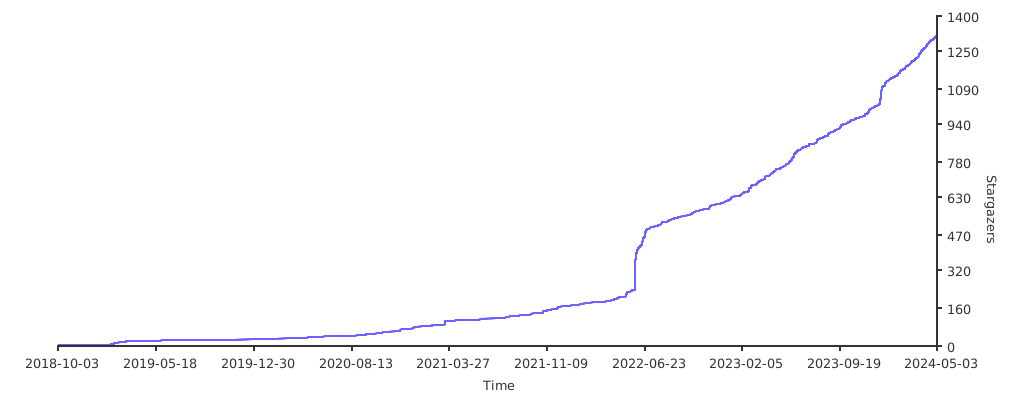](https://starchart.cc/ArtalkJS/Artalk)
|
||||
|
||||
## License
|
||||
|
||||
[LGPL-3.0](./LICENSE)
|
||||
|
||||
[](https://app.fossa.com/projects/git%2Bgithub.com%2FArtalkJS%2FArtalk?ref=badge_shield)
|
||||
|
||||
[](https://app.fossa.com/projects/git%2Bgithub.com%2FArtalkJS%2FArtalk?ref=badge_large)
|
||||
@@ -1,226 +0,0 @@
|
||||
<p align="center">
|
||||
<img src="https://user-images.githubusercontent.com/22412567/171680920-6e74b77c-c565-487b-bff1-4f94976ecbe7.png" alt="Artalk" width="100%">
|
||||
</p>
|
||||
|
||||
# Artalk
|
||||
|
||||
[](https://www.npmjs.com/package/artalk)
|
||||
[](https://www.npmjs.com/package/artalk)
|
||||
[](https://bundlephobia.com/package/artalk)
|
||||
[](https://hub.docker.com/r/artalk/artalk-go)
|
||||
[](https://circleci.com/gh/ArtalkJS/Artalk/tree/master)
|
||||
|
||||
> 🌌 Golang 自托管评论系统
|
||||
|
||||
[English](./README.en.md) / [官方文档](https://artalk.js.org) / [最新版本](https://github.com/ArtalkJS/Artalk/releases)
|
||||
|
||||
---
|
||||
|
||||
- 🍃 轻量 (~30kB)
|
||||
- 👨👧👦 安全 (自托管)
|
||||
- 🐳 易上手 (防脱发)
|
||||
- 🍱 Golang 后端 (快速 / 跨平台)
|
||||
- 🌊 Vanilla × TypeScript × Vite (纯天然 / 无依赖)
|
||||
|
||||
## 特性
|
||||
|
||||
- 侧 边 栏 :支持多站点集中化管理
|
||||
- 通知中心:红点的标记 / 提及列表
|
||||
- 身份验证:徽标自定义 / 密码验证
|
||||
- 评论审核:反垃圾检测 / 频率限制
|
||||
- 表情符号:插入表情包 / 快速导入
|
||||
- 邮件提醒:模版自定义 / 多管理员
|
||||
- 站点隔离:管理员分配 / 多个站点
|
||||
- 页面管理:标题可显示 / 快速跳转
|
||||
- 图片上传:上传到本地 / 多种图床
|
||||
- 多元推送:支持 钉钉 飞书 TG
|
||||
- 无限层级:可切换为平铺模式
|
||||
- 评论投票:赞同还是反对评论
|
||||
- 评论排序:按热度或时间排序
|
||||
- 评论置顶:重要消息置顶显示
|
||||
- 只看作者:仅显示作者的评论
|
||||
- 说说模式:仅自己可发布评论
|
||||
- 异步处理:发送评论无需等待
|
||||
- 滚动加载:评论内容分页处置
|
||||
- 自动保存:用户输入防丢功能
|
||||
- 自动填充:用户链接自动填充
|
||||
- 实时预览:评论内容实时预览
|
||||
- 夜间模式:防止眼部疾病伤害
|
||||
- 评论折叠:这个不打算给你康
|
||||
- 数据备份:防止评论数据丢失
|
||||
- 数据迁移:快速切换评论系统
|
||||
- Markdown:默认支持 MD 语法
|
||||
- 支持 Latex:提供集成 Katex 插件
|
||||
- 使用 [Vite](https://github.com/vitejs/vite):属于开发者的极致体验
|
||||
|
||||
更多内容请查看:[“**介绍文档**”](https://artalk.js.org/guide/intro.html)
|
||||
|
||||
## 食用方针
|
||||
|
||||
前往:[“**部署文档**”](https://artalk.js.org/guide/deploy.html)
|
||||
|
||||
```ts
|
||||
Artalk.init({
|
||||
el: '#Comments',
|
||||
site: 'Artalk 的博客',
|
||||
server: 'https://artalk.example.com'
|
||||
})
|
||||
```
|
||||
|
||||
### Docker
|
||||
|
||||
```bash
|
||||
docker run -d \
|
||||
--name artalk \
|
||||
-p 8080:23366 \
|
||||
-v $(pwd)/data:/data \
|
||||
artalk/artalk-go
|
||||
```
|
||||
|
||||
### Docker Compose
|
||||
|
||||
```bash
|
||||
vim docker-compose.yaml
|
||||
```
|
||||
|
||||
```yaml
|
||||
version: "3.5"
|
||||
services:
|
||||
artalk:
|
||||
container_name: artalk
|
||||
image: artalk/artalk-go
|
||||
ports:
|
||||
- 8080:23366
|
||||
volumes:
|
||||
- ./data:/data
|
||||
```
|
||||
|
||||
```bash
|
||||
docker-compose up -d
|
||||
```
|
||||
|
||||
## Development
|
||||
|
||||
see [CONTRIBUTING.md](./CONTRIBUTING.md)
|
||||
|
||||
## Contributors
|
||||
|
||||
[](https://github.com/ArtalkJS/Artalk/graphs/contributors)
|
||||
|
||||
## Supporters
|
||||
|
||||
[](https://github.com/ArtalkJS/Artalk/stargazers)
|
||||
|
||||
## Repobeats Analytics
|
||||
|
||||
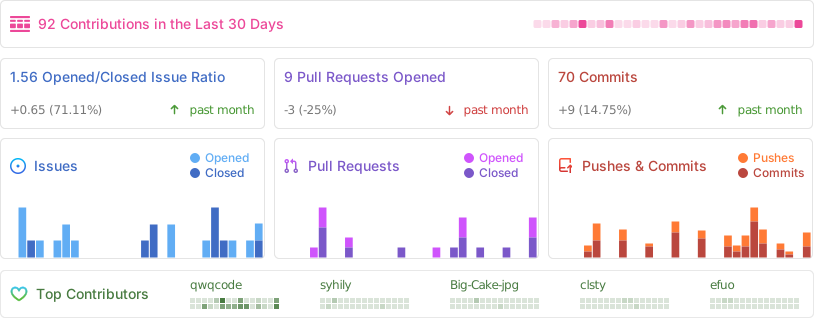
|
||||
|
||||
## 特别致谢
|
||||
|
||||
感谢社区提供的帮助与反馈,若有好的建议与意见欢迎前往 [ISSUES](https://github.com/ArtalkJS/Artalk/issues) 随时告知。
|
||||
|
||||
## TODOs
|
||||
|
||||
- [x] Golang 后端
|
||||
- [x] 多数据库支持
|
||||
- [x] SQLite
|
||||
- [x] MySQL
|
||||
- [x] Postgres
|
||||
- [x] SQLServer
|
||||
- [x] 多缓存数据库支持
|
||||
- [x] In-memory (内建缓存)
|
||||
- [x] Redis
|
||||
- [x] Memcache
|
||||
- [x] 多站点支持
|
||||
- [x] 评论获取分页
|
||||
- [x] 评论点赞投票
|
||||
- [x] 浏览量统计
|
||||
- [x] 评论分页加载
|
||||
- [x] 评论置顶 / 精华
|
||||
- [x] 评论排序 (热度 / 时间)
|
||||
- [x] 通知中心
|
||||
- [x] 提及
|
||||
- [x] 全部
|
||||
- [x] 我的
|
||||
- [x] 待审
|
||||
- [x] 管理员控制台
|
||||
- [x] 评论
|
||||
- [x] 页面
|
||||
- [x] 站点
|
||||
- [x] 用户
|
||||
- [x] 设置 (GUI)
|
||||
- [x] 数据导入 ([Artransfer](https://artalk.js.org/guide/transfer.html))
|
||||
- [x] Artrans
|
||||
- [x] WordPress
|
||||
- [x] Typecho ([插件](https://github.com/ArtalkJS/Artrans-Typecho) / [Artransfer-CLI](https://github.com/ArtalkJS/Artransfer-CLI))
|
||||
- [x] Valine
|
||||
- [x] Disqus
|
||||
- [x] Commento
|
||||
- [x] Waline ([Artransfer-CLI](https://github.com/ArtalkJS/Artransfer-CLI))
|
||||
- [x] Twikoo
|
||||
- [x] Artalk v1 (PHP)
|
||||
- [x] 数据导出
|
||||
- [x] 邮件多种发送方式
|
||||
- [x] SMTP
|
||||
- [x] 阿里云邮件
|
||||
- [x] 系统调用 sendmail
|
||||
- [x] 邮件多模板自定义
|
||||
- [x] 邮件异步队列发送
|
||||
- [ ] 队列持久化
|
||||
- [x] 用户已读标记
|
||||
- [x] 验证码
|
||||
- [x] 图片验证码
|
||||
- [x] [Turnstile](https://www.cloudflare.com/products/turnstile/)
|
||||
- [x] [ReCAPTCHA](https://www.google.com/recaptcha/about/)
|
||||
- [x] [hCaptcha](https://www.hcaptcha.com/)
|
||||
- [x] [极验](https://www.geetest.com/)滑动验证码
|
||||
- [x] 反垃圾
|
||||
- [x] [Akismet](https://akismet.com/)
|
||||
- [x] [阿里云内容安全](https://help.aliyun.com/document_detail/28417.html)
|
||||
- [x] [腾讯云内容安全](https://cloud.tencent.com/document/product/1124/64508)
|
||||
- [x] 关键字过滤
|
||||
- [x] 评论通知管理员 ([notify](https://github.com/nikoksr/notify))
|
||||
- [x] Telegram Bot
|
||||
- [x] 飞书 WebHook Bot
|
||||
- [x] 钉钉
|
||||
- [x] Bark
|
||||
- [x] Slack
|
||||
- [x] LINE
|
||||
- [x] 自定义 HTTP 回调
|
||||
- [ ] 命令行管理
|
||||
- [ ] 博客邮件订阅
|
||||
- [x] 用户鉴权机制
|
||||
- [x] 跨域非法请求阻止
|
||||
- [x] 全局验证码操作次数限制
|
||||
- [x] JWT 登陆状态验证
|
||||
- [x] 时区自定义
|
||||
- [x] 只看作者功能
|
||||
- [x] 图片上传
|
||||
- [x] 图片上传到图床 ([upgit](https://github.com/pluveto/upgit))
|
||||
- [ ] 图片管理
|
||||
- [ ] 附件上传 / 管理
|
||||
- [ ] 表情包统一管理
|
||||
- [ ] 导入表情包
|
||||
- [ ] 表情包图片地址控制
|
||||
- [ ] AT 提及 (@)
|
||||
- [ ] 评论话题 (#)
|
||||
- [ ] 评论标签分类系统
|
||||
- [ ] 主题样式更换
|
||||
- [ ] 规范化 API
|
||||
- [ ] 扩展中心
|
||||
- [ ] 开放用户注册
|
||||
- [ ] 第三方登录接入
|
||||
- [x] 多语言 / 国际化 (i18n)
|
||||
- [x] 一键升级
|
||||
|
||||
## Stargazers over time
|
||||
|
||||
[](https://starchart.cc/ArtalkJS/Artalk)
|
||||
|
||||
## License
|
||||
|
||||
[LGPL-3.0](./LICENSE)
|
||||
|
||||
[](https://app.fossa.com/projects/git%2Bgithub.com%2FArtalkJS%2FArtalk?ref=badge_shield)
|
||||
|
||||
[](https://app.fossa.com/projects/git%2Bgithub.com%2FArtalkJS%2FArtalk?ref=badge_large)
|
||||
@@ -0,0 +1,22 @@
|
||||
[Unit]
|
||||
Description=Artalk, A Self-hosted Comment System.
|
||||
Documentation=https://artalk.js.org
|
||||
After=network.target network-online.target
|
||||
Requires=network-online.target
|
||||
|
||||
[Service]
|
||||
Type=simple
|
||||
User=artalk
|
||||
Group=artalk
|
||||
ExecStart=/usr/bin/artalk server -w /var/lib/artalk -c /etc/artalk/artalk.yml
|
||||
ExecReload=/bin/kill -s HUP $MAINPID
|
||||
ExecStop=/bin/kill -s QUIT $MAINPID
|
||||
TimeoutStopSec=5s
|
||||
LimitNOFILE=1048576
|
||||
LimitNPROC=512
|
||||
PrivateTmp=true
|
||||
ProtectSystem=full
|
||||
AmbientCapabilities=CAP_NET_ADMIN CAP_NET_BIND_SERVICE
|
||||
|
||||
[Install]
|
||||
WantedBy=multi-user.target
|
||||
+106
@@ -0,0 +1,106 @@
|
||||
%global goipath github.com/artalkjs/artalk/v2
|
||||
Version: 2.10.0
|
||||
%gometa -f
|
||||
Name: artalk
|
||||
Release: %autorelease
|
||||
Summary: A Self-hosted Comment System
|
||||
License: MIT
|
||||
URL: https://artalk.js.org/
|
||||
Source0: %{name}-%{version}-vendored.tar.gz
|
||||
# track this script
|
||||
Source1: vendor-tarball.sh
|
||||
Source2: https://github.com/ArtalkJS/Artalk/releases/download/v%{version}/artalk_ui.tar.gz
|
||||
Source3: artalk.sysusers
|
||||
Source4: artalk.service
|
||||
Patch1: 0001-fix-go-test-ld-undefined-error-by-remove-clickhouse.patch
|
||||
Patch2: 0002-remove-upgrade-command.patch
|
||||
BuildRequires: systemd-rpm-macros
|
||||
%{?systemd_requires}
|
||||
%{?sysusers_requires_compat}
|
||||
|
||||
|
||||
%description
|
||||
Artalk is an intuitive yet feature-rich comment system, ready for immediate deployment into any blog, website, or web application.
|
||||
|
||||
|
||||
%gopkg
|
||||
|
||||
|
||||
%prep
|
||||
%autosetup -p1
|
||||
tar --strip-components=1 -xzf %{SOURCE2} --directory=public
|
||||
%goprep -k -e
|
||||
chmod -Rf a+rX,u+w,g-w,o-w .
|
||||
|
||||
|
||||
%build
|
||||
%gobuild -o %{gobuilddir}/bin/artalk %{goipath}
|
||||
|
||||
|
||||
%install
|
||||
%gopkginstall
|
||||
|
||||
# command
|
||||
install -m 0755 -vd %{buildroot}%{_bindir}
|
||||
install -m 0755 -vp %{gobuilddir}/bin/* %{buildroot}%{_bindir}/
|
||||
|
||||
# sysusers
|
||||
install -p -D -m 0644 %{SOURCE3} %{buildroot}%{_sysusersdir}/%{name}.conf
|
||||
|
||||
# data directory (work dir)
|
||||
install -d -m 0750 %{buildroot}%{_sharedstatedir}/artalk
|
||||
|
||||
# config
|
||||
install -D -p -m 0644 ./conf/artalk.example.yml %{buildroot}%{_sysconfdir}/artalk/artalk.yml
|
||||
|
||||
# systemd units
|
||||
install -D -p -m 0644 %{SOURCE4} %{buildroot}%{_unitdir}/artalk.service
|
||||
|
||||
# shell completions
|
||||
install -d -m 0755 %{buildroot}%{bash_completions_dir}
|
||||
%{gobuilddir}/bin/artalk completion bash > %{buildroot}%{bash_completions_dir}/artalk
|
||||
install -d -m 0755 %{buildroot}%{zsh_completions_dir}
|
||||
%{gobuilddir}/bin/artalk completion zsh > %{buildroot}%{zsh_completions_dir}/_artalk
|
||||
install -d -m 0755 %{buildroot}%{fish_completions_dir}
|
||||
%{gobuilddir}/bin/artalk completion fish > %{buildroot}%{fish_completions_dir}/artalk.fish
|
||||
|
||||
|
||||
%check
|
||||
%gocheck
|
||||
|
||||
|
||||
%pre
|
||||
%sysusers_create_compat %{SOURCE3}
|
||||
|
||||
|
||||
%post
|
||||
%systemd_post artalk.service
|
||||
|
||||
|
||||
%preun
|
||||
%systemd_preun artalk.service
|
||||
|
||||
|
||||
%postun
|
||||
%systemd_postun_with_restart artalk.service
|
||||
|
||||
|
||||
%files
|
||||
%doc CONTRIBUTING.md README.md
|
||||
%license LICENSE
|
||||
%{_bindir}/artalk
|
||||
%{_unitdir}/artalk.service
|
||||
%{_sysusersdir}/%{name}.conf
|
||||
%dir %{_sysconfdir}/artalk
|
||||
%config(noreplace) %{_sysconfdir}/artalk/artalk.yml
|
||||
%attr(0750,artalk,artalk) %dir %{_sharedstatedir}/artalk
|
||||
%{bash_completions_dir}/artalk
|
||||
%{zsh_completions_dir}/_artalk
|
||||
%{fish_completions_dir}/artalk.fish
|
||||
|
||||
|
||||
%gopkgfiles
|
||||
|
||||
|
||||
%changelog
|
||||
%autochangelog
|
||||
@@ -0,0 +1,3 @@
|
||||
#Type Name ID GECOS Home directory Shell
|
||||
u artalk - "Artalk server" /var/lib/artalk /sbin/nologin
|
||||
g artalk - - - -
|
||||
-114
@@ -1,114 +0,0 @@
|
||||
package cmd
|
||||
|
||||
import (
|
||||
"bufio"
|
||||
"errors"
|
||||
"fmt"
|
||||
"os"
|
||||
"strings"
|
||||
"syscall"
|
||||
|
||||
"github.com/ArtalkJS/Artalk/internal/core"
|
||||
"github.com/ArtalkJS/Artalk/internal/entity"
|
||||
"github.com/ArtalkJS/Artalk/internal/i18n"
|
||||
"github.com/ArtalkJS/Artalk/internal/query"
|
||||
"github.com/ArtalkJS/Artalk/internal/utils"
|
||||
"github.com/sirupsen/logrus"
|
||||
"github.com/spf13/cobra"
|
||||
"golang.org/x/term"
|
||||
)
|
||||
|
||||
var adminCmd = &cobra.Command{
|
||||
Use: "admin",
|
||||
Short: "Create or edit an administrator account",
|
||||
Args: cobra.NoArgs,
|
||||
Run: func(cmd *cobra.Command, args []string) {
|
||||
core.LoadCore(cfgFile, workDir)
|
||||
|
||||
fmt.Println("--------------------------------")
|
||||
fmt.Println(" " + i18n.T("Create admin account"))
|
||||
fmt.Println("--------------------------------")
|
||||
|
||||
username, email, password, err := credentials()
|
||||
if err != nil {
|
||||
logrus.Fatal(err)
|
||||
}
|
||||
|
||||
findUser := query.FindUser(username, email)
|
||||
if !findUser.IsEmpty() {
|
||||
findUser.SetPasswordEncrypt(password)
|
||||
if err := query.UpdateUser(&findUser); err != nil {
|
||||
logrus.Fatal(err)
|
||||
}
|
||||
|
||||
logrus.Info(i18n.T("{{name}} already exists", map[string]interface{}{"name": i18n.T("Account")}) +
|
||||
", " + i18n.T("Password updated"))
|
||||
return
|
||||
}
|
||||
|
||||
user := entity.User{
|
||||
Name: username,
|
||||
Email: email,
|
||||
IsAdmin: true,
|
||||
BadgeName: i18n.T("Admin"),
|
||||
BadgeColor: "#0083FF",
|
||||
}
|
||||
user.SetPasswordEncrypt(password)
|
||||
|
||||
if err := query.CreateUser(&user); err != nil {
|
||||
logrus.Fatal(err)
|
||||
}
|
||||
|
||||
fmt.Println("--------------------------------")
|
||||
fmt.Println(" Name: " + username)
|
||||
fmt.Println(" Mail: " + email)
|
||||
fmt.Println("--------------------------------")
|
||||
},
|
||||
}
|
||||
|
||||
func init() {
|
||||
rootCmd.AddCommand(adminCmd)
|
||||
}
|
||||
|
||||
func credentials() (string, string, string, error) {
|
||||
reader := bufio.NewReader(os.Stdin)
|
||||
|
||||
fmt.Print(i18n.T("Enter {{name}}", map[string]interface{}{"name": i18n.T("Username")}) + ": ")
|
||||
username, err := reader.ReadString('\n')
|
||||
if err != nil {
|
||||
return "", "", "", err
|
||||
}
|
||||
|
||||
fmt.Print(i18n.T("Enter {{name}}", map[string]interface{}{"name": i18n.T("Email")}) + ": ")
|
||||
email, err := reader.ReadString('\n')
|
||||
if err != nil {
|
||||
return "", "", "", err
|
||||
}
|
||||
if !utils.ValidateEmail(strings.TrimSpace(email)) {
|
||||
return "", "", "", errors.New("invalid email format")
|
||||
}
|
||||
|
||||
fmt.Print(i18n.T("Enter {{name}}", map[string]interface{}{"name": i18n.T("Password")}) + ": ")
|
||||
bytePassword, err := term.ReadPassword(int(syscall.Stdin))
|
||||
if err != nil {
|
||||
return "", "", "", err
|
||||
}
|
||||
|
||||
fmt.Println()
|
||||
fmt.Print(i18n.T("Retype {{name}}", map[string]interface{}{"name": i18n.T("Password")}) + ": ")
|
||||
byteRePassword, err := term.ReadPassword(int(syscall.Stdin))
|
||||
if err != nil {
|
||||
return "", "", "", err
|
||||
}
|
||||
|
||||
fmt.Println()
|
||||
|
||||
password := strings.TrimSpace(string(bytePassword))
|
||||
rePassword := strings.TrimSpace(string(byteRePassword))
|
||||
|
||||
if rePassword != password {
|
||||
return "", "", "", errors.New("inconsistent password input")
|
||||
}
|
||||
|
||||
return strings.TrimSpace(username), strings.TrimSpace(email), password, nil
|
||||
}
|
||||
@@ -1,75 +0,0 @@
|
||||
package cmd
|
||||
|
||||
import (
|
||||
"fmt"
|
||||
"os"
|
||||
"path"
|
||||
"path/filepath"
|
||||
"time"
|
||||
|
||||
"github.com/ArtalkJS/Artalk/internal/artransfer"
|
||||
"github.com/ArtalkJS/Artalk/internal/core"
|
||||
"github.com/ArtalkJS/Artalk/internal/i18n"
|
||||
"github.com/ArtalkJS/Artalk/internal/utils"
|
||||
"github.com/sirupsen/logrus"
|
||||
"github.com/spf13/cobra"
|
||||
)
|
||||
|
||||
var exportCmd = &cobra.Command{
|
||||
Use: "export",
|
||||
Aliases: []string{},
|
||||
Short: "Artransfer - Export",
|
||||
Long: "\n# Artransfer - Export\n\n See the documentation to learn more: https://artalk.js.org/guide/transfer.html",
|
||||
Run: func(cmd *cobra.Command, args []string) {
|
||||
core.LoadCore(cfgFile, workDir)
|
||||
|
||||
jsonStr, err := artransfer.ExportArtransString()
|
||||
if err != nil {
|
||||
logrus.Fatal(err)
|
||||
}
|
||||
|
||||
if len(args) < 1 || args[0] == "" {
|
||||
// write to stdout
|
||||
fmt.Println(jsonStr)
|
||||
} else {
|
||||
filename := args[0]
|
||||
|
||||
// make sure is abs path
|
||||
filename, err := filepath.Abs(filename)
|
||||
if err != nil {
|
||||
logrus.Fatal(err)
|
||||
}
|
||||
|
||||
// check dir
|
||||
stat, err := os.Stat(filename)
|
||||
if err == nil {
|
||||
if stat.IsDir() {
|
||||
filename = path.Join(filename, "backup-"+time.Now().Format("20060102-150405")+".artrans")
|
||||
}
|
||||
}
|
||||
|
||||
// mkdir -p
|
||||
if err := utils.EnsureDir(filepath.Dir(filename)); err != nil {
|
||||
logrus.Fatal(err)
|
||||
}
|
||||
|
||||
// touch
|
||||
f, err := os.Create(filename)
|
||||
if err != nil {
|
||||
logrus.Fatal(err)
|
||||
}
|
||||
|
||||
// >
|
||||
_, err2 := f.WriteString(jsonStr)
|
||||
if err2 != nil {
|
||||
logrus.Fatal(err2)
|
||||
}
|
||||
|
||||
logrus.Info(i18n.T("Export complete") + ": " + filename)
|
||||
}
|
||||
},
|
||||
}
|
||||
|
||||
func init() {
|
||||
rootCmd.AddCommand(exportCmd)
|
||||
}
|
||||
-41
@@ -1,41 +0,0 @@
|
||||
package cmd
|
||||
|
||||
import (
|
||||
"os"
|
||||
|
||||
"github.com/ArtalkJS/Artalk/internal/core"
|
||||
"github.com/sirupsen/logrus"
|
||||
"github.com/spf13/cobra"
|
||||
)
|
||||
|
||||
var genCmd = &cobra.Command{
|
||||
Use: "gen <TYPE> <DEST>",
|
||||
Short: "A collection of several useful generators",
|
||||
Long: "Generate some content\ne.g. `artalk gen config ./artalk.yml`",
|
||||
Args: cobra.RangeArgs(1, 2),
|
||||
Run: func(cmd *cobra.Command, args []string) {
|
||||
// change working directory
|
||||
if workDir != "" {
|
||||
if err := os.Chdir(workDir); err != nil {
|
||||
logrus.Fatal("change working directory error ", err)
|
||||
}
|
||||
}
|
||||
|
||||
var (
|
||||
specificPath string
|
||||
isForce bool
|
||||
)
|
||||
if len(args) > 1 {
|
||||
specificPath = args[1]
|
||||
}
|
||||
isForce, _ = cmd.Flags().GetBool("force")
|
||||
|
||||
core.Gen(args[0], specificPath, isForce)
|
||||
},
|
||||
}
|
||||
|
||||
func init() {
|
||||
rootCmd.AddCommand(genCmd)
|
||||
|
||||
flagPV(genCmd, "force", "f", false, "Force overwrite an existing file")
|
||||
}
|
||||
@@ -1,42 +0,0 @@
|
||||
package cmd
|
||||
|
||||
import (
|
||||
"errors"
|
||||
"os"
|
||||
|
||||
"github.com/ArtalkJS/Artalk/internal/artransfer"
|
||||
"github.com/ArtalkJS/Artalk/internal/core"
|
||||
"github.com/ArtalkJS/Artalk/internal/i18n"
|
||||
"github.com/sirupsen/logrus"
|
||||
"github.com/spf13/cobra"
|
||||
)
|
||||
|
||||
var importCmd = &cobra.Command{
|
||||
Use: "import <FILENAME>",
|
||||
Aliases: []string{},
|
||||
Short: "Artransfer - Import",
|
||||
Long: "\n# Artransfer - Import\n\n See the documentation to learn more: https://artalk.js.org/guide/transfer.html",
|
||||
Args: cobra.MinimumNArgs(1),
|
||||
Run: func(cmd *cobra.Command, args []string) {
|
||||
core.LoadCore(cfgFile, workDir) // load core
|
||||
|
||||
parcelFile := args[0]
|
||||
if _, err := os.Stat(parcelFile); errors.Is(err, os.ErrNotExist) {
|
||||
logrus.Fatal(i18n.T("{{name}} not found", map[string]interface{}{"name": i18n.T("File")}))
|
||||
}
|
||||
|
||||
payload := args[1:]
|
||||
payload = append(payload, "json_file:"+parcelFile)
|
||||
|
||||
// import Artrans
|
||||
artransfer.RunImportArtrans(payload)
|
||||
|
||||
logrus.Info(i18n.T("Import complete"))
|
||||
},
|
||||
}
|
||||
|
||||
func init() {
|
||||
rootCmd.AddCommand(importCmd)
|
||||
|
||||
flagPV(importCmd, "assumeyes", "y", false, "Automatically answer yes for all questions.")
|
||||
}
|
||||
-77
@@ -1,77 +0,0 @@
|
||||
package cmd
|
||||
|
||||
import (
|
||||
"encoding/json"
|
||||
"fmt"
|
||||
|
||||
"github.com/ArtalkJS/Artalk/internal/config"
|
||||
"github.com/ArtalkJS/Artalk/internal/core"
|
||||
"github.com/spf13/cobra"
|
||||
)
|
||||
|
||||
var Version = config.Version + `/` + config.CommitHash
|
||||
|
||||
var Banner = `
|
||||
________ ________ _________ ________ ___ ___ __
|
||||
|\ __ \|\ __ \|\___ ___\\ __ \|\ \ |\ \|\ \
|
||||
\ \ \|\ \ \ \|\ \|___ \ \_\ \ \|\ \ \ \ \ \ \/ /|_
|
||||
\ \ __ \ \ _ _\ \ \ \ \ \ __ \ \ \ \ \ ___ \
|
||||
\ \ \ \ \ \ \\ \| \ \ \ \ \ \ \ \ \ \____\ \ \\ \ \
|
||||
\ \__\ \__\ \__\\ _\ \ \__\ \ \__\ \__\ \_______\ \__\\ \__\
|
||||
\|__|\|__|\|__|\|__| \|__| \|__|\|__|\|_______|\|__| \|__|
|
||||
|
||||
Artalk (` + Version + `)
|
||||
|
||||
-> A Selfhosted Comment System.
|
||||
-> https://artalk.js.org
|
||||
`
|
||||
|
||||
var (
|
||||
cfgFile string
|
||||
workDir string
|
||||
)
|
||||
|
||||
var rootCmd = &cobra.Command{
|
||||
Use: "artalk",
|
||||
Short: "Artalk: A Fast, Slight & Delightful Comment System",
|
||||
Long: Banner,
|
||||
Version: Version,
|
||||
Run: func(cmd *cobra.Command, args []string) {
|
||||
fmt.Println(Banner)
|
||||
fmt.Print("-------------------------------\n\n")
|
||||
fmt.Println("NOTE: add `-h` flag to show help about any command.")
|
||||
},
|
||||
}
|
||||
|
||||
func Execute() {
|
||||
cobra.CheckErr(rootCmd.Execute())
|
||||
}
|
||||
|
||||
func init() {
|
||||
rootCmd.SetVersionTemplate("Artalk ({{printf \"%s\" .Version}})\n")
|
||||
rootCmd.PersistentFlags().StringVarP(&cfgFile, "config", "c", "", "config file path (defaults are './artalk.yml')")
|
||||
rootCmd.PersistentFlags().StringVarP(&workDir, "workdir", "w", "", "program working directory (defaults are './')")
|
||||
|
||||
// Version Command
|
||||
versionCmd := &cobra.Command{
|
||||
Use: "version",
|
||||
Short: "Output Version Information",
|
||||
Run: func(cmd *cobra.Command, args []string) {
|
||||
fmt.Println("Artalk (" + Version + ")")
|
||||
},
|
||||
}
|
||||
rootCmd.AddCommand(versionCmd)
|
||||
|
||||
// Config Command
|
||||
configCmd := &cobra.Command{
|
||||
Use: "config",
|
||||
Short: "Output Config Information",
|
||||
Run: func(cmd *cobra.Command, args []string) {
|
||||
core.LoadConfOnly(cfgFile, workDir)
|
||||
buf, _ := json.MarshalIndent(config.Instance, "", " ")
|
||||
fmt.Println(string(buf))
|
||||
},
|
||||
}
|
||||
rootCmd.AddCommand(configCmd)
|
||||
|
||||
}
|
||||
@@ -1,86 +0,0 @@
|
||||
package cmd
|
||||
|
||||
import (
|
||||
"fmt"
|
||||
"io"
|
||||
"os"
|
||||
"os/signal"
|
||||
|
||||
"github.com/ArtalkJS/Artalk/internal/config"
|
||||
"github.com/ArtalkJS/Artalk/internal/core"
|
||||
"github.com/ArtalkJS/Artalk/server"
|
||||
"github.com/gofiber/fiber/v2"
|
||||
"github.com/gofiber/fiber/v2/middleware/logger"
|
||||
"github.com/sirupsen/logrus"
|
||||
"github.com/spf13/cobra"
|
||||
)
|
||||
|
||||
var serverCmd = &cobra.Command{
|
||||
Use: "server",
|
||||
Aliases: []string{"serve"},
|
||||
Short: "Start the server",
|
||||
Long: Banner,
|
||||
Args: cobra.NoArgs,
|
||||
Run: func(cmd *cobra.Command, args []string) {
|
||||
core.LoadCore(cfgFile, workDir)
|
||||
|
||||
fmt.Println(Banner)
|
||||
fmt.Print("-------------------------------\n\n")
|
||||
|
||||
// create fiber app
|
||||
// @see https://docs.gofiber.io/api/fiber#config
|
||||
app := fiber.New(fiber.Config{
|
||||
// @see https://github.com/gofiber/fiber/issues/426
|
||||
// @see https://github.com/gofiber/fiber/issues/185
|
||||
Immutable: true,
|
||||
|
||||
// TODO add config to set ProxyHeader
|
||||
ProxyHeader: "X-Forwarded-For",
|
||||
EnableIPValidation: true,
|
||||
})
|
||||
|
||||
// logger
|
||||
app.Use(logger.New(logger.Config{
|
||||
Format: "[${status}] ${method} ${path} ${latency} ${ip} ${reqHeader:X-Request-ID} ${referer} ${ua}\n",
|
||||
Output: io.Discard,
|
||||
Done: func(c *fiber.Ctx, logString []byte) {
|
||||
statusOK := c.Response().StatusCode() >= 200 && c.Response().StatusCode() <= 302
|
||||
if !statusOK {
|
||||
logrus.StandardLogger().WriterLevel(logrus.ErrorLevel).Write(logString)
|
||||
} else {
|
||||
logrus.StandardLogger().WriterLevel(logrus.DebugLevel).Write(logString)
|
||||
}
|
||||
},
|
||||
}))
|
||||
|
||||
// init router
|
||||
server.Init(app)
|
||||
|
||||
// graceful shutdown signal listen
|
||||
c := make(chan os.Signal, 1)
|
||||
signal.Notify(c, os.Interrupt)
|
||||
go func() {
|
||||
<-c
|
||||
fmt.Println("Gracefully shutting down...")
|
||||
_ = app.Shutdown()
|
||||
}()
|
||||
|
||||
// socket listen
|
||||
listenAddr := fmt.Sprintf("%s:%d", config.Instance.Host, config.Instance.Port)
|
||||
if config.Instance.SSL.Enabled {
|
||||
app.ListenTLS(listenAddr, config.Instance.SSL.CertPath, config.Instance.SSL.KeyPath)
|
||||
} else {
|
||||
app.Listen(listenAddr)
|
||||
}
|
||||
|
||||
// graceful shutdown tasks
|
||||
fmt.Println("Running cleanup tasks...")
|
||||
},
|
||||
}
|
||||
|
||||
func init() {
|
||||
rootCmd.AddCommand(serverCmd)
|
||||
|
||||
flagPV(serverCmd, "host", "", "0.0.0.0", "Listening IP")
|
||||
flagPV(serverCmd, "port", "", 23366, "Listening port")
|
||||
}
|
||||
@@ -1,68 +0,0 @@
|
||||
package cmd
|
||||
|
||||
import (
|
||||
"fmt"
|
||||
"os"
|
||||
"strings"
|
||||
|
||||
"github.com/ArtalkJS/Artalk/internal/config"
|
||||
"github.com/ArtalkJS/Artalk/internal/core"
|
||||
"github.com/ArtalkJS/Artalk/internal/i18n"
|
||||
"github.com/blang/semver"
|
||||
"github.com/rhysd/go-github-selfupdate/selfupdate"
|
||||
"github.com/sirupsen/logrus"
|
||||
"github.com/spf13/cobra"
|
||||
)
|
||||
|
||||
var upgradeCmd = &cobra.Command{
|
||||
Use: "upgrade",
|
||||
Aliases: []string{"update"},
|
||||
Short: "Upgrade to the latest version",
|
||||
Long: "Upgrade Artalk to the latest version, \n update source is GitHub Releases, \n update need to restart Artalk to take effect.",
|
||||
Args: cobra.NoArgs,
|
||||
Run: func(cmd *cobra.Command, args []string) {
|
||||
// loadCore()
|
||||
core.LoadConfOnly(cfgFile, workDir)
|
||||
|
||||
logrus.Info(i18n.T("Checking for updates") + "...")
|
||||
|
||||
latest, found, err := selfupdate.DetectLatest("ArtalkJS/Artalk")
|
||||
if err != nil {
|
||||
logrus.Fatal("Error occurred while detecting version: ", err)
|
||||
}
|
||||
|
||||
ignoreVersionCheck, _ := cmd.Flags().GetBool("force")
|
||||
if !ignoreVersionCheck {
|
||||
v := semver.MustParse(strings.TrimPrefix(config.Version, "v"))
|
||||
if !found || latest.Version.LTE(v) {
|
||||
logrus.Println(i18n.T("Current version is the latest") + " (v" + v.String() + ")")
|
||||
return
|
||||
}
|
||||
}
|
||||
|
||||
logrus.Info(i18n.T("New version available") + ": v" + latest.Version.String())
|
||||
logrus.Info(i18n.T("Downloading") + "...")
|
||||
|
||||
exe, err := os.Executable()
|
||||
if err != nil {
|
||||
logrus.Fatal("Could not locate executable path ", err)
|
||||
}
|
||||
|
||||
if err := selfupdate.UpdateTo(latest.AssetURL, exe); err != nil {
|
||||
logrus.Fatal(i18n.T("Update failed")+" ", err)
|
||||
}
|
||||
|
||||
logrus.Println(i18n.T("Update complete"))
|
||||
fmt.Println("\n-------------------------------\n v" +
|
||||
latest.Version.String() +
|
||||
" Release Note\n" +
|
||||
"-------------------------------\n\n" +
|
||||
latest.ReleaseNotes)
|
||||
},
|
||||
}
|
||||
|
||||
func init() {
|
||||
rootCmd.AddCommand(upgradeCmd)
|
||||
|
||||
flagPV(upgradeCmd, "force", "f", false, "Force upgrade ignore version comparison.")
|
||||
}
|
||||
@@ -1,39 +0,0 @@
|
||||
package cmd
|
||||
|
||||
import (
|
||||
"github.com/spf13/cobra"
|
||||
)
|
||||
|
||||
//// Shortcut Functions ////
|
||||
|
||||
func flag(cmd *cobra.Command, name string, defaultVal interface{}, usage string) {
|
||||
f := cmd.PersistentFlags()
|
||||
switch y := defaultVal.(type) {
|
||||
case bool:
|
||||
f.Bool(name, y, usage)
|
||||
case int:
|
||||
f.Int(name, y, usage)
|
||||
case string:
|
||||
f.String(name, y, usage)
|
||||
}
|
||||
}
|
||||
|
||||
func flagP(cmd *cobra.Command, name, shorthand string, defaultVal interface{}, usage string) {
|
||||
f := cmd.PersistentFlags()
|
||||
switch y := defaultVal.(type) {
|
||||
case bool:
|
||||
f.BoolP(name, shorthand, y, usage)
|
||||
case int:
|
||||
f.IntP(name, shorthand, y, usage)
|
||||
case string:
|
||||
f.StringP(name, shorthand, y, usage)
|
||||
}
|
||||
}
|
||||
|
||||
func flagV(cmd *cobra.Command, name string, defaultVal interface{}, usage string) {
|
||||
flag(cmd, name, defaultVal, usage)
|
||||
}
|
||||
|
||||
func flagPV(cmd *cobra.Command, name, shorthand string, defaultVal interface{}, usage string) {
|
||||
flagP(cmd, name, shorthand, defaultVal, usage)
|
||||
}
|
||||
@@ -1,165 +0,0 @@
|
||||
host: "0.0.0.0"
|
||||
port: 23366
|
||||
app_key: ""
|
||||
debug: false
|
||||
locale: "en"
|
||||
timezone: "Asia/Shanghai"
|
||||
site_default: "Default Site"
|
||||
login_timeout: 259200
|
||||
db:
|
||||
type: "sqlite"
|
||||
file: "./data/artalk.db"
|
||||
table_prefix: ""
|
||||
name: "artalk"
|
||||
host: "localhost"
|
||||
port: 3306
|
||||
user: "root"
|
||||
password: ""
|
||||
charset: "utf8mb4"
|
||||
log:
|
||||
enabled: true
|
||||
filename: "./data/artalk.log"
|
||||
cache:
|
||||
type: "builtin"
|
||||
expires: 30
|
||||
warm_up: false
|
||||
server: ""
|
||||
redis:
|
||||
network: "tcp"
|
||||
username: ""
|
||||
password: ""
|
||||
db: 0
|
||||
trusted_domains: []
|
||||
ssl:
|
||||
enabled: false
|
||||
cert_path: ""
|
||||
key_path: ""
|
||||
admin_users:
|
||||
moderator:
|
||||
pending_default: false
|
||||
api_fail_block: false
|
||||
akismet_key: ""
|
||||
tencent:
|
||||
enabled: false
|
||||
secret_id: ""
|
||||
secret_key: ""
|
||||
region: "ap-guangzhou"
|
||||
aliyun:
|
||||
enabled: false
|
||||
access_key_id: ""
|
||||
access_key_secret: ""
|
||||
region: "cn-shanghai"
|
||||
keywords:
|
||||
enabled: false
|
||||
pending: false
|
||||
files: []
|
||||
file_sep: "\n"
|
||||
replac_to: "x"
|
||||
captcha:
|
||||
enabled: true
|
||||
always: false
|
||||
captcha_type: "image"
|
||||
action_limit: 3
|
||||
action_reset: 60
|
||||
turnstile:
|
||||
site_key: ""
|
||||
secret_key: ""
|
||||
recaptcha:
|
||||
site_key: ""
|
||||
secret_key: ""
|
||||
hcaptcha:
|
||||
site_key: ""
|
||||
secret_key: ""
|
||||
geetest:
|
||||
captcha_id: ""
|
||||
captcha_key: ""
|
||||
email:
|
||||
enabled: false
|
||||
send_type: "smtp"
|
||||
send_name: "{{reply_nick}}"
|
||||
send_addr: "noreply@example.com"
|
||||
mail_tpl: "default"
|
||||
smtp:
|
||||
host: "smtp.qq.com"
|
||||
port: 587
|
||||
username: "example@qq.com"
|
||||
password: ""
|
||||
ali_dm:
|
||||
access_key_id: ""
|
||||
access_key_secret: ""
|
||||
account_name: "noreply@example.com"
|
||||
img_upload:
|
||||
enabled: true
|
||||
path: "./data/artalk-img/"
|
||||
max_size: 5
|
||||
public_path: null
|
||||
upgit:
|
||||
enabled: false
|
||||
exec: "./upgit -c UPGIT_CONF_FILE_PATH -t /artalk-img"
|
||||
del_local: true
|
||||
admin_notify:
|
||||
notify_tpl: "default"
|
||||
noise_mode: false
|
||||
email:
|
||||
enabled: true
|
||||
mail_subject: '[{{site_name}}] Post "{{page_title}}" has new a comment'
|
||||
mail_tpl: ""
|
||||
telegram:
|
||||
enabled: false
|
||||
api_token: ""
|
||||
receivers:
|
||||
- 7777777
|
||||
bark:
|
||||
enabled: false
|
||||
server: "http://day.app/xxxxxxx/"
|
||||
lark:
|
||||
enabled: false
|
||||
webhook_url: ""
|
||||
webhook:
|
||||
enabled: false
|
||||
url: ""
|
||||
ding_talk:
|
||||
enabled: false
|
||||
token: ""
|
||||
secret: ""
|
||||
slack:
|
||||
enabled: false
|
||||
oauth_token: ""
|
||||
receivers:
|
||||
- "CHANNEL_ID"
|
||||
line:
|
||||
enabled: false
|
||||
channel_secret: ""
|
||||
channel_access_token: ""
|
||||
receivers:
|
||||
- "USER_ID_1"
|
||||
- "GROUP_ID_1"
|
||||
frontend:
|
||||
placeholder: ""
|
||||
noComment: ""
|
||||
sendBtn: ""
|
||||
editorTravel: true
|
||||
emoticons: ""
|
||||
vote: true
|
||||
voteDown: false
|
||||
uaBadge: true
|
||||
listSort: true
|
||||
pvEl: "#ArtalkPV"
|
||||
countEl: "#ArtalkCount"
|
||||
preview: true
|
||||
flatMode: "auto"
|
||||
nestMax: 2
|
||||
nestSort: DATE_ASC
|
||||
gravatar:
|
||||
mirror: "https://www.gravatar.com/"
|
||||
default: "mp"
|
||||
pagination:
|
||||
pageSize: 20
|
||||
readMore: true
|
||||
autoLoad: true
|
||||
heightLimit:
|
||||
content: 300
|
||||
children: 400
|
||||
scrollable: false
|
||||
reqTimeout: 15000
|
||||
versionCheck: true
|
||||
@@ -1,321 +0,0 @@
|
||||
# Listen host
|
||||
host: "0.0.0.0"
|
||||
|
||||
# Listen port
|
||||
port: 23366
|
||||
|
||||
# App Key (for generation of JWT)
|
||||
app_key: ""
|
||||
|
||||
# Debug mode
|
||||
debug: false
|
||||
|
||||
# Language (follow Unicode BCP 47) ["en", "zh-CN", "zh-TW", "jp"]
|
||||
# -- see https://www.techonthenet.com/js/language_tags.php --
|
||||
locale: "en"
|
||||
|
||||
# Timezone (follow IANA Time Zone Database)
|
||||
# -- see https://en.wikipedia.org/wiki/List_of_tz_database_time_zones --
|
||||
timezone: "Asia/Shanghai"
|
||||
|
||||
# Default site name (create when app is first launched)
|
||||
site_default: "Default Site"
|
||||
|
||||
# Login timeout (in seconds)
|
||||
login_timeout: 259200
|
||||
|
||||
# Database
|
||||
db:
|
||||
# Database type ["sqlite", "mysql", "pgsql", "mssql"]
|
||||
type: "sqlite"
|
||||
# Database file (only for SQLite)
|
||||
file: "./data/artalk.db"
|
||||
# Table prefix (e.g. "atk_")
|
||||
table_prefix: ""
|
||||
# -- The following is not necessary for SQLite --
|
||||
# Database name
|
||||
name: "artalk"
|
||||
# Host address
|
||||
host: "localhost"
|
||||
# Host port
|
||||
port: 3306
|
||||
# Database user
|
||||
user: "root"
|
||||
# Database password
|
||||
password: ""
|
||||
# Database charset
|
||||
charset: "utf8mb4"
|
||||
|
||||
# Logging
|
||||
log:
|
||||
# Enable logging
|
||||
enabled: true
|
||||
# Log file path
|
||||
filename: "./data/artalk.log"
|
||||
|
||||
# Cache
|
||||
cache:
|
||||
# Cache type ["redis", "memcache", "builtin"]
|
||||
type: "builtin"
|
||||
# Cache expiration time (in minutes)
|
||||
expires: 30
|
||||
# Cache warm up (warm up cache when program starts)
|
||||
warm_up: false
|
||||
# -- The following is not necessary for `builtin` cache --
|
||||
# Cache server address (e.g. "localhost:6379")
|
||||
server: ""
|
||||
# Redis config
|
||||
redis:
|
||||
# Connection type ["tcp", "unix"]
|
||||
network: "tcp"
|
||||
# Redis username
|
||||
username: ""
|
||||
# Redis password
|
||||
password: ""
|
||||
# Redis database number (e.g. 0)
|
||||
db: 0
|
||||
|
||||
# Trusted domains
|
||||
# -- e.g. ["https://artalk.example.com:23366"] add url of your site her --
|
||||
trusted_domains: []
|
||||
|
||||
# SSL
|
||||
ssl:
|
||||
# Enable SSL
|
||||
enabled: false
|
||||
# Certificate file path
|
||||
# (e.g. "/etc/letsencrypt/live/example.com/fullchain.pem")
|
||||
cert_path: ""
|
||||
# Key file path
|
||||
# (e.g. "/etc/letsencrypt/live/example.com/privkey.pem")
|
||||
key_path: ""
|
||||
|
||||
# Moderator
|
||||
# -- Comment examination before being public --
|
||||
moderator:
|
||||
# Default pending (new comments need to be approved by admin)
|
||||
pending_default: false
|
||||
# Block when API request fails (set to false to let comments pass when API request fails)
|
||||
api_fail_block: false
|
||||
# Akismet Key
|
||||
# (Akismet anti-spam service, https://akismet.com)
|
||||
akismet_key: ""
|
||||
# Tencent Cloud Content Security
|
||||
# (Auto review comments with Tencent Cloud Content Security)
|
||||
# -- see https://cloud.tencent.com/document/product/1124/64508 --
|
||||
tencent:
|
||||
enabled: false
|
||||
secret_id: ""
|
||||
secret_key: ""
|
||||
region: "ap-guangzhou"
|
||||
# Aliyun Content Security
|
||||
# (Auto review comments with Aliyun Content Security)
|
||||
# -- see https://help.aliyun.com/document_detail/28417.html --
|
||||
aliyun:
|
||||
enabled: false
|
||||
access_key_id: ""
|
||||
access_key_secret: ""
|
||||
region: "cn-shanghai"
|
||||
# Keyword filter (local offline dictionary)
|
||||
keywords:
|
||||
# Enable keyword filter
|
||||
enabled: false
|
||||
# Set to pending when match
|
||||
pending: false
|
||||
# Dictionary file (support multiple dictionary files)
|
||||
files:
|
||||
- "./data/keywords_1.txt"
|
||||
file_sep: "\n"
|
||||
replac_to: "x"
|
||||
|
||||
# Captcha
|
||||
captcha:
|
||||
# Enable captcha
|
||||
enabled: true
|
||||
# Captcha is required always
|
||||
always: false
|
||||
# Captcha type ["image", "turnstile", "recaptcha", "hcaptcha", "geetest"]
|
||||
captcha_type: "image"
|
||||
# Action limit
|
||||
# (the number of actions required to activate captcha)
|
||||
action_limit: 3
|
||||
# Reset Timeout (timeout to reset action counter. unit: s, set to -1 to disable)
|
||||
action_reset: 60
|
||||
# Turnstile
|
||||
# (https://www.cloudflare.com/products/turnstile/)
|
||||
turnstile:
|
||||
site_key: ""
|
||||
secret_key: ""
|
||||
# reCaptcha
|
||||
# (https://www.google.com/recaptcha/about/)
|
||||
recaptcha:
|
||||
site_key: ""
|
||||
secret_key: ""
|
||||
# hCaptcha (https://www.hcaptcha.com/)
|
||||
hcaptcha:
|
||||
site_key: ""
|
||||
secret_key: ""
|
||||
# Geetest (https://www.geetest.com)
|
||||
geetest:
|
||||
captcha_id: ""
|
||||
captcha_key: ""
|
||||
|
||||
# Upload
|
||||
img_upload:
|
||||
# Enable image upload
|
||||
enabled: true
|
||||
# Image storage
|
||||
path: "./data/artalk-img/"
|
||||
# Image size limit (unit: MB)
|
||||
max_size: 5
|
||||
# Image link base path (default: "/static/images/")
|
||||
public_path: null
|
||||
# Upgit config
|
||||
upgit:
|
||||
# Enable Upgit
|
||||
enabled: false
|
||||
# Command line arguments
|
||||
exec: "./upgit -c UPGIT_CONF_FILE_PATH -t /artalk-img"
|
||||
# Delete local image after upload success
|
||||
del_local: true
|
||||
|
||||
# Email
|
||||
email:
|
||||
# Enable email notification
|
||||
enabled: false
|
||||
# Send method ["smtp", "ali_dm", "sendmail"]
|
||||
send_type: "smtp"
|
||||
# Nick name of sender
|
||||
send_name: "{{reply_nick}}"
|
||||
# Email address of sender
|
||||
send_addr: "noreply@example.com"
|
||||
# Email subject
|
||||
mail_subject: "[{{site_name}}] You got a reply from @{{reply_nick}}"
|
||||
# Email template file (set to file path to use custom template)
|
||||
mail_tpl: "default"
|
||||
# SMTP send (set send method to "smtp" to enable)
|
||||
smtp:
|
||||
# Email address of sender
|
||||
host: "smtp.qq.com"
|
||||
# Email port
|
||||
port: 587
|
||||
# Email address of sender
|
||||
username: "example@qq.com"
|
||||
# Password
|
||||
password: ""
|
||||
# Aliyun mail push
|
||||
# (set send method to "ali_dm" to enable; see: https://help.aliyun.com/document_detail/29444.html)
|
||||
ali_dm:
|
||||
access_key_id: ""
|
||||
access_key_secret: ""
|
||||
account_name: "noreply@example.com"
|
||||
|
||||
# Multi-push
|
||||
admin_notify:
|
||||
# Notification template (set to file path to use custom template)
|
||||
notify_tpl: "default"
|
||||
# Noise mode
|
||||
# -- noise_mode is disabled by default. --
|
||||
# -- When this option is set to `false`, only messages sent to the administrator will be notified, --
|
||||
# -- such as "user A" replies to "user B", the communication between these two users will not be notified to the administrator. --
|
||||
noise_mode: false
|
||||
# Notify admin
|
||||
email:
|
||||
# Enable (can be disabled when using other push methods)
|
||||
enabled: true
|
||||
# Email subject (email subject sent to admin)
|
||||
mail_subject: '[{{site_name}}] Post "{{page_title}}" has new a comment'
|
||||
# Admin email template file (set to file path to use custom template)
|
||||
mail_tpl: ""
|
||||
# Telegram
|
||||
telegram:
|
||||
enabled: false
|
||||
api_token: ""
|
||||
receivers:
|
||||
- 7777777
|
||||
# Bark
|
||||
bark:
|
||||
enabled: false
|
||||
server: "http://day.app/xxxxxxx/"
|
||||
lark:
|
||||
enabled: false
|
||||
webhook_url: ""
|
||||
# WebHook
|
||||
webhook:
|
||||
enabled: false
|
||||
url: ""
|
||||
ding_talk:
|
||||
enabled: false
|
||||
token: ""
|
||||
secret: ""
|
||||
# Slack
|
||||
slack:
|
||||
enabled: false
|
||||
oauth_token: ""
|
||||
receivers:
|
||||
- "CHANNEL_ID"
|
||||
# LINE
|
||||
line:
|
||||
enabled: false
|
||||
channel_secret: ""
|
||||
channel_access_token: ""
|
||||
receivers:
|
||||
- "USER_ID_1"
|
||||
- "GROUP_ID_1"
|
||||
|
||||
# UI Settings
|
||||
frontend:
|
||||
# Comment box placeholder
|
||||
placeholder: ""
|
||||
# Text to display when there is
|
||||
noComment: ""
|
||||
# Text of the send button
|
||||
sendBtn: ""
|
||||
# Movable comment box
|
||||
editorTravel: true
|
||||
# Emoticons
|
||||
emoticons: "https://cdn.jsdelivr.net/gh/ArtalkJS/Emoticons/grps/default.json"
|
||||
# Vote button
|
||||
vote: true
|
||||
# Dislike button
|
||||
voteDown: false
|
||||
# User UA badge
|
||||
uaBadge: true
|
||||
# Comment sorting
|
||||
listSort: true
|
||||
# Page PV binding element
|
||||
pvEl: "#ArtalkPV"
|
||||
# Comment count binding element
|
||||
countEl: "#ArtalkCount"
|
||||
# Editor real-time preview
|
||||
preview: true
|
||||
# Flatten mode ["auto", true, false]
|
||||
flatMode: "auto"
|
||||
# Maximum nesting level
|
||||
nestMax: 2
|
||||
# Nesting comment sorting rules ["DATE_ASC", "DATE_DESC", "VOTE_UP_DESC"]
|
||||
nestSort: DATE_ASC
|
||||
# Gravatar
|
||||
gravatar:
|
||||
mirror: "https://www.gravatar.com/"
|
||||
default: "mp"
|
||||
# Comment pagination
|
||||
pagination:
|
||||
# Number of comments per page
|
||||
pageSize: 20
|
||||
# Load more mode (disabled to use pagination bar)
|
||||
readMore: true
|
||||
# Scroll loading
|
||||
autoLoad: true
|
||||
# Content height limit
|
||||
heightLimit:
|
||||
# Comment content height limit (unit: px)
|
||||
content: 300
|
||||
# Sub-comment area height limit (unit: px)
|
||||
children: 400
|
||||
# Scrollable (scrollable height limit area)
|
||||
scrollable: false
|
||||
# Request timeout (unit: ms)
|
||||
reqTimeout: 15000
|
||||
# Version check
|
||||
versionCheck: true
|
||||
@@ -1,330 +0,0 @@
|
||||
# 服务器地址
|
||||
host: "0.0.0.0"
|
||||
|
||||
# 服务器端口
|
||||
port: 23366
|
||||
|
||||
# 加密密钥
|
||||
app_key: ""
|
||||
|
||||
# 调试模式
|
||||
debug: false
|
||||
|
||||
# 语言 ["en", "zh-CN", "zh-TW", "jp"]
|
||||
locale: "zh-CN"
|
||||
|
||||
# 时间区域
|
||||
timezone: "Asia/Shanghai"
|
||||
|
||||
# 默认站点名
|
||||
site_default: "默认站点"
|
||||
|
||||
# 登陆有效时长 (单位:秒)
|
||||
login_timeout: 259200
|
||||
|
||||
# 数据库
|
||||
db:
|
||||
# 数据库类型 ["sqlite", "mysql", "pgsql", "mssql"]
|
||||
type: "sqlite"
|
||||
# 数据库文件 (仅 SQLite 数据库需填写)
|
||||
file: "./data/artalk.db"
|
||||
# 数据库名称
|
||||
name: "artalk"
|
||||
# 数据库地址
|
||||
host: "localhost"
|
||||
# 数据库端口
|
||||
port: 3306
|
||||
# 数据库账户
|
||||
user: "root"
|
||||
# 数据库密码
|
||||
password: ""
|
||||
# 编码格式
|
||||
charset: "utf8mb4"
|
||||
# 表前缀 (例如:"atk_")
|
||||
table_prefix: ""
|
||||
|
||||
# 日志
|
||||
log:
|
||||
# 启用日志
|
||||
enabled: true
|
||||
# 日志文件路径
|
||||
filename: "./data/artalk.log"
|
||||
|
||||
# 缓存
|
||||
cache:
|
||||
# 缓存类型 ["redis", "memcache", "builtin"]
|
||||
type: "builtin"
|
||||
# 缓存过期时间 (单位:分钟)
|
||||
expires: 30
|
||||
# 缓存启动预热 (程序启动时预热缓存)
|
||||
warm_up: false
|
||||
# 缓存服务器地址 (例如:"localhost:6379")
|
||||
server: ""
|
||||
# Redis 配置
|
||||
redis:
|
||||
# 连接方式 ["tcp", "unix"]
|
||||
network: "tcp"
|
||||
# 用户名
|
||||
username: ""
|
||||
# 密码
|
||||
password: ""
|
||||
# 数据库编号 (例如使用零号数据库填写 0)
|
||||
db: 0
|
||||
|
||||
# 可信域名
|
||||
trusted_domains: [] # 例如:["https://artalk.example.com:23366"]
|
||||
|
||||
# SSL
|
||||
ssl:
|
||||
# 启用 SSL
|
||||
enabled: false
|
||||
# 证书文件路径
|
||||
cert_path: ""
|
||||
# 密钥文件路径
|
||||
key_path: ""
|
||||
|
||||
# 管理员账户
|
||||
admin_users:
|
||||
# - name: "admin"
|
||||
# email: "admin@example.com"
|
||||
# password: "" # 支持 bcrypt 或 md5 加密,如:"(md5)50c21190c6e4e5418c6a90d2b5031119"
|
||||
# badge_name: "管理员"
|
||||
# badge_color: "#0083FF"
|
||||
|
||||
# 评论审核
|
||||
moderator:
|
||||
# 默认待审 (发表新评论需要后台人工审核后才能显示)
|
||||
pending_default: false
|
||||
# API 请求错误时拦截 (关闭此项当请求错误时让评论放行)
|
||||
api_fail_block: false
|
||||
# Akismet Key
|
||||
# (Akismet 反垃圾服务,https://akismet.com)
|
||||
akismet_key: ""
|
||||
# 腾讯云文本内容安全
|
||||
# (https://cloud.tencent.com/document/product/1124/64508)
|
||||
tencent:
|
||||
enabled: false
|
||||
secret_id: ""
|
||||
secret_key: ""
|
||||
region: "ap-guangzhou"
|
||||
# 阿里云内容安全
|
||||
# (https://help.aliyun.com/document_detail/28417.html)
|
||||
aliyun:
|
||||
enabled: false
|
||||
access_key_id: ""
|
||||
access_key_secret: ""
|
||||
region: "cn-shanghai"
|
||||
# 关键词过滤 (本地离线词库)
|
||||
keywords:
|
||||
enabled: false
|
||||
# 匹配成功设为待审状态
|
||||
pending: false
|
||||
# 词库文件 (支持多个词库文件)
|
||||
files:
|
||||
- "./data/词库_1.txt"
|
||||
# 词库文件内容分割符 (例如填写 "\n" 文件中一行一个关键词)
|
||||
file_sep: "\n"
|
||||
# 替换字符
|
||||
replac_to: "x"
|
||||
|
||||
# 验证码
|
||||
captcha:
|
||||
# 启用验证码
|
||||
enabled: true
|
||||
# 总是需要验证码
|
||||
always: false
|
||||
# 验证类型 ["image", "turnstile", "recaptcha", "hcaptcha", "geetest"]
|
||||
captcha_type: "image"
|
||||
# 激活验证码所需操作次数
|
||||
action_limit: 3
|
||||
# 重置操作计数器超时 (单位:s, 设为 -1 不重置)
|
||||
action_reset: 60
|
||||
# Turnstile
|
||||
# (https://www.cloudflare.com/products/turnstile/)
|
||||
turnstile:
|
||||
site_key: ""
|
||||
secret_key: ""
|
||||
# reCaptcha
|
||||
# (https://www.google.com/recaptcha/about/)
|
||||
recaptcha:
|
||||
site_key: ""
|
||||
secret_key: ""
|
||||
# hCaptcha (https://www.hcaptcha.com/)
|
||||
hcaptcha:
|
||||
site_key: ""
|
||||
secret_key: ""
|
||||
# Geetest 极验 (https://www.geetest.com)
|
||||
geetest:
|
||||
captcha_id: ""
|
||||
captcha_key: ""
|
||||
|
||||
# IP 归属地
|
||||
ip_region:
|
||||
# 启用 IP 归属地展示
|
||||
enabled: false
|
||||
# 数据文件路径 (.xdb 格式)
|
||||
db_path: "./data/ip2region.xdb"
|
||||
# 显示精度 ["province", "city", "country"]
|
||||
precision: "province"
|
||||
|
||||
# 图片上传
|
||||
img_upload:
|
||||
# 启用图片上传
|
||||
enabled: true
|
||||
# 图片存放路径
|
||||
path: "./data/artalk-img/"
|
||||
# 图片大小限制 (单位:MB)
|
||||
max_size: 5
|
||||
# 图片链接基础路径 (默认为 "/static/images/")
|
||||
public_path: null
|
||||
# Upgit 配置
|
||||
# (使用 Upgit 将图片上传到 GitHub 或图床:https://github.com/pluveto/upgit)
|
||||
upgit:
|
||||
# 启用 Upgit
|
||||
enabled: false
|
||||
# 命令行参数
|
||||
exec: "./upgit -c <upgit配置文件路径> -t /artalk-img"
|
||||
# 上传后删除本地的图片
|
||||
del_local: true
|
||||
|
||||
# 邮件通知
|
||||
email:
|
||||
# 启用邮件通知
|
||||
enabled: false
|
||||
# 发送方式 ["smtp", "ali_dm", "sendmail"]
|
||||
send_type: "smtp"
|
||||
# 发信人昵称
|
||||
send_name: "{{reply_nick}}"
|
||||
# 发信人地址
|
||||
send_addr: "noreply@example.com"
|
||||
# 邮件标题
|
||||
mail_subject: "[{{site_name}}] 您收到了来自 @{{reply_nick}} 的回复"
|
||||
# 邮件模板文件 (填入文件路径使用自定义模板)
|
||||
mail_tpl: "default"
|
||||
# SMTP 发送 (启用请将发送方式设为 "smtp")
|
||||
smtp:
|
||||
# 发件地址
|
||||
host: "smtp.qq.com"
|
||||
# 发件端口
|
||||
port: 587
|
||||
# 用户名
|
||||
username: "example@qq.com"
|
||||
# 密码
|
||||
password: ""
|
||||
# 阿里云邮件推送
|
||||
# (启用请将发送方式设为 "ali_dm";参考:https://help.aliyun.com/document_detail/29444.html)
|
||||
ali_dm:
|
||||
access_key_id: ""
|
||||
access_key_secret: ""
|
||||
account_name: "noreply@example.com"
|
||||
|
||||
# 多元推送
|
||||
admin_notify:
|
||||
# 通知模版 (填入文件路径使用自定义模板)
|
||||
notify_tpl: "default"
|
||||
# 嘈杂模式
|
||||
noise_mode: false
|
||||
# 邮件通知管理员
|
||||
email:
|
||||
# 开启 (当使用其他推送方式时,可以关闭管理员邮件通知)
|
||||
enabled: true
|
||||
# 邮件标题 (发送给管理员的邮件标题)
|
||||
mail_subject: "[{{site_name}}] 您的文章「{{page_title}}」有新回复"
|
||||
# 管理员邮件模板文件 (填入文件路径使用自定义模板)
|
||||
mail_tpl: ""
|
||||
# Telegram
|
||||
telegram:
|
||||
enabled: false
|
||||
api_token: ""
|
||||
receivers:
|
||||
- 7777777
|
||||
# Bark
|
||||
bark:
|
||||
enabled: false
|
||||
server: "http://day.app/xxxxxxx/"
|
||||
# 飞书
|
||||
lark:
|
||||
enabled: false
|
||||
webhook_url: ""
|
||||
# WebHook
|
||||
webhook:
|
||||
enabled: false
|
||||
url: ""
|
||||
# 钉钉
|
||||
ding_talk:
|
||||
enabled: false
|
||||
token: ""
|
||||
secret: ""
|
||||
# Slack
|
||||
slack:
|
||||
enabled: false
|
||||
oauth_token: ""
|
||||
receivers:
|
||||
- "CHANNEL_ID"
|
||||
# LINE
|
||||
line:
|
||||
enabled: false
|
||||
channel_secret: ""
|
||||
channel_access_token: ""
|
||||
receivers:
|
||||
- "USER_ID_1"
|
||||
- "GROUP_ID_1"
|
||||
|
||||
# 前端配置
|
||||
frontend:
|
||||
# 评论框占位文字
|
||||
placeholder: ""
|
||||
# 无评论显示文字
|
||||
noComment: ""
|
||||
# 发送按钮文字
|
||||
sendBtn: ""
|
||||
# 评论框穿梭
|
||||
editorTravel: true
|
||||
# 表情包
|
||||
emoticons: "https://cdn.jsdelivr.net/gh/ArtalkJS/Emoticons/grps/default.json"
|
||||
# 投票按钮
|
||||
vote: true
|
||||
# 反对按钮
|
||||
voteDown: false
|
||||
# 用户 UA 徽标
|
||||
uaBadge: true
|
||||
# 评论排序功能
|
||||
listSort: true
|
||||
# 页面 PV 绑定元素
|
||||
pvEl: "#ArtalkPV"
|
||||
# 评论数绑定元素
|
||||
countEl: "#ArtalkCount"
|
||||
# 编辑器实时预览功能
|
||||
preview: true
|
||||
# 平铺模式 ["auto", true, false]
|
||||
flatMode: "auto"
|
||||
# 最大嵌套层数
|
||||
nestMax: 2
|
||||
# 嵌套评论排序规则 ["DATE_ASC", "DATE_DESC", "VOTE_UP_DESC"]
|
||||
nestSort: DATE_ASC
|
||||
# 头像
|
||||
gravatar:
|
||||
# Gravatar 镜像地址
|
||||
mirror: "https://cravatar.cn/avatar/"
|
||||
# 默认头像
|
||||
default: "mp"
|
||||
# 评论分页
|
||||
pagination:
|
||||
# 每页评论数
|
||||
pageSize: 20
|
||||
# 加载更多模式 (关闭则使用分页条)
|
||||
readMore: true
|
||||
# 滚动加载
|
||||
autoLoad: true
|
||||
# 内容限高
|
||||
heightLimit:
|
||||
# 评论内容限高 (单位:px)
|
||||
content: 300
|
||||
# 子评论区域限高 (单位:px)
|
||||
children: 400
|
||||
# 滚动限高 (允许限高区域滚动)
|
||||
scrollable: false
|
||||
# 请求超时 (单位:毫秒)
|
||||
reqTimeout: 15000
|
||||
# 版本检测
|
||||
versionCheck: true
|
||||
@@ -1,12 +0,0 @@
|
||||
version: "3.5"
|
||||
services:
|
||||
artalk:
|
||||
container_name: artalk
|
||||
image: artalk/artalk-go
|
||||
build:
|
||||
context: ./
|
||||
dockerfile: Dockerfile
|
||||
ports:
|
||||
- 8080:23366
|
||||
volumes:
|
||||
- ./data:/data
|
||||
@@ -1,26 +0,0 @@
|
||||
#!/bin/bash
|
||||
set -e
|
||||
|
||||
if [ "$1" != 'gen' ] && ( [ ! -e /data/artalk.yml ] && [ ! -e /data/artalk-go.yml ] ); then
|
||||
if [ -e /conf.yml ]; then
|
||||
# Move original config to `/data/` for upgrade (<= v2.1.8)
|
||||
cp /conf.yml /data/artalk.yml
|
||||
upMsg=""
|
||||
upMsg+=$'# [v2.1.9+ Updated]\n'
|
||||
upMsg+=$'# The new version of the Artalk container recommends mounting\n'
|
||||
upMsg+=$'# an entire folder instead of a single file to avoid some issues.\n'
|
||||
upMsg+=$'#\n'
|
||||
upMsg+=$'# The original config file has been moved to the "/data/" folder,\n'
|
||||
upMsg+=$'# please unmount the config file volume from your container\n'
|
||||
upMsg+=$'# and edit "/data/artalk.yml" for configuration.'
|
||||
echo "$upMsg" > /conf.yml
|
||||
echo "$(date) [info] Copy config file from '/conf.yml' to '/data/artalk.yml' for upgrade"
|
||||
else
|
||||
# Generate new config
|
||||
artalk gen conf /data/artalk.yml
|
||||
echo "$(date) [info] Generate new config file to '/data/artalk.yml'"
|
||||
fi
|
||||
fi
|
||||
|
||||
# Run Artalk
|
||||
/usr/bin/artalk "$@"
|
||||
@@ -1,3 +0,0 @@
|
||||
/.vitepress/dist/
|
||||
/.vitepress/cache/
|
||||
/public/http-api.html
|
||||
@@ -1 +0,0 @@
|
||||
shamefully-hoist=true
|
||||
@@ -1,206 +0,0 @@
|
||||
import { defineConfig } from 'vitepress'
|
||||
import iterator from 'markdown-it-for-inline'
|
||||
import * as Version from '../code/ArtalkVersion.json'
|
||||
|
||||
export default defineConfig({
|
||||
title: 'Artalk',
|
||||
description: '一款简洁的自托管评论系统',
|
||||
lang: 'zh-CN',
|
||||
|
||||
head: [
|
||||
['link', { rel: 'icon', href: '/favicon.png' }],
|
||||
['meta', { name: 'viewport', content: 'width=device-width, initial-scale=1.0, maximum-scale=1.0, minimum-scale=1.0, user-scalable=no, target-densitydpi=device-dpi' }],
|
||||
// artalk
|
||||
// ['link', { href: `https://npm.elemecdn.com/artalk@${Version.latest}/dist/Artalk.css`, rel: 'stylesheet' }],
|
||||
['link', { href: `https://artalk.qwqaq.com/dist/Artalk.css`, rel: 'stylesheet' }],
|
||||
// ['script', { src: ArtalkCDN.JS }],
|
||||
// light gallery
|
||||
['link', { href: 'https://npm.elemecdn.com/lightgallery@2.3.0/css/lightgallery.css', rel: 'stylesheet' }],
|
||||
['script', { src: 'https://npm.elemecdn.com/lightgallery@2.3.0/lightgallery.min.js' }],
|
||||
// katex
|
||||
// ['link', { href: "https://npm.elemecdn.com/katex@0.15.3/dist/katex.min.css", rel: 'stylesheet' }],
|
||||
// ['script', { src: 'https://npm.elemecdn.com/katex@0.15.3/dist/katex.min.js' }],
|
||||
// ['script', { src: 'https://npm.elemecdn.com/@artalkjs/plugin-katex/dist/artalk-plugin-katex.js' }],
|
||||
],
|
||||
|
||||
lastUpdated: true,
|
||||
|
||||
markdown: {
|
||||
// @link https://github.com/shikijs/shiki
|
||||
theme: {
|
||||
light: 'github-light',
|
||||
dark: 'github-dark',
|
||||
},
|
||||
config: (md) => {
|
||||
md.use(iterator, 'artalk_version', 'text', function (tokens, idx) {
|
||||
tokens[idx].content = tokens[idx].content.replace(/:ArtalkVersion:/g, Version.latest)
|
||||
});
|
||||
md.use(iterator, 'artalk_version_link', 'link_open', (tokens, idx) => {
|
||||
const href = tokens[idx].attrGet('href')
|
||||
tokens[idx].attrSet('href', href.replace(/:ArtalkVersion:/g, Version.latest))
|
||||
});
|
||||
},
|
||||
},
|
||||
|
||||
locales: {
|
||||
root: {
|
||||
label: '简体中文',
|
||||
lang: 'zh'
|
||||
},
|
||||
en: {
|
||||
label: 'English',
|
||||
lang: 'en',
|
||||
link: '/en/'
|
||||
}
|
||||
},
|
||||
|
||||
themeConfig: {
|
||||
sidebar: {
|
||||
"/guide/": [
|
||||
{
|
||||
text: "快速开始",
|
||||
collapsed: false,
|
||||
items: [
|
||||
{ text: '项目介绍', link: '/guide/intro.md' },
|
||||
{ text: '程序部署', link: '/guide/deploy.md' },
|
||||
{ text: '数据迁移', link: '/guide/transfer.md' },
|
||||
]
|
||||
},
|
||||
{
|
||||
text: "核心指南",
|
||||
collapsed: false,
|
||||
items: [
|
||||
{ text: '侧边栏', link: '/guide/frontend/sidebar.md' },
|
||||
{ text: '邮件通知', link: '/guide/backend/email.md' },
|
||||
{ text: '多元推送', link: '/guide/backend/admin_notify.md' },
|
||||
{ text: '评论审核', link: '/guide/backend/moderator.md' },
|
||||
{ text: '验证码', link: '/guide/backend/captcha.md' },
|
||||
{ text: '图片上传', link: '/guide/backend/img-upload.md' },
|
||||
{ text: '账户与多站点', link: '/guide/backend/multi-site.md' },
|
||||
{ text: '解析相对路径', link: '/guide/backend/relative-path.md' },
|
||||
{ text: '如何配置界面', link: '/guide/backend/fe-control.md' },
|
||||
{ text: 'English (i18n)', link: '/guide/frontend/i18n.md' },
|
||||
]
|
||||
},
|
||||
{
|
||||
text: "进阶指南",
|
||||
collapsed: false,
|
||||
items: [
|
||||
{ text: '表情包', link: '/guide/frontend/emoticons.md' },
|
||||
{ text: '浏览量统计', link: '/guide/frontend/pv.md' },
|
||||
{ text: 'Latex', link: '/guide/frontend/latex.md' },
|
||||
{ text: '图片灯箱', link: '/guide/frontend/lightbox.md' },
|
||||
{ text: 'IP 归属地', link: '/guide/frontend/ip-region.md' },
|
||||
{ text: '精简版本', link: '/guide/frontend/artalk-lite.md' },
|
||||
{ text: '置入博客', link: '/guide/frontend/import-blog.md' },
|
||||
{ text: '置入框架', link: '/guide/frontend/import-framework.md' },
|
||||
{ text: '开发文档', link: '/develop/index.md', },
|
||||
],
|
||||
},
|
||||
{
|
||||
text: "配置文档",
|
||||
collapsed: true,
|
||||
items: [
|
||||
{ text: '后端配置', link: '/guide/backend/config.md' },
|
||||
{ text: '前端配置', link: '/guide/frontend/config.md' },
|
||||
]
|
||||
},
|
||||
{
|
||||
text: "部署说明",
|
||||
collapsed: true,
|
||||
items: [
|
||||
{ text: 'Docker', link: '/guide/backend/docker.md' },
|
||||
{ text: '守护进程', link: '/guide/backend/daemon.md' },
|
||||
{ text: '反向代理', link: '/guide/backend/reverse-proxy.md' },
|
||||
{ text: '编译构建', link: '/guide/backend/build.md' },
|
||||
{ text: '程序升级', link: '/guide/backend/update.md' },
|
||||
]
|
||||
},
|
||||
{
|
||||
text: '更多内容',
|
||||
collapsed: true,
|
||||
items: [
|
||||
{ text: '安全防范', link: '/guide/security.md' },
|
||||
{ text: '扩展阅读', link: '/guide/extras.md' },
|
||||
{ text: '案例展示', link: '/guide/cases.md' },
|
||||
{ text: '关于我们', link: '/guide/about.md' },
|
||||
]
|
||||
}
|
||||
],
|
||||
"/develop/": [
|
||||
{
|
||||
text: '开发文档',
|
||||
items: [
|
||||
{ text: '开发说明', link: '/develop/index.md', },
|
||||
{ text: '前端 API', link: '/develop/fe-api.md', },
|
||||
{ text: '前端 Event', link: '/develop/event.md', },
|
||||
{ text: '插件开发', link: '/develop/plugs.md' },
|
||||
{ text: '🔬 HTTP API', link: 'https://artalk.js.org/http-api.html', },
|
||||
{ text: '📖 Contributing Guide', link: 'https://github.com/ArtalkJS/Artalk/blob/master/CONTRIBUTING.md' },
|
||||
{ text: '🔖 Code of Conduct', link: 'https://github.com/ArtalkJS/Artalk/blob/master/CODE_OF_CONDUCT.md' },
|
||||
]
|
||||
}
|
||||
]
|
||||
},
|
||||
|
||||
nav: [
|
||||
// NavbarItem
|
||||
{
|
||||
text: '介绍',
|
||||
link: '/guide/intro',
|
||||
},
|
||||
{
|
||||
text: '部署',
|
||||
link: '/guide/deploy',
|
||||
},
|
||||
{
|
||||
text: '配置',
|
||||
link: '/guide/backend/config',
|
||||
},
|
||||
{
|
||||
text: '迁移',
|
||||
link: '/guide/transfer',
|
||||
},
|
||||
{
|
||||
text: '案例',
|
||||
link: '/guide/cases',
|
||||
},
|
||||
{
|
||||
text: '开发',
|
||||
link: '/develop/',
|
||||
},
|
||||
// NavbarGroup
|
||||
{
|
||||
text: '传送',
|
||||
items: [
|
||||
{
|
||||
text: '代码仓库',
|
||||
link: 'https://github.com/ArtalkJS/Artalk',
|
||||
},
|
||||
{
|
||||
text: '文档镜像 (国内)',
|
||||
link: 'https://artalk-docs.qwqaq.com'
|
||||
}
|
||||
],
|
||||
},
|
||||
],
|
||||
|
||||
socialLinks: [
|
||||
{ icon: 'github', link: 'https://github.com/ArtalkJS/Artalk' }
|
||||
],
|
||||
|
||||
algolia: {
|
||||
appId: 'BH4D9OD16A',
|
||||
apiKey: '37ab96e3f5a774cbbf0571b035b42adb',
|
||||
indexName: 'artalk-js',
|
||||
searchParameters: {
|
||||
facetFilters: ['lang:zh-CN']
|
||||
}
|
||||
},
|
||||
|
||||
editLink: {
|
||||
pattern: 'https://github.com/ArtalkJS/Artalk/edit/master/docs/:path',
|
||||
text: '完善文档'
|
||||
},
|
||||
}
|
||||
})
|
||||
@@ -1,85 +0,0 @@
|
||||
<template>
|
||||
<div ref="artalkEl" style="margin-top: 20px;"></div>
|
||||
</template>
|
||||
|
||||
<script setup lang="ts">
|
||||
import { watch, nextTick, ref, onMounted } from 'vue'
|
||||
import { useData, useRouter } from 'vitepress'
|
||||
|
||||
const artalkEl = ref<HTMLElement | null>(null)
|
||||
|
||||
const router = useRouter()
|
||||
const page = useData().page
|
||||
|
||||
onMounted(() => {
|
||||
const script = document.createElement('script')
|
||||
script.src = `https://artalk.qwqaq.com/dist/Artalk.js`
|
||||
document.getElementsByTagName('head')[0].appendChild(script)
|
||||
script.onload = () => {
|
||||
initArtalk(page.value)
|
||||
}
|
||||
})
|
||||
|
||||
watch(() => router.route.data.relativePath, (path) => {
|
||||
nextTick(() => {
|
||||
Artalk.update(getArtalkConfByPage(page.value))
|
||||
Artalk.reload()
|
||||
})
|
||||
})
|
||||
|
||||
function getArtalkConfByPage(page: any) {
|
||||
return {
|
||||
pageKey: 'https://artalk.js.org'+location.pathname,
|
||||
pageTitle: page.title,
|
||||
server: 'https://artalk.qwqaq.com',
|
||||
site: 'ArtalkDocs',
|
||||
}
|
||||
}
|
||||
|
||||
function initArtalk(page: any) {
|
||||
Artalk.init({
|
||||
el: artalkEl.value,
|
||||
emoticons: '/assets/emoticons/default.json',
|
||||
gravatar: {
|
||||
mirror: 'https://cravatar.cn/avatar/'
|
||||
},
|
||||
...getArtalkConfByPage(page)
|
||||
})
|
||||
|
||||
// 图片灯箱插件
|
||||
Artalk.on('list-loaded', () => {
|
||||
document.querySelectorAll('.atk-comment .atk-content').forEach(($content) => {
|
||||
const imgEls = $content.querySelectorAll<HTMLImageElement>('img:not([atk-emoticon]):not([atk-lightbox])');
|
||||
imgEls.forEach((imgEl) => {
|
||||
imgEl.setAttribute('atk-lightbox', '')
|
||||
const linkEl = document.createElement('a')
|
||||
linkEl.setAttribute('class', 'atk-img-link')
|
||||
linkEl.setAttribute('href', imgEl.src)
|
||||
linkEl.setAttribute('data-src', imgEl.src)
|
||||
linkEl.append(imgEl.cloneNode())
|
||||
imgEl.replaceWith(linkEl)
|
||||
})
|
||||
// @ts-ignore
|
||||
if (imgEls.length) lightGallery($content, { selector: '.atk-img-link' })
|
||||
})
|
||||
})
|
||||
|
||||
// 夜间模式
|
||||
const darkMode = document.querySelector('html').classList.contains('dark')
|
||||
Artalk.setDarkMode(darkMode)
|
||||
|
||||
new MutationObserver((mList) => {
|
||||
mList.forEach((m) => {
|
||||
if (m.attributeName !== 'class') return
|
||||
|
||||
// @ts-ignore
|
||||
const darkMode = m.target.classList.contains('dark')
|
||||
Artalk.setDarkMode(darkMode)
|
||||
})
|
||||
}).observe(document.querySelector('html'), { attributes: true })
|
||||
}
|
||||
</script>
|
||||
|
||||
<style>
|
||||
|
||||
</style>
|
||||
@@ -1,38 +0,0 @@
|
||||
<template>
|
||||
<iframe src="https://artransfer.netlify.app/?iframe=1" style="width: 100%;height: 520px;border: 0;" id="artransferIframe"></iframe>
|
||||
</template>
|
||||
|
||||
<script lang="ts">
|
||||
import { defineComponent, nextTick } from 'vue'
|
||||
|
||||
function setArtransferIframeDarkMode(value: boolean) {
|
||||
const iframe = document.querySelector<HTMLIFrameElement>('#artransferIframe')!
|
||||
if (value) {
|
||||
iframe.src = iframe.src + '&dark=1'
|
||||
} else {
|
||||
iframe.src = iframe.src.replace(/&dark=1$/, '')
|
||||
}
|
||||
}
|
||||
|
||||
export default defineComponent({
|
||||
mounted: () => {
|
||||
const darkMode = document.querySelector('html').classList.contains('dark')
|
||||
setArtransferIframeDarkMode(darkMode)
|
||||
|
||||
// dark_mode 监听
|
||||
new MutationObserver((mList) => {
|
||||
mList.forEach((m) => {
|
||||
if (m.attributeName !== 'class') return
|
||||
|
||||
// @ts-ignore
|
||||
const darkMode = m.target.classList.contains('dark')
|
||||
setArtransferIframeDarkMode(darkMode)
|
||||
})
|
||||
}).observe(document.querySelector('html'), { attributes: true })
|
||||
}
|
||||
})
|
||||
</script>
|
||||
|
||||
<style>
|
||||
|
||||
</style>
|
||||
@@ -1,18 +0,0 @@
|
||||
<script setup>
|
||||
import DefaultTheme from 'vitepress/theme'
|
||||
import { onMounted } from 'vue'
|
||||
import './style.scss'
|
||||
|
||||
const { Layout } = DefaultTheme
|
||||
|
||||
onMounted(() => {
|
||||
})
|
||||
</script>
|
||||
|
||||
<template>
|
||||
<Layout>
|
||||
<template #doc-after>
|
||||
<Artalk />
|
||||
</template>
|
||||
</Layout>
|
||||
</template>
|
||||
Vendored
-1
@@ -1 +0,0 @@
|
||||
declare const Artalk: any
|
||||
@@ -1,20 +0,0 @@
|
||||
import DefaultTheme from 'vitepress/theme'
|
||||
import Layout from './Layout.vue'
|
||||
import Artalk from './Artalk.vue'
|
||||
import Artransfer from './Artransfer.vue'
|
||||
import { Theme } from 'vitepress'
|
||||
|
||||
export default {
|
||||
...DefaultTheme,
|
||||
|
||||
Layout,
|
||||
|
||||
enhanceApp({ app, router, siteData }) {
|
||||
app.component('Artransfer', Artransfer)
|
||||
app.component('Artalk', Artalk)
|
||||
|
||||
// app is the Vue 3 app instance from `createApp()`.
|
||||
// router is VitePress' custom router. `siteData` is
|
||||
// a `ref` of current site-level metadata.
|
||||
}
|
||||
} as Theme
|
||||
@@ -1,150 +0,0 @@
|
||||
:root {
|
||||
--vp-c-brand: #558fb5;
|
||||
--vp-c-brand-light: #498cb8;
|
||||
--vp-c-brand-lighter: #549ccc;
|
||||
--vp-c-brand-dark: #366482;
|
||||
--vp-c-brand-darker: #244f6b;
|
||||
--vp-code-block-bg: #f6f8fa;
|
||||
--vp-c-divider: #dfe2e5;
|
||||
|
||||
--vp-home-hero-name-color: transparent;
|
||||
--vp-home-hero-name-background: linear-gradient(90deg,#0083ff, #37dfd9);
|
||||
}
|
||||
|
||||
.dark {
|
||||
--vp-c-bg: #22272e;
|
||||
--vp-c-bg-alt: #22272e;
|
||||
--vp-code-block-bg: #2b313a;
|
||||
--vp-c-text-2: #8094a8;
|
||||
--vp-button-alt-bg: #1e2224;
|
||||
--vp-button-alt-border: #2d3235;
|
||||
--vp-c-bg-soft: #1e2224;
|
||||
--vp-c-divider-light: #2d3235;
|
||||
--vp-c-divider: #34404c;
|
||||
--vp-c-black: #22272e;
|
||||
--vp-c-bg-soft: #2b313a;
|
||||
}
|
||||
|
||||
.VPHome .clip {
|
||||
font-weight: 500;
|
||||
font-size: 1.5em;
|
||||
margin-bottom: 0.5em;
|
||||
display: inline-block;
|
||||
}
|
||||
|
||||
.VPHome .VPButton.brand {
|
||||
border-color: #0083ff;
|
||||
color: #fff;
|
||||
background-color: #0083ff;
|
||||
|
||||
&:hover {
|
||||
border-color: #007CF0;
|
||||
color: #fff;
|
||||
background-color: #007CF0;
|
||||
}
|
||||
}
|
||||
|
||||
/** 一起摇摆 **/
|
||||
.wave {
|
||||
display: inline-block;
|
||||
transform-origin: center bottom;
|
||||
animation:upAnimation 2.33s ease .8s 3 both;
|
||||
}
|
||||
@keyframes upAnimation {
|
||||
0% {
|
||||
transform: rotate(0deg);
|
||||
transition-timing-function:cubic-bezier(0.215, .61, .355, 1);
|
||||
}
|
||||
10% {
|
||||
transform: rotate(-12deg);
|
||||
transition-timing-function:cubic-bezier(0.215, .61, .355, 1);
|
||||
}
|
||||
20% {
|
||||
transform: rotate(12deg);
|
||||
transition-timing-function:cubic-bezier(0.215, .61, .355, 1);
|
||||
}
|
||||
28% {
|
||||
transform: rotate(-10deg);
|
||||
transition-timing-function:cubic-bezier(0.215, .61, .355, 1);
|
||||
}
|
||||
36% {
|
||||
transform: rotate(10deg);
|
||||
transition-timing-function:cubic-bezier(0.755, .5, .855, .06);
|
||||
}
|
||||
42% {
|
||||
transform: rotate(-8deg);
|
||||
transition-timing-function:cubic-bezier(0.755, .5, .855, .06);
|
||||
}
|
||||
48% {
|
||||
transform: rotate(8deg);
|
||||
transition-timing-function:cubic-bezier(0.755, .5, .855, .06);
|
||||
}
|
||||
52% {
|
||||
transform: rotate(-4deg);
|
||||
transition-timing-function:cubic-bezier(0.755, .5, .855, .06);
|
||||
}
|
||||
56% {
|
||||
transform: rotate(4deg);
|
||||
transition-timing-function:cubic-bezier(0.755, .5, .855, .06);
|
||||
}
|
||||
60% {
|
||||
transform: rotate(0deg);
|
||||
transition-timing-function:cubic-bezier(0.755, .5, .855, .06);
|
||||
}
|
||||
100% {
|
||||
transform: rotate(0deg);
|
||||
transition-timing-function:cubic-bezier(0.215, .61, .355, 1);
|
||||
}
|
||||
}
|
||||
|
||||
.vp-doc > div > img {
|
||||
max-width: 100%;
|
||||
margin: 1.5em auto;
|
||||
}
|
||||
|
||||
img[atk-emoticon] {
|
||||
display: initial;
|
||||
}
|
||||
|
||||
/* 由于 body 未添加一致的 transition,导致其他地方暗黑模式切换加 transition 比较怪 */
|
||||
.vp-doc div[class*='language-'] { transition: none; }
|
||||
.vp-doc :not(pre) > code { transition: none; }
|
||||
|
||||
.vp-doc {
|
||||
table {
|
||||
border-collapse: collapse;
|
||||
margin: 1rem 0;
|
||||
display: block;
|
||||
overflow-x: auto
|
||||
}
|
||||
|
||||
td,th {
|
||||
padding: .6em 1em;
|
||||
}
|
||||
}
|
||||
|
||||
/* 侧边栏 */
|
||||
.VPSidebar::-webkit-scrollbar {
|
||||
width: 7px
|
||||
}
|
||||
|
||||
.VPSidebar::-webkit-scrollbar-track {
|
||||
background-color: transparent
|
||||
}
|
||||
|
||||
.VPSidebar::-webkit-scrollbar-thumb {
|
||||
background-color: var(--vp-c-divider)
|
||||
}
|
||||
|
||||
// details block patch
|
||||
.custom-block.details > summary {
|
||||
cursor: pointer;
|
||||
}
|
||||
|
||||
.vp-code-group .tabs > * {
|
||||
color: var(--vp-c-text-1) !important;
|
||||
}
|
||||
|
||||
.vp-code-group .tabs::after {
|
||||
background-color: var(--vp-c-divider)
|
||||
}
|
||||
Vendored
-5
@@ -1,5 +0,0 @@
|
||||
declare module '*.vue' {
|
||||
import { defineComponent } from 'vue';
|
||||
const component: ReturnType<typeof defineComponent>;
|
||||
export default component;
|
||||
}
|
||||
@@ -1 +0,0 @@
|
||||
artalk.js.org
|
||||
@@ -1,19 +0,0 @@
|
||||
## Artalk Documentation
|
||||
|
||||
> The Documentation of Artalk
|
||||
|
||||
## Build
|
||||
|
||||
```bash
|
||||
pnpm docs:dev
|
||||
pnpm docs:build
|
||||
```
|
||||
|
||||
## Deploy
|
||||
|
||||
[](https://app.netlify.com/sites/artalk/deploys)
|
||||
|
||||
文档通过 [Netlify](https://www.netlify.com/) 对 master 分支进行自动部署。
|
||||
|
||||
## Licensed
|
||||
CC BY-NC-SA 4.0
|
||||

Binary file not shown.
|
Before Width: | Height: | Size: 16 KiB |

Binary file not shown.
|
Before Width: | Height: | Size: 86 KiB |
@@ -1,3 +0,0 @@
|
||||
{
|
||||
"latest": "2.5.2"
|
||||
}
|
||||
@@ -1,17 +0,0 @@
|
||||
<!-- CSS -->
|
||||
<link href="https://unpkg.com/artalk@2.4.4/dist/Artalk.css" rel="stylesheet">
|
||||
|
||||
<!-- JS -->
|
||||
<script src="https://unpkg.com/artalk@2.4.4/dist/Artalk.js"></script>
|
||||
|
||||
<!-- Artalk -->
|
||||
<div id="Comments"></div>
|
||||
<script>
|
||||
Artalk.init({
|
||||
el: '#Comments', // 绑定元素的 Selector
|
||||
pageKey: '/post/1', // 固定链接 (留空自动获取)
|
||||
pageTitle: '关于引入 Artalk 这档子事', // 页面标题 (留空自动获取)
|
||||
server: 'http://localhost:8080', // 后端地址
|
||||
site: 'Artalk 的博客', // 你的站点名
|
||||
})
|
||||
</script>
|
||||
@@ -1,4 +0,0 @@
|
||||
$ tar xvzf artalk.tar.gz
|
||||
$ cd artalk
|
||||
$ vim artalk.yml
|
||||
$ ./artalk server
|
||||
@@ -1,592 +0,0 @@
|
||||
# HTTP API
|
||||
|
||||
::: warning
|
||||
该 HTTP API 文档已过时
|
||||
:::
|
||||
|
||||
::: tip 无特殊说明时 API 调用响应格式
|
||||
|
||||
| 字段名 | 类型 | 说明 |
|
||||
| ----- | ------- | --- |
|
||||
| `success` | Boolean | 接口调用结果 |
|
||||
| `msg` | String | 返回消息,出错时此字段包含错误消息 |
|
||||
| `data` | Any | 返回数据,可能为 Object / String / Array 类型 |
|
||||
|
||||
:::
|
||||
|
||||
## Normal API
|
||||
|
||||
### 评论新增
|
||||
|
||||
**POST** `/api/add`
|
||||
|
||||
**参数**
|
||||
|
||||
| 字段名 | 数据类型 | 必需 | 说明 |
|
||||
| ----- | ------- | :---: | --- |
|
||||
| `name` | String | 是 | 待新增评论者昵称 |
|
||||
| `email` | String | 是 | 待新增评论者邮箱 |
|
||||
| `link` | String | 否 | 待新增评论者链接 |
|
||||
| `content` | String | 是 | 待新增评论内容 |
|
||||
| `rid` | Number | 否 | 待新增评论为回复评论时传入父评论 `ID`,否则为 `0` |
|
||||
| `page_key` | String | 是 | 待新增评论目标页面唯一标识符 |
|
||||
| `page_title` | String | 否 | 待新增评论目标页面标题 |
|
||||
| `token` | String | 否 | 评论请求 Token |
|
||||
| `site_name` | String | 否 | 待新增评论目标站点名称 |
|
||||
|
||||
**响应**
|
||||
|
||||
| 字段名 | 数据类型 | 默认 | 说明 |
|
||||
| ----- | ------- | :-: | --- |
|
||||
| `success` | Boolean | `true` | 评论新增成功 |
|
||||
| `data.comment` | Object | - | 评论数据 |
|
||||
| `data.comment.id` | Number | - | 评论 ID |
|
||||
| `data.comment.content` | String | - | 评论正文 |
|
||||
| `data.comment.nick` | String | - | 评论者昵称 |
|
||||
| `data.comment.email_encrypted` | String | - | 评论者邮箱 MD5 加密值 |
|
||||
| `data.comment.link` | String | - | 评论者链接 |
|
||||
| `data.comment.ua` | String | - | 评论者 User-Agent |
|
||||
| `data.comment.date` | String | - | 评论时间,格式为 `1970-01-01 00:00:00` |
|
||||
| `data.comment.is_collapsed` | Boolean | - | 评论是否折叠 |
|
||||
| `data.comment.is_pending` | Boolean | - | 评论是否待审 |
|
||||
| `data.comment.is_allow_reply` | Boolean | - | 评论是否允许回复 |
|
||||
| `data.comment.rid` | Number | `0` | 待新增评论为回复评论时返回父评论 `ID` |
|
||||
| `data.comment.badge_name` | String | - | 评论者徽章文字 |
|
||||
| `data.comment.badge_color` | String | - | 评论者徽章颜色 |
|
||||
| `data.comment.visible` | Boolean | `true` | 评论是否可见 |
|
||||
| `data.comment.vote_up` | Number | `0` | 评论赞同数 |
|
||||
| `data.comment.vote_down` | Number | `0` | 评论反对数 |
|
||||
| `data.comment.page_key` | String | - | 评论所在页面唯一标识符 |
|
||||
| `data.comment.site_name` | String | - | 评论所在站点名称 |
|
||||
|
||||
### 评论获取
|
||||
|
||||
**POST** `/api/get`
|
||||
|
||||
**参数**
|
||||
|
||||
| 字段名 | 数据类型 | 必需 | 说明 |
|
||||
| ----- | ------- | :---: | --- |
|
||||
| `page_key` | String | 是 | 待获取评论页面的唯一标识符 |
|
||||
| `limit` | Number | 否 | 待获取评论的数量限制 |
|
||||
| `offset` | Number | 否 | 待获取评论的起始位置偏移 |
|
||||
| `type` | String | 否 | 获取指定类型的评论 |
|
||||
| `name` | String | 否 | 获取指定昵称的评论 |
|
||||
| `email` | String | 否 | 获取指定邮箱的评论 |
|
||||
| `site_name` | String | 否 | 获取指定站点名称的评论 |
|
||||
| `flat_mode` | Boolean | 否 | 待获取评论是否平铺模式 |
|
||||
|
||||
**响应**
|
||||
|
||||
| 字段名 | 数据类型 | 默认 | 说明 |
|
||||
| ----- | ------- | :-: | --- |
|
||||
| `success` | Boolean | `true` | 评论获取成功 |
|
||||
| `data.comments` | Array | - | 页面评论数据 |
|
||||
| `data.total` | Number | - | 页面评论总数(包括所有子评论) |
|
||||
| `data.total_parents` | Number | - | 页面评论中父级评论总数 |
|
||||
| `data.page` | Object | - | 页面数据 |
|
||||
| `data.page.id` | Number | - | 页面 ID |
|
||||
| `data.page.admin_only` | Boolean | - | 页面是否仅管理员可评论 |
|
||||
| `data.page.key` | String | - | 页面唯一标识符 |
|
||||
| `data.page.url` | String | - | 页面链接 |
|
||||
| `data.page.title` | String | - | 页面标题 |
|
||||
| `data.page.site_name` | String | - | 页面所在站点名称 |
|
||||
| `data.page.vote_up` | Number | - | 页面赞同数 |
|
||||
| `data.page.vote_down` | Number | - | 页面反对数 |
|
||||
| `data.unread` | Array | - | 未读的评论提醒数据 |
|
||||
| `data.unread_count` | Number | - | 未读的评论提醒数据总数 |
|
||||
| `data.api_version` | Object | - | 目标 Artalk 后端版本数据 |
|
||||
|
||||
::: tip
|
||||
|
||||
- `data.comments` 数组中元素结构参考 [评论新增接口](#评论新增) `/api/add` 响应的 `data.comment`
|
||||
- `data.unread` 数组中元素结构如下
|
||||
| 字段名 | 数据类型 | 默认 | 说明 |
|
||||
| ----- | ------- | :-: | --- |
|
||||
| `id` | Number | - | 评论提醒 ID |
|
||||
| `user_id` | Number | - | 评论提醒目标用户 ID |
|
||||
| `comment_id` | Number | - | 评论提醒来源评论 ID |
|
||||
| `is_read` | Boolean | - | 评论提醒是否已读 |
|
||||
| `is_emailed` | Boolean | - | 评论提醒是否已发送邮件 |
|
||||
| `read_link` | String | - | 评论提醒已读地址 |
|
||||
- `data.api_version` 对象结构参考 [Artalk 版本接口](#artalk-版本) `/api/version` 响应
|
||||
|
||||
:::
|
||||
|
||||
### 用户获取
|
||||
|
||||
**POST** `/api/user-get`
|
||||
|
||||
**参数**
|
||||
|
||||
| 字段名 | 数据类型 | 必需 | 说明 |
|
||||
| ----- | ------- | :---: | --- |
|
||||
| `name` | String | 否 | 待获取用户的昵称 |
|
||||
| `email` | String | 否 | 待获取用户的邮箱 |
|
||||
|
||||
**响应**
|
||||
|
||||
| 字段名 | 数据类型 | 默认 | 说明 |
|
||||
| ----- | ------- | :-: | --- |
|
||||
| `success` | Boolean | `true` | 用户获取成功 |
|
||||
| `data.user` | Object | `null` | 获取的用户数据,若用户不存在返回空 |
|
||||
| `data.user.id` | Number | - | 用户 ID |
|
||||
| `data.user.name` | String | - | 用户昵称 |
|
||||
| `data.user.email` | String | - | 用户邮箱 |
|
||||
| `data.user.link` | String | - | 用户链接 |
|
||||
| `data.user.badge_name` | String | - | 用户徽章文字 |
|
||||
| `data.user.badge_color` | String | - | 用户徽章颜色 |
|
||||
| `data.user.is_admin` | Boolean | - | 用户是否管理员 |
|
||||
| `data.is_login` | Boolean | - | 用户是否登录 |
|
||||
| `data.unread` | Array | `[]` | 用户未读的评论提醒数据 |
|
||||
| `data.unread_count` | Number | `0` | 用户未读的评论提醒数据总数 |
|
||||
|
||||
::: tip
|
||||
|
||||
- `data.unread` 数组中元素结构参考 [评论获取接口](#评论获取) `/api/get` **TIP**
|
||||
|
||||
:::
|
||||
|
||||
### 用户登录
|
||||
|
||||
**GET/POST** `/api/login`
|
||||
|
||||
**参数**
|
||||
|
||||
| 字段名 | 数据类型 | 必需 | 说明 |
|
||||
| ----- | ------- | :---: | --- |
|
||||
| `name` | String | 是 | 待登录用户的昵称 |
|
||||
| `email` | String | 是 | 待登录用户的邮箱 |
|
||||
| `password` | String | 是 | 待登录用户的密码(管理员身份验证) |
|
||||
|
||||
**响应**
|
||||
|
||||
| 字段名 | 数据类型 | 默认 | 说明 |
|
||||
| ----- | ------- | :-: | --- |
|
||||
| `success` | Boolean | `true` | 用户登录成功 |
|
||||
| `data.token` | String | - | 登录的用户 Token |
|
||||
|
||||
### 提醒已读
|
||||
|
||||
**POST** `/api/mark-read`
|
||||
|
||||
**参数**
|
||||
|
||||
| 字段名 | 数据类型 | 必需 | 说明 |
|
||||
| ----- | ------- | :---: | --- |
|
||||
| `notify_key` | String | 否 | 评论提醒唯一标识符 |
|
||||
| `name` | String | 否 | 评论提醒用户的昵称 |
|
||||
| `email` | String | 否 | 评论提醒用户的邮箱 |
|
||||
| `all_read` | Boolean | 否 | 评论提醒是否已读 |
|
||||
| `site_name` | String | 否 | 评论提醒所在站点名称 |
|
||||
|
||||
**响应**
|
||||
|
||||
| 字段名 | 数据类型 | 默认 | 说明 |
|
||||
| ----- | ------- | :-: | --- |
|
||||
| `success` | Boolean | `true` | 提醒已读成功 |
|
||||
|
||||
### 评论投票
|
||||
|
||||
**POST** `/api/vote`
|
||||
|
||||
**参数**
|
||||
|
||||
| 字段名 | 数据类型 | 必需 | 说明 |
|
||||
| ----- | ------- | :---: | --- |
|
||||
| `target_id` | Number | 是 | 待投票评论 ID |
|
||||
| `type` | String | 否 | 待投票类型,前缀 `comment_`、`page_` 依次代表对评论投票、对页面投票,后缀 `_up`、`_down` 依次代表赞同、反对 |
|
||||
| `name` | String | 否 | 投票用户昵称 |
|
||||
| `email` | String | 否 | 投票用户邮箱 |
|
||||
| `site_name` | String | 否 | 投票目标评论或页面所在站点名称 |
|
||||
|
||||
**响应**
|
||||
|
||||
| 字段名 | 数据类型 | 默认 | 说明 |
|
||||
| ----- | ------- | :-: | --- |
|
||||
| `success` | Boolean | `true` | 评论投票成功 |
|
||||
| `data.vote_num` | Number | - | 目标评论或页面指定类型投票数据 |
|
||||
|
||||
### Artalk 版本
|
||||
|
||||
::: warning
|
||||
|
||||
此接口较特殊,返回结果不包含 `success`、`msg`、`data` 字段,直接返回包含指定字段的 JSON。
|
||||
|
||||
:::
|
||||
|
||||
**GET/POST** `/api/version`
|
||||
|
||||
**参数** 无
|
||||
|
||||
**响应**
|
||||
|
||||
| 字段名 | 数据类型 | 默认 | 说明 |
|
||||
| ----- | ------- | :-: | --- |
|
||||
| `app` | String | `artalk` | Artalk 后端程序名 |
|
||||
| `version` | String | - | Artalk 后端程序版本号 |
|
||||
| `commit_hash` | String | - | Artalk 后端程序 Git 提交哈希值 |
|
||||
| `fe_min_version` | String | - | Artalk 后端程序所需前端最低版本 |
|
||||
|
||||
## Captcha API
|
||||
|
||||
### 验证码刷新
|
||||
|
||||
**GET** `/api/captcha/refresh`
|
||||
|
||||
**参数** 无
|
||||
|
||||
**响应**
|
||||
|
||||
| 字段名 | 数据类型 | 默认 | 说明 |
|
||||
| ----- | ------- | :-: | --- |
|
||||
| `success` | Boolean | `true` | 验证码刷新成功 |
|
||||
| `data.img_data` | String | - | 根据 IP 获取的验证码图片 Base64 编码 |
|
||||
|
||||
### 验证码检验
|
||||
|
||||
**GET** `/api/captcha/check`
|
||||
|
||||
**参数**
|
||||
|
||||
| 字段名 | 数据类型 | 必需 | 说明 |
|
||||
| ----- | ------- | :---: | --- |
|
||||
| `value` | String | 是 | 验证码 |
|
||||
|
||||
**响应**
|
||||
|
||||
| 字段名 | 数据类型 | 默认 | 说明 |
|
||||
| ----- | ------- | :-: | --- |
|
||||
| `success` | Boolean | `true` | 验证码检验成功 |
|
||||
| `data.img_data` | String | - | 新的验证码图片 Base64 编码,仅验证码检验出错时存在此字段 |
|
||||
|
||||
## Admin API
|
||||
|
||||
### 评论编辑
|
||||
|
||||
**POST** `/api/admin/comment-edit`
|
||||
|
||||
**参数**
|
||||
|
||||
| 字段名 | 数据类型 | 必需 | 说明 |
|
||||
| ----- | ------- | :---: | --- |
|
||||
| `id` | Number | 是 | 待编辑评论 ID,**不可修改** |
|
||||
| `site_name` | String | 否 | 待编辑评论所在站点名称,**不可修改** |
|
||||
| `content` | String | 否 | 待编辑评论正文 |
|
||||
| `page_key` | String | 否 | 待编辑评论所在页面唯一标识符 |
|
||||
| `nick` | String | 否 | 待编辑评论所属用户昵称 |
|
||||
| `email` | String | 否 | 待编辑评论所属用户邮箱 |
|
||||
| `link` | String | 否 | 待编辑评论所属用户链接 |
|
||||
| `rid` | String | 否 | 待编辑评论为回复评论时传入父评论 `ID`,否则为 `0` |
|
||||
| `ua` | String | 否 | 待编辑评论所属用户 User-Agent |
|
||||
| `ip` | String | 否 | 待编辑评论所属用户 IP |
|
||||
| `is_collapsed` | Boolean | 否 | 待编辑评论是否折叠 |
|
||||
| `is_pending` | Boolean | 否 | 待编辑评论是否待审 |
|
||||
|
||||
**响应**
|
||||
|
||||
| 字段名 | 数据类型 | 默认 | 说明 |
|
||||
| ----- | ------- | :-: | --- |
|
||||
| `success` | Boolean | `true` | 评论编辑成功 |
|
||||
| `data.comment` | Object | - | 编辑评论的新数据 |
|
||||
|
||||
::: tip
|
||||
|
||||
- `data.comment` 对象结构参考 [评论新增接口](#评论新增) `/api/add` 响应的 `data.comment`
|
||||
|
||||
:::
|
||||
|
||||
### 评论删除
|
||||
|
||||
::: danger
|
||||
|
||||
此接口不推荐外部调用。
|
||||
|
||||
调用此接口前请务必核实评论 ID,一旦调用成功将删除该评论下所有相关数据。
|
||||
|
||||
:::
|
||||
|
||||
**POST** `/api/admin/comment-del`
|
||||
|
||||
**参数**
|
||||
|
||||
| 字段名 | 数据类型 | 必需 | 说明 |
|
||||
| ----- | ------- | :---: | --- |
|
||||
| `id` | Number | 是 | 待删除评论 ID |
|
||||
| `site_name` | String | 是 | 待删除评论所在站点名称 |
|
||||
|
||||
**响应**
|
||||
|
||||
| 字段名 | 数据类型 | 默认 | 说明 |
|
||||
| ----- | ------- | :-: | --- |
|
||||
| `success` | Boolean | `true` | 评论删除成功 |
|
||||
|
||||
### 页面获取
|
||||
|
||||
**POST** `/api/admin/page-get`
|
||||
|
||||
**参数**
|
||||
|
||||
| 字段名 | 数据类型 | 必需 | 说明 |
|
||||
| ----- | ------- | :---: | --- |
|
||||
| `site_name` | String | 是 | 待获取页面目标站点名称 |
|
||||
|
||||
**响应**
|
||||
|
||||
| 字段名 | 数据类型 | 默认 | 说明 |
|
||||
| ----- | ------- | :-: | --- |
|
||||
| `success` | Boolean | `true` | 页面获取成功 |
|
||||
| `data.pages` | Array | - | 目标站点的页面数据 |
|
||||
| `data.sites` | Array | - | 所有站点数据 |
|
||||
|
||||
::: tip
|
||||
|
||||
- `data.pages` 数组中元素结构参考 [评论获取接口](#评论获取) `/api/get` 响应的 `data.page`
|
||||
- `data.sites` 数组中元素结构参考 [站点编辑接口](#站点编辑) `/api/admin/site-edit` 响应的 `data.site`
|
||||
|
||||
:::
|
||||
|
||||
### 页面编辑
|
||||
|
||||
**POST** `/api/admin/page-edit`
|
||||
|
||||
**参数**
|
||||
|
||||
| 字段名 | 数据类型 | 必需 | 说明 |
|
||||
| ----- | ------- | :---: | --- |
|
||||
| `id` | Number | 是 | 待编辑页面 ID,**不可修改** |
|
||||
| `site_name` | String | 否 | 待编辑页面所在站点名称,**不可修改** |
|
||||
| `key` | String | 否 | 待编辑页面唯一标识符 |
|
||||
| `title` | String | 否 | 待编辑页面标题 |
|
||||
| `admin_only` | Boolean | 否 | 待编辑页面是否仅管理员可评论 |
|
||||
|
||||
**响应**
|
||||
|
||||
| 字段名 | 数据类型 | 默认 | 说明 |
|
||||
| ----- | ------- | :-: | --- |
|
||||
| `success` | Boolean | `true` | 页面编辑成功 |
|
||||
| `data.page` | Object | - | 编辑页面的新数据 |
|
||||
|
||||
::: tip
|
||||
|
||||
- `data.page` 对象结构参考 [评论获取接口](#评论获取) `/api/get` 响应的 `data.page`
|
||||
|
||||
:::
|
||||
|
||||
### 页面删除
|
||||
|
||||
::: danger
|
||||
|
||||
此接口不推荐外部调用。
|
||||
|
||||
调用此接口前请务必核实页面 ID,一旦调用成功将删除该页面下所有相关数据。
|
||||
|
||||
:::
|
||||
|
||||
**POST** `/api/admin/page-del`
|
||||
|
||||
**参数**
|
||||
|
||||
| 字段名 | 数据类型 | 必需 | 说明 |
|
||||
| ----- | ------- | :---: | --- |
|
||||
| `key` | String | 是 | 待删除页面唯一标识符 |
|
||||
| `site_name` | String | 是 | 待删除页面所在站点名称 |
|
||||
|
||||
**响应**
|
||||
|
||||
| 字段名 | 数据类型 | 默认 | 说明 |
|
||||
| ----- | ------- | :-: | --- |
|
||||
| `success` | Boolean | `true` | 页面删除成功 |
|
||||
|
||||
### 页面更新
|
||||
|
||||
**POST** `/api/admin/page-fetch`
|
||||
|
||||
**参数**
|
||||
|
||||
| 字段名 | 数据类型 | 必需 | 说明 |
|
||||
| ----- | ------- | :---: | --- |
|
||||
| `id` | Number | 是 | 待更新页面 ID |
|
||||
|
||||
**响应**
|
||||
|
||||
| 字段名 | 数据类型 | 默认 | 说明 |
|
||||
| ----- | ------- | :-: | --- |
|
||||
| `success` | Boolean | `true` | 页面更新成功 |
|
||||
| `data.page` | Object | - | 更新页面的新数据 |
|
||||
|
||||
::: tip
|
||||
|
||||
- `data.page` 对象结构参考 [评论获取接口](#评论获取) `/api/get` 响应的 `data.page`
|
||||
|
||||
:::
|
||||
|
||||
### 站点获取
|
||||
|
||||
**POST** `/api/admin/site-get`
|
||||
|
||||
**参数** 无
|
||||
|
||||
**响应**
|
||||
|
||||
| 字段名 | 数据类型 | 默认 | 说明 |
|
||||
| ----- | ------- | :-: | --- |
|
||||
| `success` | Boolean | `true` | 站点获取成功 |
|
||||
| `data.sites` | Array | - | 所有站点数据 |
|
||||
|
||||
::: tip
|
||||
|
||||
- `data.sites` 数组中元素结构参考 [站点编辑接口](#站点编辑) `/api/admin/site-edit` 响应的 `data.site`
|
||||
|
||||
:::
|
||||
|
||||
### 站点新增
|
||||
|
||||
**POST** `/api/admin/site-add`
|
||||
|
||||
**参数**
|
||||
|
||||
| 字段名 | 数据类型 | 必需 | 说明 |
|
||||
| ----- | ------- | :---: | --- |
|
||||
| `name` | String | 是 | 待新增站点名称 |
|
||||
| `urls` | String | 是 | 待新增站点链接,如有多个需以英文半角符号 `,` 分割 |
|
||||
|
||||
**响应**
|
||||
|
||||
| 字段名 | 数据类型 | 默认 | 说明 |
|
||||
| ----- | ------- | :-: | --- |
|
||||
| `success` | Boolean | `true` | 站点新增成功 |
|
||||
| `data.site` | Object | - | 新增站点的数据 |
|
||||
| `data.site.id` | Number | - | 站点 ID |
|
||||
| `data.site.name` | String | - | 站点名称 |
|
||||
| `data.site.urls` | Array | - | 站点链接数组,元素为单个站点链接字符串 |
|
||||
| `data.site.urls_raw` | String | - | 站点链接数组合并字符串,以英文半角符号 `,` 分割 |
|
||||
| `data.site.first_url` | String | - | 站点第一链接 |
|
||||
|
||||
### 站点编辑
|
||||
|
||||
**POST** `/api/admin/site-edit`
|
||||
|
||||
**参数**
|
||||
|
||||
| 字段名 | 数据类型 | 必需 | 说明 |
|
||||
| ----- | ------- | :---: | --- |
|
||||
| `id` | Number | 是 | 待编辑站点 ID |
|
||||
| `name` | String | 是 | 待编辑站点新名称 |
|
||||
| `urls` | String | 是 | 待编辑站点新链接 |
|
||||
|
||||
**响应**
|
||||
|
||||
| 字段名 | 数据类型 | 默认 | 说明 |
|
||||
| ----- | ------- | :-: | --- |
|
||||
| `success` | Boolean | `true` | 站点编辑成功 |
|
||||
| `data.site` | Object | - | 编辑站点的新数据 |
|
||||
| `data.site.id` | Number | - | 站点 ID |
|
||||
| `data.site.name` | String | - | 站点名称 |
|
||||
| `data.site.urls` | Array | - | 站点链接数组,元素为单个站点链接字符串 |
|
||||
| `data.site.urls_raw` | String | - | 站点链接数组合并字符串,以英文半角符号 `,` 分割 |
|
||||
| `data.site.first_url` | String | - | 站点第一链接 |
|
||||
|
||||
### 站点删除
|
||||
|
||||
::: danger
|
||||
|
||||
此接口不推荐外部调用。
|
||||
|
||||
调用此接口前请务必核实站点 ID,一旦调用成功将删除该站点下所有相关数据。
|
||||
|
||||
:::
|
||||
|
||||
**POST** `/api/admin/site-del`
|
||||
|
||||
**参数**
|
||||
|
||||
| 字段名 | 数据类型 | 必需 | 说明 |
|
||||
| ----- | ------- | :---: | --- |
|
||||
| `id` | Number | 是 | 待删除站点 ID |
|
||||
| `del_content` | Boolean | 否 | 是否删除站点所有数据,为 `false` 时仅删除站点配置而保留站点评论数据 |
|
||||
|
||||
**响应**
|
||||
|
||||
| 字段名 | 数据类型 | 默认 | 说明 |
|
||||
| ----- | ------- | :-: | --- |
|
||||
| `success` | Boolean | `true` | 站点删除成功 |
|
||||
|
||||
### 设置获取
|
||||
|
||||
**POST** `/api/admin/setting-get`
|
||||
|
||||
**参数**
|
||||
|
||||
| 字段名 | 数据类型 | 必需 | 说明 |
|
||||
| ----- | ------- | :---: | --- |
|
||||
| `id` | Number | 是 | 管理员用户 ID |
|
||||
| `name` | String | 否 | 管理员用户昵称 |
|
||||
| `url` | String | 否 | 管理员用户链接 |
|
||||
|
||||
**响应**
|
||||
|
||||
| 字段名 | 数据类型 | 默认 | 说明 |
|
||||
| ----- | ------- | :-: | --- |
|
||||
| `success` | Boolean | `true` | 设置获取成功 |
|
||||
|
||||
### 设置保存
|
||||
|
||||
**POST** `/api/admin/setting-save`
|
||||
|
||||
**参数**
|
||||
|
||||
| 字段名 | 数据类型 | 必需 | 说明 |
|
||||
| ----- | ------- | :---: | --- |
|
||||
| `id` | Number | 是 | 管理员用户 ID |
|
||||
| `name` | String | 否 | 管理员用户昵称 |
|
||||
| `url` | String | 否 | 管理员用户链接 |
|
||||
|
||||
**响应**
|
||||
|
||||
| 字段名 | 数据类型 | 默认 | 说明 |
|
||||
| ----- | ------- | :-: | --- |
|
||||
| `success` | Boolean | `true` | 设置保存成功 |
|
||||
|
||||
### 邮件发送
|
||||
|
||||
::: warning
|
||||
|
||||
页面收到评论、评论收到回复等满足需要发送邮件提醒条件时,后端将自动向目标地址发送邮件提醒,不需手动处理邮件发送。请勿滥用此接口。
|
||||
|
||||
:::
|
||||
|
||||
**POST** `/api/admin/send-mail`
|
||||
|
||||
**参数**
|
||||
|
||||
| 字段名 | 数据类型 | 必需 | 说明 |
|
||||
| ----- | ------- | :---: | --- |
|
||||
| `subject` | String | 是 | 邮件主题 |
|
||||
| `body` | String | 是 | 邮件正文 |
|
||||
| `to_addr` | String | 是 | 邮件收件人 |
|
||||
|
||||
**响应**
|
||||
|
||||
| 字段名 | 数据类型 | 默认 | 说明 |
|
||||
| ----- | ------- | :-: | --- |
|
||||
| `success` | Boolean | `true` | 邮件发送成功 |
|
||||
|
||||
### Artrans 接口
|
||||
|
||||
::: warning
|
||||
|
||||
此接口暂不稳定,请避免使用!
|
||||
|
||||
:::
|
||||
|
||||
**POST** `/api/admin/artransfer`
|
||||
|
||||
**参数**
|
||||
|
||||
| 字段名 | 数据类型 | 必需 | 说明 |
|
||||
| ----- | ------- | :---: | --- |
|
||||
| `type` | String | 是 | 导入数据类型 |
|
||||
| `payload` | String | 否 | 导入数据 |
|
||||
|
||||
**响应** 无
|
||||
@@ -1,3 +0,0 @@
|
||||
# HTTP API
|
||||
|
||||
参考:<a href="/http-api.html" target="_blank">Artalk API 文档 (OpenAPI)</a>
|
||||
@@ -1,36 +0,0 @@
|
||||
# Event
|
||||
|
||||
## 基本事件
|
||||
|
||||
|事件名|描述|
|
||||
|-|-|
|
||||
| `list-load` | 评论加载事件 |
|
||||
| `list-loaded` | 评论加载完成事件 |
|
||||
| `list-inserted` | 新增评论插入事件 |
|
||||
| `editor-submit` | 编辑器提交事件 |
|
||||
| `editor-submitted` | 编辑器提交完成事件 |
|
||||
| `user-changed` | 本地用户数据变更事件 |
|
||||
| `conf-loaded` | 配置变更事件 |
|
||||
| `sidebar-show` | 侧边栏显示事件 |
|
||||
| `sidebar-hide` | 侧边栏隐藏事件 |
|
||||
|
||||
## 添加事件监听
|
||||
|
||||
```js
|
||||
Artalk.use(ctx => {
|
||||
ctx.on('list-loaded', () => {
|
||||
alert('评论已加载完毕')
|
||||
})
|
||||
})
|
||||
```
|
||||
|
||||
## 解除事件监听
|
||||
|
||||
```js
|
||||
let foo = function() { /* do something */ }
|
||||
|
||||
Artalk.use(ctx => {
|
||||
ctx.on('list-loaded', foo)
|
||||
ctx.off('list-loaded', foo)
|
||||
})
|
||||
```
|
||||
@@ -1,106 +0,0 @@
|
||||
# Frontend API
|
||||
|
||||
## 初始化 `Artalk.init`
|
||||
|
||||
创建 Artalk 实例化对象。
|
||||
|
||||
```js
|
||||
Artalk.init({
|
||||
el: '#Comments',
|
||||
pageKey: '/post/1',
|
||||
pageTitle: '关于引入 Artalk 的这档子事',
|
||||
server: 'http://your_domain:8080',
|
||||
site: 'Artalk 的博客',
|
||||
})
|
||||
```
|
||||
|
||||
## 更新配置 `Artalk.update`
|
||||
|
||||
修改 Artalk 当前配置。
|
||||
|
||||
```js
|
||||
Artalk.update({
|
||||
// 新的配置...
|
||||
})
|
||||
```
|
||||
|
||||
该函数调用后,`conf-loaded` 事件将被触发。
|
||||
|
||||
更新配置不会自动刷新评论列表,可按需继续执行 `Artalk.reload()` 函数。
|
||||
|
||||
注:前端的一些配置将会被后端的配置覆盖,详情见:[在后端控制前端](../guide/backend/fe-control.md)
|
||||
|
||||
## 重新加载 `Artalk.reload`
|
||||
|
||||
刷新 Artalk 评论列表。
|
||||
|
||||
```js
|
||||
Artalk.reload()
|
||||
```
|
||||
|
||||
列表加载前将触发 `list-load` 事件,加载完毕后将触发 `list-loaded` 事件。
|
||||
|
||||
## 释放资源 `Artalk.destroy`
|
||||
|
||||
销毁 Artalk 实例,用于资源释放。
|
||||
|
||||
```js
|
||||
Artalk.destroy()
|
||||
```
|
||||
|
||||
## 事件监听 `Artalk.on`
|
||||
|
||||
添加 Artalk 事件监听。
|
||||
|
||||
```js
|
||||
Artalk.on('list-loaded', () => {
|
||||
alert('评论列表加载完毕')
|
||||
})
|
||||
```
|
||||
|
||||
可监听事件类型见:[前端界面事件](./event.md)
|
||||
|
||||
## 解除监听 `Artalk.off`
|
||||
|
||||
解除 Artalk 事件监听。
|
||||
|
||||
```js
|
||||
const handler = () => {
|
||||
alert('评论列表加载完毕')
|
||||
}
|
||||
|
||||
Artalk.on('list-loaded', handler)
|
||||
Artalk.off('list-loaded', handler)
|
||||
```
|
||||
|
||||
## 触发事件 `Artalk.trigger`
|
||||
|
||||
触发 Artalk 事件。
|
||||
|
||||
```js
|
||||
Artalk.trigger('list-loaded')
|
||||
```
|
||||
|
||||
## 扩展插件 `Artalk.use`
|
||||
|
||||
该 API 用于扩展 Artalk。
|
||||
|
||||
```js
|
||||
Artalk.use((ctx) => {
|
||||
ctx.editor.setContent("Hello World")
|
||||
})
|
||||
```
|
||||
|
||||
详情见:[插件开发](./plugs.md)
|
||||
|
||||
## 夜间模式 `Artalk.setDarkMode`
|
||||
|
||||
修改夜间模式,可以配合博客主题调用,例如当用户点击夜间模式切换按钮。
|
||||
|
||||
```js
|
||||
Artalk.setDarkMode(true)
|
||||
```
|
||||
|
||||
## 浏览量组件 `Artalk.loadCountWidget`
|
||||
|
||||
详情见:[浏览量统计](../guide/frontend/pv.md)
|
||||
@@ -1,28 +0,0 @@
|
||||
# 开发说明
|
||||
|
||||
## 参考资源
|
||||
|
||||
📖 <a href="https://github.com/ArtalkJS/Artalk/blob/master/CONTRIBUTING.md" target="_blank">开发者贡献指南 (CONTRIBUTING.md)</a>
|
||||
|
||||
🔬 <a href="/http-api.html" target="_blank">HTTP API 文档 (OpenAPI)</a>
|
||||
|
||||
🔖 <a href="https://github.com/ArtalkJS/Artalk/blob/master/CODE_OF_CONDUCT.md" target="_blank">贡献者契约行为准则 (CODE_OF_CONDUCT.md)</a>
|
||||
|
||||
|
||||
## 配置文档
|
||||
|
||||
- [后端配置](../guide/backend/config.md)
|
||||
- [前端配置](../guide/frontend/config.md)
|
||||
|
||||
## 补充说明
|
||||
|
||||
由于 Artalk 正处于开发阶段,使用此文档中 `API`、`Event` 前请务必检查时效性。
|
||||
|
||||
- `API` 部分参考源码
|
||||
* [@ArtalkJS/Artalk - src/api/](https://github.com/ArtalkJS/Artalk/tree/master/ui/packages/artalk/src/api)
|
||||
* [@ArtalkJS/Artalk - server/server.go](https://github.com/ArtalkJS/Artalk/blob/master/server/server.go)
|
||||
- `UI` 及 `Event` 部分参考源码
|
||||
* [@ArtalkJS/Artalk - src/artalk.ts](https://github.com/ArtalkJS/Artalk/blob/master/ui/packages/artalk/src/artalk.ts)
|
||||
* [@ArtalkJS/Artalk - types/event.d.ts](https://github.com/ArtalkJS/Artalk/blob/master/ui/packages/artalk/types/event.d.ts)
|
||||
|
||||
通过 Artalk 提供的 `API` 和 `Event`,你可以实现很多高级功能,比如编写评论管理机器人、评论提醒推送插件等。Artalk 并不为此提供技术指导,但鼓励你参考此处的文档自行定制。
|
||||
@@ -1,17 +0,0 @@
|
||||
# 插件开发
|
||||
|
||||
你可以使用 `Artalk.use` 来扩展 Artalk。
|
||||
|
||||
```js
|
||||
Artalk.use((ctx) => {
|
||||
ctx.editor.setContent("Hello World")
|
||||
})
|
||||
```
|
||||
|
||||
## Context
|
||||
|
||||
::: warning
|
||||
Context API 目前仍不稳定,开发可能会有变动,升级请关注 CHANGELOG。
|
||||
:::
|
||||
|
||||
参考:[@artalk/types/context.d.ts](https://github.com/ArtalkJS/Artalk/blob/master/ui/packages/artalk/types/context.d.ts)
|
||||
@@ -1,33 +0,0 @@
|
||||
---
|
||||
layout: home
|
||||
|
||||
title: Artalk
|
||||
titleTemplate: The Selfhosted Comment System
|
||||
|
||||
hero:
|
||||
name: Artalk
|
||||
text: The Selfhosted Comment System
|
||||
tagline: Elevate your online conversations with a comment system that embodies the trifecta of lightness, security, and refinement.
|
||||
actions:
|
||||
- theme: brand
|
||||
text: Get Started
|
||||
link: /guide/intro
|
||||
- theme: alt
|
||||
text: View on GitHub
|
||||
link: https://github.com/ArtalkJS/Artalk
|
||||
|
||||
features:
|
||||
- icon: 🍃
|
||||
title: Lightweight
|
||||
details: Lightweight and responsive to every interaction
|
||||
- icon: 🔒
|
||||
title: Safety
|
||||
details: Everything is under control as the data is completely self-hosted
|
||||
- icon: 🐳
|
||||
title: Turbo
|
||||
details: Easy to deploy, quick to set up commenting interface
|
||||
- icon: 🍱
|
||||
title: Flexible
|
||||
details: Use Golang to interpret the excellence of multiple platforms
|
||||
---
|
||||
|
||||
@@ -1,17 +0,0 @@
|
||||
# 🥬 关于我们
|
||||
|
||||
## ~~开发团队~~有人想自我介绍一下
|
||||
|
||||
[@qwqcode](https://github.com/qwqcode):🥬 + 🦜
|
||||
|
||||
P.S. 因为侧边栏太空了,也许。所以,不知道放点什么好。被迫写了个关于页面。
|
||||
|
||||
## 团队成员
|
||||
|
||||
<sub style="text-align: center">ohhhh<span data-msg="Artalk 期待你的加入!" data-please-email="qwqcode@gmail.com" style="color:#55555;background:linear-gradient(45deg,#ff0000 0%,#ffb600 11%,#fff600 22%,#a5ff00 33%,#00a9ff 44%,#0400ff 55%,#8a00fc 66%,#ff00e9 77%,#ff0059 88%,#ff0000 100%);font-weight: bold;border-radius: 555px;">hhh.</span></sub>
|
||||
|
||||
The Artalk. Made with <span style="color: red;">♥️</span>.
|
||||
|
||||
## 关于本站
|
||||
|
||||
该站点通过 [Netlify](https://www.netlify.com/) 对 [Docs](https://github.com/ArtalkJS/Artalk/tree/master/docs) 目录进行自动部署。
|
||||
@@ -1,397 +0,0 @@
|
||||
# 多元推送
|
||||
|
||||
Artalk 支持通过多元推送功能以多种方式发送管理员通知。
|
||||
|
||||
支持 **Telegram**、**飞书**、**钉钉**、**Bark**、**Slack**、**LINE**,并且多种方式可以同时启用。
|
||||
|
||||
你可以在[控制中心](/guide/frontend/sidebar.md#控制中心)找到「设置」界面修改此配置。
|
||||
|
||||
## 配置文件
|
||||
|
||||
完整的 `admin_notify` 配置如下:
|
||||
|
||||
::: details 点击显示
|
||||
|
||||
```yaml
|
||||
# 多元推送
|
||||
admin_notify:
|
||||
# 通知模版
|
||||
notify_tpl: "default"
|
||||
noise_mode: false
|
||||
# 邮件通知管理员
|
||||
email:
|
||||
enabled: true # 当使用其他推送方式时,可以关闭管理员邮件通知
|
||||
mail_subject: "[{{site_name}}] 您的文章「{{page_title}}」有新回复"
|
||||
mail_tpl: ""
|
||||
# Telegram
|
||||
telegram:
|
||||
enabled: false
|
||||
api_token: ""
|
||||
receivers:
|
||||
- 7777777
|
||||
# 飞书
|
||||
lark:
|
||||
enabled: false
|
||||
webhook_url: ""
|
||||
# 钉钉
|
||||
ding_talk:
|
||||
enabled: false
|
||||
token: ""
|
||||
secret: ""
|
||||
# Bark
|
||||
bark:
|
||||
enabled: false
|
||||
server: "http://day.app/xxxxxxx/"
|
||||
# Slack
|
||||
slack:
|
||||
enabled: false
|
||||
oauth_token: ""
|
||||
receivers:
|
||||
- "CHANNEL_ID"
|
||||
# LINE
|
||||
line:
|
||||
enabled: false
|
||||
channel_secret: ""
|
||||
channel_access_token: ""
|
||||
receivers:
|
||||
- "USER_ID_1"
|
||||
- "GROUP_ID_1"
|
||||
# WebHook
|
||||
webhook:
|
||||
enabled: false
|
||||
url: ""
|
||||
```
|
||||
|
||||
:::
|
||||
|
||||
## 邮件通知
|
||||
|
||||
通过邮件的方式向管理员发送消息通知。
|
||||
|
||||
```yaml
|
||||
admin_notify:
|
||||
enabled: true # 当使用其他推送方式时,可以关闭管理员邮件通知
|
||||
mail_subject: "[{{site_name}}] 您的文章「{{page_title}}」有新回复"
|
||||
mail_tpl: ""
|
||||
```
|
||||
|
||||
当使用其他推送方式时,可以关闭管理员邮件通知。
|
||||
|
||||
在这之前,你需要配置全局邮件发送功能:[参考此处](./email.md)。
|
||||
|
||||
### 管理员邮件模板
|
||||
|
||||
- 配置项 `mail_subject` 为发送给管理员的邮件标题。
|
||||
- 配置项 `mail_tpl` 为发送给管理员的邮件选用特定的[邮件模板](./email.md#邮件模板)(填写邮件模板文件路径)。
|
||||
|
||||
(当该项留空时,将继承 `email.mail_tpl` 配置项)
|
||||
|
||||
## Telegram
|
||||
|
||||
```yaml
|
||||
admin_notify:
|
||||
# Telegram
|
||||
telegram:
|
||||
enabled: true
|
||||
api_token: ""
|
||||
receivers:
|
||||
- 7777777
|
||||
```
|
||||
|
||||
- `api_token`:TG Bot 的 API Token。
|
||||
- `receivers`:消息接受者的数字 ID,可设置多个。
|
||||
|
||||
### 创建 TG Bot
|
||||
|
||||
搜索 `@BotFather` 回复 `/newbot` 并按提示创建新的 TG 机器人。
|
||||
|
||||

|
||||
|
||||
标红的文字就是你之后需要在 Artalk 配置中填入的 `api_token`。
|
||||
|
||||
配置中的 `receivers` 填入需要接受消息的账号数字 ID,可以搜索机器人 `@RawDataBot` 获取如图:
|
||||
|
||||

|
||||
|
||||
详情可参考:[“Bots: An introduction for developers - Telegram”](https://core.telegram.org/bots)
|
||||
|
||||
::: tip
|
||||
|
||||
鉴于复杂的网络环境,如需使用代理,请在 Artalk 启动之前配置环境变量,例如:
|
||||
|
||||
```sh
|
||||
export https_proxy=http://127.0.0.1:7890
|
||||
```
|
||||
|
||||
:::
|
||||
|
||||
## 飞书
|
||||
|
||||
```yaml
|
||||
admin_notify:
|
||||
# 飞书
|
||||
lark:
|
||||
enabled: true
|
||||
webhook_url: ""
|
||||
```
|
||||
|
||||
- `webhook_url`:填入创建群组机器人时得到的 WebHook 地址。
|
||||
|
||||
### 创建群组机器人
|
||||
|
||||
点击顶部的加号,创建一个新的群组:
|
||||
|
||||

|
||||
|
||||
找到右侧的「群设置」-「群机器人」- 点击「添加机器人」- 选择「自定义机器人」并按照提示创建。
|
||||
|
||||
<img src="/images/notify/lark-2.png" width="700px">
|
||||
|
||||
复制如上图的 WebHook 地址,并修改 Artalk 的 `webhook_url` 配置即可。
|
||||
|
||||
<img src="/images/notify/lark-3.png" width="400px">
|
||||
|
||||
可参考:[“飞书帮助中心文档”](https://www.feishu.cn/hc/zh-CN/articles/360024984973)
|
||||
|
||||
## 钉钉
|
||||
|
||||
```yaml
|
||||
admin_notify:
|
||||
# 钉钉
|
||||
ding_talk:
|
||||
enabled: true
|
||||
token: ""
|
||||
secret: ""
|
||||
```
|
||||
|
||||
可参考:[“钉钉开放文档”](https://open.dingtalk.com/document/robots/custom-robot-access)
|
||||
|
||||
## Bark
|
||||
|
||||
```yaml
|
||||
admin_notify:
|
||||
# Bark
|
||||
bark:
|
||||
enabled: true
|
||||
server: "http://day.app/xxxxxxx/"
|
||||
```
|
||||
|
||||
[Bark](https://github.com/Finb/Bark) 是一款开源的 iOS App,并且[支持自托管](https://github.com/Finb/bark-server),你能使用 Bark 轻松地推送消息给你的 iOS 设备。
|
||||
|
||||
你可以在 App Store 搜索下载,并获得需要填入 Artalk 的 `server` 配置项:
|
||||
|
||||
|
||||
<img src="/images/notify/bark.png" width="700px">
|
||||
|
||||
|
||||
## Slack
|
||||
|
||||
```yaml
|
||||
admin_notify:
|
||||
# Slack
|
||||
slack:
|
||||
enabled: true
|
||||
oauth_token: ""
|
||||
receivers:
|
||||
- "CHANNEL_ID"
|
||||
```
|
||||
|
||||
## LINE
|
||||
|
||||
```yaml
|
||||
admin_notify:
|
||||
# LINE
|
||||
line:
|
||||
enabled: true
|
||||
channel_secret: ""
|
||||
channel_access_token: ""
|
||||
receivers:
|
||||
- "USER_ID_1"
|
||||
- "GROUP_ID_1"
|
||||
```
|
||||
|
||||
## 通知模版
|
||||
|
||||
```yaml
|
||||
admin_notify:
|
||||
notify_tpl: "default"
|
||||
```
|
||||
|
||||
配置项 `admin_notify.notify_tpl` 可设置为自定义通知模版「文件路径」,默认的通知模版为:
|
||||
|
||||
```
|
||||
@{{reply_nick}}:
|
||||
|
||||
{{reply_content}}
|
||||
|
||||
{{link_to_reply}}
|
||||
```
|
||||
|
||||
可用变量和邮件模板相同,可参考:[“邮件模版”](./email.md#邮件模板)
|
||||
|
||||
## 嘈杂模式 `noise_mode`
|
||||
|
||||
```yaml
|
||||
admin_notify:
|
||||
noise_mode: false
|
||||
```
|
||||
|
||||
noise_mode 默认为关闭状态,当该项设置为 `false` 时,站内仅向管理员回复的消息会发送通知,例如「普通用户 A」回复「普通用户 B」,这两个用户之间的通讯不会通知管理员。
|
||||
|
||||
注:当 `moderator.pending_default` 为 `true` 时,noise_mode 为始终开启状态。
|
||||
|
||||
## WebHook 回调
|
||||
|
||||
开启 WebHook 后,创建新评论将以 **POST** 方式携带 `application/json` 类型的 Body 数据请求设定的 WebHook 地址。
|
||||
|
||||
你可以编写自己的 Server 端代码,处理来自 Artalk 的请求。
|
||||
|
||||
**Artalk 配置文件**
|
||||
|
||||
```yaml
|
||||
admin_notify:
|
||||
webhook:
|
||||
enabled: true
|
||||
url: "http://localhost:8080/"
|
||||
```
|
||||
|
||||
**Body 数据内容**
|
||||
|
||||
`application/json` 类型
|
||||
|
||||
|Key|描述|类型|备注|
|
||||
| - | - | - | - |
|
||||
|`notify_subject`|通知标题 |String| 对应 admin_notify.notify_subject 配置项 |
|
||||
|`notify_body` |通知内容 |String| 根据 admin_notify.notify_tpl 模版渲染 |
|
||||
|`comment` |评论内容 |Object| 新创建的评论数据对象 |
|
||||
|`parent_comment`|评论回复的目标|Object| Root 根节点评论类型改项为 null |
|
||||
|
||||
**Body 数据样本**
|
||||
|
||||
```js
|
||||
{
|
||||
"notify_subject": "",
|
||||
"notify_body": "@测试用户:\n\n测试内容\n\nhttps://127.0.0.1/index.html?atk_comment=1057",
|
||||
"comment": {
|
||||
"id": 1057,
|
||||
"content": "测试内容",
|
||||
"user_id": 226,
|
||||
"nick": "测试用户",
|
||||
"email_encrypted": "654236c1e78i4c09a17c4869c9d43910",
|
||||
"link": "https://qwqaq.com",
|
||||
"ua": "Mozilla/5.0 (Macintosh; Intel Mac OS X 12_4_0) AppleWebKit/537.36 (KHTML, like Gecko) Chrome/101.0.4951.64 Safari/537.36",
|
||||
"date": "2022-05-23 17:00:23",
|
||||
"is_collapsed": false,
|
||||
"is_pending": false,
|
||||
"is_pinned": false,
|
||||
"is_allow_reply": false,
|
||||
"rid": 0,
|
||||
"badge_name": "",
|
||||
"badge_color": "",
|
||||
"visible": true,
|
||||
"vote_up": 0,
|
||||
"vote_down": 0,
|
||||
"page_key": "/index.html",
|
||||
"page_url": "https://127.0.0.1/index.html",
|
||||
"site_name": "ArtalkDocs"
|
||||
},
|
||||
"parent_comment": null
|
||||
}
|
||||
```
|
||||
|
||||
**Node.js express 处理示例**
|
||||
|
||||
```js
|
||||
const express = require('express');
|
||||
|
||||
const app = express();
|
||||
|
||||
app.use(express.json()); // Use JSON middleware
|
||||
|
||||
app.post('/', function(request, response){
|
||||
console.log(request.body);
|
||||
|
||||
const notifySubject = request.body.notify_subject
|
||||
const notifyBody = request.body.notify_body
|
||||
console.log(notifySubject, notifyBody);
|
||||
|
||||
response.send(request.body);
|
||||
});
|
||||
|
||||
app.listen(8080);
|
||||
```
|
||||
|
||||
**Node.js http 处理示例**
|
||||
|
||||
```js
|
||||
const http = require("http");
|
||||
|
||||
const requestListener = function (req, res) {
|
||||
// receive json request
|
||||
let body = "";
|
||||
req.on("data", function (data) {
|
||||
body += data;
|
||||
});
|
||||
req.on("end", function () {
|
||||
let json = "";
|
||||
try {
|
||||
json = JSON.parse(body);
|
||||
} catch {}
|
||||
|
||||
// do something with json
|
||||
console.log(json);
|
||||
res.end();
|
||||
});
|
||||
|
||||
res.writeHead(200);
|
||||
res.end("Hello, World!");
|
||||
};
|
||||
|
||||
const server = http.createServer(requestListener);
|
||||
server.listen(8080);
|
||||
```
|
||||
|
||||
**PHP Laravel 处理示例**
|
||||
|
||||
```php
|
||||
Route::get('/', function (Request $request) {
|
||||
$data = $request->json()->all();
|
||||
$notify_subject = $data["notify_subject"];
|
||||
$notify_body = $data["notify_body"];
|
||||
});
|
||||
```
|
||||
|
||||
**Golang net/http 处理示例**
|
||||
|
||||
```go
|
||||
package main
|
||||
|
||||
import (
|
||||
"encoding/json"
|
||||
"log"
|
||||
"net/http"
|
||||
)
|
||||
|
||||
type ArtalkNotify struct {
|
||||
NotifySubject string `json:"notify_subject"`
|
||||
NotifyBody string `json:"notify_body"`
|
||||
Comment interface{} `json:"comment"`
|
||||
ParentComment interface{} `json:"parent_comment"`
|
||||
}
|
||||
|
||||
func webhookHandler(rw http.ResponseWriter, req *http.Request) {
|
||||
decoder := json.NewDecoder(req.Body)
|
||||
var notify ArtalkNotify
|
||||
err := decoder.Decode(¬ify)
|
||||
if err != nil {
|
||||
panic(err)
|
||||
}
|
||||
log.Println(notify.NotifyBody)
|
||||
}
|
||||
|
||||
func main() {
|
||||
http.HandleFunc("/webhook", webhookHandler)
|
||||
log.Fatal(http.ListenAndServe(":8080", nil))
|
||||
}
|
||||
```
|
||||
|
||||
@@ -1,67 +0,0 @@
|
||||
# 后端构建
|
||||
|
||||
## 编译运行
|
||||
|
||||
```bash
|
||||
# 拉取代码
|
||||
git clone https://github.com/ArtalkJS/Artalk.git Artalk
|
||||
|
||||
# 编译程序
|
||||
cd Artalk && make all
|
||||
|
||||
# 配置文件
|
||||
cp conf/artalk.example.yml artalk.yml
|
||||
vim artalk.yml
|
||||
|
||||
# 运行程序
|
||||
./bin/artalk help
|
||||
./bin/artalk -c artalk.yml server
|
||||
```
|
||||
|
||||
## 构建二进制文件
|
||||
|
||||
```bash
|
||||
# 拉取代码
|
||||
git clone https://github.com/ArtalkJS/Artalk.git
|
||||
|
||||
# 执行编译
|
||||
make all
|
||||
```
|
||||
|
||||
编译二进制文件将会输出到 `bin` 目录中
|
||||
|
||||
## Docker Compose 编译运行
|
||||
|
||||
```bash
|
||||
# 拉取代码
|
||||
git clone https://github.com/ArtalkJS/Artalk
|
||||
cd Artalk
|
||||
|
||||
# 构建镜像
|
||||
docker-compose build
|
||||
|
||||
# 运行
|
||||
docker-compose up -d
|
||||
```
|
||||
|
||||
## Docker 镜像构建
|
||||
|
||||
```bash
|
||||
# 拉取代码
|
||||
git clone https://github.com/ArtalkJS/Artalk
|
||||
cd Artalk
|
||||
|
||||
# 构建镜像
|
||||
make docker-docker
|
||||
|
||||
# 发布镜像
|
||||
make docker-push
|
||||
```
|
||||
|
||||
## DevOps
|
||||
|
||||
程序由 [GitHub Actions](https://github.com/ArtalkJS/Artalk/actions) 自动化构建
|
||||
|
||||
|版本发布|Docker 镜像构建发布|二进制构建发布|前端构建发布|
|
||||
|-|-|-|-|
|
||||
|[](https://github.com/ArtalkJS/Artalk/actions/workflows/release.yml)|[](https://github.com/ArtalkJS/Artalk/actions/workflows/build-docker.yml)|[](https://github.com/ArtalkJS/Artalk/actions/workflows/build-app.yml)|[](https://github.com/ArtalkJS/Artalk/actions/workflows/build-frontend.yml)|
|
||||
@@ -1,160 +0,0 @@
|
||||
# 验证码
|
||||
|
||||
Artalk 内置图片验证码功能,你可以配置操作频率限制,当超过限度时激活验证码。
|
||||
|
||||
此外,你也可以接入各种验证服务提供商,获得多样化的验证功能。
|
||||
|
||||
目前 Artalk 支持:Turnstile、reCAPTCHA、hCaptcha、极验。
|
||||
|
||||
你可以在[控制中心](/guide/frontend/sidebar.md#控制中心)找到「设置」界面修改此配置。
|
||||
|
||||
## 配置文件
|
||||
|
||||
完整的 `captcha` 配置如下:
|
||||
|
||||
```yaml
|
||||
# 验证码
|
||||
captcha:
|
||||
enabled: true # 总开关
|
||||
always: false # 总是需要验证码
|
||||
captcha_type: "image" # 验证码类型
|
||||
action_limit: 3 # 激活验证码所需操作次数
|
||||
action_reset: 60 # 重置操作计数器超时 (单位:s, 设为 -1 不重置)
|
||||
# Turnstile
|
||||
# (https://www.cloudflare.com/products/turnstile/)
|
||||
turnstile:
|
||||
site_key: ""
|
||||
secret_key: ""
|
||||
# reCaptcha
|
||||
# (https://www.google.com/recaptcha/about/)
|
||||
recaptcha:
|
||||
site_key: ""
|
||||
secret_key: ""
|
||||
# hCaptcha (https://www.hcaptcha.com/)
|
||||
hcaptcha:
|
||||
site_key: ""
|
||||
secret_key: ""
|
||||
# Geetest 极验 (https://www.geetest.com)
|
||||
geetest:
|
||||
captcha_id: ""
|
||||
captcha_key: ""
|
||||
```
|
||||
|
||||
- **always**:当该项为 `true` 时,总是需要输入验证码。
|
||||
- **captcha_type**:验证码类型,可选:`image`、`turnstile`、`recaptcha`、`hcaptcha`、`geetest`。
|
||||
- **action_limit**:激活评论所需的操作次数。
|
||||
- **action_reset**:当时间超过该值时会重置操作计数器,单位为秒,设为 `-1` 将永不重置。
|
||||
|
||||
注:当 `always` 开启时,`action_limit` 和 `action_reset` 配置将失效。
|
||||
|
||||
## 配置举例
|
||||
|
||||
#### 例 1
|
||||
|
||||
在 60s 时间范围内,当操作次数超过 3 次,将一直被要求输入验证码:
|
||||
|
||||
```yaml
|
||||
captcha:
|
||||
action_limit: 3
|
||||
action_reset: 60
|
||||
```
|
||||
|
||||
在 60s 后将自动重置计数器,即重新获得 3 次不用输入验证码的机会。
|
||||
|
||||
#### 例 2
|
||||
|
||||
无论多少时间范围内,这个 IP 地址操作次数只要超过 5 次时,将一直被要求输入验证码:
|
||||
|
||||
```yaml
|
||||
captcha:
|
||||
action_limit: 5
|
||||
action_reset: -1
|
||||
```
|
||||
|
||||
#### 例 3
|
||||
|
||||
总是要求输入验证码,无论这个 IP 操作多少次:
|
||||
|
||||
```yaml
|
||||
captcha:
|
||||
always: true
|
||||
```
|
||||
|
||||
## 操作的定义
|
||||
|
||||
一个 IP 地址的一次「评论、投票、图片上传、密码验证」都算作一次「操作」。
|
||||
|
||||
## Turnstile
|
||||
|
||||
[Turnstile](https://www.cloudflare.com/zh-cn/products/turnstile/) 是 Cloudflare 推出的无感验证服务,可在 CF 后台申请获得 `site_key` 和 `secret_key`,之后在 Artalk 控制中心设置页填入 Key 并将 `captcha_type` 修改为 `turnstile` 即可。
|
||||
|
||||
图示:
|
||||
|
||||
<img src="../../images/captcha/cf-turnstile-1.png" width="400px">
|
||||
|
||||
<img src="../../images/captcha/cf-turnstile-2.png" width="400px">
|
||||
|
||||
对应配置文件如下:
|
||||
|
||||
```yaml
|
||||
captcha:
|
||||
# 省略其他配置...
|
||||
captcha_type: "turnstile"
|
||||
turnstile:
|
||||
site_key: ""
|
||||
secret_key: ""
|
||||
```
|
||||
|
||||
## reCAPTCHA
|
||||
|
||||
[reCAPTCHA](https://developers.google.com/recaptcha) 是 Google 推出的验证服务,Artalk 支持接入 reCAPTCHA v3。可在谷歌开发者后台申请获得 `site_key` 和 `secret_key`,之后在 Artalk 控制中心设置页填入 Key 并将 `captcha_type` 修改为 `recaptcha` 即可。
|
||||
|
||||
对应配置文件如下:
|
||||
|
||||
```yaml
|
||||
captcha:
|
||||
# 省略其他配置...
|
||||
captcha_type: "recaptcha"
|
||||
recaptcha:
|
||||
site_key: ""
|
||||
secret_key: ""
|
||||
```
|
||||
|
||||
注:国内访问 Google API 也许需要配置系统代理。
|
||||
|
||||
reCAPTCHA 官方提供了用于测试的 Keys:[可见此处](https://developers.google.com/recaptcha/docs/faq?hl=en#id-like-to-run-automated-tests-with-recaptcha.-what-should-i-do)。
|
||||
|
||||
## hCaptcha
|
||||
|
||||
[hCaptcha](https://www.hcaptcha.com/) 是一个验证服务,可在其官网申请获得 `site_key` 和 `secret_key`,之后在 Artalk 控制中心设置页填入 Key 并将 `captcha_type` 修改为 `hcaptcha` 即可。
|
||||
|
||||
对应配置文件如下:
|
||||
|
||||
```yaml
|
||||
captcha:
|
||||
# 省略其他配置...
|
||||
captcha_type: "hcaptcha"
|
||||
hcaptcha:
|
||||
site_key: ""
|
||||
secret_key: ""
|
||||
```
|
||||
|
||||
hCaptcha 官方提供了用于测试的 Keys:[可见此处](https://docs.hcaptcha.com/#integration-testing-test-keys)。
|
||||
|
||||
## Geetest 极验
|
||||
|
||||
Artalk 支持接入 [Geetest 极验](https://www.geetest.com/adaptive-captcha) 第四代行为验。
|
||||
|
||||
首先在 Geetest 官网注册账号申请获得 `captcha_id` 和 `captcha_key`,然后在 Artalk 控制中心修改配置,并将 `captcha_type` 修改为 `geetest` 即可。
|
||||
|
||||
对应配置文件如下:
|
||||
|
||||
```yaml
|
||||
captcha:
|
||||
# 省略其他配置...
|
||||
captcha_type: "geetest"
|
||||
geetest:
|
||||
captcha_id: ""
|
||||
captcha_key: ""
|
||||
```
|
||||
|
||||
@@ -1,322 +0,0 @@
|
||||
# 后端配置
|
||||
|
||||
## 轻松配置
|
||||
|
||||
推荐在侧边栏 “[控制中心](/guide/frontend/sidebar.md)” 通过图形界面修改配置,无需手动编辑配置文件。
|
||||
|
||||
## 指定配置文件路径
|
||||
|
||||
Artalk 默认以工作目录下的 `artalk.yml` 作为配置文件,可使用参数 `-c` 来指定具体文件:
|
||||
|
||||
```bash
|
||||
artalk -c ./conf.yml
|
||||
```
|
||||
|
||||
## 获取模版配置文件
|
||||
|
||||
可参考一份「完整的配置文件」:[artalk.example.zh-CN.yml](https://github.com/ArtalkJS/Artalk/blob/master/conf/artalk.example.zh-CN.yml)
|
||||
|
||||
#### 使用 gen 命令生成配置文件
|
||||
|
||||
Artalk 提供 `gen` 命令,你可以快速生成一份新的配置文件:
|
||||
|
||||
```bash
|
||||
artalk gen conf -lang zh-CN ./artalk.yml
|
||||
```
|
||||
|
||||
#### 命令行下载配置文件
|
||||
|
||||
```bash
|
||||
wget -O artalk.yml https://raw.githubusercontent.com/ArtalkJS/Artalk/master/conf/artalk.example.zh-CN.yml
|
||||
```
|
||||
|
||||
## 加密密钥 `app_key`
|
||||
|
||||
在 Artalk 启动之前,你需要配置一个 `app_key` 用于对网站内容进行安全加密:
|
||||
|
||||
```yaml
|
||||
app_key: "<任意的字符>"
|
||||
```
|
||||
|
||||
## 语言 `locale`
|
||||
|
||||
设置 Artalk 的语言。遵循 Unicode BCP 47 规范,该项默认为 "zh-CN" (简体中文)。
|
||||
|
||||
```yml
|
||||
locale: "zh-CN"
|
||||
```
|
||||
|
||||
详情参考:[“多语言”](../frontend/i18n.md)
|
||||
|
||||
## 数据库 `db`
|
||||
|
||||
Artalk 支持连接多种数据库,支持 SQLite、MySQL、PostgreSQL、SQL Server 配置如下:
|
||||
|
||||
#### SQLite
|
||||
|
||||
SQLite 是轻型数据库,使用单个文件存储数据,无需额外运行程序,尤其适合小型站点,例如个人博客。
|
||||
|
||||
```yaml
|
||||
db:
|
||||
type: "sqlite"
|
||||
file: "./data/artalk.db"
|
||||
```
|
||||
|
||||
#### MySQL / PostgreSQL / SQL Server
|
||||
|
||||
修改 `type` 为你的数据库类型:
|
||||
|
||||
```yaml
|
||||
db:
|
||||
type: "mysql" # sqlite, mysql, pgsql, mssql
|
||||
name: "artalk" # 数据库名
|
||||
host: "localhost" # 地址
|
||||
port: "3306" # 端口
|
||||
user: "root" # 账号
|
||||
password: "" # 密码
|
||||
charset: "utf8mb4" # 编码格式
|
||||
table_prefix: "" # 表前缀 (例如:"atk_")
|
||||
```
|
||||
|
||||
数据表将在 Artalk 启动时自动完成创建,无需额外操作。
|
||||
|
||||
## 管理员 `admin_users`
|
||||
|
||||
你需要配置管理员账户,这样才能通过「[控制中心](../frontend/sidebar.md)」对站点内容进行管理。
|
||||
|
||||
Artalk 支持多站点,你可以创建多个管理员账户,为其分配站点,让你的朋友们共用同一个后端程序。
|
||||
|
||||
详情参考:[“管理员 × 多站点”](/guide/backend/multi-site.md)
|
||||
|
||||
## 可信域名 `trusted_domains`
|
||||
|
||||
```yaml
|
||||
trusted_domains:
|
||||
- "https://前端使用域名A.com"
|
||||
- "https://前端使用域名B.com"
|
||||
```
|
||||
|
||||
配置该项能限制来自列表外的 Referer 和跨域请求。
|
||||
|
||||
:::tip
|
||||
|
||||
你需要将「使用该后端的前端」URL 地址加入可信域名列表中,
|
||||
|
||||
若非默认 80/443 端口需额外附带端口号,例如:`https://example.com:8080`
|
||||
|
||||
:::
|
||||
|
||||
在侧边栏[控制中心](../frontend/sidebar.md#控制中心)「站点」选项卡 - 选择站点「修改 URL」,填入站点 URL 也具有相同的效果;添加多个 URL 可使用 `","` 英文逗号分隔,修改后请重启 Artalk。
|
||||
|
||||
可以将其关闭:
|
||||
|
||||
```yaml
|
||||
trusted_domains:
|
||||
- "*"
|
||||
```
|
||||
|
||||
::: danger
|
||||
|
||||
但并不建议这样做,关闭后将存在潜在安全风险,例如可能遭受 CSRF 跨域攻击。
|
||||
|
||||
:::
|
||||
|
||||
细节:`trusted_domains` 配置项实际上是对响应标头:
|
||||
|
||||
- `Access-Control-Allow-Origin` 的控制 (参考:[W3C Cross-Origin Resource Sharing](https://fetch.spec.whatwg.org/#http-cors-protocol))
|
||||
- `Referer` 的限制 (参考:[Referer - HTTP | MDN](https://developer.mozilla.org/zh-CN/docs/Web/HTTP/Headers/Referer))
|
||||
|
||||
CSRF 跨域攻击防范措施参考:[OWASP 安全备忘单](https://cheatsheetseries.owasp.org/cheatsheets/Cross-Site_Request_Forgery_Prevention_Cheat_Sheet.html)
|
||||
|
||||
## 默认站点 `site_default`
|
||||
|
||||
如果你觉得大概是不会用到 Artalk 的多站点功能,可以直接将该项配置为你的站点名,例如:
|
||||
|
||||
```yaml
|
||||
site_default: "Artalk 官网"
|
||||
```
|
||||
|
||||
然后在前端直接使用这个站点名:
|
||||
|
||||
```js
|
||||
Artalk.init({ site: "Artalk 官网" })
|
||||
```
|
||||
|
||||
这样,你就无需在侧边栏的[控制中心](../frontend/sidebar.md#控制中心)手动创建站点。
|
||||
|
||||
## 前端配置 `frontend`
|
||||
|
||||
增加 `frontend` 字段内容可以在后端控制前端的配置,详情可参考:[“在后端控制前端”](/guide/backend/fe-control)。
|
||||
|
||||
## 邮件通知 `email`
|
||||
|
||||
配置邮件通知,让回复通过邮件的形式通知目标用户,你可以自定义邮件发送者名称、标题、模版等。
|
||||
|
||||
详情参考:[“后端 · 邮件通知”](/guide/backend/email.md)
|
||||
|
||||
## 多元推送 `admin_notify`
|
||||
|
||||
你可以配置多种消息发送方式,例如飞书、Telegram 等,当收到新的评论时通知管理员。
|
||||
|
||||
详情参考:[“后端 · 多元推送”](/guide/backend/admin_notify.md)
|
||||
|
||||
## 评论审核 `moderator`
|
||||
|
||||
配置评论审核来自动拦截垃圾评论。
|
||||
|
||||
详情参考:[“后端 · 评论审核”](/guide/backend/moderator.md)
|
||||
|
||||
## 验证码 `captcha`
|
||||
|
||||
支持图片、滑动验证码,通过验证码对请求频率进行限制。
|
||||
|
||||
详情参考:[“后端 · 验证码”](/guide/backend/captcha.md)
|
||||
|
||||
## 缓存配置 `cache`
|
||||
|
||||
为了提高评论系统的响应速度和性能,Artalk 内置一套缓存机制,并且默认开启,无需额外配置。但如果有需要,你也可以连接外部缓存服务器,支持 Redis 和 Memcache。
|
||||
|
||||
```yaml
|
||||
cache:
|
||||
type: "builtin" # 支持 redis, memcache, builtin (自带缓存)
|
||||
expires: 30 # 缓存过期时间 (单位:分钟)
|
||||
warm_up: false # 程序启动时预热缓存
|
||||
server: "" # 连接缓存服务器 (例如:"localhost:6379")
|
||||
```
|
||||
|
||||
- **warm_up**:缓存预热功能。设置为 `true`,在 Artalk 启动时会立刻对数据库内容进行全面缓存,如果你的评论数据较多,多达上万条,启动时间可能会延长。
|
||||
- **type**:缓存类型。可选:`redis`, `memcache`, `builtin`。
|
||||
|
||||
type 默认为 `builtin`,如遇特殊情况可将缓存关闭,将其设置为 `disabled`。
|
||||
|
||||
注:如果在 Artalk 程序外部修改数据库内容,需要刷新 Artalk 缓存才能更新。
|
||||
|
||||
---
|
||||
|
||||
Redis 身份认证、数据库配置:
|
||||
|
||||
```yaml
|
||||
# 缓存
|
||||
cache:
|
||||
# 省略其他配置项...
|
||||
redis:
|
||||
network: "tcp" # 连接方式 (tcp 或 unix)
|
||||
username: "" # 用户名
|
||||
password: "" # 密码
|
||||
db: 0 # 使用零号数据库
|
||||
```
|
||||
|
||||
技术细节:[Artalk 缓存机制 时序图.png](/images/artalk/artalk-cache.png)
|
||||
|
||||

|
||||
|
||||
## 监听地址 `host`
|
||||
|
||||
Artalk 的默认 HTTP 端口为 23366,你可以在配置文件中指定:
|
||||
|
||||
```yaml
|
||||
host: "0.0.0.0"
|
||||
port: 23366
|
||||
```
|
||||
|
||||
配置 `host` 监听地址为 `0.0.0.0` 将 Artalk 服务暴露到全网可访问范围,
|
||||
|
||||
如果你只想让 Artalk 仅本地能够访问,可将 `host` 配置为 `127.0.0.1`。
|
||||
|
||||
命令行下启动 Artalk 时,可以携带 `--host` 和 `--port` 参数分别对地址和端口进行指定,例如:
|
||||
|
||||
```bash
|
||||
artalk server --host 127.0.0.1 --port 8080
|
||||
```
|
||||
|
||||
## 加密传输 `ssl`
|
||||
|
||||
```yaml
|
||||
ssl:
|
||||
enabled: true
|
||||
cert_path: ""
|
||||
key_path: ""
|
||||
```
|
||||
|
||||
你可以配置该项,让 HTTP 升级为 HTTPS,通过 SSL 协议加密传输数据。
|
||||
|
||||
- `cert_path`:SSL 证书公钥文件路径。
|
||||
- `key_path`:SSL 证书私钥文件路径。
|
||||
|
||||
你也可以直接反向代理 Artalk 本地服务器,然后在例如 Nginx 启用 HTTPS。
|
||||
|
||||
## 时区配置 `timezone`
|
||||
|
||||
```yaml
|
||||
timezone: "Asia/Shanghai"
|
||||
```
|
||||
|
||||
该值填写你所在地时区,对应 IANA 数据库时区名,参考:[Wikipedia](https://en.wikipedia.org/wiki/List_of_tz_database_time_zones) / [RFC-6557](https://www.rfc-editor.org/rfc/rfc6557.html)。
|
||||
|
||||
```
|
||||
UTC+08:00 Asia/Shanghai
|
||||
UTC+09:00 Asia/Tokyo
|
||||
UTC-07:00 America/Los_Angeles
|
||||
UTC-04:00 America/New_York
|
||||
```
|
||||
|
||||
## 登录超时 `login_timeout`
|
||||
|
||||
该值设定管理员账户登录 JWT 令牌的有效期,单位:秒。
|
||||
|
||||
例如,3 天有效:
|
||||
|
||||
```yaml
|
||||
login_timeout: 259200
|
||||
```
|
||||
|
||||
## 日志配置 `log`
|
||||
|
||||
打开日志后,系统错误等信息将被记录到设定的文件中。
|
||||
|
||||
```yaml
|
||||
log:
|
||||
enabled: true # 总开关
|
||||
filename: "./data/artalk.log" # 日志文件路径
|
||||
```
|
||||
|
||||
## 调试模式 `debug`
|
||||
|
||||
将 `debug` 配置为 `true` 启用调试模式。
|
||||
|
||||
```yaml
|
||||
debug: true
|
||||
```
|
||||
|
||||
## 工作目录 `-w` 参数
|
||||
|
||||
Artalk 在不指定工作目录的情况下,会使用「程序启动时的目录」作为工作目录。
|
||||
|
||||
```bash
|
||||
pwd # 显示当前目录路径
|
||||
```
|
||||
|
||||
使用参数 `-w` 来指定工作目录,它通常是一个「绝对路径」,例如:
|
||||
|
||||
```bash
|
||||
artalk -w /root/artalk -c ./conf.yml
|
||||
```
|
||||
|
||||
注:`-c` 的相对路径会基于 `-w` 的路径,Artalk 此时会读取 `/root/artalk/conf.yml` 作为配置文件。
|
||||
|
||||
其次,在「配置文件中」使用的「相对路径」,也会基于「工作目录」。
|
||||
|
||||
例如 `conf.yml` 中有这样的配置:
|
||||
|
||||
```yaml
|
||||
test_file: "./data/artalk.log"
|
||||
```
|
||||
|
||||
将读取 `/root/artalk/data/artalk.log`。
|
||||
|
||||
::: tip
|
||||
|
||||
配置文件相关代码:[/internal/config/config.go](https://github.com/ArtalkJS/Artalk/blob/master/internal/config/config.go)
|
||||
|
||||
前往:[“前端配置”](/guide/frontend/config.md)
|
||||
:::
|
||||
@@ -1,75 +0,0 @@
|
||||
# 守护进程
|
||||
|
||||
## Docker
|
||||
|
||||
更新 Docker 容器的 [Restart 策略](https://docs.docker.com/config/containers/start-containers-automatically/#use-a-restart-policy) 以达到进程守护效果。
|
||||
|
||||
```bash
|
||||
docker update --restart=unless-stopped artalk
|
||||
```
|
||||
|
||||
## Docker Compose
|
||||
|
||||
在 `docker-compose.yml` 文件给服务添加 `restart: unless-stopped` 策略:
|
||||
|
||||
```diff
|
||||
version: '3'
|
||||
services:
|
||||
artalk:
|
||||
+ restart: unless-stopped
|
||||
```
|
||||
|
||||
## tmux
|
||||
|
||||
tmux 将创建一个持续的命令行会话,在 SSH 或 tty 断开后保持在后台。
|
||||
|
||||
Note: 服务器关闭或重启后,tmux 会话将被清除,需要手动重新运行程序。
|
||||
|
||||
1. 创建会话 `tmux new -s artalk`
|
||||
2. 运行程序 `./artalk server`
|
||||
|
||||
恢复接入会话:`tmux attach -t artalk`
|
||||
|
||||
查看所有会话:`tmux ls`
|
||||
|
||||
## systemd
|
||||
|
||||
`sudo vim /etc/systemd/system/artalk.service`
|
||||
|
||||
```ini
|
||||
[Unit]
|
||||
Description=Artalk
|
||||
After=network.target remote-fs.target nss-lookup.target
|
||||
|
||||
[Service]
|
||||
User=root
|
||||
ExecStart=<Artalk 执行文件绝对路径> server -w <工作目录绝对路径> -c <配置文件相对于工作目录路径>
|
||||
ExecReload=/bin/kill -s HUP $MAINPID
|
||||
ExecStop=/bin/kill -s QUIT $MAINPID
|
||||
Restart=on-abnormal
|
||||
RestartSec=5s
|
||||
|
||||
[Install]
|
||||
WantedBy=multi-user.target
|
||||
```
|
||||
- 更新 systemd 配置:`systemctl daemon-reload`
|
||||
- 启动:`systemctl start artalk.service`
|
||||
- 停止:`systemctl stop artalk.service`
|
||||
- 状态:`systemctl status artalk.service`
|
||||
|
||||
Tip: 设置 `alias` 简化命令输入;Artalk 参数 `-w` 用于指定工作目录,配置文件中的所有「相对路径」会基于该目录,例如 `./data/` 文件夹。
|
||||
|
||||
## Supervisor
|
||||
|
||||
以宝塔面板举例:打开「软件商店」,搜索并安装「Supervisor管理器」:
|
||||
|
||||

|
||||
|
||||
安装后,打开插件,点击「添加守护程序」:
|
||||
|
||||

|
||||
|
||||
> - 启动用户:`root` 或其他
|
||||
> - 运行目录:点击右侧图标,选择 Artalk 所在目录
|
||||
> - 启动命令:`./artalk server`
|
||||
|
||||
@@ -1,5 +0,0 @@
|
||||
# 数据
|
||||
|
||||
## 备份
|
||||
|
||||
前往:[“数据迁移 · 备份”](/guide/transfer.md)
|
||||
@@ -1,115 +0,0 @@
|
||||
# Docker
|
||||
|
||||
Artalk 提供后端程序的 Docker 镜像,以便加速部署流程,提供一个良好的部署体验。
|
||||
|
||||
[Docker Hub](https://hub.docker.com/r/artalk/artalk-go) 镜像版本随代码仓库的 [Releases](https://github.com/ArtalkJS/Artalk/releases) 保持同步。
|
||||
|
||||
## 镜像拉取
|
||||
|
||||
`docker pull artalk/artalk-go`
|
||||
|
||||
## 容器创建
|
||||
|
||||
:::tip
|
||||
|
||||
推荐使用 Docker Compose:[“后端部署”](/guide/backend/install) 页面已详细讲解。
|
||||
|
||||
:::
|
||||
|
||||
常规的 Docker 容器创建可参考:
|
||||
|
||||
```bash
|
||||
# 为 Artalk 创建一个目录
|
||||
mkdir Artalk
|
||||
cd Artalk
|
||||
|
||||
# 拉取 docker 镜像
|
||||
docker pull artalk/artalk-go
|
||||
|
||||
# 生成配置文件
|
||||
docker run -it -v $(pwd)/data:/data --rm artalk/artalk-go gen config data/artalk.yml
|
||||
|
||||
# 编辑配置文件
|
||||
vim data/artalk.yml
|
||||
|
||||
# 运行 docker 容器
|
||||
docker run -d \
|
||||
--name artalk \
|
||||
-p 0.0.0.0:8080:23366 \
|
||||
-v $(pwd)/data:/data \
|
||||
artalk/artalk-go
|
||||
```
|
||||
|
||||
然后,在前端配置填入后端地址:
|
||||
|
||||
```js
|
||||
Artalk.init({ server: "http://your_domain:8080" })
|
||||
```
|
||||
|
||||
## 重启
|
||||
|
||||
修改配置文件后,需要重启才能生效。
|
||||
|
||||
```bash
|
||||
# Docker Compose
|
||||
docker-compose restart
|
||||
|
||||
# Docker
|
||||
docker restart artalk
|
||||
```
|
||||
|
||||
## 停止
|
||||
|
||||
```bash
|
||||
# Docker Compose
|
||||
docker-compose stop
|
||||
|
||||
# Docker
|
||||
docker stop artalk
|
||||
```
|
||||
|
||||
## 升级
|
||||
|
||||
删除现有容器,拉取最新镜像,然后重新创建容器即可。
|
||||
|
||||
### Docker Compose
|
||||
|
||||
```bash
|
||||
docker-compose down
|
||||
docker-compose pull
|
||||
docker-compose up -d
|
||||
```
|
||||
|
||||
### Docker
|
||||
|
||||
```bash
|
||||
docker stop artalk
|
||||
docker rm artalk
|
||||
docker pull artalk/artalk-go
|
||||
```
|
||||
|
||||
::: tip
|
||||
突破性变动请注意查看版本更新日志中的提示:[CHANGELOG.md](https://github.com/ArtalkJS/Artalk/blob/master/CHANGELOG.md)
|
||||
:::
|
||||
|
||||
## 拉取历史镜像
|
||||
|
||||
镜像会随代码仓库 tags 自动构建发布,您可拉取不同版本号的镜像。
|
||||
|
||||
```bash
|
||||
docker pull artalk/artalk-go@版本号
|
||||
```
|
||||
|
||||
## 进入容器
|
||||
|
||||
```bash
|
||||
# Docker Compose
|
||||
docker-compose exec artalk bash
|
||||
|
||||
# Docker
|
||||
docker exec -it artalk bash
|
||||
```
|
||||
|
||||
## 多平台兼容性
|
||||
|
||||
Docker 镜像暂仅提供 amd_64 构建,若需要在 ARM 架构运行,请下载 [二进制编译构建](/guide/backend/install.md#普通方式)
|
||||
@@ -1,327 +0,0 @@
|
||||
# 邮件通知
|
||||
|
||||
Artalk 支持 SMTP 协议、阿里云邮件推送、调用系统 sendmail 命令等方式向用户发送邮件通知。
|
||||
|
||||
你可以在[控制中心](/guide/frontend/sidebar.md#控制中心)找到「设置」界面修改此配置。
|
||||
|
||||
## 配置文件
|
||||
|
||||
完整的 `email` 配置如下:
|
||||
|
||||
```yaml
|
||||
# 邮件通知
|
||||
email:
|
||||
enabled: false # 总开关
|
||||
send_type: "smtp" # 发送方式 [smtp, ali_dm, sendmail]
|
||||
send_name: '{{reply_nick}}' # 发信人昵称
|
||||
send_addr: "example@qq.com" # 发信人地址
|
||||
mail_subject: "[{{site_name}}] 您收到了来自 @{{reply_nick}} 的回复"
|
||||
mail_tpl: "default" # 邮件模板文件
|
||||
smtp:
|
||||
host: "smtp.qq.com"
|
||||
port: 587
|
||||
username: "example@qq.com"
|
||||
password: ""
|
||||
ali_dm: # https://help.aliyun.com/document_detail/29444.html
|
||||
access_key_id: "" # 阿里云颁发给用户的访问服务所用的密钥 ID
|
||||
access_key_secret: "" # 用于加密的密钥
|
||||
account_name: "example@example.com" # 管理控制台中配置的发信地址
|
||||
```
|
||||
|
||||
### 选择发件方式
|
||||
|
||||
配置项 `enabled` 启用邮件,`send_type` 用于选择发送方式,可选:`smtp`, `ali_dm`, `sendmail`。
|
||||
|
||||
```yaml
|
||||
email:
|
||||
enabled: true
|
||||
send_type: "smtp" # 发送方式
|
||||
# 省略其他配置...
|
||||
smtp:
|
||||
# SMTP 配置...
|
||||
ali_dm:
|
||||
# 阿里云推送配置...
|
||||
```
|
||||
|
||||
### SMTP 配置
|
||||
|
||||
```yaml
|
||||
# 邮件通知
|
||||
email:
|
||||
enabled: true
|
||||
send_type: "smtp" # 选择 smtp
|
||||
smtp:
|
||||
host: "smtp.qq.com"
|
||||
port: 587
|
||||
username: "example@qq.com"
|
||||
password: ""
|
||||
```
|
||||
|
||||
### 阿里云推送配置
|
||||
|
||||
```yaml
|
||||
email:
|
||||
enabled: true
|
||||
send_type: "ali_dm" # 选择 ali_dm
|
||||
ali_dm:
|
||||
access_key_id: "" # 阿里云颁发给用户的访问服务所用的密钥 ID
|
||||
access_key_secret: "" # 用于加密的密钥
|
||||
account_name: "example@example.com" # 管理控制台中配置的发信地址
|
||||
```
|
||||
|
||||
可参考:[阿里云官方文档](https://help.aliyun.com/document_detail/29444.html)
|
||||
|
||||
## 评论回复
|
||||
|
||||
邮件中会有一个评论回复按钮,该链接指向前端给定的页面 PageKey,若你提供的 `pageKey` 配置项为页面的「相对路径」,你需要在「[控制中心](../frontend/sidebar.md#控制中心)」-「站点」为你的站点设置一个 URL:
|
||||
|
||||
<img src="/images/sidebar/site_url.png" width="400px">
|
||||
|
||||
## 邮件模板
|
||||
|
||||
### 模板变量
|
||||
|
||||
你可以在 `mail_subject` 和 `mail_subject_to_admin` 以及邮件模板文件中使用模板变量:
|
||||
|
||||
```yaml
|
||||
email:
|
||||
# 省略其他配置...
|
||||
mail_subject: "[{{site_name}}] 您收到了来自 @{{reply_nick}} 的回复"
|
||||
mail_subject_to_admin: '[{{site_name}}] 您的文章 "{{page_title}}" 有新回复'
|
||||
mail_tpl: "default" # 邮件模板文件
|
||||
```
|
||||
|
||||
变量是 “Mustache” 的语法,`双大括号` + `变量名` 的形式即可输出一个变量:
|
||||
|
||||
**基本内容变量**
|
||||
|
||||
```
|
||||
{{content}} # 评论内容
|
||||
{{link_to_reply}} # 回复链接
|
||||
{{nick}} # 评论者昵称
|
||||
{{page_title}} # 页面标题
|
||||
{{page_url}} # 页面 PageKey (URL)
|
||||
{{reply_content}} # 回复对象的内容
|
||||
{{reply_nick}} # 回复对象的昵称f
|
||||
{{site_name}} # 站点名
|
||||
{{site_url}} # 站点 URL
|
||||
```
|
||||
|
||||
::: details 查看其他变量
|
||||
|
||||
```
|
||||
# 评论创建者
|
||||
{{comment.badge_color}}
|
||||
{{comment.badge_name}}
|
||||
{{comment.content}}
|
||||
{{comment.content_raw}}
|
||||
{{comment.date}}
|
||||
{{comment.datetime}}
|
||||
{{comment.email}}
|
||||
{{comment.email_encrypted}}
|
||||
{{comment.id}}
|
||||
{{comment.is_allow_reply}}
|
||||
{{comment.is_collapsed}}
|
||||
{{comment.is_pending}}
|
||||
{{comment.link}}
|
||||
{{comment.nick}}
|
||||
{{comment.page.admin_only}}
|
||||
{{comment.page.id}}
|
||||
{{comment.page.key}}
|
||||
{{comment.page.site_name}}
|
||||
{{comment.page.title}}
|
||||
{{comment.page.url}}
|
||||
{{comment.page.vote_down}}
|
||||
{{comment.page.vote_up}}
|
||||
{{comment.page_key}}
|
||||
{{comment.page_title}}
|
||||
{{comment.rid}}
|
||||
{{comment.site.first_url}}
|
||||
{{comment.site.id}}
|
||||
{{comment.site.name}}
|
||||
{{comment.site.urls.0}}
|
||||
{{comment.site.urls_raw}}
|
||||
{{comment.site_name}}
|
||||
{{comment.time}}
|
||||
{{comment.ua}}
|
||||
{{comment.visible}}
|
||||
{{comment.vote_down}}
|
||||
{{comment.vote_up}}
|
||||
|
||||
# 父评论(评论创建者回复的评论)
|
||||
{{parent_comment.badge_color}}
|
||||
{{parent_comment.badge_name}}
|
||||
{{parent_comment.content}}
|
||||
{{parent_comment.content_raw}}
|
||||
{{parent_comment.date}}
|
||||
{{parent_comment.datetime}}
|
||||
{{parent_comment.email}}
|
||||
{{parent_comment.email_encrypted}}
|
||||
{{parent_comment.id}}
|
||||
{{parent_comment.is_allow_reply}}
|
||||
{{parent_comment.is_collapsed}}
|
||||
{{parent_comment.is_pending}}
|
||||
{{parent_comment.link}}
|
||||
{{parent_comment.nick}}
|
||||
{{parent_comment.page.admin_only}}
|
||||
{{parent_comment.page.id}}
|
||||
{{parent_comment.page.key}}
|
||||
{{parent_comment.page.site_name}}
|
||||
{{parent_comment.page.title}}
|
||||
{{parent_comment.page.url}}
|
||||
{{parent_comment.page.vote_down}}
|
||||
{{parent_comment.page.vote_up}}
|
||||
{{parent_comment.page_key}}
|
||||
{{parent_comment.page_title}}
|
||||
{{parent_comment.rid}}
|
||||
{{parent_comment.site.first_url}}
|
||||
{{parent_comment.site.id}}
|
||||
{{parent_comment.site.name}}
|
||||
{{parent_comment.site.urls}}
|
||||
{{parent_comment.site.urls_raw}}
|
||||
{{parent_comment.site_name}}
|
||||
{{parent_comment.time}}
|
||||
{{parent_comment.ua}}
|
||||
{{parent_comment.visible}}
|
||||
{{parent_comment.vote_down}}
|
||||
{{parent_comment.vote_up}}
|
||||
```
|
||||
|
||||
:::
|
||||
|
||||
::: details 查看数据样例
|
||||
|
||||
```json
|
||||
{
|
||||
"content": "<p>测试内容</p>\n",
|
||||
"link_to_reply": "https://artalk.js.org/?atk_comment=8100&atk_notify_key=44a9b2f08312565fba47c716df9d177f",
|
||||
"nick": "用户名",
|
||||
"page_title": "Artalk",
|
||||
"page_url": "https://artalk.js.org/",
|
||||
|
||||
"reply_content": "<p>回复者内容</p>\n",
|
||||
"reply_nick": "回复者",
|
||||
"site_name": "ArtalkDemo",
|
||||
"site_url": "http://localhost:3000/",
|
||||
|
||||
"comment.badge_color": "",
|
||||
"comment.badge_name": "",
|
||||
"comment.content": "<p>回复者内容</p>\n",
|
||||
"comment.content_raw": "回复者内容",
|
||||
"comment.date": "2021-11-22",
|
||||
"comment.datetime": "2021-11-22 22:22:42",
|
||||
"comment.email": "replyer@example.com",
|
||||
"comment.email_encrypted": "249898bd50e0febc5799485cf10b345a",
|
||||
"comment.id": 8100,
|
||||
"comment.is_allow_reply": true,
|
||||
"comment.is_collapsed": false,
|
||||
"comment.is_pending": false,
|
||||
"comment.link": "",
|
||||
"comment.nick": "回复者",
|
||||
"comment.page.admin_only": false,
|
||||
"comment.page.id": 75,
|
||||
"comment.page.key": "https://artalk.js.org/",
|
||||
"comment.page.site_name": "ArtalkDemo",
|
||||
"comment.page.title": "Artalk",
|
||||
"comment.page.url": "https://artalk.js.org/",
|
||||
"comment.page.vote_down": 0,
|
||||
"comment.page.vote_up": 0,
|
||||
"comment.page_key": "https://artalk.js.org/",
|
||||
"comment.page_title": "Artalk",
|
||||
"comment.rid": 8099,
|
||||
"comment.site.first_url": "http://localhost:3000/",
|
||||
"comment.site.id": 2,
|
||||
"comment.site.name": "ArtalkDemo",
|
||||
"comment.site.urls.0": "http://localhost:3000/",
|
||||
"comment.site.urls_raw": "http://localhost:3000/",
|
||||
"comment.site_name": "ArtalkDemo",
|
||||
"comment.time": "22:22:42",
|
||||
"comment.ua": "Mozilla/5.0 (iPhone; CPU iPhone OS 13_2_3 like Mac OS X) AppleWebKit/605.1.15 (KHTML, like Gecko) Version/13.0.3 Mobile/15E148 Safari/604.1",
|
||||
"comment.visible": false,
|
||||
"comment.vote_down": 0,
|
||||
"comment.vote_up": 0,
|
||||
|
||||
"parent_comment.badge_color": "",
|
||||
"parent_comment.badge_name": "",
|
||||
"parent_comment.content": "<p>测试内容</p>\n",
|
||||
"parent_comment.content_raw": "测试内容",
|
||||
"parent_comment.date": "2021-11-22",
|
||||
"parent_comment.datetime": "2021-11-22 22:21:17",
|
||||
"parent_comment.email": "test@example.com",
|
||||
"parent_comment.email_encrypted": "55502f40dc8b7c769880b10874abc9d0",
|
||||
"parent_comment.id": 8099,
|
||||
"parent_comment.is_allow_reply": true,
|
||||
"parent_comment.is_collapsed": false,
|
||||
"parent_comment.is_pending": false,
|
||||
"parent_comment.link": "https://qwqaq.com",
|
||||
"parent_comment.nick": "用户名",
|
||||
"parent_comment.page.admin_only": false,
|
||||
"parent_comment.page.id": 75,
|
||||
"parent_comment.page.key": "https://artalk.js.org/",
|
||||
"parent_comment.page.site_name": "ArtalkDemo",
|
||||
"parent_comment.page.title": "Artalk",
|
||||
"parent_comment.page.url": "https://artalk.js.org/",
|
||||
"parent_comment.page.vote_down": 0,
|
||||
"parent_comment.page.vote_up": 0,
|
||||
"parent_comment.page_key": "https://artalk.js.org/",
|
||||
"parent_comment.page_title": "Artalk",
|
||||
"parent_comment.rid": 0,
|
||||
"parent_comment.site.first_url": "http://localhost:3000/",
|
||||
"parent_comment.site.id": 2,
|
||||
"parent_comment.site.name": "ArtalkDemo",
|
||||
"parent_comment.site.urls.0": "http://localhost:3000/",
|
||||
"parent_comment.site.urls_raw": "http://localhost:3000/",
|
||||
"parent_comment.site_name": "ArtalkDemo",
|
||||
"parent_comment.time": "22:21:17",
|
||||
"parent_comment.ua": "Mozilla/5.0 (Macintosh; Intel Mac OS X 10_15_7) AppleWebKit/537.36 (KHTML, like Gecko) Chrome/93.0.4577.82 Safari/537.36",
|
||||
"parent_comment.visible": false,
|
||||
"parent_comment.vote_down": 0,
|
||||
"parent_comment.vote_up": 0,
|
||||
}
|
||||
```
|
||||
|
||||
:::
|
||||
|
||||
### 自定义模板
|
||||
|
||||
你可以将 `mail_tpl` 设置为一个「具体的文件路径」,使用外部的自定义邮件模板。
|
||||
|
||||
例如,将 `mail_tpl` 配置为 `"/root/Artalk/data/mail_tpl/your_email_template.html"`
|
||||
|
||||
```yaml
|
||||
email:
|
||||
mail_tpl: "/root/Artalk/data/mail_tpl/your_email_template.html"
|
||||
# 其他配置省略...
|
||||
```
|
||||
|
||||
那么,在这个路径应该有一个文件:
|
||||
|
||||
```html
|
||||
<div>
|
||||
<p>Hi, {{nick}}:</p>
|
||||
<p>
|
||||
您在 “{{page_title}}” 收到了回复:
|
||||
</p>
|
||||
<div>
|
||||
<div>@{{reply_nick}}:</div>
|
||||
<div>{{reply_content}}</div>
|
||||
</div>
|
||||
<p><a href="{{link_to_reply}}" target="_blank">回复消息 »</a></p>
|
||||
</div>
|
||||
```
|
||||
|
||||
Artalk 内置许多预设的邮件模板,例如 `mail_tpl: "default"` 使用的就是:[/email-tpl/default.html](https://github.com/ArtalkJS/Artalk/blob/master/email-tpl/default.html)
|
||||
|
||||
## 发向管理员的邮件
|
||||
|
||||
邮件通知目标为管理员和普通用户,你可通过如下配置,为发向管理员的邮件设定不同的标题:
|
||||
|
||||
```yaml
|
||||
admin_notify:
|
||||
enabled: true
|
||||
mail_subject: "[{{site_name}}] 您的文章「{{page_title}}」有新回复"
|
||||
```
|
||||
|
||||
注:旧版 `email.mail_subject_to_admin` 配置项已弃用,请使用以上替代。
|
||||
|
||||
不局限于邮件,Artalk 支持多种方式向管理员发送通知,参考:[“多元推送”](./admin_notify.md#邮件通知)。
|
||||
@@ -1,70 +0,0 @@
|
||||
# 在后端控制前端
|
||||
|
||||
你可以在后端完全控制前端界面的行为(包括设定[前端的配置](/guide/frontend/config)),我们推荐使用这种方式部署 Artalk,并且这个特性「默认开启」。
|
||||
|
||||
## 如何修改前端配置
|
||||
|
||||
在侧边栏的[控制中心](/guide/frontend/sidebar.md#控制中心)提供了图形设置界面,你能快速轻松地对前端配置进行修改。
|
||||
|
||||
<img src="../../images/sidebar/fe-setting.png" width="400px">
|
||||
|
||||
## 在前端引入内置资源
|
||||
|
||||
后端 Artalk 服务器中内置了可供前端引入的 JS 和 CSS 资源文件:
|
||||
|
||||
```html
|
||||
<!-- CSS -->
|
||||
<link href="https://<artalk_go_server>/dist/Artalk.css" rel="stylesheet">
|
||||
|
||||
<!-- JS -->
|
||||
<script src="https://<artalk_go_server>/dist/Artalk.js"></script>
|
||||
```
|
||||
|
||||
> 提示:将 `<artalk_go_server>` 替换为你的 Artalk 服务器地址。
|
||||
|
||||
这样能让前后端始终保持兼容性,而无需在程序升级后手动更换 Artalk 前端资源的引入地址。
|
||||
|
||||
## 进阶内容
|
||||
|
||||
### 手动编辑配置文件
|
||||
|
||||
Artalk 提供图形界面简化配置,一般情况无需手动修改。
|
||||
|
||||
在 Artalk 的配置文件 `artalk.yml` 中配置 `frontend` 字段来控制前端界面,例如:
|
||||
|
||||
```yaml
|
||||
frontend:
|
||||
placeholder: "键入内容..."
|
||||
noComment: "「此时无声胜有声」"
|
||||
sendBtn: "发送评论"
|
||||
emoticons: "https://raw.githubusercontent.com/ArtalkJS/Emoticons/master/grps/default.json"
|
||||
# ----- 此处省略 -------
|
||||
# 与前端配置项名称保持一致
|
||||
```
|
||||
|
||||
一份完整的后端 `frontend` 字段配置文件可供参考:[artalk.example.zh-CN.yml](https://github.com/ArtalkJS/Artalk/blob/master/conf/artalk.example.zh-CN.yml)
|
||||
|
||||
### 关闭 “后端控制前端” 功能
|
||||
|
||||
后端控制前端功能默认开启,我们不建议关闭该功能。
|
||||
|
||||
在前端 `Artalk.init({ ... })` 时定义的配置会被配置文件中的 `frontend` 字段配置所覆盖,但如果有需要也可以在前端禁用这个特性:
|
||||
|
||||
```diff
|
||||
Artalk.init({
|
||||
+ useBackendConf: false,
|
||||
})
|
||||
```
|
||||
|
||||
### 表情包配置
|
||||
|
||||
建议 `frontend.emoticons` 填入表情包的 URL,而非 Object。
|
||||
|
||||
参考文档:[“表情包”](/guide/frontend/emoticons)
|
||||
|
||||
如需传递 Object,可以将其转为 JSON 字符串格式,例如:
|
||||
|
||||
```yaml
|
||||
frontend:
|
||||
emoticons: '{"表情": { "test": "tttt..." }}'
|
||||
```
|
||||
@@ -1,94 +0,0 @@
|
||||
# 图片上传
|
||||
|
||||
Artalk 提供图片上传功能,支持限制图片大小、上传频率等,你还能结合 upgit 将图片上传到图床。
|
||||
|
||||
你可以在[控制中心](/guide/frontend/sidebar.md#控制中心)找到「设置」界面修改此配置。
|
||||
|
||||
## 配置文件
|
||||
|
||||
完整的 `img-upload` 配置如下:
|
||||
|
||||
```yaml
|
||||
# 图片上传
|
||||
img_upload:
|
||||
enabled: true # 总开关
|
||||
path: "./data/artalk-img/" # 图片存放路径
|
||||
max_size: 5 # 图片大小限制 (单位:MB)
|
||||
public_path: null # 指定图片链接基础路径 (默认为 "/static/images/")
|
||||
# 使用 upgit 将图片上传到 GitHub 或图床
|
||||
upgit:
|
||||
enabled: false # 启用 upgit
|
||||
exec: "./upgit -c <upgit配置文件路径> -t /artalk-img"
|
||||
del_local: true # 上传后删除本地的图片
|
||||
```
|
||||
|
||||
## 使用 Upgit 上传到图床
|
||||
|
||||
[Upgit](https://github.com/pluveto/upgit) 支持将图片上传到 Github、Gitee、腾讯云 COS、七牛云、又拍云、SM.MS 等图床或代码仓库。
|
||||
|
||||
首先,根据 [README.md](https://github.com/pluveto/upgit) 的说明,下载 Upgit 并完成你需要上传的目标图床的配置。
|
||||
|
||||
然后在 Artalk 的 `img_upload.upgit` 字段填入 Upgit 启动参数 (建议使用程序绝对路径),例如:
|
||||
|
||||
```yaml
|
||||
upgit:
|
||||
enabled: true # 启用 upgit
|
||||
exec: "/root/upgit -c <upgit配置文件路径> -t /artalk-img"
|
||||
del_local: true # 上传后删除本地的图片
|
||||
```
|
||||
|
||||
## 上传频率限制
|
||||
|
||||
频率限制跟随 `captcha` 验证码配置,当超出限制将弹出验证码。
|
||||
|
||||
可参考:[“后端 · 验证码”](/guide/backend/captcha.md)
|
||||
|
||||
## path
|
||||
|
||||
`img_upload.path` 为上传的图片文件「本地存放目录」路径,该目录会被 Artalk 映射到可访问的:
|
||||
|
||||
```
|
||||
http://<后端地址>/static/images/
|
||||
```
|
||||
|
||||
## public_path
|
||||
|
||||
`img.public_path` 为空的默认值为:`/static/images/`
|
||||
|
||||
当该项为「相对路径」时,例如:`/static/images/` 前端上传图片得到的 HTML 标签将为:
|
||||
|
||||
```html
|
||||
<img src="http://<后端地址>/static/images/1.png">
|
||||
```
|
||||
|
||||
注:这里的 `<后端地址>` 是前端 `conf.server` 配置。
|
||||
|
||||
当该项为「完整 URL 路径」时,例如:`https://cdn.github.com/img/` 时,图片标签将为:
|
||||
|
||||
```html
|
||||
<img src="https://cdn.github.com/img/1.png">
|
||||
```
|
||||
|
||||
提示:这个配置可以结合负载均衡等场景使用。
|
||||
|
||||
## 在前端自定义上传 API
|
||||
|
||||
前端提供了配置项 `imgUploader`,你可以自定义前端图片上传时请求的 API,例如:
|
||||
|
||||
```js
|
||||
Artalk.init({
|
||||
imgUploader: async (file) => {
|
||||
const form = new FormData()
|
||||
form.set('file', file)
|
||||
|
||||
const imgUrl = await fetch("https://api.example.org/upload", {
|
||||
method: 'POST',
|
||||
body: form
|
||||
})
|
||||
|
||||
return imgUrl
|
||||
}
|
||||
})
|
||||
```
|
||||
|
||||
参考:[前端配置文档](../frontend/config.md#imguploader)
|
||||
@@ -1,17 +0,0 @@
|
||||
# Artalk
|
||||
|
||||
Artalk 拥有一个 Golang 语言编写的后端程序。
|
||||
|
||||
[GitHub 代码仓库](https://github.com/ArtalkJS/Artalk)
|
||||
|
||||
- 高效快速
|
||||
- 异步执行
|
||||
- 跨平台兼容
|
||||
- 轻量级部署
|
||||
|
||||
## Supports
|
||||
|
||||
- 运行环境:支持 Linux, Windows, Darwin (x64 + ARM)
|
||||
- 数据存储:支持 SQLite, MySQL, PostgreSQL, SQL Server
|
||||
- 邮件发送:支持 SMTP, 阿里云邮件, 调用 sendmail 发送邮件
|
||||
- 高效缓存:支持 Redis, Memcache, In-Memory (BigCache)
|
||||
@@ -1,3 +0,0 @@
|
||||
# 后端部署
|
||||
|
||||
参考:[程序部署](../deploy.md)
|
||||
@@ -1,118 +0,0 @@
|
||||
# 评论审核
|
||||
|
||||
Artalk 支持多种评论过滤方式以拦截垃圾评论,支持通过 Akismet、腾讯云内容安全、阿里云内容安全 等在线 API 实现垃圾评论识别和拦截,也可通过本地离线关键词词库过滤评论,结合[验证码](./captcha.md)功能进一步提高评论审核强度,让垃圾评论没有容身之地。
|
||||
|
||||
你可以在[控制中心](/guide/frontend/sidebar.md#控制中心)找到「设置」界面修改此配置。
|
||||
|
||||
## 配置文件
|
||||
|
||||
完整的 `moderator` 配置如下:
|
||||
|
||||
```yaml
|
||||
# 评论审核
|
||||
moderator:
|
||||
pending_default: false # 发表新评论默认为 “待审状态”
|
||||
api_fail_block: false # 垃圾检测 API 请求错误仍然拦截
|
||||
# akismet.com 反垃圾
|
||||
akismet_key: ""
|
||||
# 腾讯云文本内容安全 (tms)
|
||||
tencent: # https://cloud.tencent.com/document/product/1124/64508
|
||||
enabled: false
|
||||
secret_id: ""
|
||||
secret_key: ""
|
||||
region: "ap-guangzhou"
|
||||
# 阿里云内容安全
|
||||
aliyun: # https://help.aliyun.com/document_detail/28417.html
|
||||
enabled: false
|
||||
access_key_id: ""
|
||||
access_key_secret: ""
|
||||
region: "cn-shanghai"
|
||||
# 关键词词库过滤
|
||||
keywords:
|
||||
enabled: false
|
||||
pending: false # 匹配成功设为待审状态
|
||||
files: # 支持多个词库文件
|
||||
- "./data/词库_1.txt"
|
||||
file_sep: "\n" # 词库文件内容分割符
|
||||
replac_to: "x" # 替换字符
|
||||
```
|
||||
|
||||
## 默认待审模式
|
||||
|
||||
开启发表新评论默认为 “待审状态”:
|
||||
|
||||
```yaml
|
||||
moderator:
|
||||
pending_default: true
|
||||
```
|
||||
|
||||
## Akismet
|
||||
|
||||
[Akismet](https://akismet.com/) 是 WordPress 提供的面向全球范围的老牌垃圾拦截 API,通常对一些英文的垃圾评论十分凑效。Akismet 提供了 Personal 免费版本,适用于个人博客站点。
|
||||
|
||||

|
||||
|
||||
你能在 [Akismet 官网](https://akismet.com/) 轻松地申请 `akismet_key`,并填入配置文件中,即可启用 Akismet 垃圾拦截。
|
||||
|
||||

|
||||
|
||||
```yaml
|
||||
moderator:
|
||||
akismet_key: "your_key"
|
||||
```
|
||||
|
||||
## 腾讯云文本内容安全
|
||||
|
||||
可参考:[“腾讯云文档”](https://cloud.tencent.com/document/product/1124/64508)
|
||||
|
||||
开通「文本内容安全」后,在「访问管理」-「API 密钥管理」新增具有权限的 Secret,然后填入配置:
|
||||
|
||||
```yaml
|
||||
moderator:
|
||||
tencent:
|
||||
enabled: true
|
||||
secret_id: ""
|
||||
secret_key: ""
|
||||
region: "ap-guangzhou"
|
||||
```
|
||||
|
||||
## 阿里云内容安全
|
||||
|
||||
可参考:[“阿里云文档”](https://help.aliyun.com/document_detail/28417.html)
|
||||
|
||||
开通「阿里云内容安全」后,阿里云后台创建 Access Key 并填入配置:
|
||||
|
||||
```yaml
|
||||
moderator:
|
||||
aliyun:
|
||||
enabled: true
|
||||
access_key_id: ""
|
||||
access_key_secret: ""
|
||||
region: "cn-shanghai"
|
||||
```
|
||||
|
||||
## 关键词词库过滤
|
||||
|
||||
如果你不想依赖于远程 API,可以在本地配置导入词库文件,让 Artalk 根据词语来检测垃圾评论:
|
||||
|
||||
```yaml
|
||||
moderator:
|
||||
keywords:
|
||||
enabled: true
|
||||
pending: false # 匹配成功设为待审状态
|
||||
files: # 支持多个词库文件
|
||||
- "./data/词库_1.txt"
|
||||
file_sep: "\n" # 词库文件内容分割符
|
||||
replac_to: "x" # 替换字符
|
||||
```
|
||||
|
||||
- **pending**:当成功匹配时,是否将评论设为待审核状态。
|
||||
- **files**:词库文件。允许多个文件,Artalk 启动时会合并词库。
|
||||
- **file_sep**:词库文件内容分割符。例如:文件中每行一个词语,该项配置 `\n`。
|
||||
- **replac_to**:替换字符。例如:该项设置为 `x`,你可以将 `pending` 设置为 `false`,评论自动过审,但匹配到的词语会被替换为 `x`,例如 `fxxk`、`xxxx`。
|
||||
|
||||
注:`replac_to` 不建议使用 `*` 星号,应为它和 Markdown 的加粗语法冲突。
|
||||
|
||||
## 使用验证码
|
||||
|
||||
你可以开启 Artalk 的验证码功能,支持图片和滑动验证码,[参考此处](./captcha.md)。
|
||||
@@ -1,160 +0,0 @@
|
||||
# 管理员 × 多站点
|
||||
|
||||
Artalk 支持站点隔离,以及为站点分配指定的管理员账户,
|
||||
|
||||
所以,你可以实现两种模式:单人多站点、多人多站点。
|
||||
|
||||
运用「单人多站点」模式,你能够实现多个站点共用同一个 Artalk 后端程序,集中化管理。
|
||||
|
||||
运用「多人多站点」模式,你可以和你的朋友们共用同一个 Artalk 后端程序。😉
|
||||
|
||||
## 创建超级管理员
|
||||
|
||||
执行命令根据命令行提示快速创建超级管理员。
|
||||
|
||||
```sh
|
||||
./artalk admin
|
||||
```
|
||||
|
||||
如果使用 Docker 可以执行以下命令:
|
||||
|
||||
```sh
|
||||
docker exec -it artalk artalk admin
|
||||
```
|
||||
|
||||
之后可使用超级管理员账户登陆控制中心,在用户管理页面的图形界面可创建更多账户,而无需手动编辑配置文件。
|
||||
|
||||
## 站点的创建和管理
|
||||
|
||||
你可以在侧边栏「[控制中心](../frontend/sidebar.md#控制中心)」创建多个站点,管理站点和快速切换站点,详情可参考:[“侧边栏”](/guide/frontend/sidebar.html)。
|
||||
|
||||
## 管理员配置
|
||||
|
||||
你可以设置多个管理员账户,当输入框输入匹配管理员用户名和邮箱时,将弹出密码验证提示框,
|
||||
|
||||
并且只有管理员才能访问侧边栏「[控制中心](../frontend/sidebar.md#控制中心)」,在前端对评论内容进行管理操作。
|
||||
|
||||
在配置文件中添加如下内容:
|
||||
|
||||
```yaml
|
||||
admin_users:
|
||||
- name: "admin"
|
||||
email: "admin@example.com"
|
||||
password: ""
|
||||
badge_name: "管理员"
|
||||
badge_color: "#0083FF"
|
||||
- name: "admin2"
|
||||
email: "admin2@example.com"
|
||||
password: ""
|
||||
badge_name: "小管理员"
|
||||
badge_color: "#0083FF"
|
||||
```
|
||||
|
||||
每一项配置的解释:
|
||||
|
||||
- **name** & **email**:用户名和邮箱,**不区分大小写**。
|
||||
- **password**:用户密码。
|
||||
|
||||
支持 bcrypt 和 md5 加密,例如填写:`"(md5)50c21190c6e4e5418c6a90d2b5031119"`。
|
||||
|
||||
**建议使用更安全的 bcrypt 加密算法**,在 Linux 环境下,你可以使用 [htpasswd 命令](https://httpd.apache.org/docs/2.4/programs/htpasswd.html) 来生成密文:
|
||||
|
||||
```bash
|
||||
unset HISTFILE # 临时禁用 history 防止密码在历史记录中出现
|
||||
htpasswd -bnBC 10 "" "your_password" | tr -d ':'
|
||||
```
|
||||
|
||||
然后配置填写:`"(bcrypt)$2y$10$ti4vZYIrxVN8rLcY..."`,以 `(bcrypt)` 开头。
|
||||
|
||||
命令解释参考:[“Compute bcrypt hash from command line”](https://unix.stackexchange.com/questions/307994/compute-bcrypt-hash-from-command-line#answer-419855)
|
||||
|
||||
- **badge_name**:用户显示的头衔徽标文字。
|
||||
- **badge_color**:用户显示的头衔徽标背景颜色。
|
||||
|
||||
## 超级管理员、普通管理员
|
||||
|
||||
管理员分为「超级管理员」和「普通管理员」,前者可以管理全部站点,后者只能管理部分站点。
|
||||
|
||||
普通管理员将:
|
||||
|
||||
- 不会收到其它站点的评论邮件通知,邮件通知彼此隔离。
|
||||
- 不能对设定范围外的站点进行 删除、修改、查询 等操作。
|
||||
- 仅能在受限模式下使用 数据导入导出、站点管理 等功能。
|
||||
|
||||
完整的 `admin_users` 配置如下:
|
||||
|
||||
```yaml
|
||||
admin_users:
|
||||
- name: "超级管理员"
|
||||
email: "super_admin@example.com"
|
||||
password: "(bcrypt)$2y$10$ti4vZYIrxVN8rLcYXVgXCO.GJND0dyI49r7IoF3xqIx8bBRmIBZRm"
|
||||
badge_name: "超级管理员"
|
||||
badge_color: "#0083ff"
|
||||
receive_email: false
|
||||
|
||||
- name: "普通管理员1"
|
||||
email: "admin1@example.com"
|
||||
password: "(bcrypt)$2y$10$ti4vZYIrxVN8rLcYXVgXCO.GJND0dyI49r7IoF3xqIx8bBRmIBZRm"
|
||||
badge_name: "管理员"
|
||||
badge_color: "#0083ff"
|
||||
sites:
|
||||
- 站点名 A
|
||||
- 站点名 B
|
||||
|
||||
- name: "普通管理员2"
|
||||
email: "admin2@example.com"
|
||||
password: "(bcrypt)$2y$10$ti4vZYIrxVN8rLcYXVgXCO.GJND0dyI49r7IoF3xqIx8bBRmIBZRm"
|
||||
badge_name: "管理员"
|
||||
badge_color: "#0083ff"
|
||||
sites:
|
||||
- 站点名 C
|
||||
- 站点名 D
|
||||
```
|
||||
|
||||
### 为管理员分配站点
|
||||
|
||||
- **sites**:向管理员分配站点,即控制管理员对于站点「[控制中心](../frontend/sidebar.md#控制中心)」的可访问权限。
|
||||
|
||||
当未分配站点时,即 sites 未配置时,该账户为「**超级管理员**」,可以管理全部站点:
|
||||
|
||||
```yaml
|
||||
admin_users:
|
||||
- name: "super_admin"
|
||||
# 未分配 sites,为超级管理员
|
||||
```
|
||||
|
||||
当分配站点后,即 sites 已配置时,该管理员成为「**普通管理员**」:
|
||||
|
||||
```yaml
|
||||
admin_users:
|
||||
- name: "a_admin_user"
|
||||
# ↓ 为账户分配 sites
|
||||
sites:
|
||||
- 站点名 A
|
||||
- 站点名 B
|
||||
```
|
||||
|
||||
注:你至少需要一个超级管理员,这样才能创建站点。
|
||||
|
||||
### 控制管理员接收邮件通知
|
||||
|
||||
当页面有新的评论时,邮件会发送给**该站点**的全部管理员,但你可以配置 `receive_email` 强制禁用它。
|
||||
|
||||
这对于设定了多个邮箱,但又不希望某些邮箱收到评论邮件的情况很有帮助。
|
||||
|
||||
- **receive_email**:设置为 `false` 系统将不会发送邮件通知给该用户。
|
||||
|
||||
注:禁止后该管理员用户仍可以收到来自他人的 @AT 回复,只是当用户对页面进行评论时 (创建根评论时) 不发送邮件通知。
|
||||
|
||||
```yaml
|
||||
admin_users:
|
||||
- name: "super_admin"
|
||||
# 未分配 sites,即为超级管理员
|
||||
receive_email: false # ← 超级管理员不接收邮件
|
||||
|
||||
- name: "a_admin_user"
|
||||
# 分配 sites,即为普通管理员
|
||||
sites:
|
||||
- 站点名 A
|
||||
- 站点名 B
|
||||
```
|
||||
@@ -1,21 +0,0 @@
|
||||
# 多元通知
|
||||
|
||||
Artalk v2.1.8+ 配置项:
|
||||
|
||||
- `notify` 弃用并变更为 `admin_notify`
|
||||
- `email.mail_subject_to_admin` 弃用并变更为 `admin_notify.email.mail_subject`
|
||||
|
||||
```yaml
|
||||
# 管理员多元推送
|
||||
admin_notify:
|
||||
# 通知模版
|
||||
notify_tpl: "default"
|
||||
noise_mode: false
|
||||
# 邮件通知管理员
|
||||
email:
|
||||
enabled: true # 当使用其他推送方式时,可以关闭管理员邮件通知
|
||||
mail_subject: "[{{site_name}}] 您的文章「{{page_title}}」有新回复"
|
||||
```
|
||||
|
||||
|
||||
请参考新文档:[多元推送](./admin_notify.md)
|
||||
@@ -1,53 +0,0 @@
|
||||
# 相对 / 绝对路径
|
||||
|
||||
Artalk 支持解析相对路径,因此你可以在前端页面进行如下配置:
|
||||
|
||||
```js
|
||||
Artalk.init({
|
||||
site: "举个栗子站点", // 你的站点名
|
||||
pageKey: "/relative-path/xx.html", // 使用相对路径
|
||||
})
|
||||
```
|
||||
|
||||
建议页面使用相对路径,因为这为日后的「站点迁移」需求创建条件。
|
||||
|
||||
然后,你需要在侧边栏「[控制中心](../frontend/sidebar.md#控制中心)」-「站点」找到 “举个栗子站点”,修改站点 URL。
|
||||
|
||||

|
||||
|
||||
之后,所有相对路径都会「基于这个站点 URL」,例如:
|
||||
|
||||
```bash
|
||||
"/relative-path/xx.html"
|
||||
↓ 解析为
|
||||
"https://设定的举个栗子站点URL.xxx/relative-path/xx.html"
|
||||
```
|
||||
|
||||
### 解析后的 URL 用途
|
||||
|
||||
站点 URL + 页面 相对路径 将用于:
|
||||
|
||||
- **邮件通知**中的回复评论链接
|
||||
- **侧边栏**快速跳转到某条评论
|
||||
- **控制中心**页面管理打开页面
|
||||
- **获取页面标题**等信息时使用
|
||||
|
||||
### 配置多个站点 URL 的情况
|
||||
|
||||
你可能需要配置站点的多个 URL 来允许 Referer 和跨域。
|
||||
|
||||
「[控制中心](../frontend/sidebar.md#控制中心)」-「站点」修改站点 URL 支持为站点添加多个 URL,用英文逗号 `,` 分隔开每个 URL 即可。
|
||||
|
||||
**当站点存在多个 URL 时**,「相对路径」会基于多个 URL 中的「**第一个**」URL。
|
||||
|
||||
### 使用绝对路径的情况
|
||||
|
||||
区别于使用相对路径,你可以使用绝对路径,例如前端这样配置:
|
||||
|
||||
```js
|
||||
Artalk.init({
|
||||
pageKey: "https://your_domain.com/relative-path/xx.html", // 使用绝对路径
|
||||
})
|
||||
```
|
||||
|
||||
这时后端不会去解析该地址,邮件、侧边栏等地方都是直接使用 `pageKey` 这个绝对路径来定位页面。
|
||||
@@ -1,111 +0,0 @@
|
||||
# 反向代理
|
||||
|
||||
## Nginx
|
||||
|
||||
假定:
|
||||
|
||||
- 你想绑定的域名是:`artalk.your_domain.com`
|
||||
- Artalk 本地地址:`http://localhost:23366`
|
||||
|
||||
以 Ubuntu 20.04 为例:
|
||||
|
||||
创建站点配置文件:
|
||||
|
||||
```bash
|
||||
sudo vim /etc/nginx/sites-available/artalk.your_domain.com
|
||||
```
|
||||
|
||||
编辑反向代理配置文件:
|
||||
|
||||
```nginx
|
||||
server
|
||||
{
|
||||
listen 80;
|
||||
listen [::]:80;
|
||||
|
||||
server_name artalk.your_domain.com;
|
||||
|
||||
location / {
|
||||
proxy_redirect off;
|
||||
proxy_set_header Host $host;
|
||||
proxy_set_header X-Real-IP $remote_addr;
|
||||
proxy_set_header X-Forwarded-For $proxy_add_x_forwarded_for;
|
||||
proxy_pass http://localhost:23366/;
|
||||
}
|
||||
}
|
||||
```
|
||||
|
||||
创建软链接启用站点:
|
||||
|
||||
```bash
|
||||
sudo ln -s /etc/nginx/sites-available/artalk.your_domain.com /etc/nginx/sites-enabled/
|
||||
```
|
||||
|
||||
验证配置文件是否有效:
|
||||
|
||||
```bash
|
||||
sudo nginx -t
|
||||
```
|
||||
|
||||
配置没有问题,重启 Nginx:
|
||||
|
||||
```bash
|
||||
sudo systemctl restart nginx
|
||||
```
|
||||
|
||||
配置前端:
|
||||
|
||||
```js
|
||||
Artalk.init({ server: "http://artalk.your_domain.com" })
|
||||
```
|
||||
|
||||
::: tip
|
||||
你还可以再套一层 CDN,然后加上 SSL
|
||||
|
||||
注意配置文件权限,以及反代目标 URL 可访问性
|
||||
|
||||
尤其是运行在 Docker 容器内的 artalk,注意检查 IP 和端口是否能够被 Nginx 正常访问
|
||||
:::
|
||||
|
||||
## Caddy
|
||||
|
||||
创建 Caddyfile:
|
||||
|
||||
```
|
||||
artalk.your_domain.com {
|
||||
reverse_proxy / http://localhost:23366
|
||||
}
|
||||
```
|
||||
|
||||
## Apache
|
||||
|
||||
需要启用反代模块 `mod_proxy.c`
|
||||
|
||||
```apache
|
||||
<VirtualHost *:80>
|
||||
ServerName your_domain.xxx
|
||||
ServerAlias
|
||||
|
||||
RewriteEngine On
|
||||
RewriteCond %{QUERY_STRING} transport=polling [NC]
|
||||
RewriteRule /(.*) http://localhost:23366/$1 [P]
|
||||
|
||||
<IfModule mod_proxy.c>
|
||||
ProxyRequests Off
|
||||
SSLProxyEngine on
|
||||
ProxyPass / http://localhost:23366/
|
||||
ProxyPassReverse / http://localhost:23366/
|
||||
</IfModule>
|
||||
</VirtualHost>
|
||||
```
|
||||
|
||||
## 宝塔面板
|
||||
|
||||
首先创建一个站点 (例如 `artalk.your_domain.com`),然后点击站点的「设置」:
|
||||
|
||||

|
||||
|
||||
打开「反向代理」选项卡,点击「添加反向代理」,「目标 URL」填写 `http://localhost:端口号`(端口号与 Artalk 端口对应),「发送域名」填写 `$host`,如图:
|
||||
|
||||

|
||||
|
||||
@@ -1,27 +0,0 @@
|
||||
# 后端升级
|
||||
|
||||
## 更新变动
|
||||
|
||||
突破性变动,例如更新需要修改原有配置等,请注意查看版本更新日志中的提示:[CHANGELOG.md](https://github.com/ArtalkJS/Artalk/blob/master/CHANGELOG.md)
|
||||
|
||||
## 命令行一键升级
|
||||
|
||||
执行 `./artalk upgrade`
|
||||
|
||||
此操作会从自动从 GitHub Release 下载并升级程序,执行前需关闭 Artalk。
|
||||
|
||||
:::tip
|
||||
|
||||
执行 `./artalk upgrade -f` 携带参数 `-f` 来进行同版本号的补充更新。
|
||||
|
||||
:::
|
||||
|
||||
## Docker 升级
|
||||
|
||||
可参考:[“Docker · 升级”](./docker.md#升级)
|
||||
|
||||
## 普通方式
|
||||
|
||||
前往 [GitHub Release](https://github.com/ArtalkJS/Artalk/releases) 手动下载最新构建
|
||||
|
||||
替换掉旧版本文件即可。
|
||||
@@ -1,39 +0,0 @@
|
||||
# 🚀 案例展示
|
||||
|
||||
### 开源项目
|
||||
|
||||
- [Wiki.js](https://github.com/requarks/wiki/): A modern and powerful wiki app built on Node.js
|
||||
- [vuepress-theme-hope](https://github.com/vuepress-theme-hope/vuepress-theme-hope): A vuepress theme with tons of features
|
||||
- [hexo-theme-stellar](https://github.com/xaoxuu/hexo-theme-stellar): Elegant and powerful theme for Hexo
|
||||
- [FixIt Theme | Hugo](https://github.com/Lruihao/FixIt): A clean, elegant but advanced blog theme for Hugo
|
||||
- [hexo-theme-volantis](https://github.com/volantis-x/hexo-theme-volantis): A Wonderful Theme for Hexo
|
||||
- [hexo-theme-cards](https://github.com/ChrAlpha/hexo-theme-cards): Another Simple & Swift theme for Hexo
|
||||
- [hexo-theme-butterfly](https://github.com/jerryc127/hexo-theme-butterfly): A Hexo Theme: Butterfly
|
||||
|
||||
### 博客
|
||||
|
||||
- [一蓑烟雨](https://easyf12.top/)
|
||||
- [二丫讲梵](https://wiki.eryajf.net)
|
||||
- [Alliot’s blog](https://www.iots.vip/)
|
||||
- [小康博客](https://www.antmoe.com/)
|
||||
- [程序员 Life](https://xuqilong.top)
|
||||
- [远方的灯塔](https://terwergreen.com)
|
||||
- [Bowenの破站](https://bowenyoung.cn/)
|
||||
- [杜老师说](https://dusays.com/)
|
||||
- [频率](https://pinlyu.com/)
|
||||
- [子舒](https://zburu.com/)
|
||||
- [叶开](https://xn--qpru0x.cn/)
|
||||
- [Thun888](https://blog.thun888.xyz/)
|
||||
- [青空之蓝](https://blog.ixk.me/)
|
||||
- [Monstx](https://blog.monsterx.cn/)
|
||||
- [QWQAQ](https://qwqaq.com/)
|
||||
|
||||
::: tip
|
||||
|
||||
此页面案例由团队成员整理...
|
||||
|
||||
如果希望 / 不希望你使用到 Artalk 的项目在此展示,欢迎在下方留言!
|
||||
|
||||
非常感谢你为 Artalk 社区做出的贡献 😘
|
||||
|
||||
:::
|
||||
@@ -1,201 +0,0 @@
|
||||
# 📦 程序部署
|
||||
|
||||
## Docker 部署
|
||||
|
||||
推荐使用 Docker 部署,需预先安装 [Docker 引擎](https://docs.docker.com/engine/install/),服务器执行命令创建容器:
|
||||
|
||||
```bash
|
||||
docker run -d \
|
||||
--name artalk \
|
||||
-p 8080:23366 \
|
||||
-v $(pwd)/data:/data \
|
||||
--restart=always \
|
||||
artalk/artalk-go
|
||||
```
|
||||
|
||||
> 假设域名 `http://your_domain` 已正确添加 DNS 记录并指向你的服务器 IP
|
||||
|
||||
浏览器打开 `http://your_domain:8080` 将出现 Artalk 后台登陆界面。
|
||||
|
||||
执行命令创建管理员账户:
|
||||
|
||||
```bash
|
||||
docker exec -it artalk artalk admin
|
||||
```
|
||||
|
||||
在你的网站引入 Artalk 程序内嵌的的前端 CSS、JS 资源并初始化:
|
||||
|
||||
> 注:将 `http://your_domain:8080` 改为你的服务器域名,或使用 [公共 CDN 资源](#cdn-资源)。
|
||||
|
||||
```html
|
||||
<!-- CSS -->
|
||||
<link href="http://your_domain:8080/dist/Artalk.css" rel="stylesheet">
|
||||
|
||||
<!-- JS -->
|
||||
<script src="http://your_domain:8080/dist/Artalk.js"></script>
|
||||
|
||||
<!-- Artalk -->
|
||||
<div id="Comments"></div>
|
||||
<script>
|
||||
Artalk.init({
|
||||
el: '#Comments', // 绑定元素的 Selector
|
||||
pageKey: '/post/1', // 固定链接 (留空自动获取)
|
||||
pageTitle: '关于引入 Artalk 的这档子事', // 页面标题 (留空自动获取)
|
||||
server: 'http://your_domain:8080', // 后端地址
|
||||
site: 'Artalk 的博客', // 你的站点名
|
||||
})
|
||||
</script>
|
||||
```
|
||||
|
||||
在评论框输入管理员的用户名和邮箱,控制台入口按钮将出现在评论框右下角位置。
|
||||
|
||||
在控制台,你可以根据喜好配置评论系统、[将评论迁移到 Artalk](./transfer.md)。
|
||||
|
||||
祝贺!你已成功完成 Artalk 部署 🥳
|
||||
|
||||
## 普通方式部署
|
||||
|
||||
1. 前往 [GitHub Release](https://github.com/ArtalkJS/Artalk/releases) 下载程序压缩包
|
||||
|
||||
> 注:我们已将 ArtalkGo 与主仓库合并,历史旧版可在[此页面](https://github.com/ArtalkJS/ArtalkGo/releases)查看,日后新版将在[新页面](https://github.com/ArtalkJS/Artalk/releases)发布。
|
||||
|
||||
2. 提取压缩包:`tar -zxvf artalk_版本号_系统_架构.tar.gz`
|
||||
3. 运行程序 `./artalk server`
|
||||
4. 前端配置
|
||||
|
||||
```js
|
||||
Artalk.init({ server: "http://your_domain:23366" })
|
||||
```
|
||||
|
||||
**其它可选操作:**
|
||||
|
||||
- [“反向代理端口到 80 / 443 (Nginx, Apache)”](./backend/reverse-proxy.md)
|
||||
- ["持久化运作 (tmux, systemd, supervisor)"](./backend/daemon.md)
|
||||
|
||||
**附表:文件名释义表**
|
||||
|
||||
|文件名|操作系统|CPU 架构|
|
||||
|:-|:-:|:-:|
|
||||
|artalk_linux_amd64.tar.gz|Linux|x86_64|
|
||||
|artalk_linux_arm64.tar.gz|Linux|ARM64|
|
||||
|artalk_linux_arm7.tar.gz|Linux|ARMv7|
|
||||
|artalk_windows_amd64.zip|Windows|x86_64|
|
||||
|artalk_darwin_arm64.tar.gz|macOS|Apple Silicon|
|
||||
|artalk_darwin_amd64.tar.gz|macOS|Intel Chip|
|
||||
|
||||
## Docker Compose 部署
|
||||
|
||||
提供 docker-compose.yaml 文件可供参考:
|
||||
|
||||
```yaml
|
||||
version: "3.5"
|
||||
services:
|
||||
artalk:
|
||||
container_name: artalk
|
||||
image: artalk/artalk-go
|
||||
restart: always
|
||||
ports:
|
||||
- 8080:23366
|
||||
volumes:
|
||||
- ./data:/data
|
||||
```
|
||||
|
||||
在与配置文件相同的目录执行命令创建容器:
|
||||
|
||||
```bash
|
||||
docker-compose up -d
|
||||
```
|
||||
|
||||
::: details 一些 Docker Compose 常用命令
|
||||
|
||||
```bash
|
||||
docker-compose restart # 重启容器
|
||||
docker-compose stop # 暂停容器
|
||||
docker-compose down # 删除容器
|
||||
docker-compose pull # 更新镜像
|
||||
docker-compose exec artalk bash # 进入容器
|
||||
```
|
||||
|
||||
:::
|
||||
|
||||
> 详细可见:[“后端 · Docker”](./backend/docker.md)
|
||||
|
||||
## 自行编译并运行
|
||||
|
||||
可参考:[“后端构建”](./backend/build.md)
|
||||
|
||||
## CDN 资源
|
||||
|
||||
::: tip Artalk 最新版本
|
||||
|
||||
当前 Artalk 前端最新版本号为: **:ArtalkVersion:**
|
||||
|
||||
若需升级前端,请将 URL 中的版本号数字部分替换即可。
|
||||
:::
|
||||
|
||||
Artalk 后端程序内嵌了前端 JS、CSS 文件,使用公共 CDN 资源请注意前后端版本的兼容性。
|
||||
|
||||
Artalk 静态资源通过上游 [CDNJS](https://cdnjs.com/) 分发,国内有许多镜像可供选择:
|
||||
|
||||
**BootCDN (国内)**
|
||||
|
||||
> https://cdn.bootcdn.net/ajax/libs/artalk/:ArtalkVersion:/Artalk.js
|
||||
>
|
||||
> https://cdn.bootcdn.net/ajax/libs/artalk/:ArtalkVersion:/Artalk.css
|
||||
|
||||
|
||||
**ElemeCDN (国内)**
|
||||
|
||||
> https://npm.elemecdn.com/artalk@:ArtalkVersion:/dist/Artalk.js
|
||||
>
|
||||
> https://npm.elemecdn.com/artalk@:ArtalkVersion:/dist/Artalk.css
|
||||
|
||||
**CDNJS**
|
||||
|
||||
> https://cdnjs.cloudflare.com/ajax/libs/artalk/:ArtalkVersion:/Artalk.js
|
||||
>
|
||||
> https://cdnjs.cloudflare.com/ajax/libs/artalk/:ArtalkVersion:/Artalk.css
|
||||
|
||||
**UNPKG**
|
||||
|
||||
> https://unpkg.com/artalk@:ArtalkVersion:/dist/Artalk.js
|
||||
>
|
||||
> https://unpkg.com/artalk@:ArtalkVersion:/dist/Artalk.css
|
||||
|
||||
**JS DELIVR**
|
||||
|
||||
> https://cdn.jsdelivr.net/npm/artalk@:ArtalkVersion:/dist/Artalk.js
|
||||
>
|
||||
> https://cdn.jsdelivr.net/npm/artalk@:ArtalkVersion:/dist/Artalk.css
|
||||
|
||||
## ArtalkLite
|
||||
|
||||
可选择精简版 [ArtalkLite](./frontend/artalk-lite.md):体积更小、更简约。
|
||||
|
||||
## Node 环境
|
||||
|
||||
```bash
|
||||
pnpm add artalk
|
||||
```
|
||||
|
||||
引入到你的项目:
|
||||
|
||||
```js
|
||||
import 'artalk/dist/Artalk.css'
|
||||
import Artalk from 'artalk'
|
||||
|
||||
Artalk.init({
|
||||
// ...
|
||||
})
|
||||
```
|
||||
|
||||
## 何时引入、何时 init?
|
||||
|
||||
- 可以在任意位置引入 JS 和 CSS 资源,但需确保 JS 引入在执行 `Artalk.init({})` 前。
|
||||
- 执行 `Artalk.init({ el: '#x' })` 时,需要确保 `<div id="x"></div>` 存在于页面当中。
|
||||
|
||||
可参考:[“前端框架引入”](./frontend/import-framework.md) / [“博客引入”](./frontend/import-blog.md)
|
||||
|
||||
## 数据导入
|
||||
|
||||
从其他评论系统导入数据:[“数据迁移”](./transfer.md)
|
||||
@@ -1,42 +0,0 @@
|
||||
# 😴 深入了解
|
||||
|
||||
::: warning
|
||||
目前文档仍在陆续完善中
|
||||
:::
|
||||
|
||||
|
||||
## 控制台(管理后台)
|
||||
|
||||
面向管理员用户,我们提供了 “控制台” 功能,通过控制台,你能对数据内容进行统一管理。
|
||||
|
||||
### 如何呼出控制台
|
||||
|
||||
控制台被集成到评论页中,您仅需:
|
||||
1. 在评论框输入管理员的名字与邮箱
|
||||
2. 密码验证框自动弹出,输入正确密码
|
||||
3. 控制台按钮将会在评论框右下角显示
|
||||
|
||||
【图示】
|
||||
|
||||
## 通知中心
|
||||
|
||||
通知中心入口按钮将会在用户填入名字和邮箱后显示,它在评论框的右下角,与管理员控制台按钮位置相同。
|
||||
|
||||
通知中心的评论分为 提及、我的、全部、待审 四类。
|
||||
|
||||
- 提及:被人 AT 或对你的回复
|
||||
- 我的:我发布的评论
|
||||
- 全部:我的所有评论及相关评论
|
||||
- 待审:我的待审核评论
|
||||
|
||||
## 邮件发送
|
||||
|
||||
Artalk 支持以多种方式发送邮件,
|
||||
|
||||
## 审核制度
|
||||
|
||||
你能够通过设置,开启 评论默认待审,当用户提交评论后,需要管理员审核后才能显示,在此期间仅评论者自己可见。
|
||||
|
||||
## 反垃圾
|
||||
|
||||
Artalk 提供多种反垃圾的方法,其具体实现我们称之为 垃圾评论检查器,一旦检测到垃圾评论,检查器会将它标记为 “待审核” 状态。
|
||||
@@ -1,46 +0,0 @@
|
||||
# 📚 扩展阅读
|
||||
|
||||
“我们仰望同一片天空,却看着不同的地方。”
|
||||
|
||||
Artalk 离不开社区的支持与帮助,**是你们让 Artalk 走得更远!**
|
||||
|
||||
非常感谢对 Artalk 提供支持与帮助的朋友们!😘
|
||||
|
||||
## Artalk v2
|
||||
|
||||
- [Artalk 评论系统推荐 (By @inkss)](https://inkss.cn/blog/8f37d8c3/)
|
||||
- [Nuxt.js如何部署Artalk和遇到的问题 (By @子舒)](https://imhan.cn/posts/20220218/)
|
||||
- [宝塔安装过程大概记录 (By @xiamuguizhi)](https://github.com/ArtalkJS/Artalk/discussions/46)
|
||||
- [Vuepress配置评论插件为Artalk](https://wiki.eryajf.net/pages/b74c2b/)
|
||||
|
||||
更多新版读物正在撰写当中(
|
||||
|
||||
## Artalk v1
|
||||
|
||||
::: warning
|
||||
|
||||
Artalk v1 版本基于 [PHP 后端](https://github.com/ArtalkJS/ArtalkPHP),部分内容可能不适用于 Go 后端,但仍具有参考价值。
|
||||
|
||||
:::
|
||||
|
||||
- [[!!!] 一个 Artalk 的非官方文档 (By @thun888)](https://blog.thun888.xyz/wiki/Artalk/)
|
||||
- [为 Gridsome 添加 Artalk 自托管评论系统 - Monstx's Blog](https://blog.monsterx.cn/code/use-self-hosted-comment-system-in-gridsome/)
|
||||
- [Artalk 自托管评论系统的后端部署 - Jalen's Blog](https://blog.jalenchuh.cn/posts/artalk-api-php/)
|
||||
- [无服务器搭建 Artalk 评论系统后端 - 陈YFの博客](https://blog.cyfan.top/p/480ab6ed.html)
|
||||
- [哔哩哔哩 [站内首发] Artalk 评论系统搭建教程 - @thun888](https://www.bilibili.com/s/video/BV1954y1E7uP)
|
||||
- [Hexo Next 主题添加 Artalk 评论系统 - 心底的河流](https://lhy.life/20201126-artalk-next/)
|
||||
- [Hexo 添加 Artalk 评论教程 - 我相信我可以](https://butterfly.imlete.cn/article/Hexo-Artalk.html)
|
||||
- [基于 Butterfly 主题添加 Artalk 评论系统 - 卓越科技的 Blog](https://blog.imzykj.cn/posts/93afb348/)
|
||||
|
||||
|
||||
## 衍生品
|
||||
|
||||
- [Artalk:一款 ~~简洁~~ 有趣的自托管评论系统 (By monsterxcn)](https://github.com/monsterxcn/Artalk)
|
||||
|
||||
## 终于更新了!
|
||||
|
||||
在 Artalk v1 向 v2 的跨越期间,我经历了高考,这真是一段超级漫长的时间呢。
|
||||
|
||||
高考后,时间变得相对充裕,Artalk 后端采用 Golang 完成了重置,同时 Artalk 的功能也在不断完善当中。 🥳
|
||||
|
||||
<p style="text-align: right;">@qwqcode</p>
|
||||
@@ -1,13 +0,0 @@
|
||||
# 精简版本
|
||||
|
||||
ArtalkLite 是 Artalk 的精简版本,相较于普通版,有以下区别:
|
||||
|
||||
- 体积更小,更为简约
|
||||
- 默认关闭表情包、投票、UA 徽标
|
||||
- 去除 marked 依赖,但支持一些基本的 Markdown 语法
|
||||
|
||||
ArtalkLite 随普通版一起发布,你可以将 CDN 地址文件名修改为 ArtalkLite 获取:
|
||||
|
||||
> https://unpkg.com/artalk@2/dist/ArtalkLite.js
|
||||
>
|
||||
> https://unpkg.com/artalk@2/dist/ArtalkLite.css
|
||||
@@ -1,460 +0,0 @@
|
||||
# 前端配置
|
||||
|
||||
```js
|
||||
Artalk.init({ 你的配置... })
|
||||
Artalk.update({ 更新配置... })
|
||||
```
|
||||
|
||||
- 默认配置:[defaults.ts](https://github.com/ArtalkJS/Artalk/blob/master/ui/packages/artalk/src/defaults.ts)
|
||||
- 声明文件:[artalk-config.d.ts](https://github.com/ArtalkJS/Artalk/blob/master/ui/packages/artalk/types/artalk-config.d.ts)
|
||||
|
||||
## 轻松配置
|
||||
|
||||
推荐在侧边栏 “[控制中心](/guide/frontend/sidebar.md)” 通过图形界面修改前端的配置,而无需在代码中对界面进行设定。
|
||||
|
||||
注:前端的设定可能会被后端覆盖,更多内容参考:[“在后端控制前端”](/guide/backend/fe-control.md)
|
||||
|
||||
## 基本配置(必填项)
|
||||
|
||||
### el
|
||||
|
||||
**装载元素**(填入需要绑定的元素 Selector)
|
||||
|
||||
- 类型:`String|HTMLElement`
|
||||
- 默认值:`undefined`
|
||||
|
||||
> 例如:`#Comments` 对应元素 `<div id="Comments"></div>`
|
||||
|
||||
### pageKey
|
||||
|
||||
**页面地址**(相对路径 / 完整 URL)
|
||||
|
||||
- 类型:`String`
|
||||
- 默认值:`location.pathname`
|
||||
|
||||
可留空自动获取页面的相对路径。
|
||||
|
||||
可以填写由博客系统生成的 `固定链接`,但建议使用相对路径以便日后切换域名。
|
||||
|
||||
参考:[“关于使用相对 / 绝对路径”](/guide/backend/relative-path.md)
|
||||
|
||||
### pageTitle
|
||||
|
||||
**页面标题**(用于管理列表显示,邮件通知等)
|
||||
|
||||
- 类型:`String`
|
||||
- 默认值:`document.title`
|
||||
|
||||
可留空自动获取页面的 `<title>` 标签值。
|
||||
|
||||
### server
|
||||
|
||||
**后端程序 API 地址**
|
||||
|
||||
- 类型:`String`
|
||||
- 默认值:`undefined`
|
||||
|
||||
部署后端,确保后端地址前端可访问
|
||||
|
||||
> 例如:http://yourdomain.xxx
|
||||
|
||||
::: warning 更新注意
|
||||
|
||||
v2.2.6+ 的后续版本,请填入不带 `/api/` 路径的后端 URL。
|
||||
|
||||
:::
|
||||
|
||||
### site
|
||||
|
||||
**站点名称**
|
||||
|
||||
- 类型:`String`
|
||||
- 默认值:`undefined`
|
||||
|
||||
可留空使用后端配置的 “默认站点”,
|
||||
|
||||
Artalk 支持多站点统一管理,此项用于站点隔离。
|
||||
|
||||
### useBackendConf
|
||||
|
||||
**跟随后端的配置**
|
||||
|
||||
- 类型:`Boolean`
|
||||
- 默认值:`true`(默认启用)
|
||||
|
||||
可以在后端的配置文件中定义前端的配置,让前端配置始终跟随后端。
|
||||
|
||||
详情可参考:[“在后端控制前端”](/guide/backend/fe-control)
|
||||
|
||||
## 国际化 (i18n)
|
||||
|
||||
### locale
|
||||
|
||||
**语言**
|
||||
|
||||
- 类型:`String|Object|"auto"`
|
||||
- 默认值:`"zh-CN"`
|
||||
|
||||
遵循 Unicode BCP 47 规范,该项默认为 "zh-CN" (简体中文)。
|
||||
|
||||
欢迎提交 PR 帮助翻译 Artalk 的多语言,为社区贡献一份力量!
|
||||
|
||||
详情参考:[“多语言”](./i18n.md)
|
||||
|
||||
## 请求
|
||||
|
||||
### reqTimeout
|
||||
|
||||
**请求超时**
|
||||
|
||||
- 类型:`Number`
|
||||
- 默认值:`15000`
|
||||
|
||||
当请求时间大于该值,自动断开请求并报错。(单位:毫秒)
|
||||
|
||||
## 表情包
|
||||
|
||||
### emoticons
|
||||
|
||||
**表情包**
|
||||
|
||||
- 类型:`Object|Array|String|Boolean`
|
||||
- 默认值:"[https://cdn.jsdelivr.net/gh/ArtalkJS/Emoticons/grps/default.json](https://cdn.jsdelivr.net/gh/ArtalkJS/Emoticons/grps/default.json)"
|
||||
|
||||
详细内容:[“前端 · 表情包”](/guide/frontend/emoticons.md)
|
||||
|
||||
更新兼容 [OwO 格式](https://github.com/DIYgod/OwO),支持 URL 动态加载。
|
||||
|
||||
设置为 `false` 关闭表情包功能。
|
||||
|
||||
:::warning 请替换 CDN 资源
|
||||
JS DELIVR 在中国大陆的 [ICP 牌照已被吊销](https://github.com/jsdelivr/jsdelivr/issues/18348#issuecomment-997777996)。
|
||||
:::
|
||||
|
||||
## 界面
|
||||
|
||||
### placeholder
|
||||
|
||||
**评论框占位字符**
|
||||
|
||||
- 类型:`String`
|
||||
- 默认值:`"键入内容..."`
|
||||
|
||||
### noComment
|
||||
|
||||
**评论为空时显示字符**
|
||||
|
||||
- 类型:`String`
|
||||
- 默认值:`"「此时无声胜有声」"`
|
||||
|
||||
### sendBtn
|
||||
|
||||
**发送按钮文字**
|
||||
|
||||
- 类型:`String`
|
||||
- 默认值:`"发送评论"`
|
||||
|
||||
### editorTravel
|
||||
|
||||
**评论框穿梭**
|
||||
|
||||
- 类型:`Boolean`
|
||||
- 默认值:`true`
|
||||
|
||||
设置为 `true` 当回复评论时,评论框移动到待回复评论位置之后,而不是固定不动。
|
||||
|
||||
### darkMode
|
||||
|
||||
**夜间模式**
|
||||
|
||||
- 类型:`Boolean|"auto"`
|
||||
- 默认值:`false`
|
||||
|
||||
当 Artalk 被 new 时会读取该值,并根据该值选择是否开启夜间模式(可与博客主题配合使用)。
|
||||
|
||||
代码动态修改 darkMode:
|
||||
|
||||
```js
|
||||
Artalk.setDarkMode(true)
|
||||
```
|
||||
|
||||
> 参考代码:“[index.html](https://github.com/ArtalkJS/Artalk/blob/master/ui/packages/artalk/index.html#L97-L150)”
|
||||
|
||||
可设置为 `"auto"`,Artalk 将监听 `(prefers-color-scheme: dark)` 根据用户操作系统判断自动切换夜间模式。
|
||||
|
||||
### flatMode
|
||||
|
||||
**平铺模式**
|
||||
|
||||
- 类型:`Boolean|"auto"`
|
||||
- 默认值:`"auto"`
|
||||
|
||||
默认 `"auto"` 仅小尺寸屏幕设备自动开启「平铺」模式 (屏幕宽度 < 768px 时)
|
||||
|
||||
设置 `true` 评论以「平铺模式」形式显示
|
||||
|
||||
设置 `false` 评论以「层级嵌套」形式显示
|
||||
|
||||
### nestMax
|
||||
|
||||
**最大嵌套层数**
|
||||
|
||||
- 类型:`Number`
|
||||
- 默认值:`2`
|
||||
|
||||
评论「层级嵌套」模式的最大嵌套层数。
|
||||
|
||||
### nestSort
|
||||
|
||||
**嵌套评论的排序规则**
|
||||
|
||||
- 类型:`"DATE_ASC"|"DATE_DESC"|"VOTE_UP_DESC"`
|
||||
- 默认值:`"DATE_ASC"`
|
||||
|
||||
嵌套评论的子评论默认以「日期升序 (新评的论在末尾)」排列。
|
||||
|
||||
## 功能
|
||||
|
||||
### pvEl
|
||||
|
||||
**页面浏览量 (PV) 绑定元素**
|
||||
|
||||
- 类型:`String`
|
||||
- 默认值:`"#ArtalkPV"`
|
||||
|
||||
你可以在页面任意位置,放置 HTML 标签:`<span id="ArtalkPV"></span>`
|
||||
|
||||
当 Artalk 完成加载时展示页面的浏览量。
|
||||
|
||||
该项填入绑定元素的 Selector,默认为 `#ArtalkPV`。
|
||||
|
||||
### countEl
|
||||
|
||||
**评论数绑定元素**
|
||||
|
||||
- 类型:`String`
|
||||
- 默认值:`"#ArtalkCount"`
|
||||
|
||||
你可以在页面任意位置,放置 HTML 标签:`<span id="ArtalkCount"></span>` 显示当前页面的评论数。
|
||||
|
||||
::: tip
|
||||
|
||||
pvEl 和 countEl 元素标签都可以设置 `data-page-key` 属性值,来指定显示某个页面的统计数目,例如:`<span id="ArtalkCount" data-page-key="/t/1.html"></span>`
|
||||
|
||||
详情参考:[浏览量统计](./pv.md#显示多个页面的浏览量)
|
||||
|
||||
:::
|
||||
|
||||
### vote
|
||||
|
||||
**投票按钮**
|
||||
|
||||
- 类型:`Boolean`
|
||||
- 默认值:`true`
|
||||
|
||||
启用评论投票功能 (赞同 / 反对)。
|
||||
|
||||
### voteDown
|
||||
|
||||
**反对按钮**
|
||||
|
||||
- 类型:`Boolean`
|
||||
- 默认值:`false`
|
||||
|
||||
反对的投票按钮(默认隐藏)。
|
||||
|
||||
### uaBadge
|
||||
|
||||
**显示用户的 UserAgent 信息徽标**
|
||||
|
||||
- 类型:`Boolean`
|
||||
- 默认值:`true`
|
||||
|
||||
### listSort
|
||||
|
||||
**评论排序功能**
|
||||
|
||||
- 类型:`Boolean`
|
||||
- 默认值:`true`
|
||||
|
||||
鼠标移到评论列表左上角「n 条评论」的位置,显示悬浮下拉层,可以让评论列表按照「最新 / 最热 / 最早 / 作者」等规则排序筛选显示。
|
||||
|
||||
### imgUpload
|
||||
|
||||
**图片上传功能**
|
||||
|
||||
- 类型:`Boolean`
|
||||
- 默认值:`true`
|
||||
|
||||
该配置项自动跟随后端,当后端图片上传功能关闭时,仅管理员会显示图片上传按钮。
|
||||
|
||||
### imgUploader
|
||||
|
||||
**图片上传器**
|
||||
|
||||
- 类型:`(file: File) => Promise<string>`
|
||||
- 默认值:`undefined`
|
||||
|
||||
自定义图片上传器,例如:
|
||||
|
||||
```js
|
||||
Artalk.init({
|
||||
imgUploader: async (file) => {
|
||||
const form = new FormData()
|
||||
form.set('file', file)
|
||||
|
||||
const imgUrl = await fetch("https://api.example.org/upload", {
|
||||
method: 'POST',
|
||||
body: form
|
||||
})
|
||||
|
||||
return imgUrl
|
||||
}
|
||||
})
|
||||
```
|
||||
|
||||
### preview
|
||||
|
||||
**编辑器实时预览功能**
|
||||
|
||||
- 类型:`Boolean`
|
||||
- 默认值:`true`
|
||||
|
||||
显示编辑器的「预览」按钮。
|
||||
|
||||
## 头像
|
||||
|
||||
```js
|
||||
gravatar: {
|
||||
mirror: '<Gravatar 镜像地址>',
|
||||
default: 'mp',
|
||||
}
|
||||
```
|
||||
|
||||
### gravatar.mirror
|
||||
|
||||
**Gravatar 镜像地址**
|
||||
|
||||
- 类型:`String`
|
||||
- 默认值:`"https://sdn.geekzu.org/avatar/"`
|
||||
|
||||
如果你觉得 Gravatar 头像加载速度不理想,可以尝试替换。
|
||||
|
||||
例如:
|
||||
|
||||
> Cravatar:https://cravatar.cn/avatar/
|
||||
>
|
||||
> V2EX:https://cdn.v2ex.com/gravatar/
|
||||
>
|
||||
> 极客族:https://sdn.geekzu.org/avatar/
|
||||
>
|
||||
> loli:https://gravatar.loli.net/avatar/
|
||||
|
||||
### gravatar.default
|
||||
|
||||
**默认头像**(URL or [Gravatar Type](http://cn.gravatar.org/site/implement/images/#default-image))
|
||||
|
||||
- 类型:`String`
|
||||
- 默认值:`"mp"`
|
||||
|
||||
### avatarURLBuilder
|
||||
|
||||
**头像链接生成器**
|
||||
|
||||
- 类型:`(comment: CommentData) => string`
|
||||
- 默认值:`undefined`
|
||||
|
||||
自定义用户头像图片链接生成,例如:
|
||||
|
||||
```js
|
||||
Artalk.init({
|
||||
avatarURLBuilder: (comment) => {
|
||||
return `/api/avatar?email=${comment.email_encrypted}`
|
||||
}
|
||||
})
|
||||
```
|
||||
|
||||
## 评论分页
|
||||
|
||||
```js
|
||||
pagination: {
|
||||
pageSize: 20, // 每页评论数
|
||||
readMore: true, // 加载更多 or 分页条
|
||||
autoLoad: true, // 自动加载 (加载更多)
|
||||
}
|
||||
```
|
||||
|
||||
### pagination.readMore
|
||||
|
||||
**加载更多模式**
|
||||
|
||||
- 类型:`Boolean`
|
||||
- 默认值:`true`
|
||||
|
||||
设置 `true` 为 “**加载更多**” 模式
|
||||
|
||||
设置 `false` 为 “**分页条**” 模式
|
||||
|
||||
### pagination.autoLoad
|
||||
|
||||
**滚动到底部自动加载**
|
||||
|
||||
- 类型:`Boolean`
|
||||
- 默认值:`true`
|
||||
|
||||
(需同时开启“加载更多”模式,将 `readMore` 设置为 `true`)
|
||||
|
||||
### pagination.pageSize
|
||||
|
||||
**每次请求获取数量**
|
||||
|
||||
- 类型:`Number`
|
||||
- 默认值:`20`
|
||||
|
||||
## 内容限高
|
||||
|
||||
超过设定高度的内容将被隐藏,并显示“阅读更多”按钮。
|
||||
|
||||
```js
|
||||
heightLimit: {
|
||||
content: 300, // 评论内容限高
|
||||
children: 400, // 子评论区域限高
|
||||
scrollable: false, // 限高滚动
|
||||
}
|
||||
```
|
||||
|
||||
### heightLimit.content
|
||||
|
||||
**评论内容限高**
|
||||
|
||||
- 类型:`Number`
|
||||
- 默认值:`300`
|
||||
|
||||
> 当值为 0 时,关闭限高
|
||||
|
||||
### heightLimit.children
|
||||
|
||||
**子评论区域限高**
|
||||
|
||||
- 类型:`Number`
|
||||
- 默认值:`400`
|
||||
|
||||
### heightLimit.scrollable
|
||||
|
||||
**限高区域滚动**
|
||||
|
||||
- 类型:`Boolean`
|
||||
- 默认:`false`
|
||||
|
||||
允许限高区域滚动。
|
||||
|
||||
## 版本检测
|
||||
|
||||
### versionCheck
|
||||
|
||||
**版本检测**
|
||||
|
||||
- 类型:`Boolean`
|
||||
- 默认:`true`
|
||||
|
||||
当前端和后端版本不兼容时,显示警告提示框。
|
||||
@@ -1,171 +0,0 @@
|
||||
# 表情包
|
||||
|
||||
编辑后端 `artalk.yml` 配置文件并修改配置项 `frontend.emoticons` 填入表情包列表 URL:
|
||||
|
||||
```yaml
|
||||
frontend:
|
||||
emoticons: "https://raw.githubusercontent.com/ArtalkJS/Emoticons/master/grps/default.json"
|
||||
```
|
||||
|
||||
## 表情包预设
|
||||
|
||||
Artalk 社区提供许多表情包预设,你能够挑选几套喜欢的表情包,仅需简单的配置,轻松添加到你的评论系统中,前往仓库:[“@ArtalkJS/Emoticons”](https://github.com/ArtalkJS/Emoticons)。
|
||||
|
||||
## 格式支持
|
||||
|
||||
### OwO 格式
|
||||
|
||||
[OwO](https://github.com/DIYgod/OwO) 是作者 [@DIYgod](https://github.com/DIYgod) 开发的开源 JS 插件,能让输入框快速拥有插入表情符号的功能。
|
||||
|
||||
Artalk 的表情包功能借鉴了其优秀的设计,并且 Artalk 原生适配和兼容 OwO 格式的表情包数据文件,示例如下:
|
||||
|
||||
```yaml
|
||||
frontend:
|
||||
emoticons: "https://raw.githubusercontent.com/DIYgod/OwO/master/demo/OwO.json"
|
||||
# 直接食用 OwO 格式的表情包 ↑↑
|
||||
```
|
||||
|
||||
社区也有许多可以直接食用的 OwO 格式表情包资源,例如:[@2X-ercha/Twikoo-Magic](https://github.com/2X-ercha/Twikoo-Magic)。
|
||||
|
||||
### Artalk 表情包列表文件标准格式
|
||||
|
||||
Artalk 除了支持 OwO 格式外,还内置支持一种标准的表情包列表文件格式:
|
||||
|
||||
```js
|
||||
[{
|
||||
"name": "颜表情",
|
||||
"type": "emoticon", // 字符类型
|
||||
"items": [
|
||||
{ "key": "Hi", "val": "|´・ω・)ノ" },
|
||||
{ "key": "开心", "val": "ヾ(≧∇≦*)ゝ" },
|
||||
//...
|
||||
]
|
||||
}, {
|
||||
"name": "滑稽",
|
||||
"type": "image", // 图片类型
|
||||
"items": [
|
||||
{
|
||||
"key": "原味稽",
|
||||
"val": "<图片 URL>"
|
||||
},
|
||||
//...
|
||||
]
|
||||
}]
|
||||
```
|
||||
|
||||
## 前端配置
|
||||
|
||||
::: warning
|
||||
|
||||
前端的配置将默认被后端覆盖,详情参考:[“在后端控制前端”](/guide/backend/fe-control.html)
|
||||
|
||||
:::
|
||||
|
||||
在前端配置表情包列表,例如:
|
||||
|
||||
```js
|
||||
Artalk.init({
|
||||
// 默认表情包列表,动态引入 ↓↓
|
||||
emoticons: "https://raw.githubusercontent.com/ArtalkJS/Emoticons/master/grps/default.json",
|
||||
})
|
||||
```
|
||||
|
||||
## 关闭表情包
|
||||
|
||||
你可以将 `emoticons` 设置为 `false` 来禁用表情包功能:
|
||||
|
||||
```js
|
||||
Artalk.init({
|
||||
emoticons: false
|
||||
})
|
||||
```
|
||||
|
||||
|
||||
## 加载方式
|
||||
|
||||
### 动态加载
|
||||
|
||||
将 `emoticons` 属性设置为表情包数据文件的 URL,当打开表情包列表时,Artalk 会动态引入。
|
||||
|
||||
```js
|
||||
Artalk.init({
|
||||
emoticons: "<表情包数据文件 URL>",
|
||||
})
|
||||
```
|
||||
|
||||
远程的表情包文件支持 Artalk、OwO 格式,且支持嵌套、混合加载。
|
||||
|
||||
### 静态加载
|
||||
|
||||
相较于动态引入,可以将表情包列表对象,作为 Artalk 配置,静态保存在页面的 JS 代码中,避免动态加载:
|
||||
|
||||
```js
|
||||
Artalk.init({
|
||||
emoticons: [{
|
||||
"name": "颜表情",
|
||||
"type": "emoticon", // 字符类型
|
||||
"items": [
|
||||
{ "key": "Hi", "val": "|´・ω・)ノ" },
|
||||
{ "key": "开心", "val": "ヾ(≧∇≦*)ゝ" },
|
||||
//...
|
||||
]
|
||||
}, {
|
||||
"name": "滑稽",
|
||||
"type": "image", // 图片类型
|
||||
"items": [
|
||||
{
|
||||
"key": "原味稽",
|
||||
"val": "<图片 URL>"
|
||||
},
|
||||
//...
|
||||
]
|
||||
}],
|
||||
})
|
||||
```
|
||||
|
||||
### 混合加载
|
||||
|
||||
Artalk 支持 **动态**、**静态** 混合加载,例如:
|
||||
|
||||
```js
|
||||
Artalk.init({
|
||||
emoticons: [
|
||||
// 动态加载
|
||||
"https://raw.githubusercontent.com/DIYgod/OwO/master/demo/OwO.json", // OwO 格式表情包
|
||||
"https://raw.githubusercontent.com/qwqcode/huaji/master/huaji.json",
|
||||
// 静态加载
|
||||
{
|
||||
"name": "表情包名字",
|
||||
"type": "emoticon", // 字符类型
|
||||
"items": [
|
||||
{ "key": "去吧大师球", "val": "(╯°A°)╯︵○○○" },
|
||||
//...
|
||||
]
|
||||
}
|
||||
]
|
||||
})
|
||||
```
|
||||
|
||||
### 嵌套引入
|
||||
|
||||
Artalk 支持远程表情包资源中**嵌套引入**另外的表情包资源,例如:
|
||||
|
||||
```js
|
||||
Artalk.init({
|
||||
emoticons: [
|
||||
"https://example.org/表情包.json"
|
||||
]
|
||||
})
|
||||
```
|
||||
|
||||
文件 `表情包.json` 中的数据:
|
||||
|
||||
```json
|
||||
[
|
||||
"https://example.org/其他表情包.json",
|
||||
//...
|
||||
{ // Artalk 格式、OwO 格式
|
||||
//...
|
||||
}
|
||||
]
|
||||
```
|
||||
@@ -1,64 +0,0 @@
|
||||
# 多语言
|
||||
|
||||
在配置文件 `artalk.yml` 中设置:
|
||||
|
||||
```yaml
|
||||
locale: "zh-CN"
|
||||
```
|
||||
|
||||
locale 配置项格式遵循 Unicode BCP 47 规范,默认为 "zh-CN" (简体中文)。
|
||||
|
||||
---
|
||||
|
||||
目前 Artalk 支持语言如下:
|
||||
|
||||
- "zh-CN" (简体中文)
|
||||
- "en-US" (English)
|
||||
|
||||
## 贡献翻译
|
||||
|
||||
欢迎提交 PR 帮助翻译 Artalk 的多语言,为社区贡献一份力量!
|
||||
|
||||
|翻译内容|语言文件目录|模板文件|
|
||||
|-|-|-|
|
||||
|后端程序|[/i18n/[LANG].yml](https://github.com/ArtalkJS/Artalk/tree/master/i18n)|[zh-CN.yml](https://github.com/ArtalkJS/Artalk/blob/master/i18n/zh-CN.yml)|
|
||||
|前端界面|[/ui/packages/artalk/src/i18n/[LANG].ts](https://github.com/ArtalkJS/Artalk/tree/master/ui/packages/artalk/src/i18n)|[zh-CN.ts](https://github.com/ArtalkJS/Artalk/blob/master/ui/packages/artalk/src/i18n/zh-CN.ts)|
|
||||
|配置文件|[/conf/artalk.example.[LANG].yml](https://github.com/ArtalkJS/Artalk/tree/master/conf)|[artalk.example.zh-CN.yml](https://github.com/ArtalkJS/Artalk/blob/master/conf/artalk.example.zh-CN.yml)
|
||||
|说明文档|[/docs/[LANG]/**\/*.md](https://github.com/ArtalkJS/Artalk/tree/master/docs)|[/docs/**\/*.md](https://github.com/ArtalkJS/Artalk/tree/master/docs)
|
||||
|
||||
更多参考:[开发文档](../../develop/index.md) / [CONTRIBUTING.md](https://github.com/ArtalkJS/Artalk/blob/master/CONTRIBUTING.md#translation)
|
||||
|
||||
## 进阶配置
|
||||
|
||||
### 前端临时修改语言
|
||||
|
||||
前端会默认使用后端的语言配置,但你也可以在前端修改配置项 `locale` 来设定语言:
|
||||
|
||||
```js
|
||||
Artalk.init({
|
||||
locale: 'en-US'
|
||||
})
|
||||
```
|
||||
|
||||
### 前端语言自动切换
|
||||
|
||||
可将前端 locale 配置为 `"auto"`,根据用户浏览器自动切换语言,当语言不存在时,将被设置为 "en-US"。
|
||||
|
||||
```js
|
||||
Artalk.init({
|
||||
locale: "auto"
|
||||
})
|
||||
```
|
||||
|
||||
### 前端自定义 locale 内容
|
||||
|
||||
在前端可传入 Object 类型,按照 [模板文件](https://github.com/ArtalkJS/Artalk/blob/master/ui/packages/artalk/src/i18n/zh-CN.ts) 中的 Keys 编写自定义 locale 内容。
|
||||
|
||||
```js
|
||||
Artalk.init({
|
||||
locale: {
|
||||
placeholder: 'こんにちは',
|
||||
//...
|
||||
}
|
||||
})
|
||||
```
|
||||
@@ -1,211 +0,0 @@
|
||||
# 置入博客
|
||||
|
||||
## 通用方法
|
||||
|
||||
<<< @/code/quick-start/cdn.html
|
||||
|
||||
## Hugo
|
||||
|
||||
创建模板文件 `/主题目录/layouts/partials/comment/artalk.html`:
|
||||
|
||||
```html
|
||||
<link href="/lib/artalk/Artalk.css" rel="stylesheet">
|
||||
<script src="/lib/artalk/Artalk.js"></script>
|
||||
|
||||
<!-- Artalk -->
|
||||
<div id="Comments"></div>
|
||||
|
||||
<script>
|
||||
Artalk.init({
|
||||
el: '#Comments',
|
||||
pageKey: '{{ .Permalink }}',
|
||||
pageTitle: '{{ .Title }}',
|
||||
server: '{{ $.Site.Params.artalk.server }}',
|
||||
site: '{{ $.Site.Params.artalk.site }}',
|
||||
// ...你的其他配置
|
||||
})
|
||||
</script>
|
||||
```
|
||||
|
||||
文章页模板 `/主题目录/layouts/_default/single.html` 合适的位置添加:
|
||||
|
||||
```html
|
||||
<div class="article-comments">
|
||||
{{- partial "comment/artalk" . -}}
|
||||
</div>
|
||||
```
|
||||
|
||||
修改 Hugo 配置文件:
|
||||
|
||||
::: code-group
|
||||
|
||||
```toml [config.toml]
|
||||
[params.artalk]
|
||||
server = 'https://artalk.example.org'
|
||||
site = '你的站点名'
|
||||
```
|
||||
|
||||
|
||||
```yaml [config.yaml]
|
||||
params:
|
||||
artalk:
|
||||
server: 'https://artalk.example.org'
|
||||
site: '你的站点名'
|
||||
```
|
||||
|
||||
:::
|
||||
|
||||
## Hexo
|
||||
|
||||
创建 `/主题目录/layout/comment/artalk.ejs`:
|
||||
|
||||
```html
|
||||
<link href="/lib/artalk/Artalk.css" rel="stylesheet">
|
||||
<script src="/lib/artalk/Artalk.js"></script>
|
||||
|
||||
<div id="Comments"></div>
|
||||
|
||||
<script>
|
||||
var artalk = Artalk.init({
|
||||
el: '#Comments',
|
||||
pageKey: '<%= page.permalink %>',
|
||||
pageTitle: '<%= page.title %>',
|
||||
server: '<%= theme.comment.artalk.server %>'
|
||||
site: '<%= theme.comment.artalk.site %>',
|
||||
})
|
||||
</script>
|
||||
```
|
||||
|
||||
修改文章模板文件,例如 `/主题目录/layout/post.ejs`:
|
||||
|
||||
```html
|
||||
<div class="article-comments">
|
||||
<%- partial('comment/artalk') %>
|
||||
</div>
|
||||
```
|
||||
|
||||
编辑主题配置 `/主题目录/_config.example.yml`:
|
||||
|
||||
```yaml
|
||||
comment:
|
||||
artalk:
|
||||
site: '你的站点名'
|
||||
server: 'https://artalk.example.org'
|
||||
```
|
||||
|
||||
::: tip
|
||||
|
||||
NexT 主题可以安装 [Hexo NexT 主题的 Artalk 插件](https://github.com/leirock/hexo-next-artalk)
|
||||
|
||||
:::
|
||||
|
||||
|
||||
## VuePress
|
||||
|
||||
以 [VuePress v2](https://github.com/vuepress/vuepress-next) 为例,继承默认主题 `@vuepress/theme-default`
|
||||
|
||||
可参考:[“/.vuepress/theme/Artalk.vue”](https://github.com/ArtalkJS/Docs/blob/eef37bca8cc0c9973bf121fdef4014dcd940f104/docs/.vuepress/theme/Artalk.vue) 创建 Artalk 评论组件。
|
||||
|
||||
在 `/.vuepress/theme/clientAppEnhance.ts` 文件中全局注册组件:
|
||||
|
||||
```ts
|
||||
import { defineClientAppEnhance } from '@vuepress/client'
|
||||
|
||||
import Artalk from './Artalk.vue'
|
||||
|
||||
export default defineClientAppEnhance(({ app, router, siteData }) => {
|
||||
app.component('Artalk', Artalk)
|
||||
})
|
||||
```
|
||||
|
||||
主题布局 `/.vuepress/theme/Layout.vue`:
|
||||
|
||||
```vue
|
||||
<template>
|
||||
<Layout>
|
||||
<template #page-bottom>
|
||||
<div class="page-meta">
|
||||
<!-- Artalk -->
|
||||
<Artalk />
|
||||
</div>
|
||||
</template>
|
||||
</Layout>
|
||||
</template>
|
||||
|
||||
<script lang="ts">
|
||||
import { defineComponent, nextTick } from 'vue'
|
||||
import { useRouter } from 'vue-router'
|
||||
import Layout from '@vuepress/theme-default/lib/client/layouts/Layout.vue'
|
||||
|
||||
export default defineComponent({
|
||||
components: { Layout },
|
||||
mounted: () => {
|
||||
}
|
||||
})
|
||||
</script>
|
||||
```
|
||||
|
||||
主题配置文件 `/.vuepress/theme/index.ts`:
|
||||
|
||||
```ts
|
||||
import { path } from '@vuepress/utils'
|
||||
|
||||
export default ({
|
||||
name: 'vuepress-theme-local',
|
||||
extends: '@vuepress/theme-default',
|
||||
layouts: {
|
||||
Layout: path.resolve(__dirname, 'Layout.vue'),
|
||||
},
|
||||
clientAppEnhanceFiles: path.resolve(__dirname, 'clientAppEnhance.ts'),
|
||||
})
|
||||
```
|
||||
|
||||
## Typecho
|
||||
|
||||
修改主题文章模板文件,例如 `post.php`:
|
||||
|
||||
```php
|
||||
<!-- CSS -->
|
||||
<link href="/lib/artalk/Artalk.css" rel="stylesheet">
|
||||
|
||||
<!-- JS -->
|
||||
<script src="/lib/artalk/Artalk.js"></script>
|
||||
|
||||
<!-- Artalk -->
|
||||
<div id="Comments"></div>
|
||||
<script>
|
||||
Artalk.init({
|
||||
el: '#Comments',
|
||||
pageKey: '<?php $this->permalink() ?>',
|
||||
pageTitle: '<?php $this->title() ?>',
|
||||
server: '<后端地址>',
|
||||
site: '<?php $this->options->title() ?>',
|
||||
// ...你的其他配置
|
||||
})
|
||||
</script>
|
||||
```
|
||||
|
||||
## WordPress
|
||||
|
||||
修改主题文章模板文件,例如 `single.php`:
|
||||
|
||||
```php
|
||||
<!-- CSS -->
|
||||
<link href="/lib/artalk/Artalk.css" rel="stylesheet">
|
||||
|
||||
<!-- JS -->
|
||||
<script src="/lib/artalk/Artalk.js"></script>
|
||||
|
||||
<!-- Artalk -->
|
||||
<div id="Comments"></div>
|
||||
<script>
|
||||
Artalk.init({
|
||||
el: '#Comments',
|
||||
pageKey: '<?= addslashes(get_permalink()) ?>',
|
||||
pageTitle: '<?= addslashes(get_the_title()) ?>',
|
||||
server: '<后端地址>',
|
||||
site: '<?= addslashes(get_bloginfo('name')) ?>',
|
||||
// ...你的其他配置
|
||||
})
|
||||
</script>
|
||||
```
|
||||
Loaded 100 of 499 files, more files were not shown because too many files have changed in this diff.
Show more
Reference in new issue
Block a user