 Marian Koreniuk
bbd39c94a4
A proxmox pool clones its workers from a VM template the chart never sees,
and nothing said which Talos image that template has to carry. The one an
operator reaches for, the platform release's nocloud-amd64.raw.xz, is the
bare-metal node image: its zfs extension's service waits for a /dev/zfs no
VM has, the boot sequence never completes, and Talos reboots every worker
each time the boot timeout runs out, about every 70 minutes on v1.13. It
also follows the host nodes' Talos version, not the pool's talos.version
that the installer in the worker machineconfig names.

The chart's default schematic has a trap of its own: its qemu-guest-agent
service waits the same way for the agent's virtio port, which Proxmox adds
only to a VM with the agent enabled.

hack/proxmox-talos-template.sh builds the template from the chart's
talos.schematicID and talos.version in the nocloud flavour with the agent
enabled, refuses a tag set another template already carries, because
capmox then finds two and clones neither, and prints the templateTags
that select it.

Assisted-by: LLM
Signed-off-by: Marian Koreniuk <moriarti@cp.if.ua>




Cozystack
Cozystack is a free and open-source platform and framework for building clouds.
Cozystack is a CNCF Sandbox project that was originally built and sponsored by Ænix.
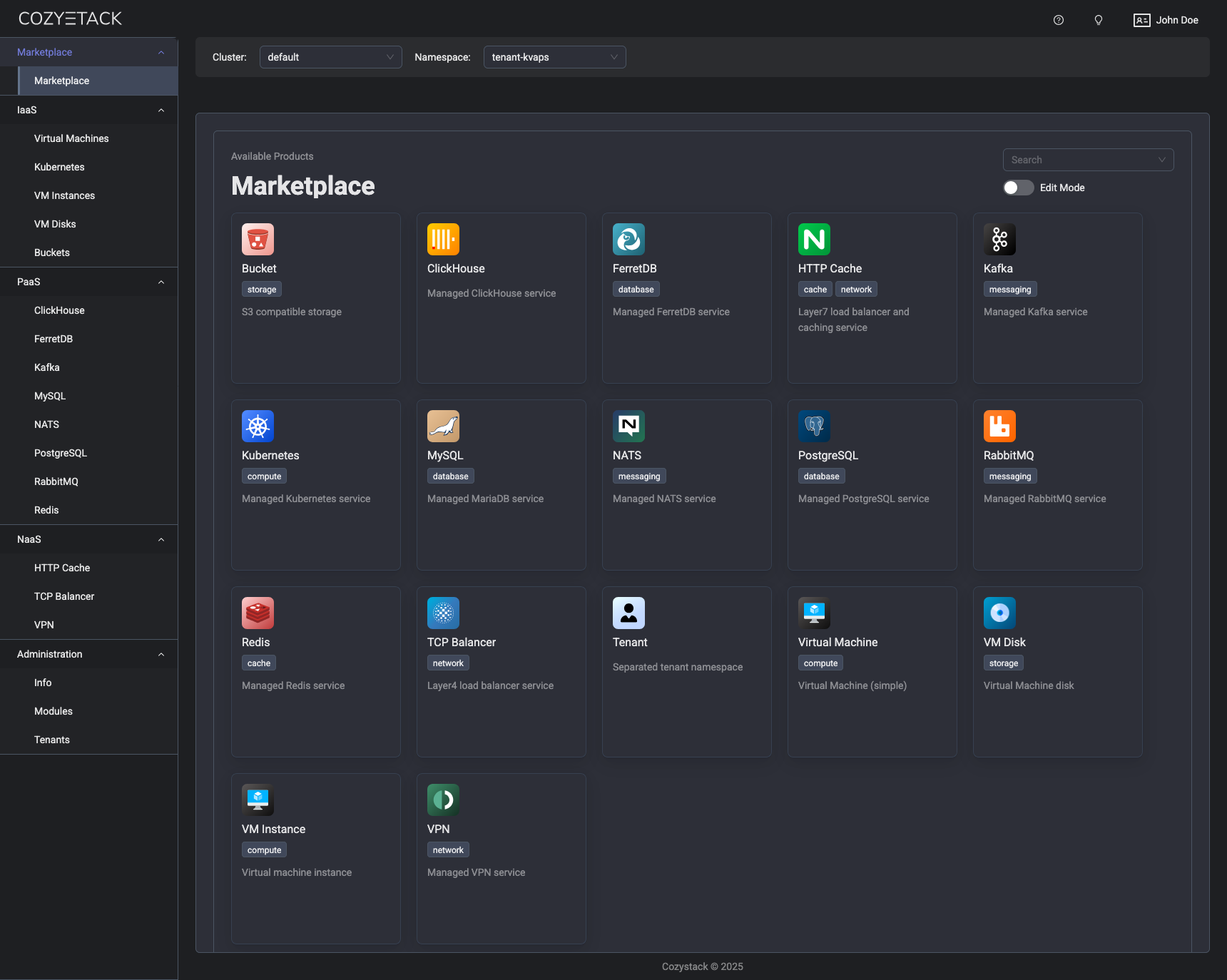
With Cozystack, you can transform a bunch of servers into an intelligent system with a simple REST API for spawning Kubernetes clusters, Database-as-a-Service, virtual machines, load balancers, HTTP caching services, and other services with ease.
Use Cozystack to build your own cloud or provide a cost-effective development environment.
Use-Cases
-
Using Cozystack to build a public cloud
You can use Cozystack as a backend for a public cloud -
Using Cozystack to build a private cloud
You can use Cozystack as a platform to build a private cloud powered by Infrastructure-as-Code approach -
Using Cozystack to build your own platform
You can install only the Cozystack components you need on an existing Kubernetes cluster
Documentation
The documentation is located on the cozystack.io website.
Read the Getting Started section for a quick start.
If you encounter any difficulties, start with the troubleshooting guide and work your way through the process that we've outlined.
Versioning
Versioning adheres to the Semantic Versioning principles.
A full list of the available releases is available in the GitHub repository's Release section.
Contributions
Contributions are highly appreciated and very welcomed!
In case of bugs, please check if the issue has already been opened by checking the GitHub Issues section. If it isn't, you can open a new one. A detailed report will help us replicate it, assess it, and work on a fix.
You are welcome to take on the fix yourself. Commits are used to generate the changelog, and their author will be referenced in it.
If you have a concrete feature request, open an issue. For a cross-cutting or architectural change, open a design proposal in the community repo. For questions or early ideas, use GitHub Discussions. See CONTRIBUTING.md for the full routing.
Community
You are welcome to join us in #cozystack, on either CNCF Slack (get an invite) or Kubernetes Slack (get an invite), in our Telegram group, and at our community meetings. Add them to your Google Calendar or iCal for convenience.
Project documents
| Document | What it covers |
|---|---|
| Governance | How decisions are made and who makes them |
| Contributor Ladder | How to grow from contributor to maintainer |
| Maintainers | Who maintains the project |
| Code of Conduct | What we expect of each other |
| Security Policy | Reporting a vulnerability, and which releases get fixes |
| Adopters | Who runs Cozystack in production |
| Roadmap | Where the project is going |
License
Cozystack is licensed under Apache 2.0.
The code is provided as-is with no warranties.
Commercial Support
A list of companies providing commercial support for this project can be found on official site.