 Aleksei Sviridkin
c069a191fc
`kube-state-metrics` ran BestEffort with no resources at all: the
subchart ships `resources: {}` and our wrapper never set any. So it put
no `memory.max` on its pod cgroup, and the Talos userspace OOM handler
only ever selects cgroups that lack one, which left it permanently in
the victim set. Any tenant workload driving node memory pressure could
evict the source of every kube-state metric we alert on. Background is
in `docs/operations/system-memory-limits.md`.

## The numbers are measured

On a three node cluster with 322 pods and roughly 25.6k series, which is
the smallest we run: 14 day peak working set 307Mi, peak RSS 280Mi, mean
176Mi.

So the request sits above the mean at 192Mi rather than at the peak, and
the limit carries wide headroom at 2Gi. The headroom is deliberate: this
component's memory scales with the number of objects in the cluster, and
the `--metric-labels-allowlist=pods=[*],deployments=[*]` already in this
file widens every pod and deployment series further, so a cluster larger
than the one measured lands well above what was seen here. `2Gi` is 6.7x
that peak, which read as linear in object count is roughly 2100 pods and
170k series, so the limit stays a ceiling rather than a bound well past
the largest cluster this sizing was drawn from.

No CPU limit, following the node DaemonSet sizing in `c9ba7a3cc`, which
set one zero times across nineteen files. CPU is irrelevant to the OOM
ranking, and a ceiling that binds on a scraper turns into scrape
timeouts rather than backpressure.

## This supersedes #2632

#2632 proposes 256Mi, which is below the 307Mi peak measured on the
smallest cluster we have, so it would convert an eviction risk into a
reliable OOM kill. It also adds a `cpu: 200m` limit, which is the half
that buys nothing. The diagnosis there was right and it sat since May;
the numbers are what needed replacing.

## Checks


`packages/system/monitoring-agents/tests/kube_state_metrics_resources_test.yaml`
pins the limit, both requests, and the absence of a CPU limit. Mutation
checked: dropping the limit to 256Mi turns it red. The chart's suites
are 3 files and 6 tests, all green.

### Release note

```release-note
fix(monitoring-agents): kube-state-metrics now carries a memory request and limit sized from a measured peak, so it is no longer a permanent candidate for the node OOM handler
```


<!-- This is an auto-generated comment: release notes by coderabbit.ai
-->
## Summary by CodeRabbit

* **New Features**
* Configured kube-state-metrics with requests of 50m CPU and 192Mi
memory, plus a 2Gi memory limit. No CPU limit is configured, allowing
CPU usage to scale as needed. These settings help ensure the service has
the memory and CPU resources it needs while keeping memory use bounded.
<!-- end of auto-generated comment: release notes by coderabbit.ai -->




Cozystack
Cozystack is a free and open-source platform and framework for building clouds.
Cozystack is a CNCF Sandbox project that was originally built and sponsored by Ænix.
With Cozystack, you can transform a bunch of servers into an intelligent system with a simple REST API for spawning Kubernetes clusters, Database-as-a-Service, virtual machines, load balancers, HTTP caching services, and other services with ease.
Use Cozystack to build your own cloud or provide a cost-effective development environment.
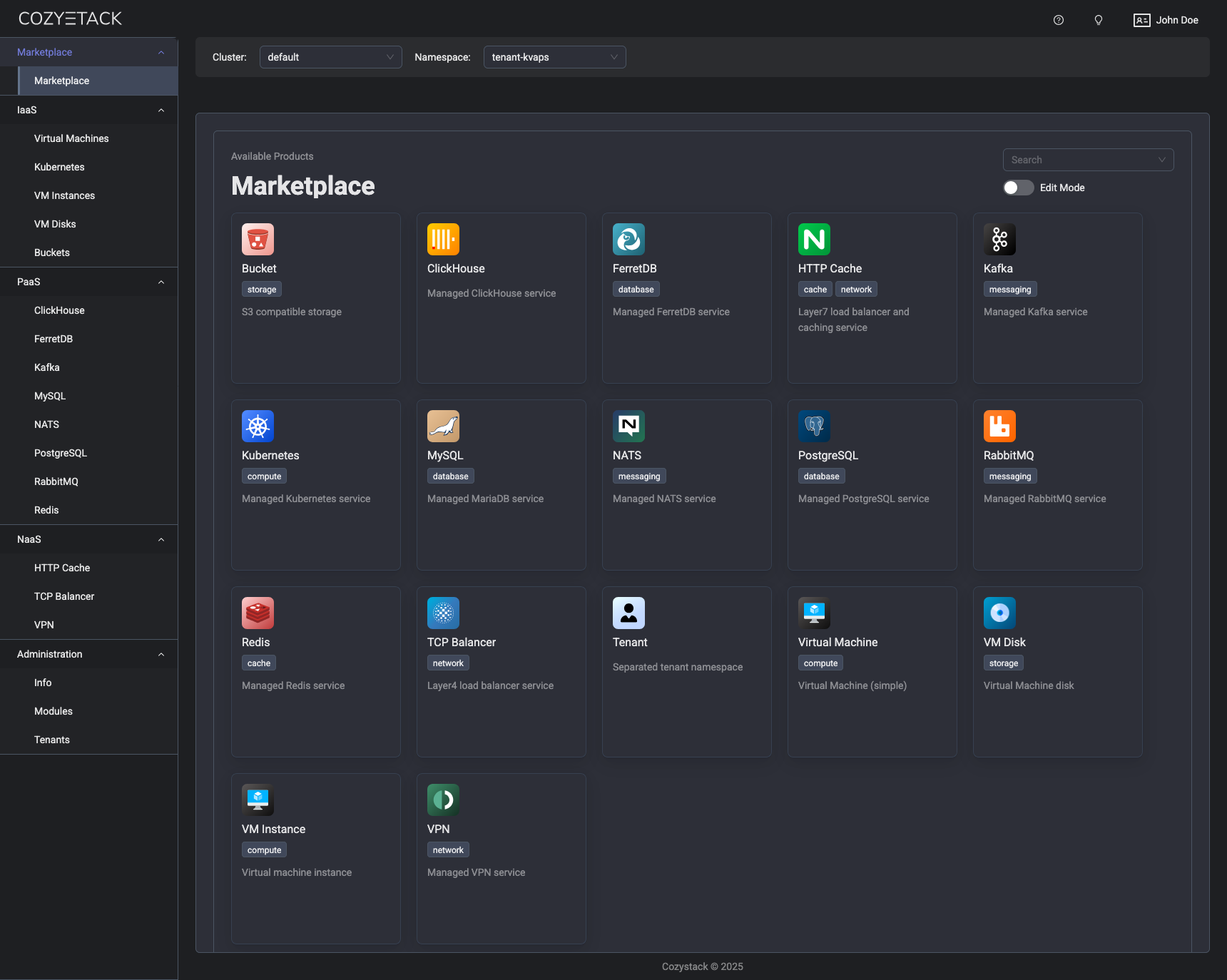
Use-Cases
-
Using Cozystack to build a public cloud
You can use Cozystack as a backend for a public cloud -
Using Cozystack to build a private cloud
You can use Cozystack as a platform to build a private cloud powered by Infrastructure-as-Code approach -
Using Cozystack as a Kubernetes distribution
You can use Cozystack as a Kubernetes distribution for Bare Metal
Documentation
The documentation is located on the cozystack.io website.
Read the Getting Started section for a quick start.
If you encounter any difficulties, start with the troubleshooting guide and work your way through the process that we've outlined.
Versioning
Versioning adheres to the Semantic Versioning principles.
A full list of the available releases is available in the GitHub repository's Release section.
Contributions
Contributions are highly appreciated and very welcomed!
In case of bugs, please check if the issue has already been opened by checking the GitHub Issues section. If it isn't, you can open a new one. A detailed report will help us replicate it, assess it, and work on a fix.
You are welcome to take on the fix yourself. Commits are used to generate the changelog, and their author will be referenced in it.
If you have a concrete feature request, open an issue. For a cross-cutting or architectural change, open a design proposal in the community repo. For questions or early ideas, use GitHub Discussions. See CONTRIBUTING.md for the full routing.
Community
You are welcome to join us in #cozystack, on either CNCF Slack (get an invite) or Kubernetes Slack (get an invite), in our Telegram group, and at our community meetings. Add them to your Google Calendar or iCal for convenience.
Project documents
| Document | What it covers |
|---|---|
| Governance | How decisions are made and who makes them |
| Contributor Ladder | How to grow from contributor to maintainer |
| Maintainers | Who maintains the project |
| Code of Conduct | What we expect of each other |
| Security Policy | Reporting a vulnerability, and which releases get fixes |
| Adopters | Who runs Cozystack in production |
| Roadmap | Where the project is going |
License
Cozystack is licensed under Apache 2.0.
The code is provided as-is with no warranties.
Commercial Support
A list of companies providing commercial support for this project can be found on official site.